Add Personal Tasks in an Open-Ended Collections Journey
You can now add different tasks to a common personal journey by using the My collection quick action under the Me tab. This journey is kind of a to-do list with no template and is open, meaning it has no end or completion date.
Here are some task examples for the personal journey:
- Employees can add a particular learning course to their collection.
- Employees can add a goal plan to their collection.
- Managers can add performance documents to their collection.
- Hiring managers can add and track a job requisition from their collection.
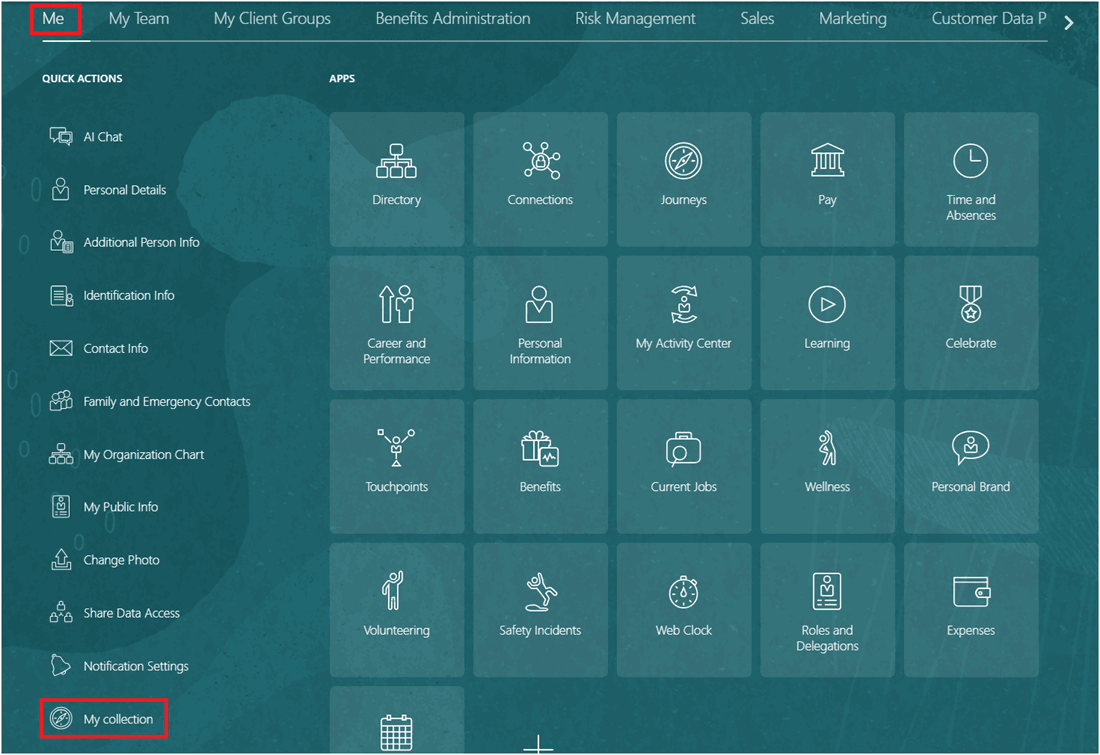
My Collection Quick Action Under the Me Tab
When you add a task to your collection, the values for the fields in the panel drawer are defaulted except for the task name, description, instructions, and reminders. You can change the default values according to your task. These fields are defaulted with values:
- Task type – Manual Task
- Start Date – Current date or today’s date
- End Date – One week from the start date
- When does the task expire? – After assigned date
- After how may days? – 7
- Enable comments - Selected
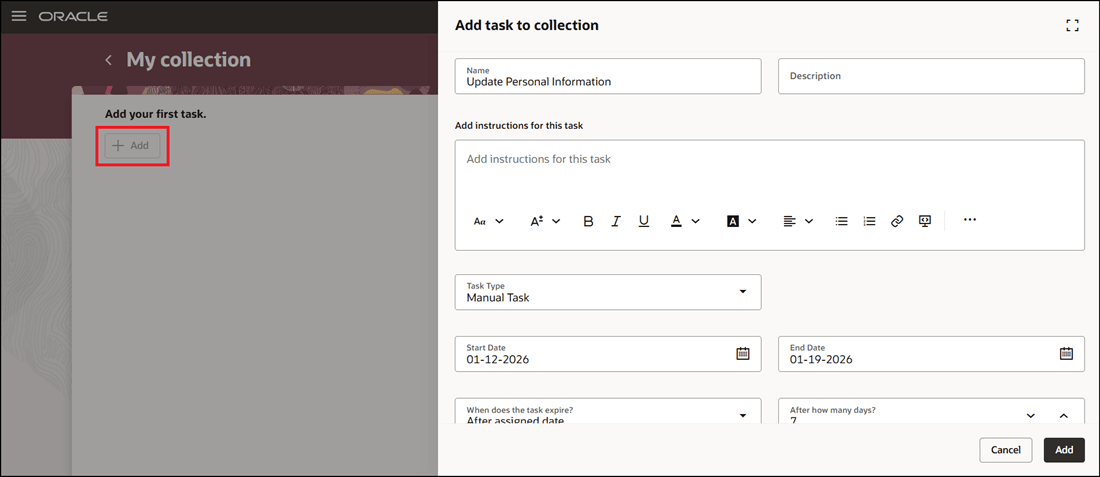
Add Task to My Collection
These are the task types supported currently:
- Document
- External URL
- Learn Community
- Learn Enrollment
- Manual Task
- Video
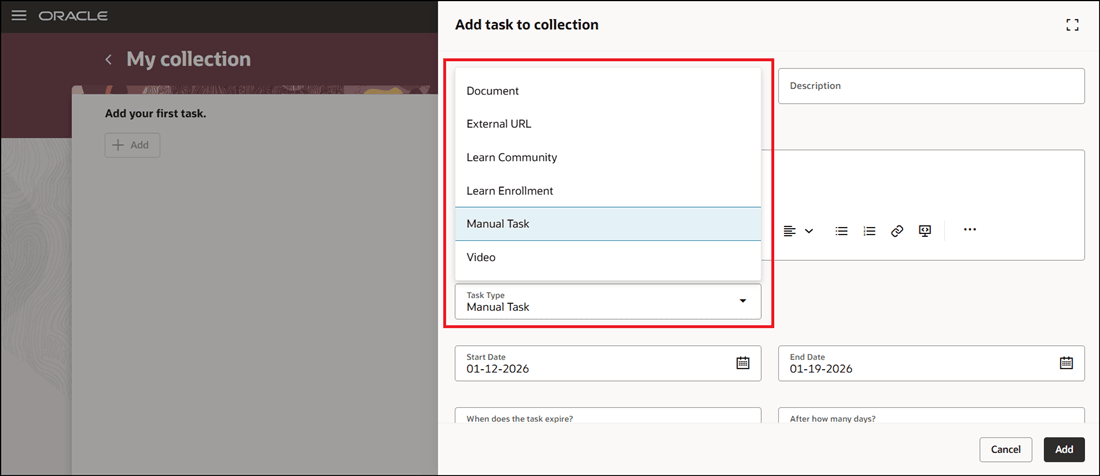
Task Types for My Collection Journey
You can search by a particular task name or filter the tasks based on the status. The task status filters are displayed with the numbers in parentheses indicating the total number of tasks available for a particular status. For example, if the user has not completed 2 tasks, it shows Open (2). If there are no overdue tasks, it shows Overdue (0). These are the statuses:
- Open – Task is open and not complete.
- Overdue – Task is overdue and past the end date.
- Completed – Task is completed by the user.
- All – Total number of tasks available for the user.
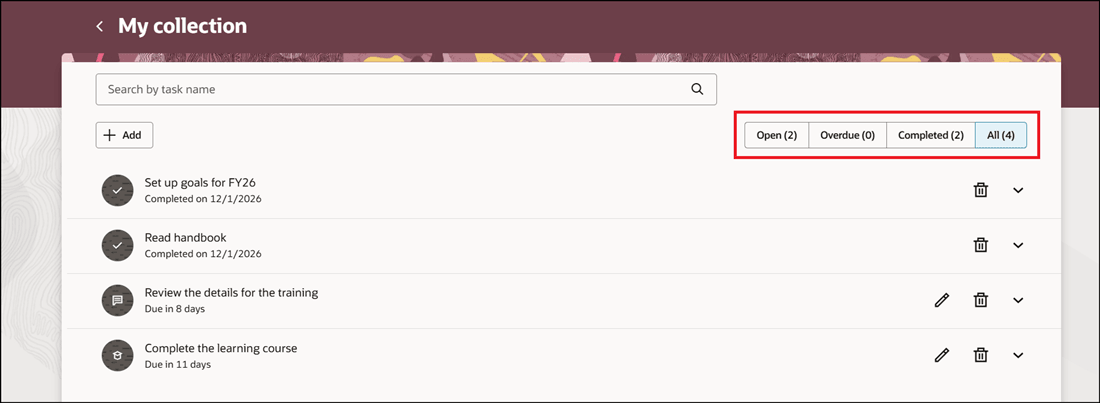
List of Tasks Added with Statuses
The tasks in your collection can be edited, deleted, or marked as done. Once marked as done, a tick mark icon appears next to the task in the collection and its status changes to completed.
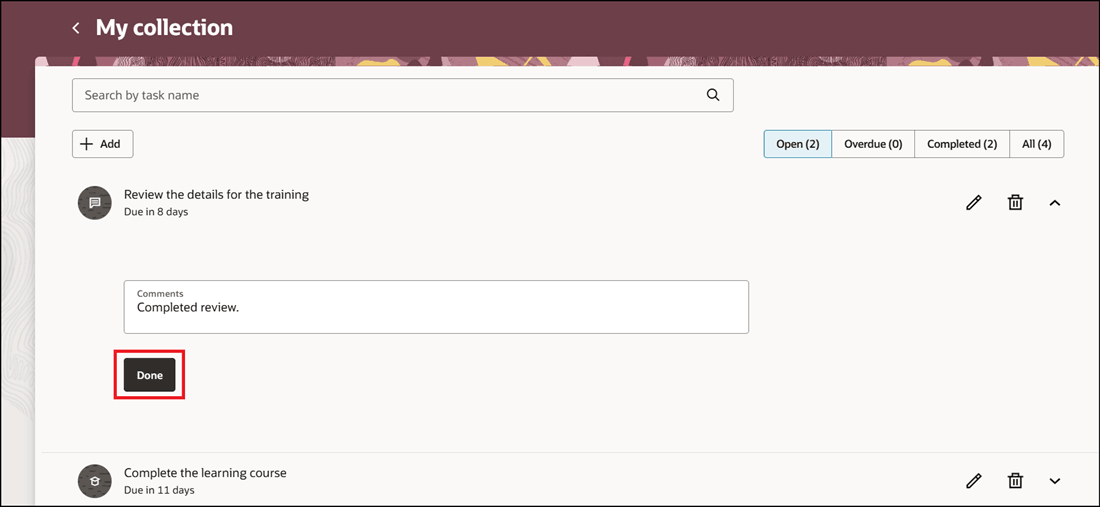
Click Done to Complete Task
This feature enables users to quickly create and track a to-do list of tasks that they need to do perform without the need of a journey template.
Steps to enable and configure
You need to enable the ORA_PER_JRNY_ENABLE_MY_COLLECTION profile option (set the profile value to Y). This is to display the My Collection quick action under the Me tab on the home page. For more information, see this topic: How do I enable a profile option?
For more information, see this topic: How do I add my personal tasks to a collection journey?
Tips and considerations
- The My collection journeys will always remain active even if there are no tasks associated with it.
- The My collection page can be accessed even by a user without a person record.
- Tasks can be added only by users for themselves.
- You can't delegate tasks in a collection.
Key resources
For more information, refer to the Implementing and Using Journeys guide.