Redwood Experience for Actions Reasons Page
Enrich the user experience with the Actions Reasons page developed using the Redwood tool set. The page is built from the ground up using Visual Builder Studio (VBS) to give you a unique experience of Oracle applications.
1. Translation Editor: You can now translate the text using the Translation Editor. The text can be translated into Canadian French, Korean, and American English.
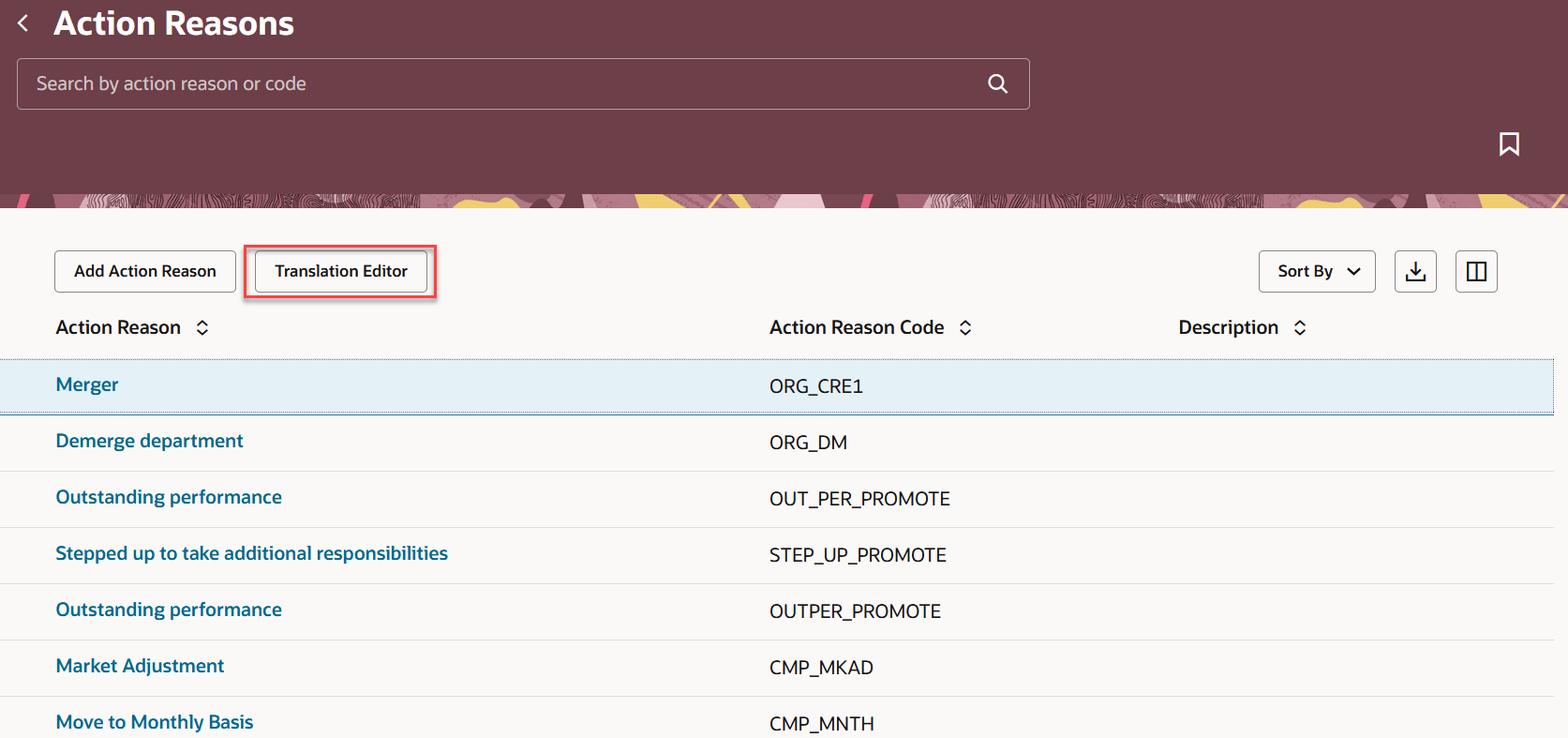
Configure Action Reasons page
You can also create a new or edit an existing action reason.
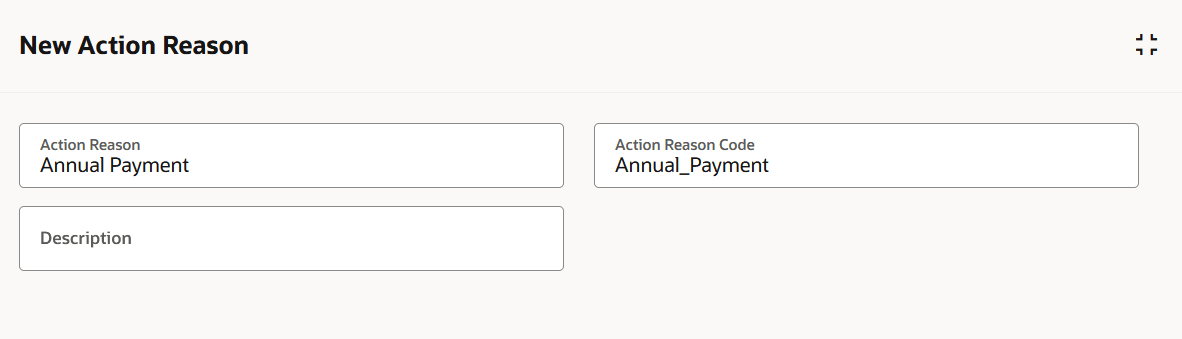
New Action Reason
2, Visual Builder Studio (VBS) - New page properties are added for the Action Reasons page in VBS.
- Ability to show Guided Journey on the Action Reasons dashboard UI
- Ability to Hide Add Button
- Ability to Hide Translation Editor Button
New page properties for the Add Action and Edit Action pages:
- Ability to make Required/Hidden/Read only for Add Action Reasons section attributes including flexfields.
- Ability to make Required/Hidden/Read only for Edit Action Reasons section attributes including flexfields.
The new page offers a modern look and feel, fewer clicks, and better performance. By using these new pages or flows, you can take advantage of the cohesiveness through the application.
Steps to enable and configure
You don't need to do anything to enable this feature.
Key resources
For more information, refer to the following resource on the Oracle Help Center.
- Action Reason, in the Implementing Global Human Resources guide
Here are the topics we recommend on getting started with Express Mode.
-
Refer to the following documentation in this order:
-
Express Mode in VBS for detailed instructions on using specific Express Mode features.
-
Extending Redwood Applications for HCM and SCM Using VB Studio for details on what’s supported by HCM.
-
-
You can refer to the VB Studio documentation "Configure an Oracle Cloud Application" to check the steps to access VB Studio from a Redwood page.
-
Extending HCM Redwood Applications Using Visual Builder Studio
-
Refer to the Customer Connect forum Visual Builder Studio for HCM
Access requirements
Access to the new Redwood Action Reason pages is controlled using the same security privileges that control access to the responsive Action Reasons page.
For information on existing security privileges, refer to this resource on the Oracle Help Center.