Redwood: Display of FSM Feedback Visibility Setup Task in Redwood when Enabled
Automatically displays the Feedback Visibility page in Fusion Setup Manager in Redwood mode when the Enable Redwood Anytime Feedback Pages profile option is enabled.
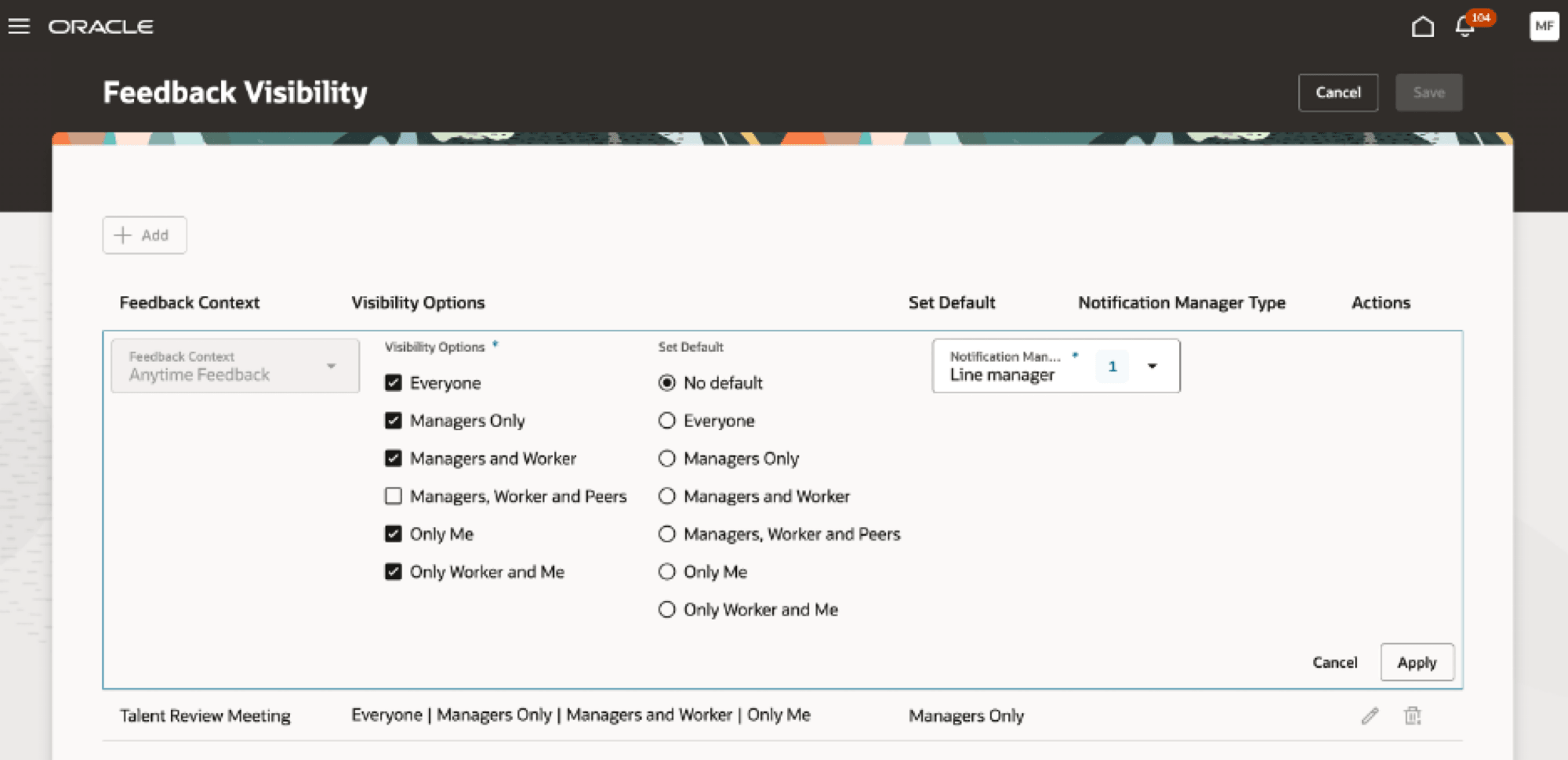
Feedback Visibility page in Redwood
Business Benefit
By using the new page or flow you can take advantage of the cohesiveness through the application.
Steps to enable and configure
To enable Redwood Feedback Visibility page in the Fusion Setup Manager, you need to enable the relevant profile options. For more details, see How can I enable Redwood Feedback Visibility Setup task?
Key resources
- For more details on extensibility, see Extending Redwood Applications for HCM and SCM Using Visual Builder Studio.
- For more information on roles, see Security Reference for HCM.