Nudge Notifications Available in Worklist Bell Notifications
You can now configure Worklist as a channel to receive nudge notifications in the Worklist under the bell icon, allowing users to view nudges alongside other application notifications. When a nudge is triggered, it appears in the bell notifications panel, ensuring users can easily access important notifications.
This improves visibility and persistence of nudges by consolidating them within a familiar notification experience. Users can review and act on nudges directly from the Bell notification, ensuring that important reminders or actions are not overlooked.
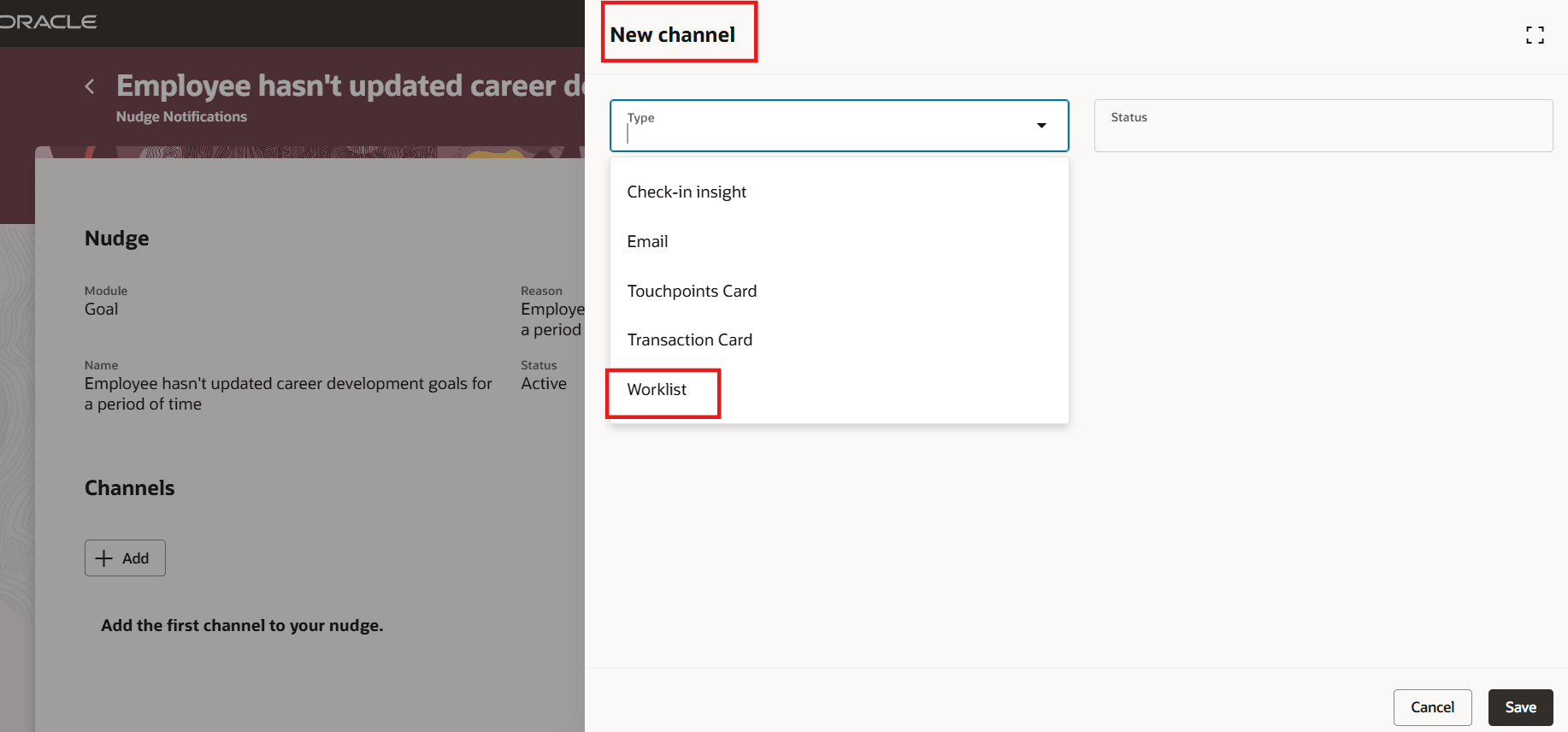
Select Worklist Channel for Nudge
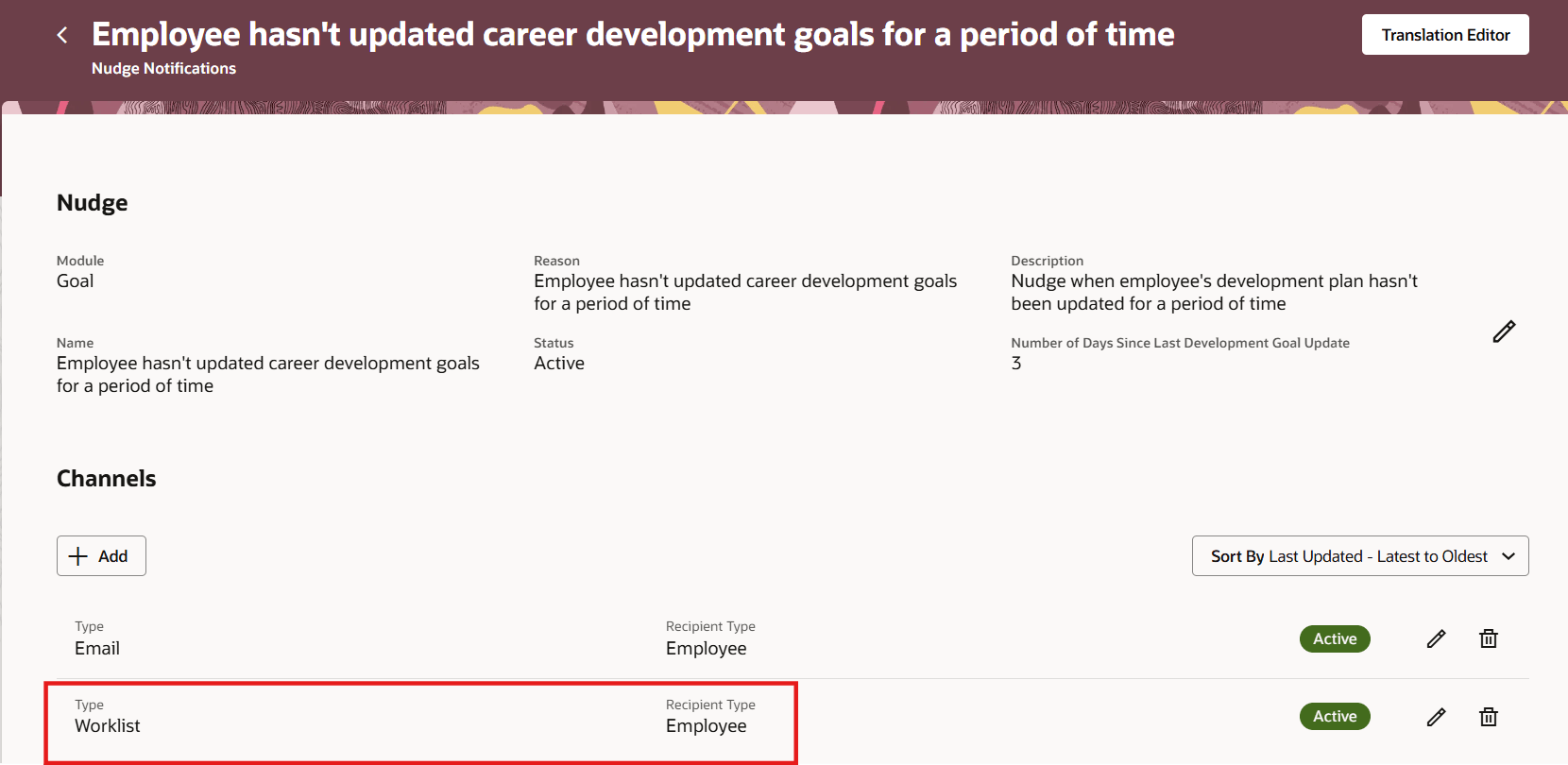
Nudge Channel of Worklist Type
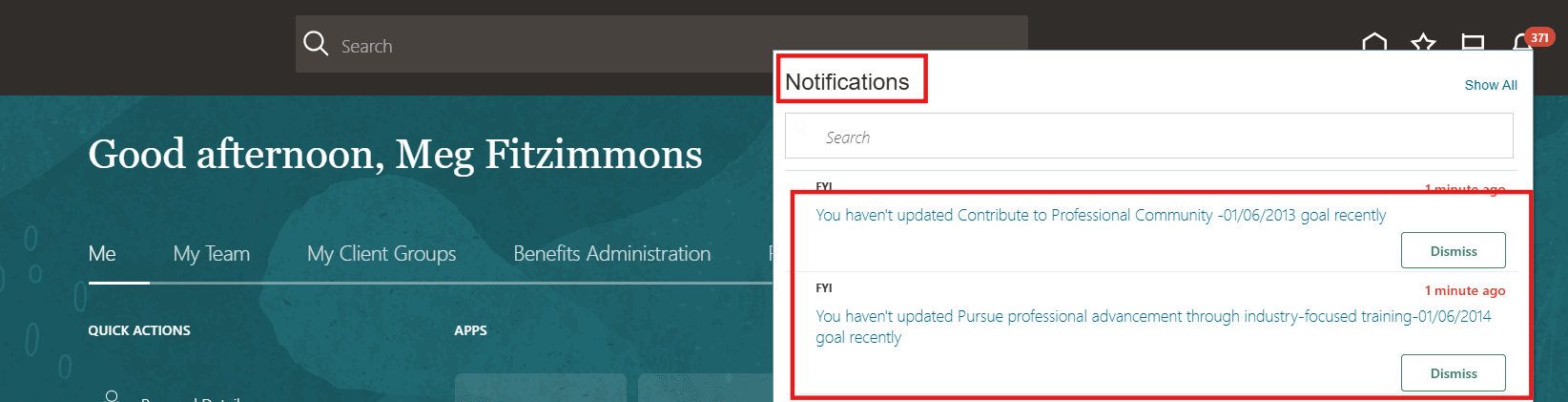
Notifications Visible Under Bell Icon
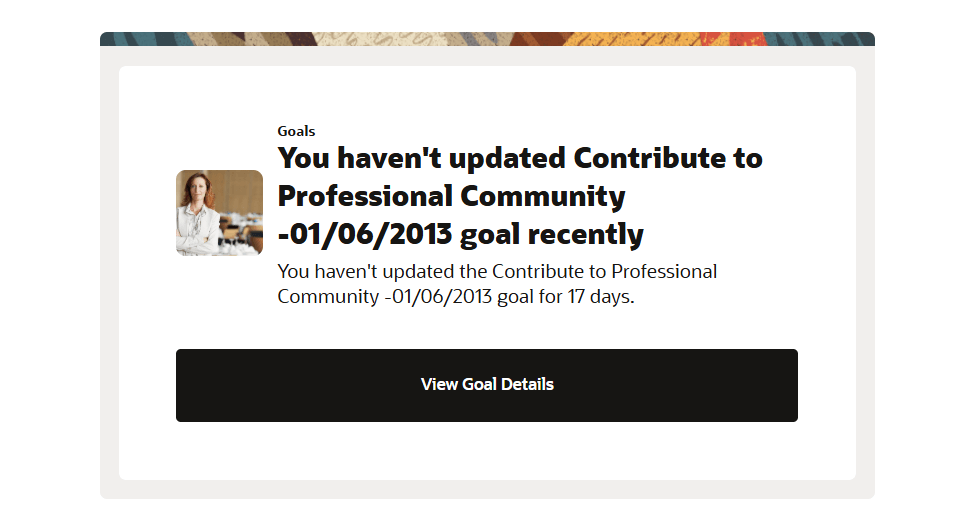
Notification Content Opened Directly from Worklist
Improves the visibility of nudges by making them available in the Worklist. This helps users easily revisit important nudges and take action when needed.
Steps to enable and configure
You don't need to do anything to enable this feature.
Key resources
For more information about nudges, refer to the HCM Nudges topic on Oracle Help Center.
Access requirements
You must grant administrators the Nudge Configuration (ORA_PER_NUDGE_CONFIGURATION_DUTY) duty role to configure nudges.