Add Development Goals for Employees’ Favorite Career Roles
Managers can now add development goals based on their reports’ favorite career roles. When a manager navigates to a worker’s favorite career role (through My Team > Recommend Career Roles > Favorites filter), they’ll see an Add Goal button next to the qualifications and competencies that are defined for that role.
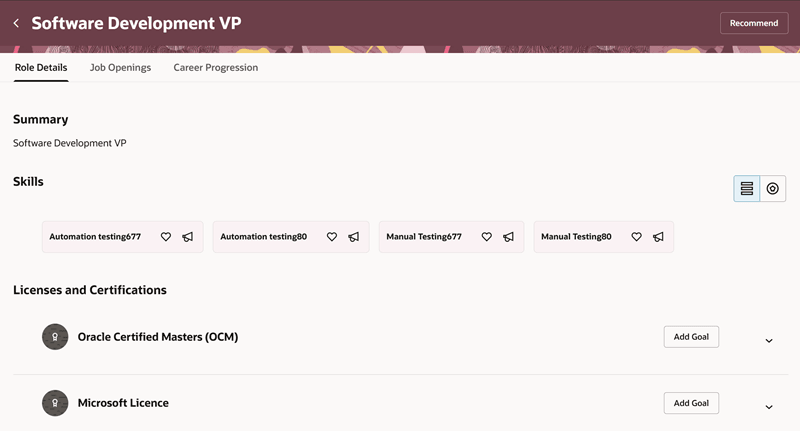
Add Goals from Licenses and Certifications Section
Selecting this button opens the goal creation page where the manager can enter the goal details.
When employees view their goals page from Goals Center, they can see the development goals that their manager added for them.
Business Benefit: This feature helps managers support employees’ career growth by adding goals aligned to their favorite career roles.
Steps to enable and configure
You don't need to do anything to enable this feature.
Tips and considerations
The goal creation page will be in the Redwood experience if the profile option ORA_HRA_PERFORMANCE_DOCUMENTS_AND_GOALS_REDWOOD_ENABLED is enabled.
Key resources
For details about manager recommending career roles, see the 26C What's New feature, Recommend and Manage Career Roles For Employees.