Learning catalog calendar for specialists
Use the Learning Calendar task to view and manage instructor-led training in one place.
-
Monitor schedules in month, week, day, or list views.
-
Search and filter training.
-
Review offering and event details.
-
View dates and times in your specified format and time zone.
-
Open the event to the Assignments tab by clicking enrolled or waitlisted counts in the panel.
Assign and manage training directly from the calendar. Details panels show schedules, locations, enrollment counts, and waitlist indicators.
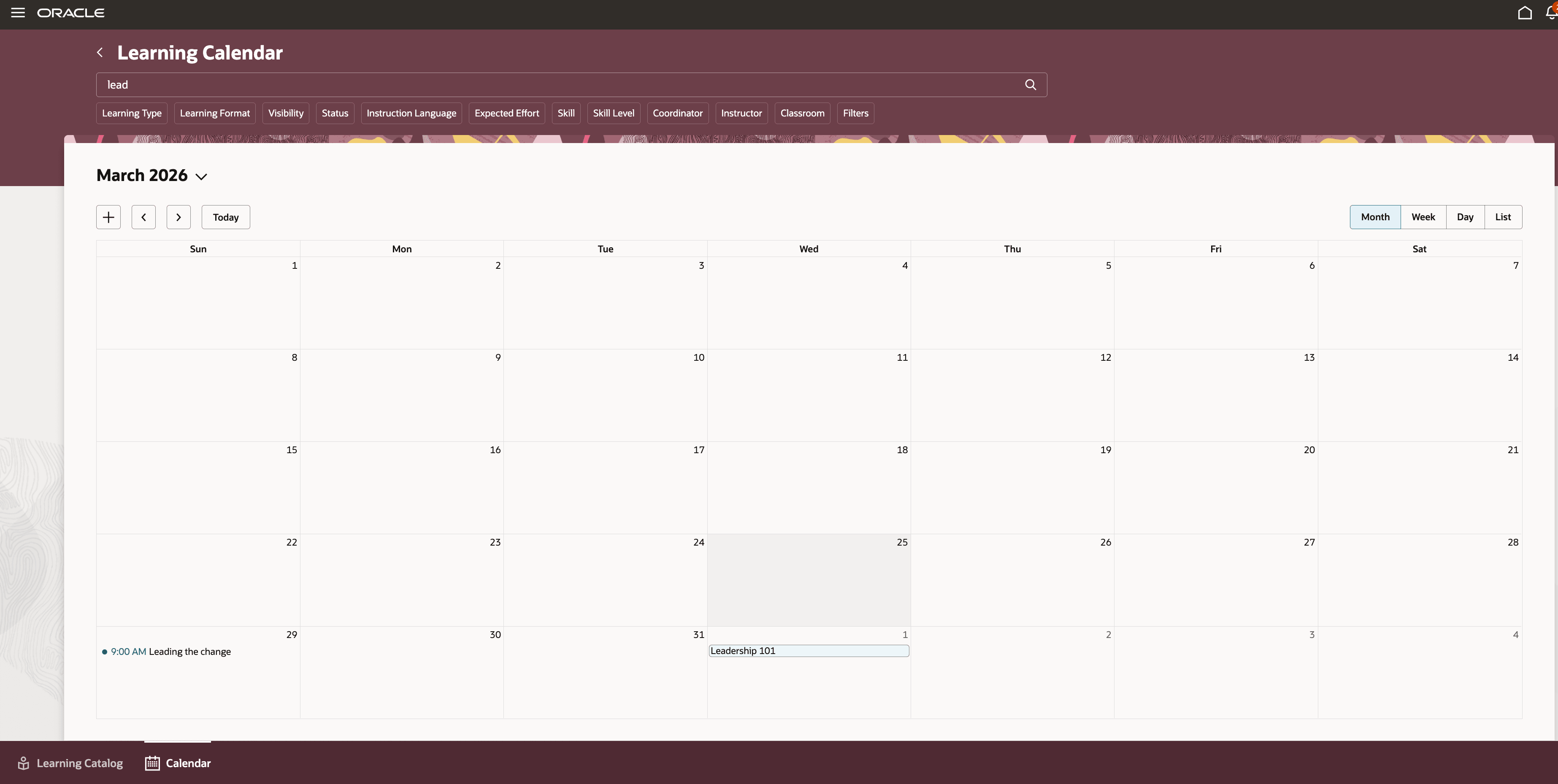
Learning Catalog Calendar
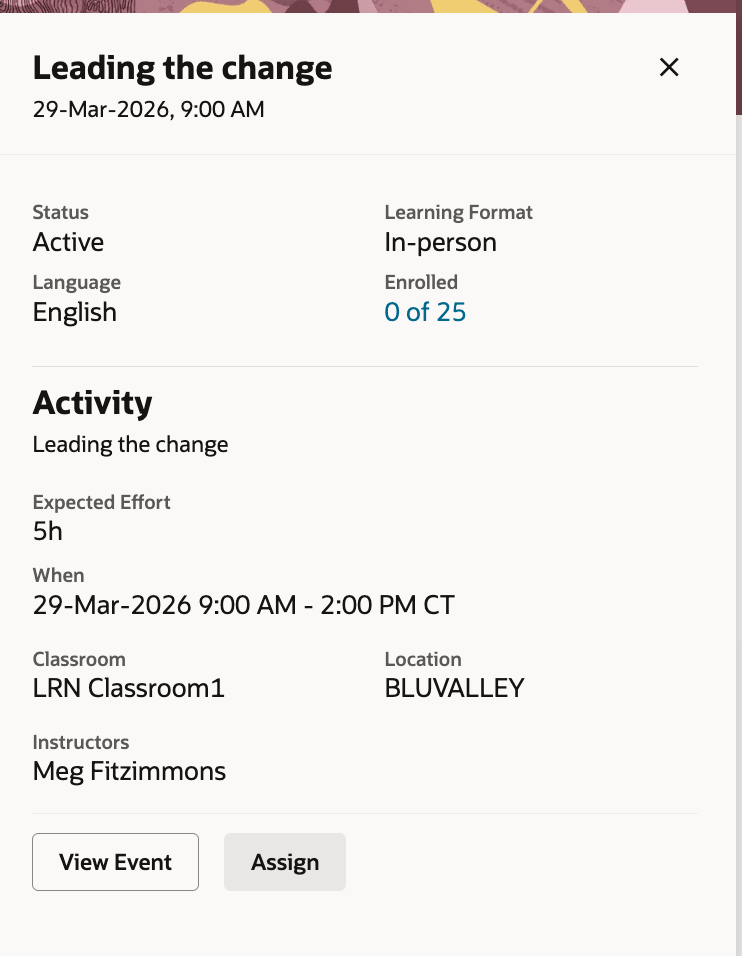
Learning Catalog Calendar View
Improve visibility into instructor-led training and reduce administrative effort with centralized calendar-based management. Help learning teams manage schedules and enrollments more efficiently.
Here's the demo of these capabilities:
Steps to enable and configure
- Set up unified learning catalog administration and access control
- Set the site-level profile value to Y for the ORA_WLF_ENABLE_ADMIN_LEARNING_CATALOG_CALENDAR profile option.
Tips and considerations
-
Set the starting day of the week with the SetCalendarDayofWeek page property.
-
Configure keyword search, columns, and available filters in the Admin Catalog Calendar Search view.
Access requirements
To create events directly from the learning calendar using the Add (+) action, specialists need this privilege:
| Privilege Name | Code | Description |
|---|---|---|
| Manage Learning Events | WLF_MANAGE_LEARNING_EVENT | Allows the user to create and manage learning events. |