Redwood: Notify Employees When HR Specialists Mass Share Performance Goals
If your administrator has enabled the new notification for mass sharing of performance goals, employees are notified when their HR specialist mass shares performance goals and the process to mass share the goals is complete.
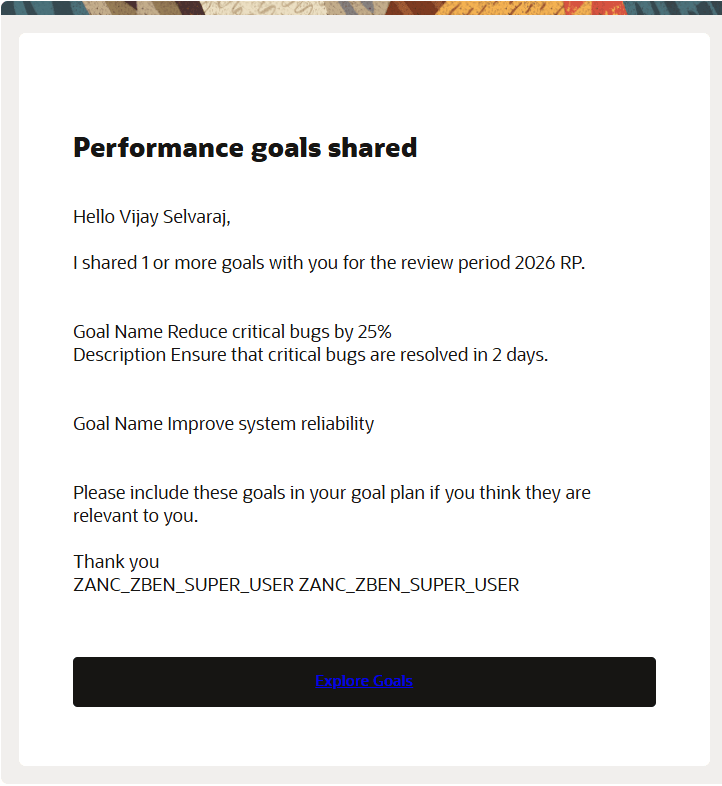
Notification for mass shared goals
When the employee clicks the Explore Goals link in the notification, they are taken to the Explore tab of their Goals Center where they can see the mass shared performance goals.
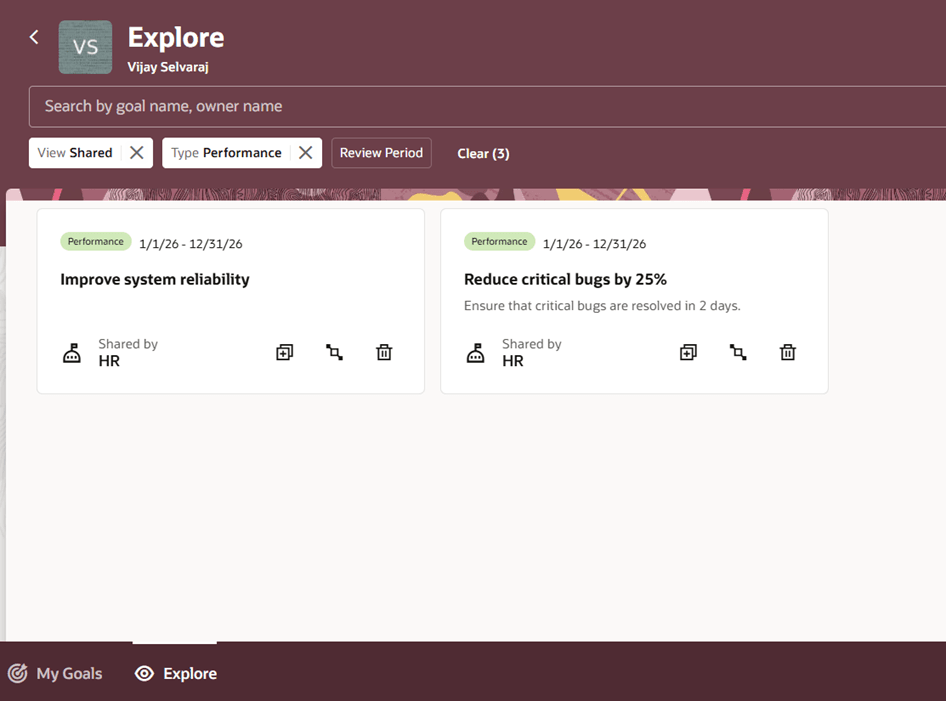
Mass shared performance goals on Explore tab
Business Benefit
Notify employees about mass shared goals and ensure that they act on them.
Steps to enable and configure
To enable Redwood Goals Center, you need to enable the profile options indicated in the table.
|
Profile Option Code |
Profile Option Display Name |
Value |
|---|---|---|
|
ORA_HCM_VBCS_PWA_ENABLED |
Enable VBCS Progressive Web Application User Interface |
Y |
|
ORA_HRA_PERFORMANCE_DOCUMENTS_AND_GOALS_REDWOOD_ENABLED |
Enable Redwood Performance Documents and Goals Center |
Yes |
NOTE: The Performance Document, Check-in, and Goals Center features are closely connected. So, the Redwood version of these pages can all be enabled or disabled only using the common ORA_HRA_PERFORMANCE_DOCUMENTS_AND_GOALS_REDWOOD_ENABLED profile option. These features can't be enabled individually.
For more information, see How do I enable a profile option?.
To ensure that workers are notified when their HR specialist mass shares goals, in Alerts Composer search for the Performance Goals Alerts event and enable the Worker Notified After HR Mass Shares Goals alert.