Redwood: Enhanced Skill Details Drawer
Use Skill detail drawer with skill attainment evidence to:
- Review skill metadata, assignment source, assignment date, target level, validated status, and achievement status.
- View self, manager, expert, and peer rating information in the configured circle or text pattern.
- Open View rating history and requests to review rating source, date, expiry status, and requester details.
- Review recent development activities and resources such as learning items, gigs, jobs and career ambassadors when available.
- Take role-appropriate actions, such as maintaining an eligible self-added target level, requesting a manager rating, or updating a manager-assigned skill rating.
- Discover and add semantically similar skills.
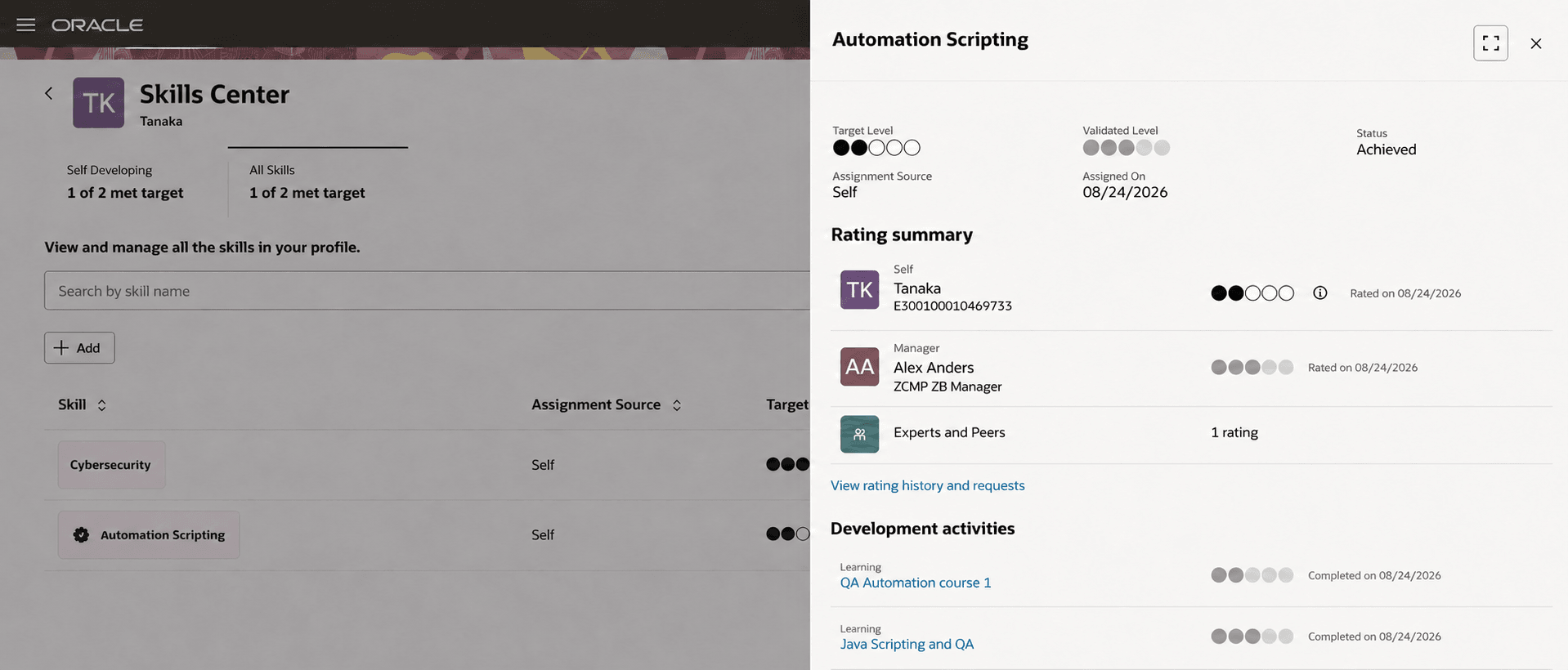
Skill details displayed on a drawer for the employee
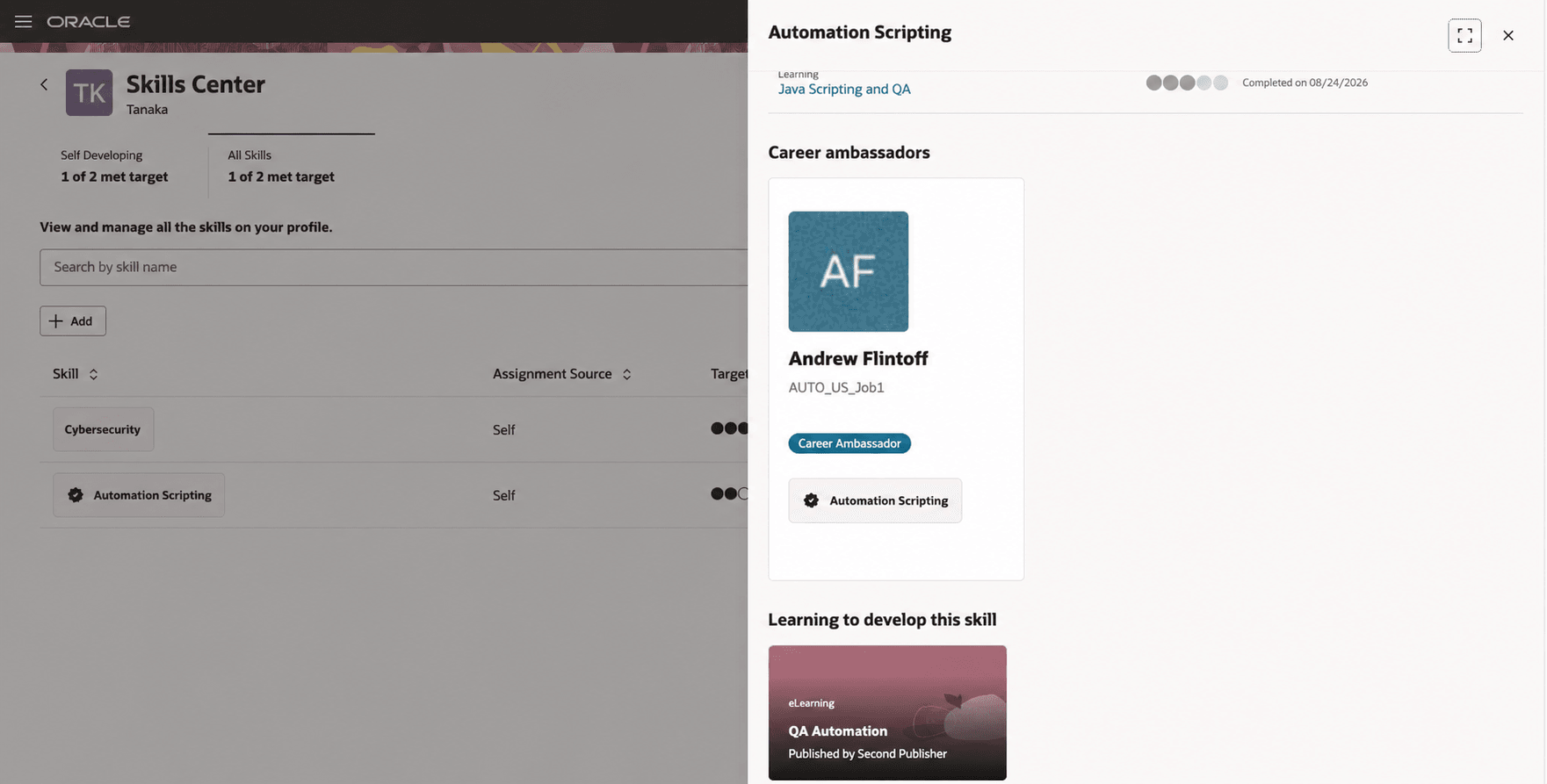
Skill details displayed on a drawer for the employee
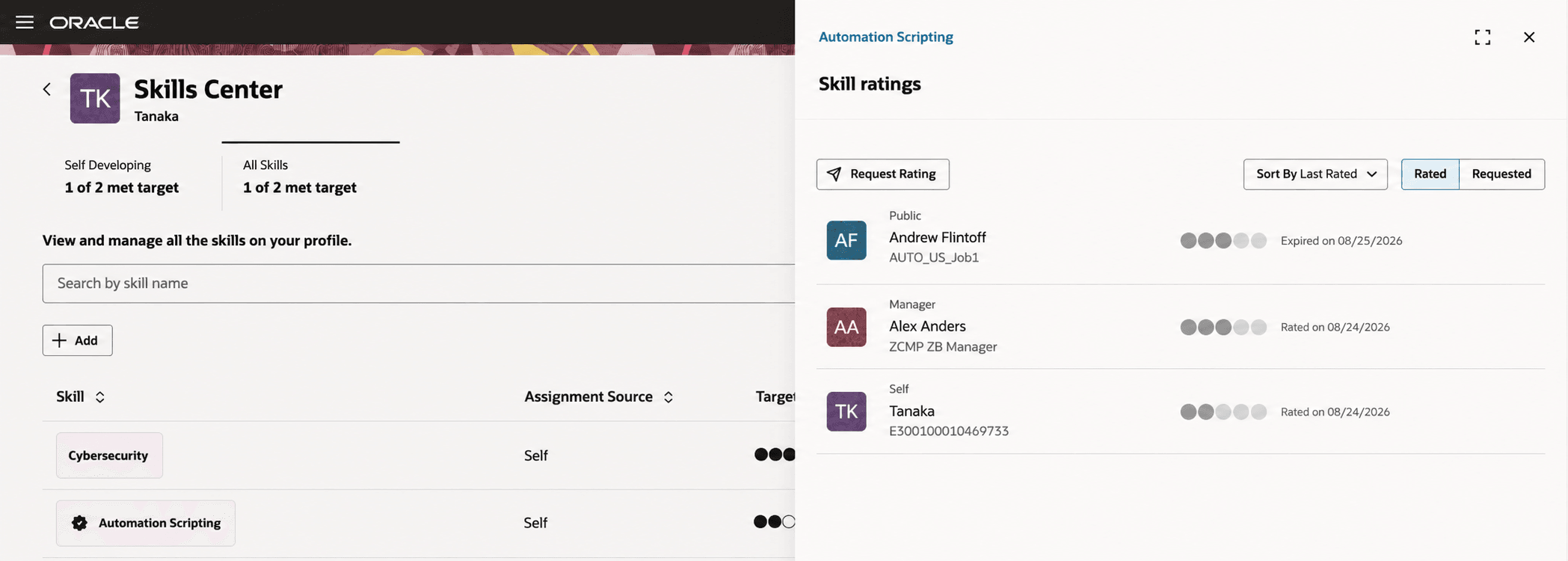
View rating history and requests on the drawer
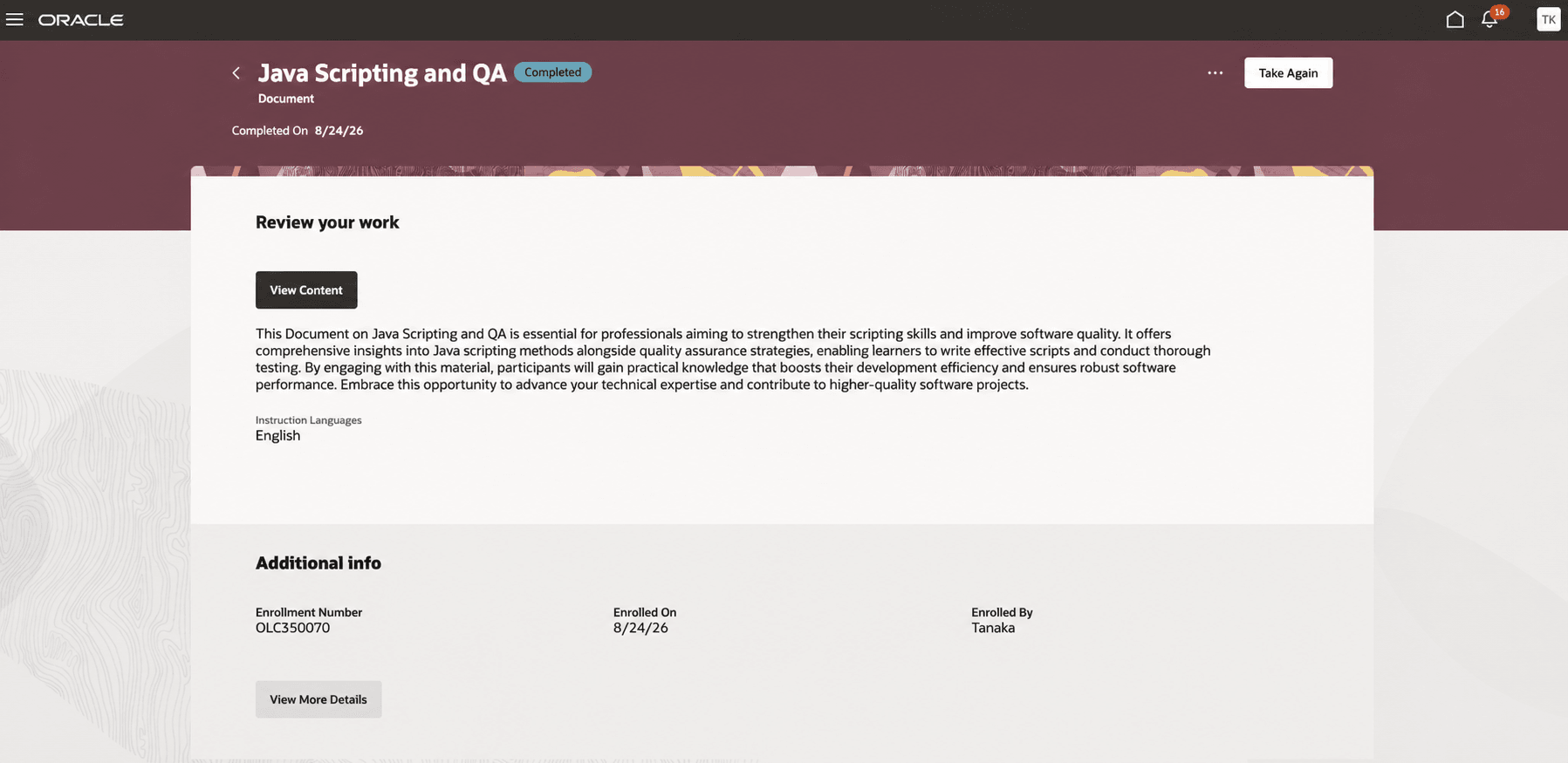
View details of development activity Java Scripting and QA
Try it out
- To view skill details and attainment evidence, perform the following:
- Select a skill chip in the Enhanced Skill Center to open the inline Skill Details slide-out.
- Review the skill's rating summary, assignment details, and development activity.
- Select View Rating History to review rating and request information.
- Use the available actions that apply to the current role and skill assignment.
- To add a related skill, perform the following:
- Open Skills Center and select a skill.
- In Related Skills, select a suggested skill to add.
- Enter Self Rating and Target Level, then add the skill.
- Continue in Skills Center after the confirmation message appears.
Prerequisites
- Enable Enhanced Dynamic Skills.
- Enable the profile option ORA_HRT_ENABLE_ENHANCED_SKILLS_CENTER.
Employees, managers, and administrators can view a skill's details and attainment evidence in a drawer from the Enhanced Skills Center. The panel preserves task context while presenting the information needed to understand a skill's status. The feature now keeps you on the same page and displays the Skills details in a drawer instead of navigating to the legacy Skills Details page.
Steps to enable and configure
You don't need to do anything to enable this feature.
Tips and considerations
- Profile administrators can tailor supported sections and fields with Oracle Visual Builder Studio.
- Configure supported Skill Details section visibility and order, and supported Add Skill field behavior, through Visual Builder Studio. For more details on extensibility, see Extending Redwood Applications for HCM and SCM Using Visual Builder Studio.
- As a profile administrator define a numeric rating even if the field is optional. To define or manage numeric ratings, navigate to My Client Groups >Profiles >Profile Rating Models.
Access requirements
Existing manager, administrator, worker, and data-security rules continue to apply. No new security privileges are required.