Configure the Worksite Field for Location Preferences
Admins can configure the display of a new Worksite field to let internal candidates specify a specific location preference. The available worksite options are dynamically determined based on the selected location.
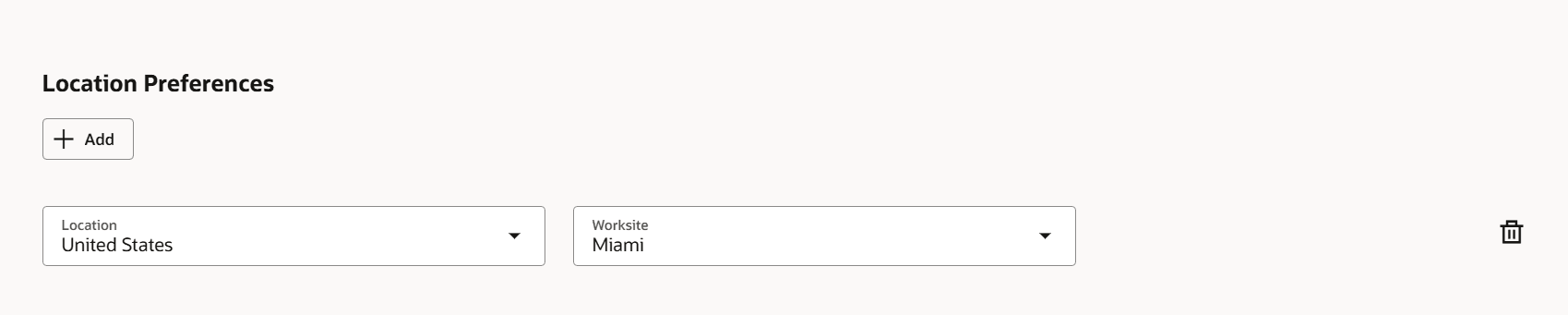
Worksite Field on the Update Interests page
Business benefit: This feature provides a more streamlined and personalized Update Interests experience, and improves the relevance of opportunity recommendations.
Steps to enable and configure
The Worksite field is available on the Location Preference section of the Update Interests page. By default, this field is hidden, but you can control its visibility in Visual Builder Studio.
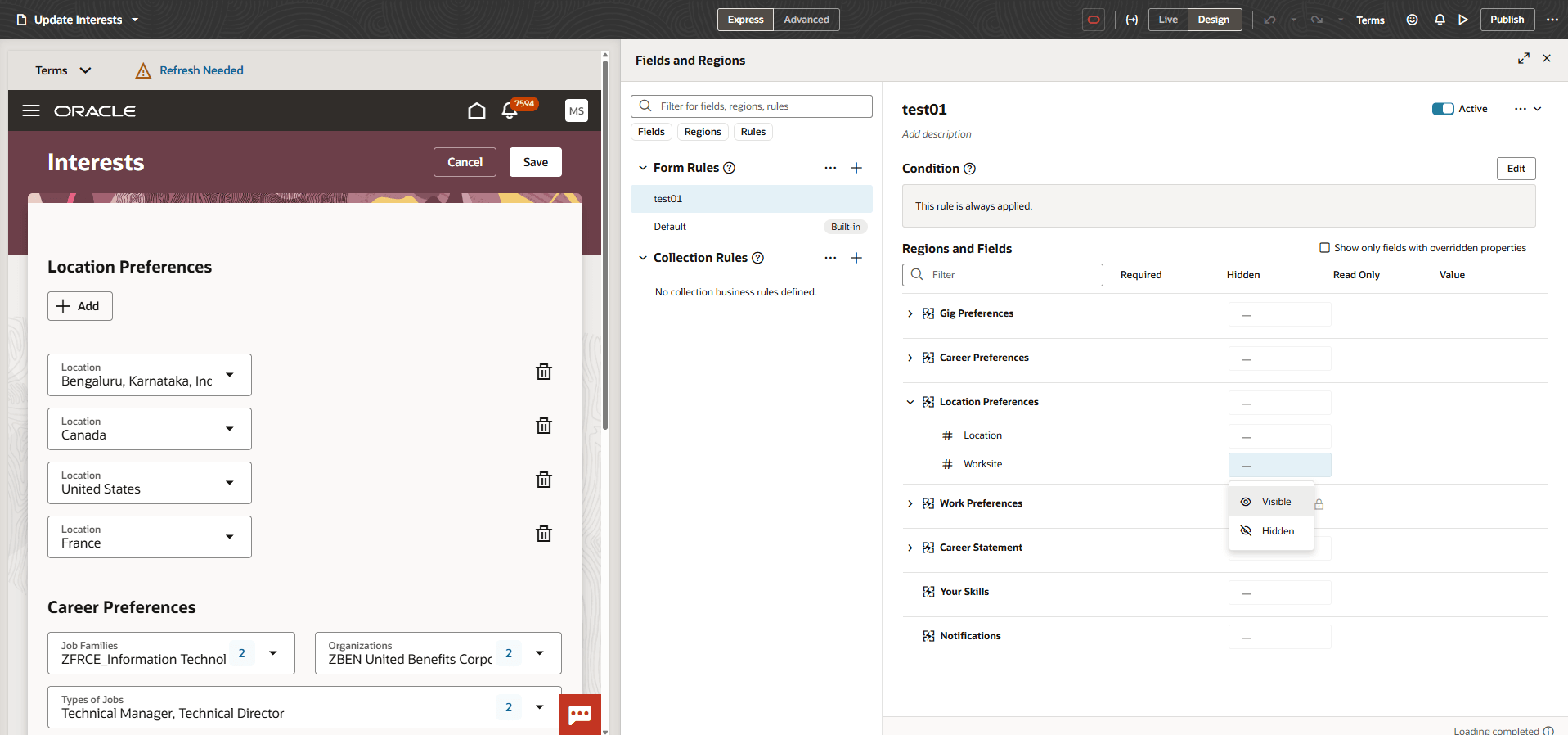
Configure the Worksite field in Visual Builder Studio
To display it, you need to create a business rule in Visual Builder Studio. For details, see How do I hide or show a field in Visual Builder Studio?
Key resources
For more information, see Locations.