Direct Deposit File Enhanced to Support RBC Routing Record
The Generate Direct Deposit Payments flow is enhanced to support Royal Bank of Canada (RBC) file transmission requirements for Canadian direct deposit files. You can now include an RBC file transmission routing record in the generated payment file when required.
As part of this enhancement, a new File Transmission Routing Record parameter has been introduced to control whether an RBC test or production routing record is included in the payment file.
File Transmission Routing Record
The File Transmission Routing Record parameter includes these values:
| Value | Description | ANSI File Record Code | UTF-8 File Record Code |
|---|---|---|---|
| None | This is the default value. No routing record is added. | ||
| Royal Bank of Canada Test | Adds the RBC test routing record to the direct deposit file. | $$AA01CPA1464[TEST[NL$$ | $$AAPDCPA1464[TEST[NL$$ |
| Royal Bank of Canada Production | Adds the RBC production routing record to the direct deposit file. | $$AA01CPA1464[PROD[NL$$ | $$AAPDCPA1464[PROD[NL$$ |
This image shows the new File Transmission Routing Record field and the list of values.
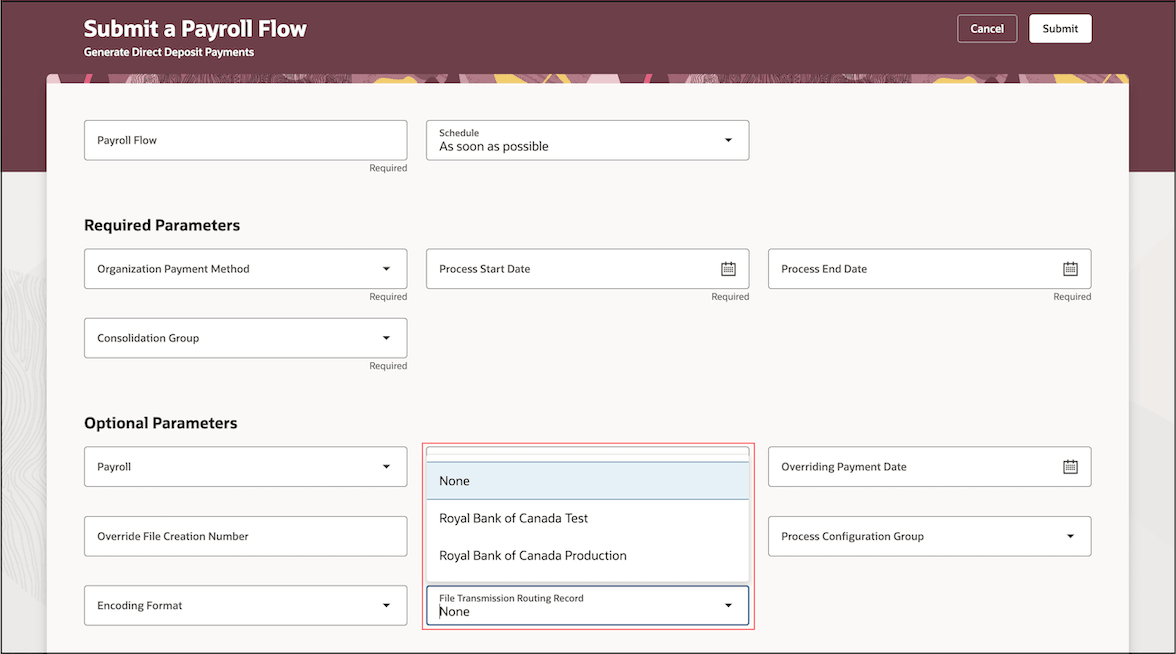
File Transmission Routing Record Parameter
The File Transmission Routing Record flow parameter is set to None by default.
To change the default value, use the Manage Common Lookups task in the Setup and Maintenance work area. Search for the
ORA_HRX_CA_DIR_DEPST_HDR_REC
lookup type and update the Display Sequence for the applicable lookup code. The lookup code with a display sequence of 1 is used as the default value for the flow parameter.
A product release upgrade or patch can overwrite user-defined display sequence. If this occurs, reapply the preferred display sequence after the upgrade or patch.
This image shows the lookup code and sequence number of the File Transmission Routing Record list of values.
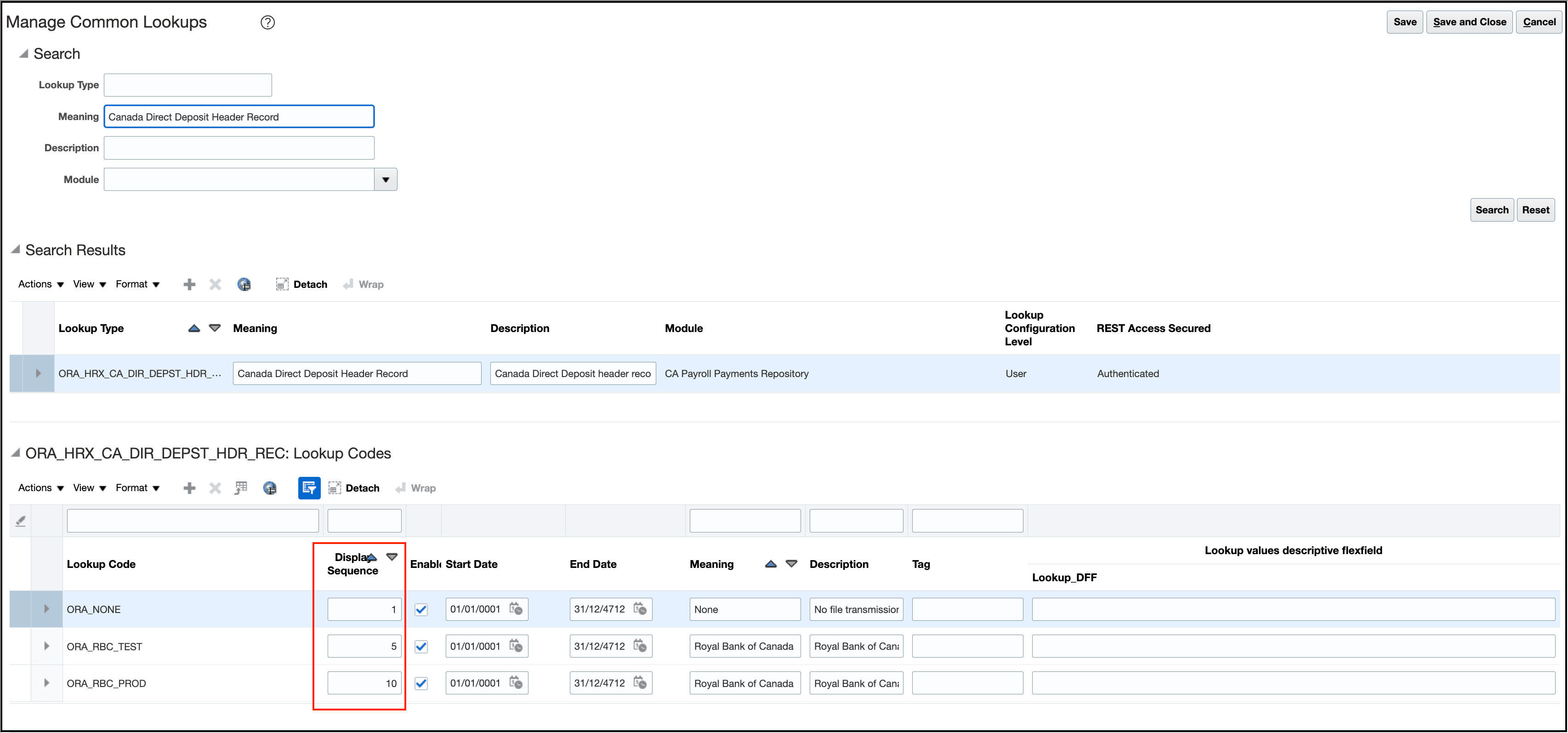
Manage Lookups
This enhancement helps ensure that direct deposit files submitted to RBC include the required file transmission routing record without customer customization of the payment template.
Steps to enable and configure
You don't need to do anything to enable this feature.
Tips and considerations
This enhancement doesn't change the existing payment file output unless an RBC routing record value is selected.
Key resources
Refer to these documents located on the Canada Information Center (KA144) for additional information.
- Administering Payroll for Canada
- CA – Payroll tab > Product Documentation > Payroll Guides > Implementing Payroll for Canada