View Locked Time Cards in Time Activity Center
Use the View Locked Time Cards action in Time Activity Center to identify payroll periods with currently locked time cards and monitor processing status of the lock process.
The drawer displays:
- Payroll name and payroll period.
- Lock date and time.
- User who submitted the lock.
- Lock process status and process ID.
- Successful and in-progress lock processes submitted within the previous 90 days.
You can sort the results and select, resize, or reorder the table columns.
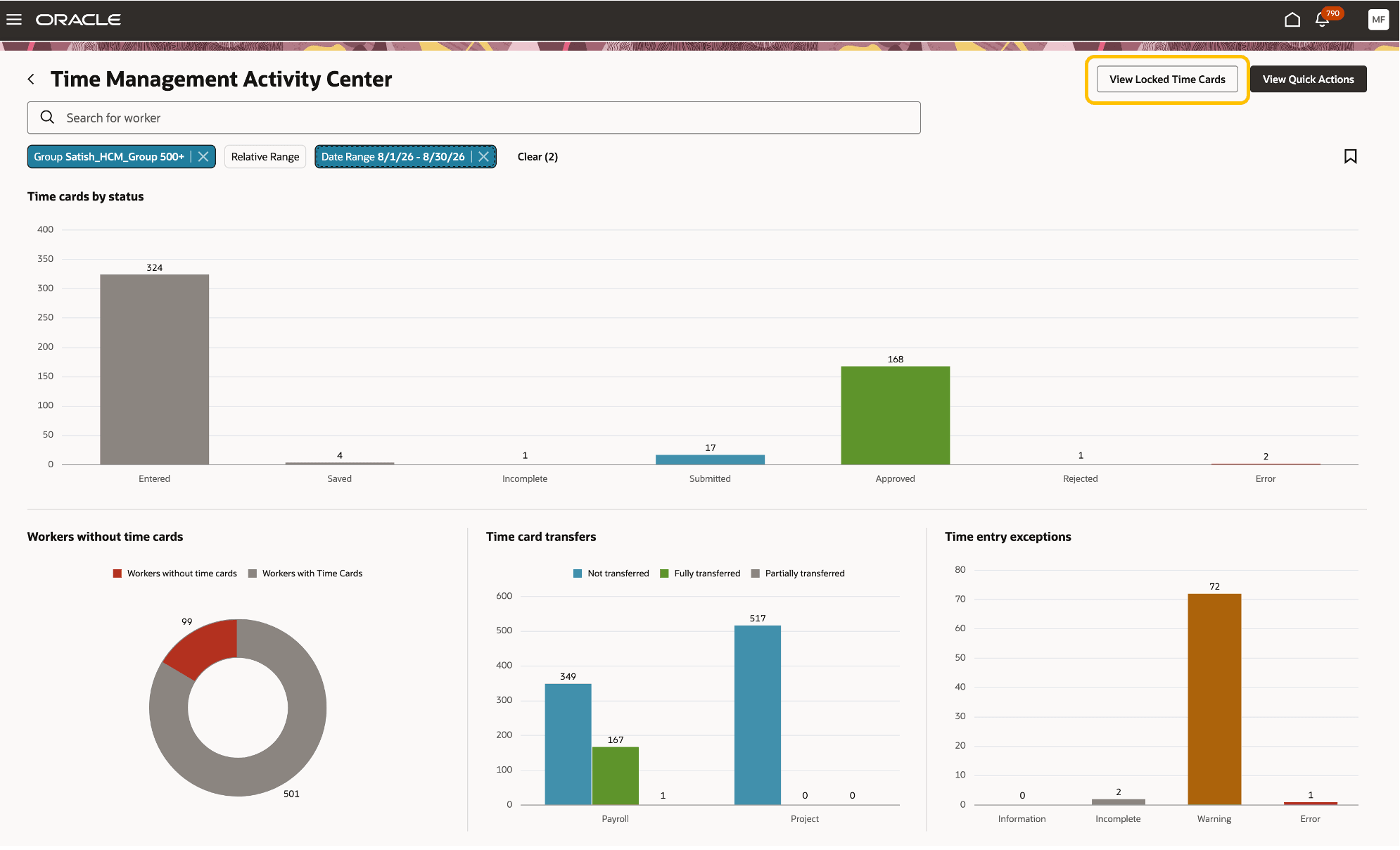
The View Locked Time Cards action is available from Time Management Activity Center
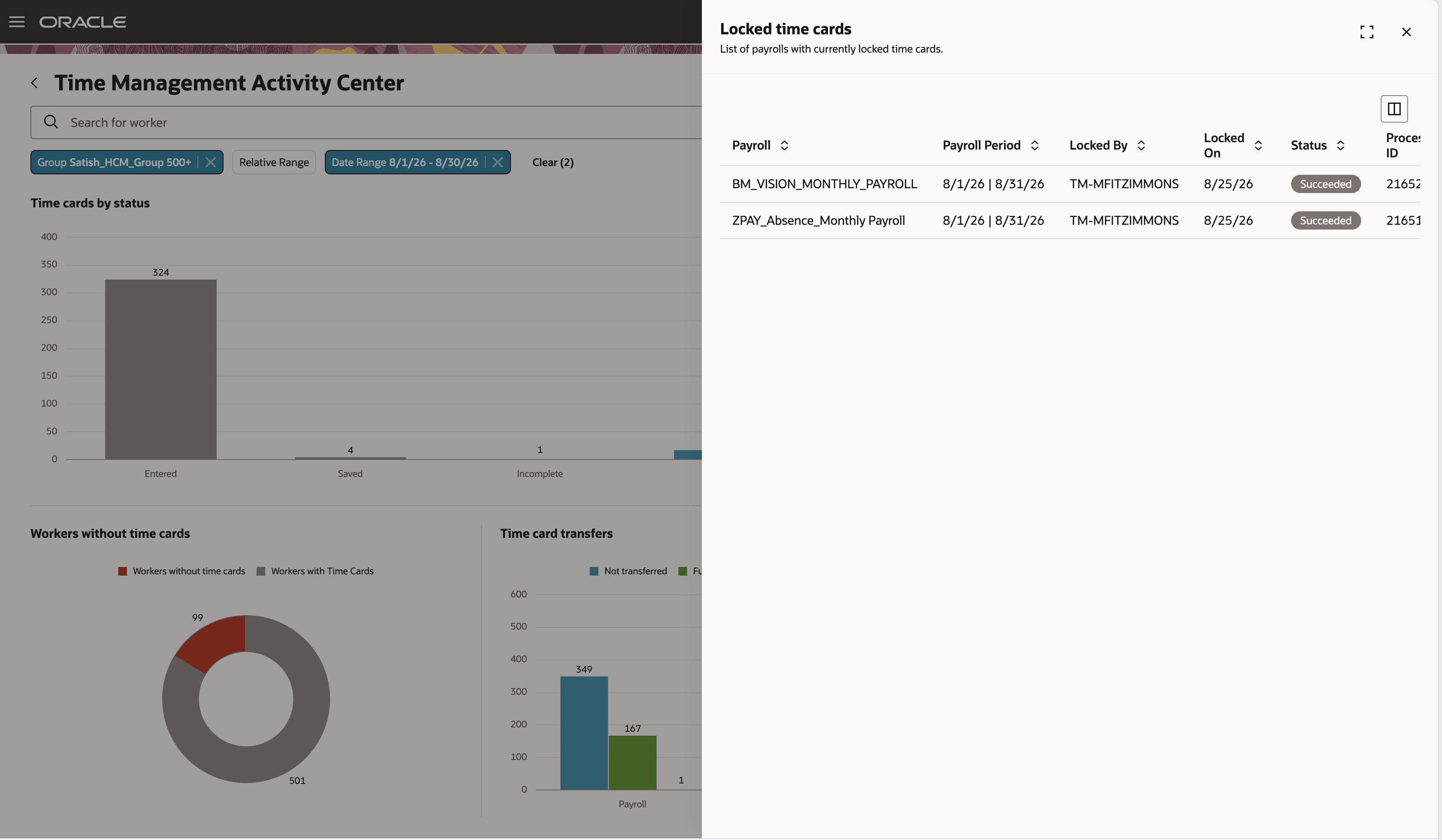
The Locked time cards drawer displays payroll periods with currently locked time cards and their processing status
Improve visibility into payroll-locked time cards, enabling Time and Labor managers to monitor time cards currently undergoing payroll processing.
Steps to enable and configure
No additional setup is required for users assigned the seeded Time and Labor Manager role.
Tips and considerations
- The drawer displays successful and in-progress lock processes submitted within the previous 90 days.
- The Time Card Access for Payroll Processing payroll flow locks time cards for payroll processing.
Access requirements
The HWM_RUN_WORKFORCE_MANAGEMENT_PROCESSES_PRIV privilege controls visibility of the View Locked Time Cards action.
This privilege is seeded to the Time and Labor Manager role.