 Work Queue Support for Additional GTM Objects
This feature extends the existing work queue capability to include Trade Item Structure, Trade Transaction, Declaration, and Declaration Line. Work queues allow you to assign a list of objects to specific users for review and processing.
To create a work queue, navigate to the Work Queue power data.
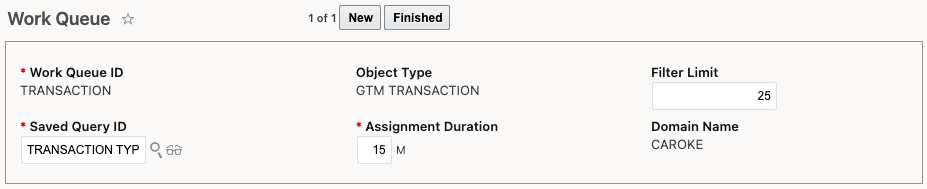
Work Queue Configured for Transaction
Once you have created a work queue, you can use it within a configured enhanced workbench. In the query section at the top of the pane, select the work queue you want to run.
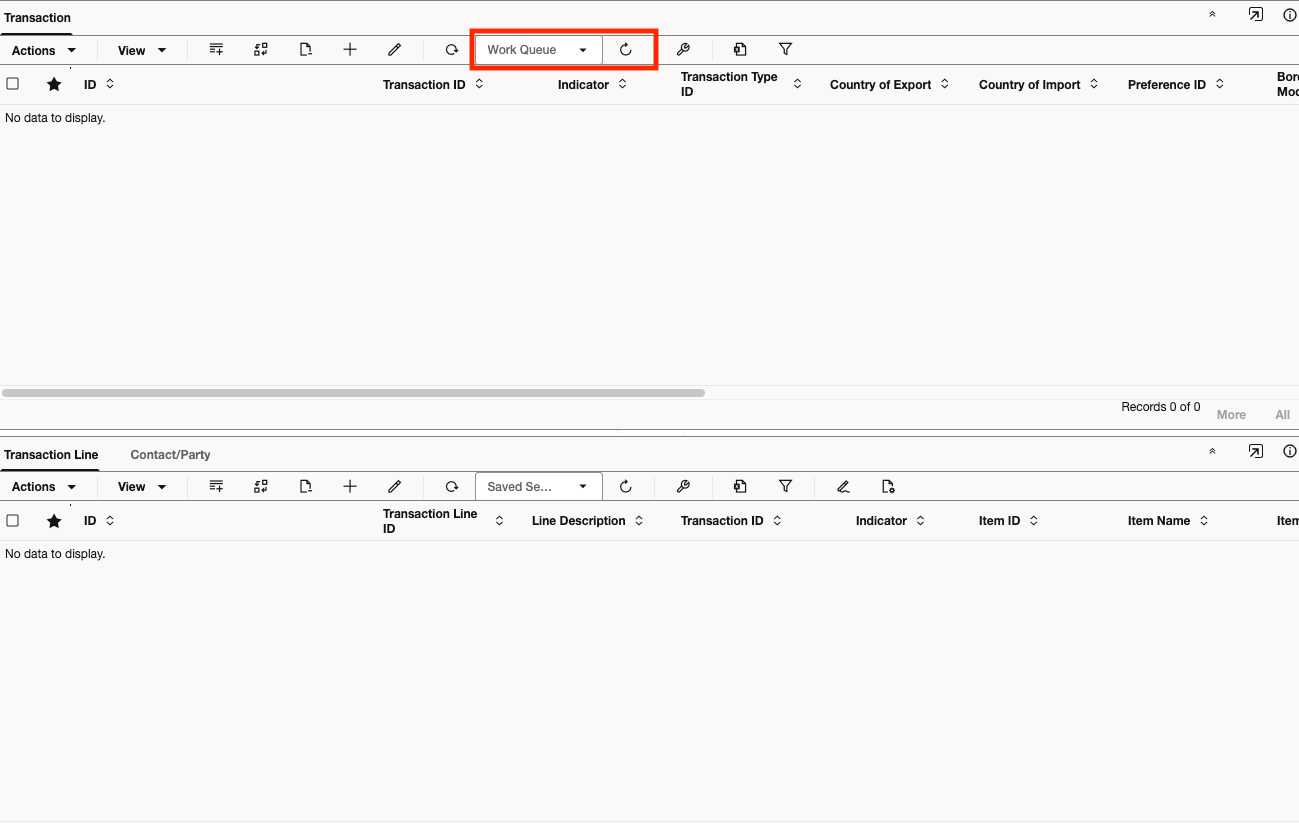
Enhanced Workbench Configured for Work Queue
Business Benefit: Extending the work queue capability to include Trade Item Structure, Trade Transaction, Declaration, and Declaration Line enables organizations to manage and assign specific trade-related tasks directly to users or teams. This results in improved productivity and workflow management, as it streamlines the review and processing of critical trade activities.
Steps to enable and configure
- Navigate to Master Data > Power Data > Configurations > Work Queue.
- Create a work queue for the desired object type, and specify details such as Filter Limit, Saved Query ID, and Assignment Duration.
- When creating an enhanced workbench, select Population Method = Work Queue on the first pane.
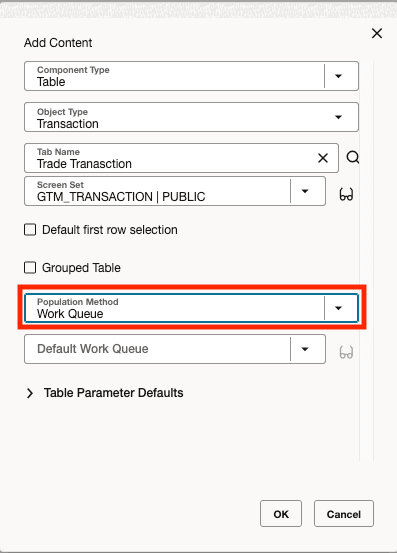
Enhanced Workbench - Population Method
Tips and considerations
When creating a work queue for a declaration or declaration line, select an Object Type of GTM SHIPMENT or GTM SHIPMENT LINE respectively.
Key resources
For more information on configuring workbenches, navigate to Configuration and Administration > Enhanced Workbench in help.