Claim Line Item Enhancement
This feature enhances the Claim Line Item by providing you with a Claim Line Item Finder and Finder Results screen as well as the ability to add the Claim Line Item as an available Table Object Type in the Enhanced Workbench.
The Claim Line Item Finder is shown below. You can navigate to the Claim Line Item Finder via Financials > Claim Line Item.
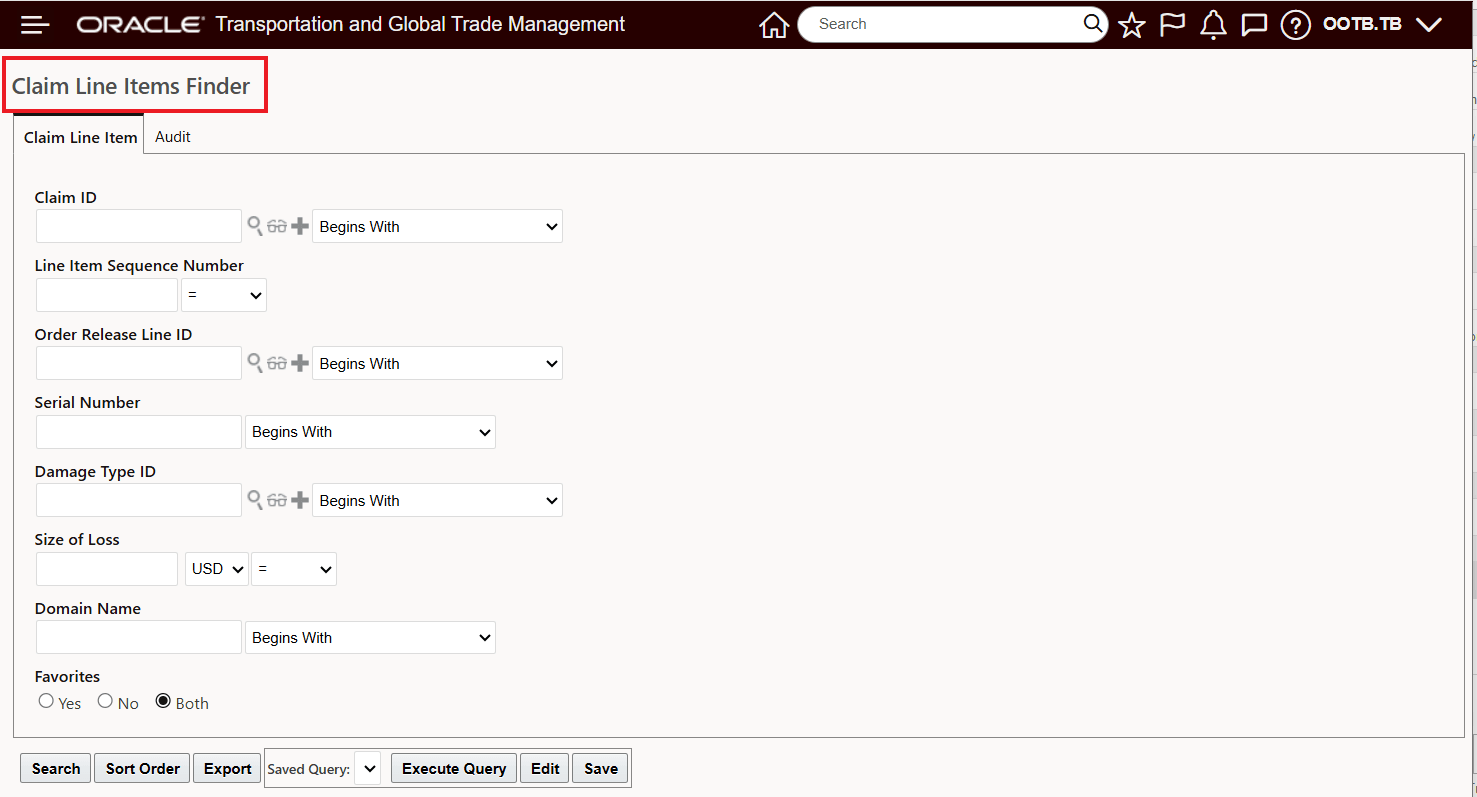
Claim Line Item Finder
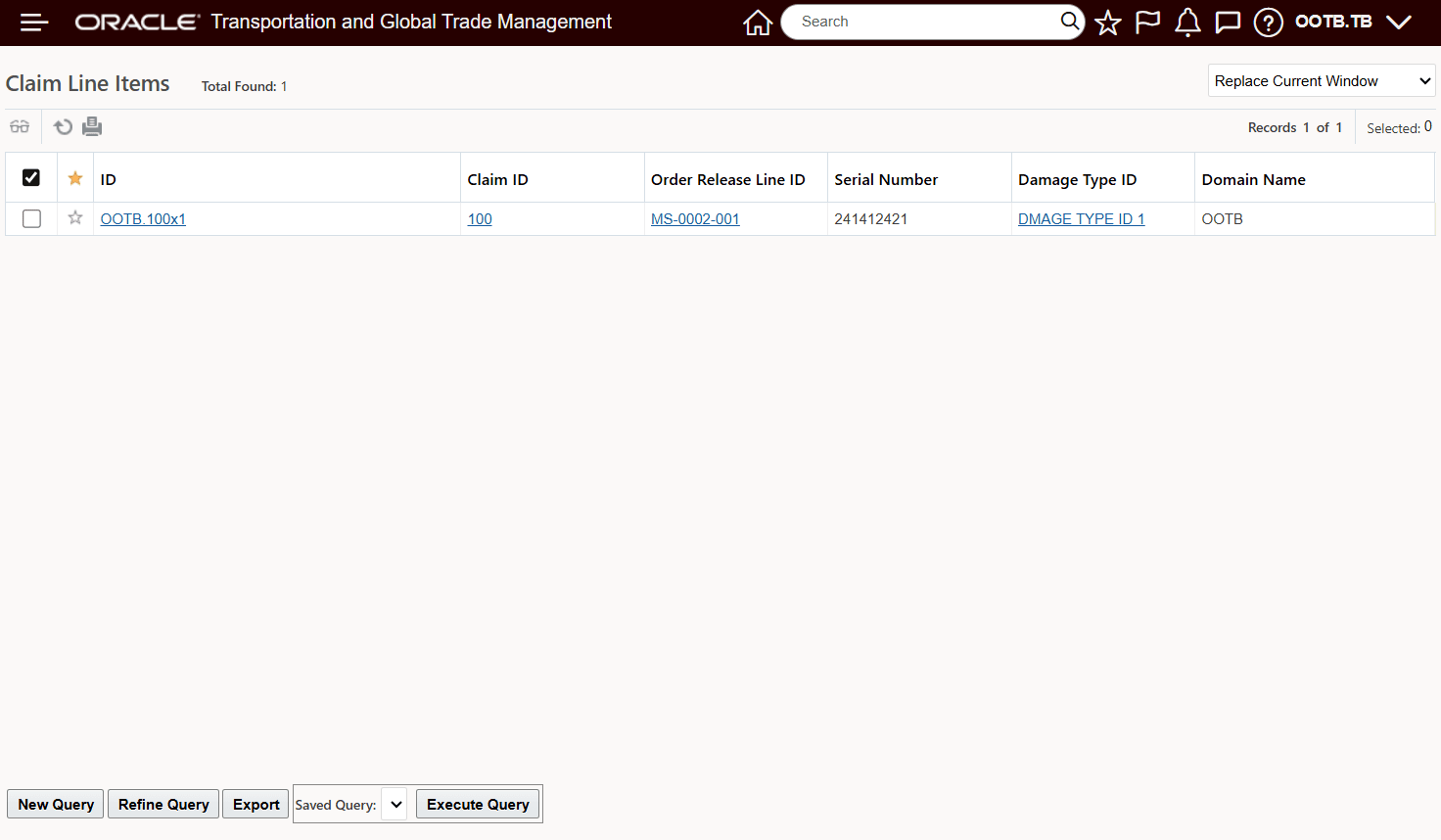
Claim Line Item Finder Results
Below is the available view from the Claim Line Item Finder Result which provides links to the Claim, the Order Release Line, and the Damage Type.
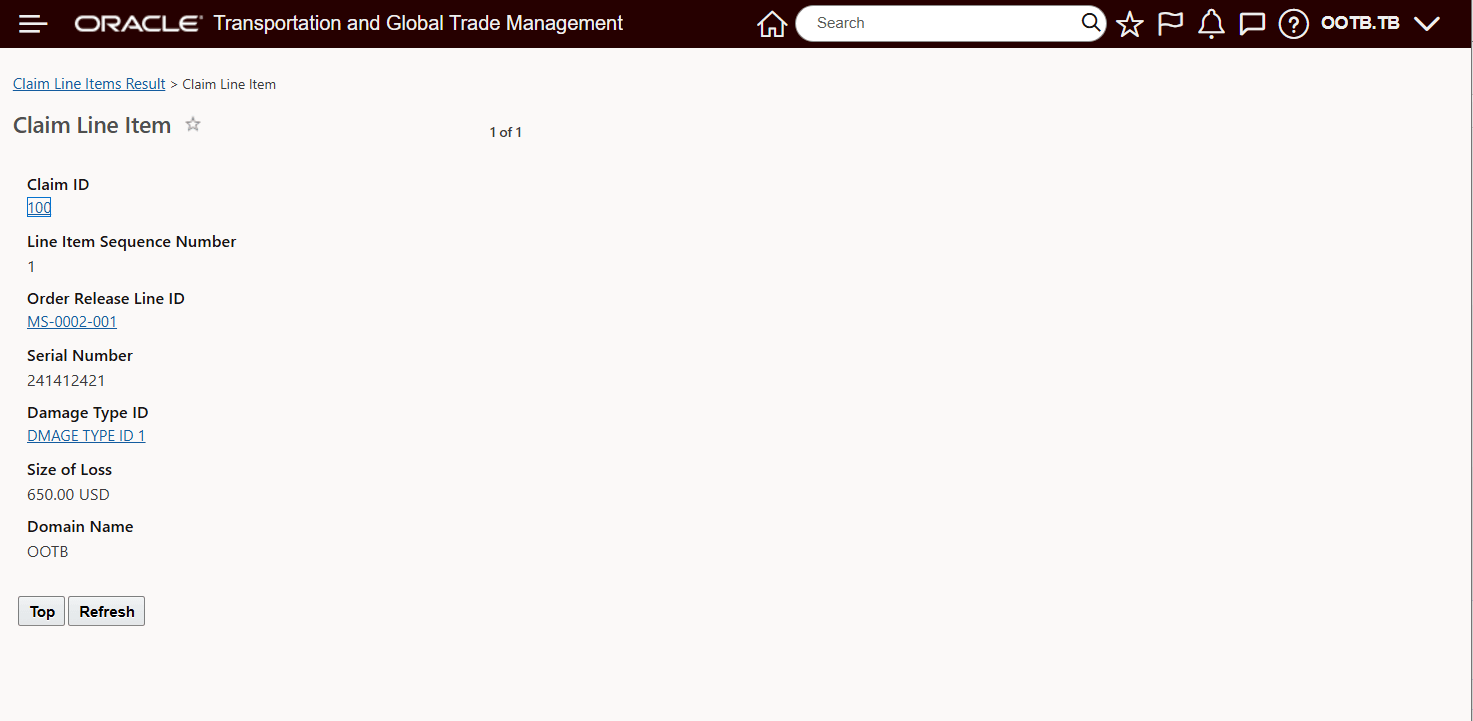
Claim Line Item View
In the Enhanced Workbench, you now have the Claim Line Item as an available Table Object, which will allow you to include the Claim Line Item as its own pane in your configured workbench.
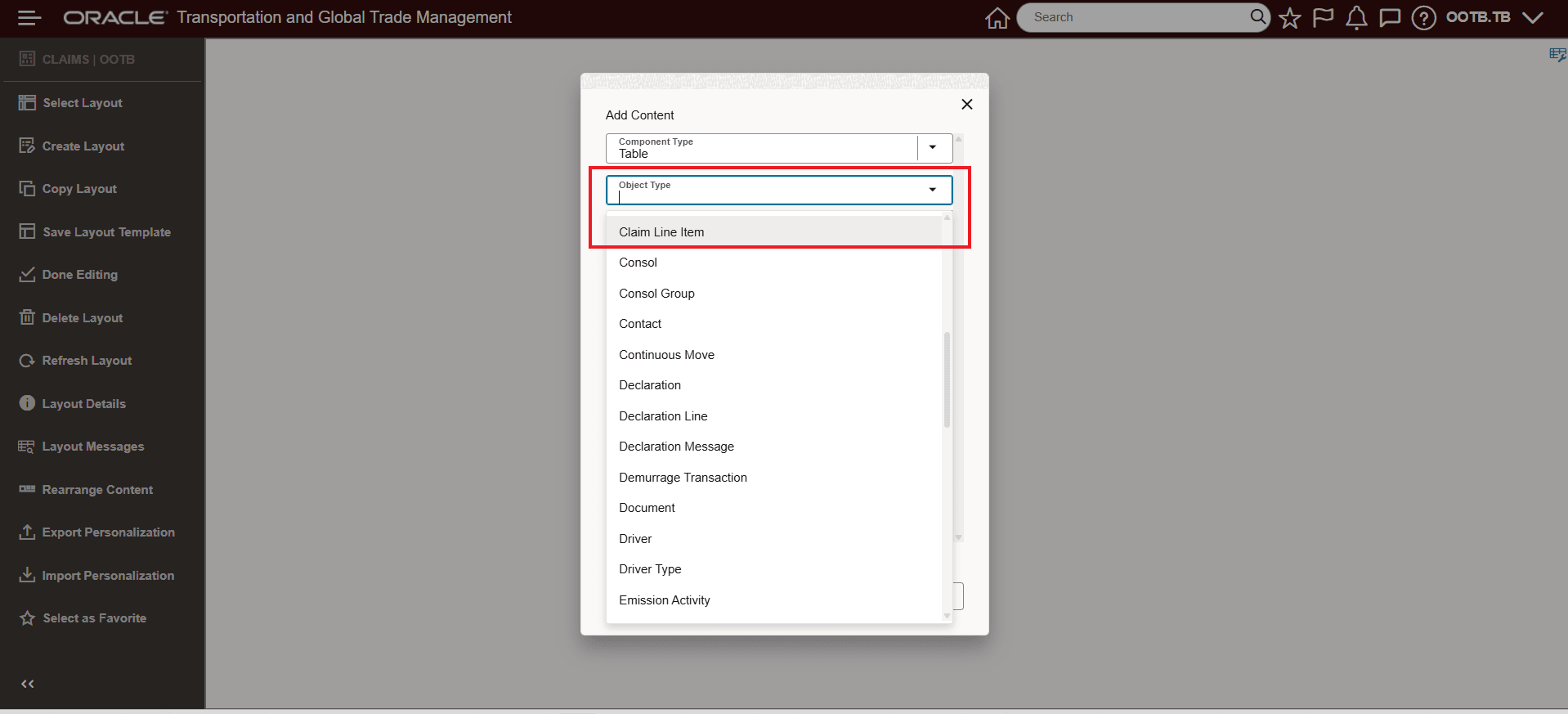
Claim Line Item Available As Table Object Type
Below the Claim Line Item Table Object is added to an Enhanced Workbench.
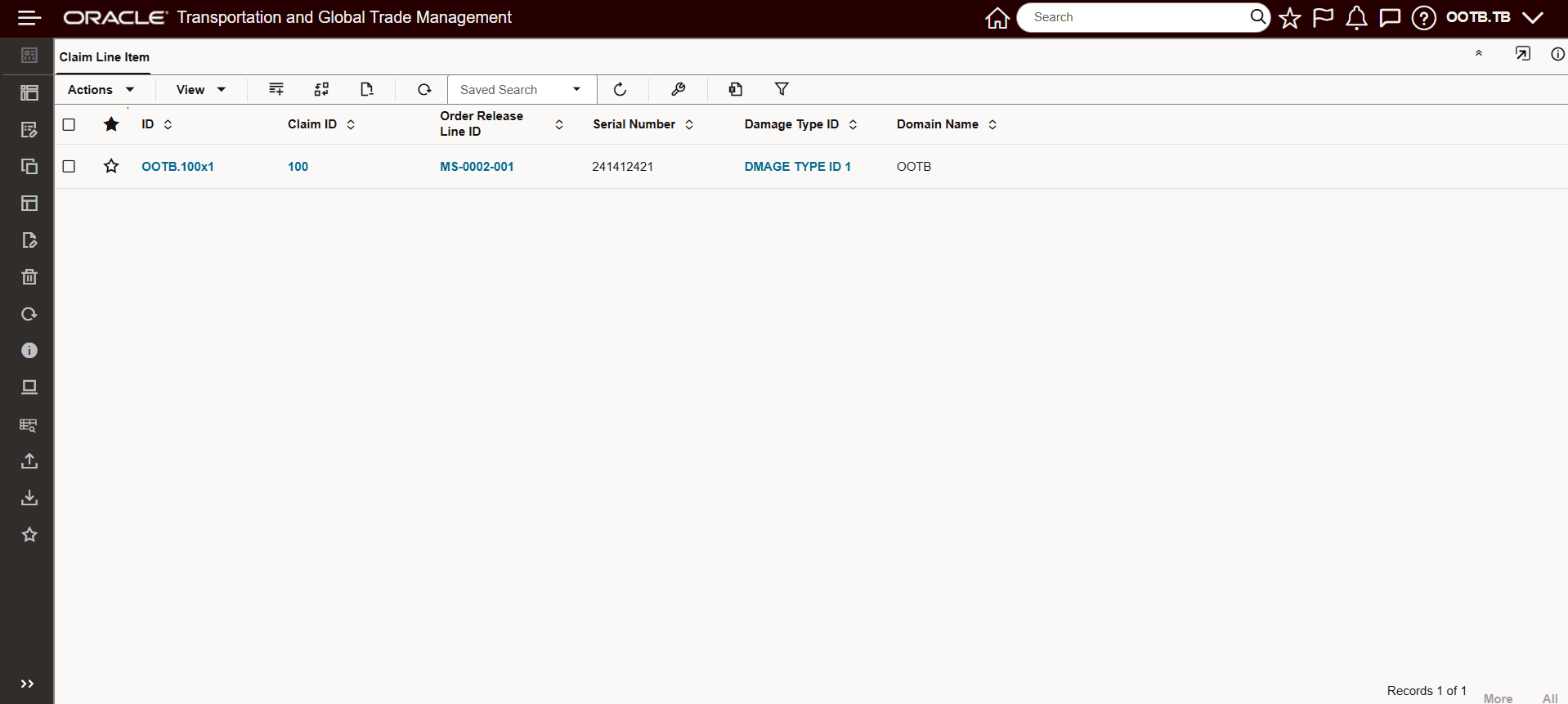
Claim Line Item Workbench Example
In the example below, the Claims and Claim Line Item are provided together in a single Enhanced Workbench.
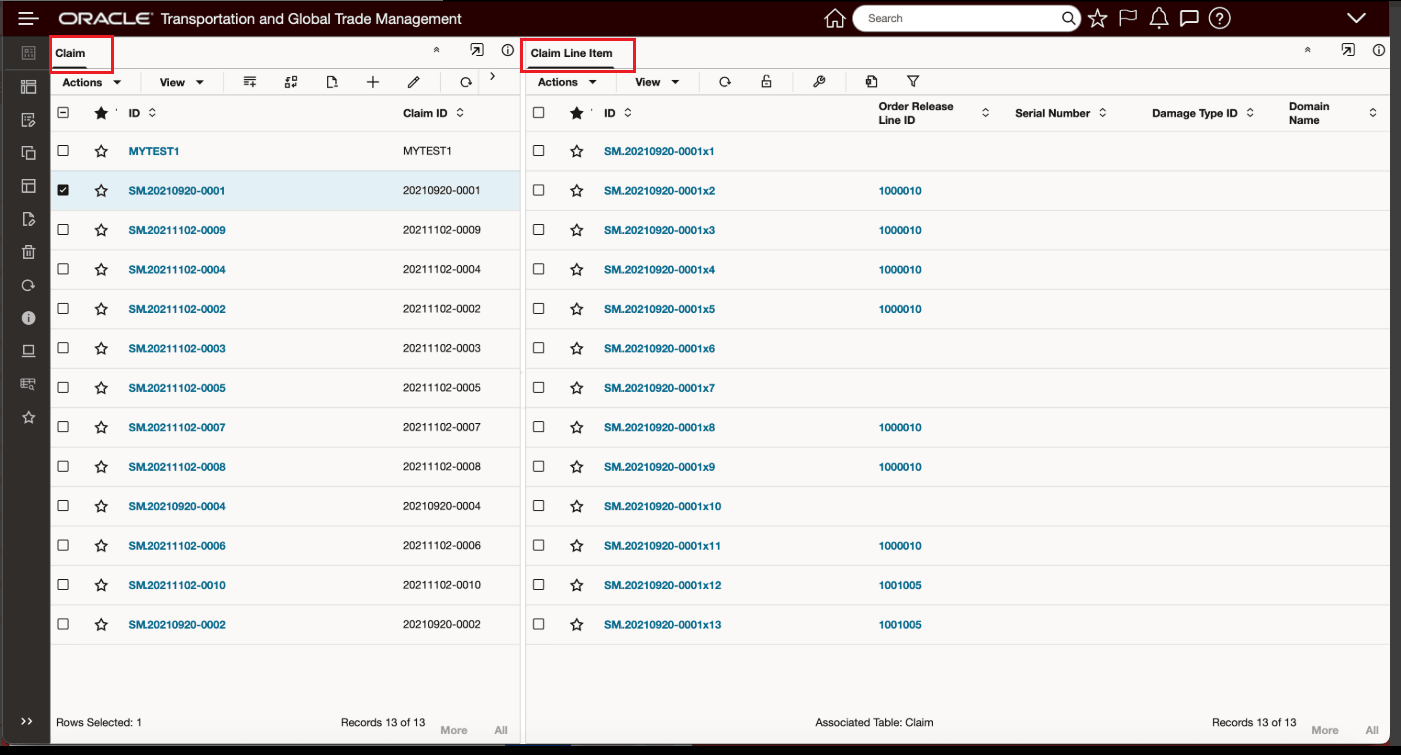
Claim and Claim LIne Item
Business Benefit: This feature provides you with more direct access to detailed claim line item data, improving visibility and streamlining your financial review processes.
Steps to enable and configure
To take advantage of the Claim LIne Item within your Enhanced Workbenches, you will need to create or modify an existing Enhanced Workbench and add the Claim Line Item Table Object Type.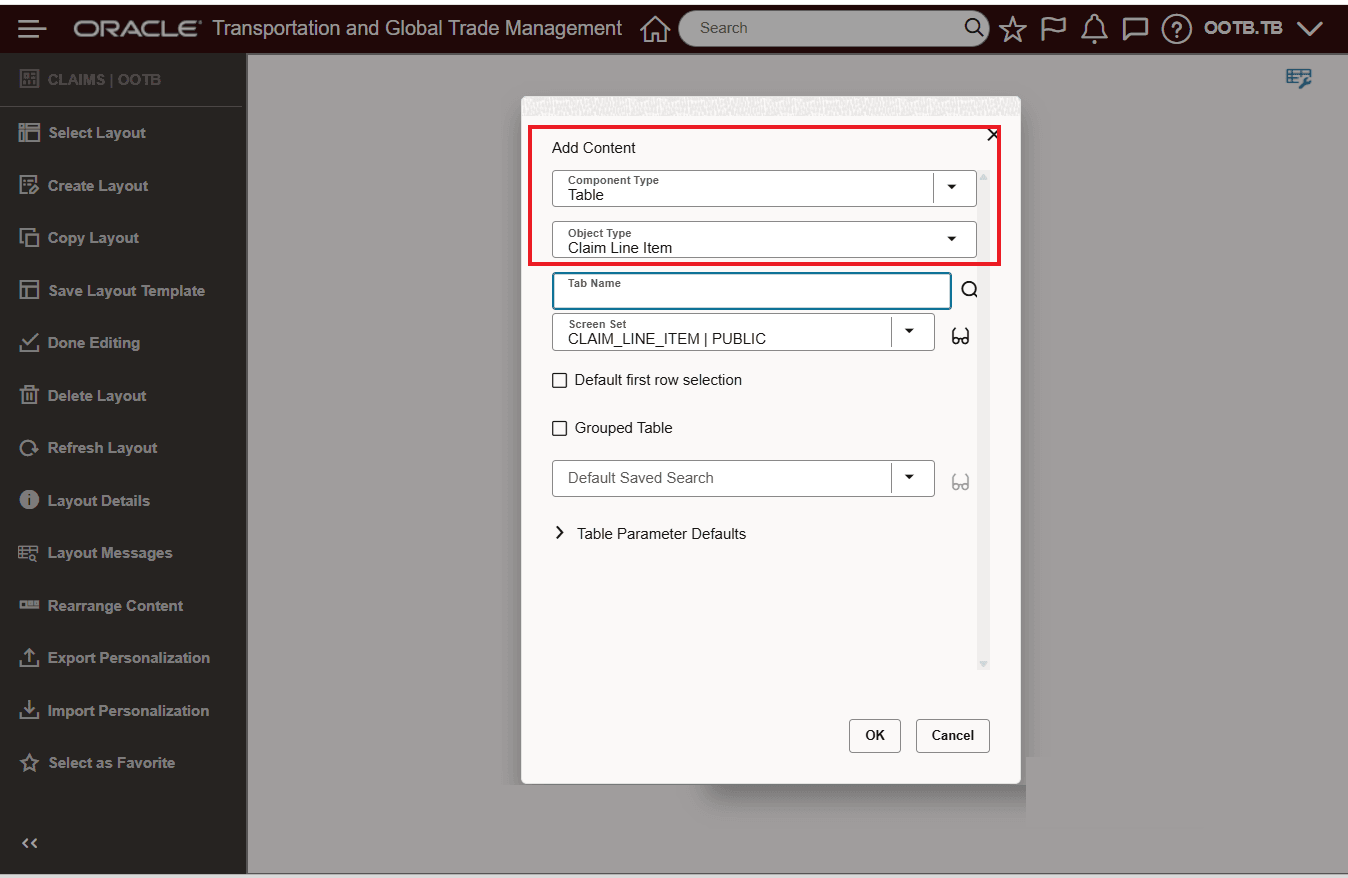
Add Claim Line Item Object to Enhanced Workbench