Enhanced Exception Logging
This feature introduces an improved exception logging approach that separates sensitive error details (like stack traces and low-level Java messages) from the logs and screens available for trouble shooting. Now, instead of stack traces and low-level Java messages, you will see helpful error messages. Stack traces and internal exception details will no longer be provided in the UI and will now be logged securely with accessibility limited to Oracle Support staff.
The exception below provides a good comparison between the improved exception logging in 26A, and the exception logging provided previously.
In 26A, the Exception is noted, and information is provided to understand the error - in this case, an attempt was made to save a record with a duplicate GID.
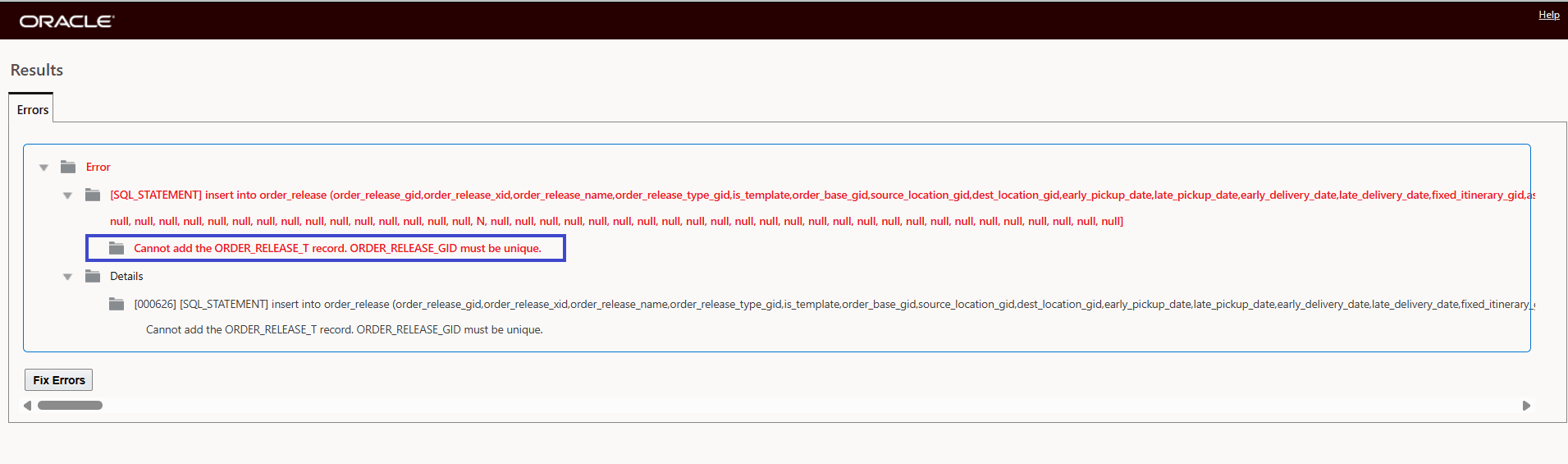
26A Exception Logging - Error Message
By comparison - in 25C for the same exception, the following Error and Error Details information are provided. Note the information provided for the Details, does not provide beneficial information for resolving the issue.
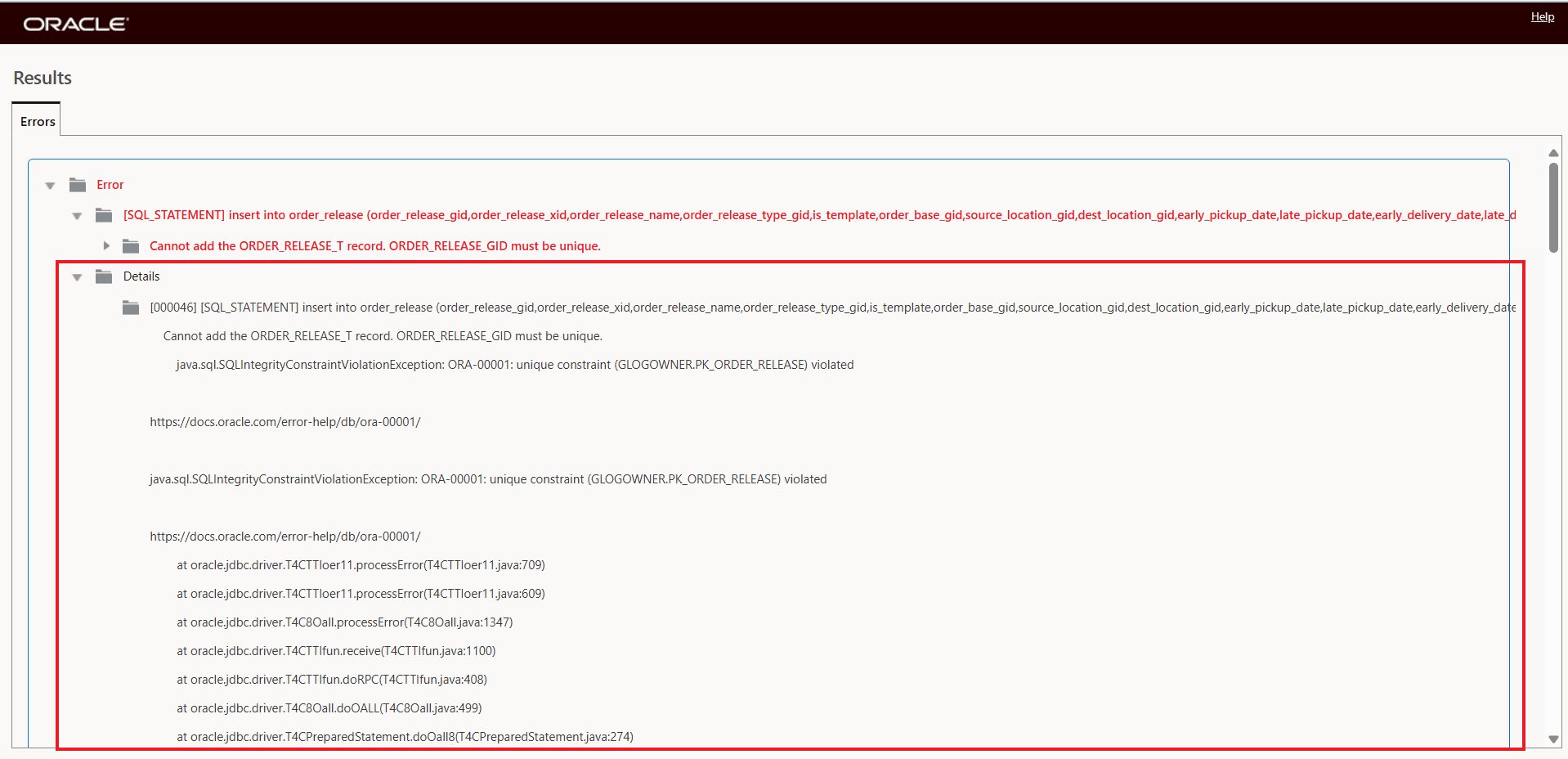
Same Error Message - 25C/Previous Releases
Business Benefit: This feature enhances the security and privacy of exception handling in the application by preventing the exposure of sensitive system details, while still maintaining diagnostic capabilities for efficient support and issue resolution.
Steps to enable and configure
You don't need to do anything to enable this feature.
Tips and considerations
- Your users and administrators will now only see high-level, friendly exception error messages. Stack traces and internal exception details are no longer displayed on the UI or in downloadable logs.
- To help Oracle Support investigate an issue, always provide the visible error reference number or download and then attach the standard log to the support requests.
- If detailed information is needed, Oracle Support can retrieve the relevant details by running Collect Diagnostic Logs (qdlogs).
Note: If you see the message “A system error has occurred. Details can be retrieved via the Collect Diagnostics Log”, it means that a non-standard error has occurred that we are not capturing a standard message to display. After reviewing the diagnostics log, if you feel that this is a common or standard error that we should capture and display more information, please log an SR with that information so that we can incorporate that in future releases.
Below is an example of a generic system error message.
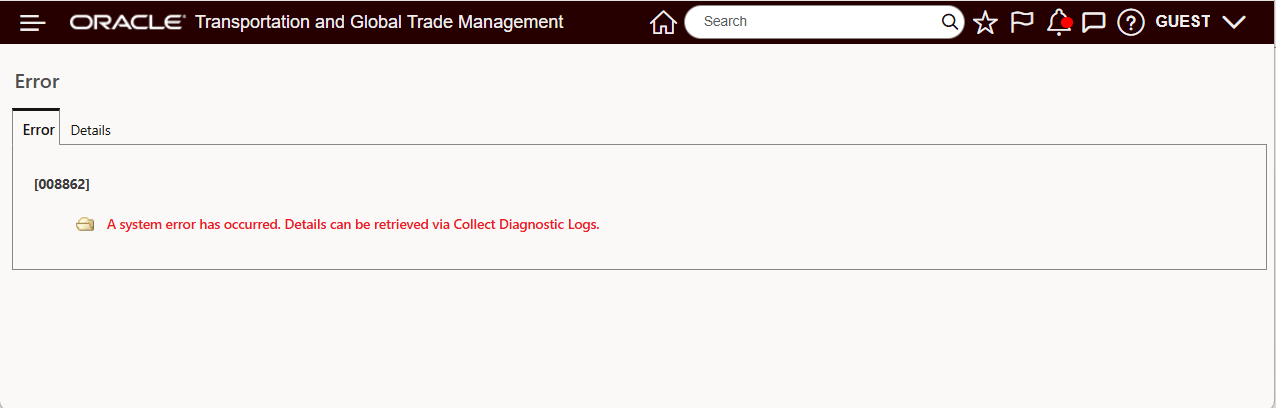
A System Error Has Occurred