Ability to add New Shipment to Work Assignment
There is a new logic in 25C that allows the planner to add shipments to a Work Assignment by appending at the end. In 26A,changes were made to retain the Work Assignment ID and to allow shipments the be inserted between the start and the end of the Work Assignment.
Business Benefit: Both enhancements increase the utility of the new logic. The retention of the GID helps to keep integration straight without changes. The ability to insert provides greater flexibility. For example, if there are 2 outbound shipments form a DC that are strung together in a Work Assignment and a new back-haul opportunity presents itself, the WA can no be altered with the return spliced between the outbound shipments.
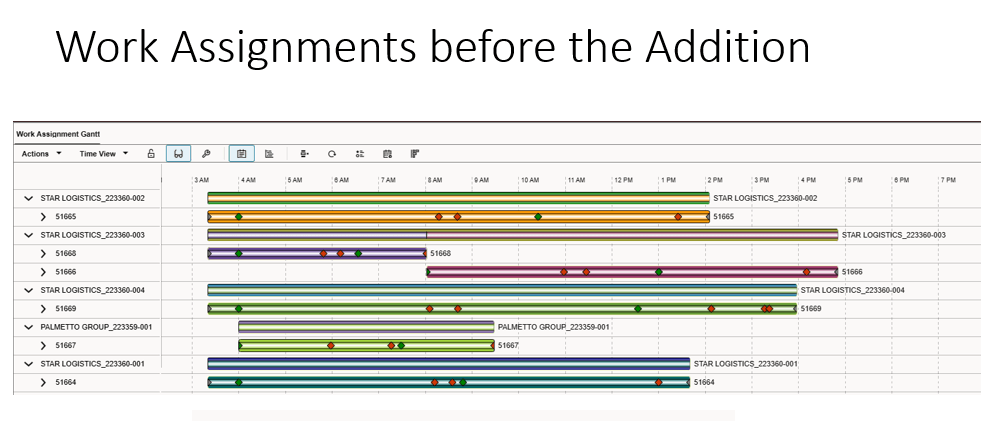
Gantt Chart Starting
This is the Process to run to add the new shipment.
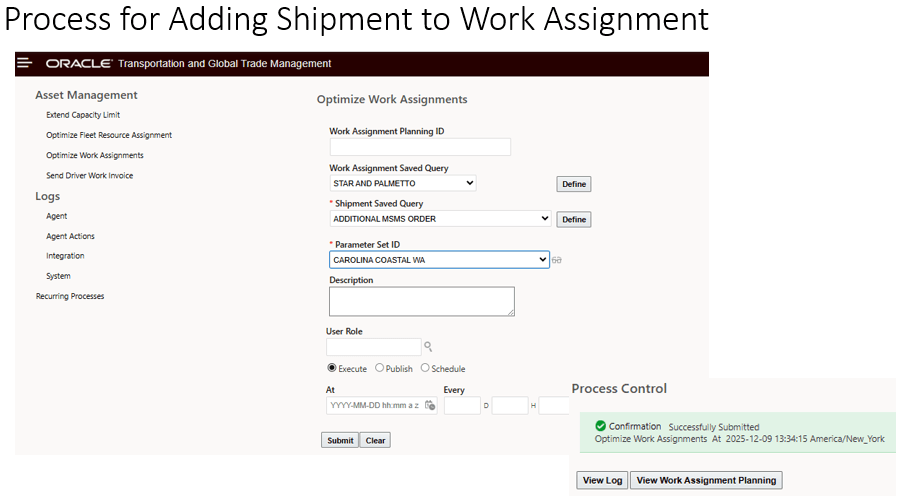
Process to Add Shipment
These are the results.
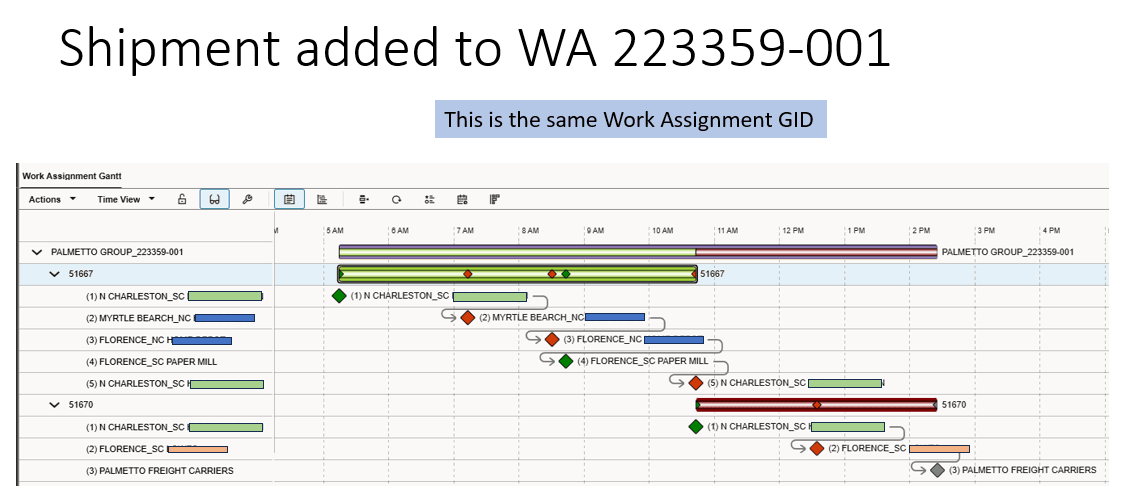
Gantt Chart for Results
The next example is where there are 2 Outbound shipments that are planned at the start of the day. A return shipment becomes available and the planner wants to splice it in between the outbound shipments.

Outbound Shipments

Inbound Spliced with Outbound Shipments
Steps to enable and configure
There are no additional steps required from the previous enhancement. There is a new property.
With the new property glog.business.workAssignment.applyProjectedTourIntSeqWhileUsingCGinWA = true by default, the WA column generation able to add shipment into the middle of the existing WA correctly as expected.