 Agent Action - Add Sell Shipments to Shipment Group
This feature provides you with a new Sell Side Shipment Agent Action "Add Sell Shipments to Shipment Group", which allows you to automate the creation of your Sell Side Shipment Group using using an Agent Action.
To configure a Sell Side Automation Agent navigate to Business Process Automation > Agents and Milestones > Automation Agent, on the Actions tab select and configure the Action "Add Sell Shipments to Shipment Group".
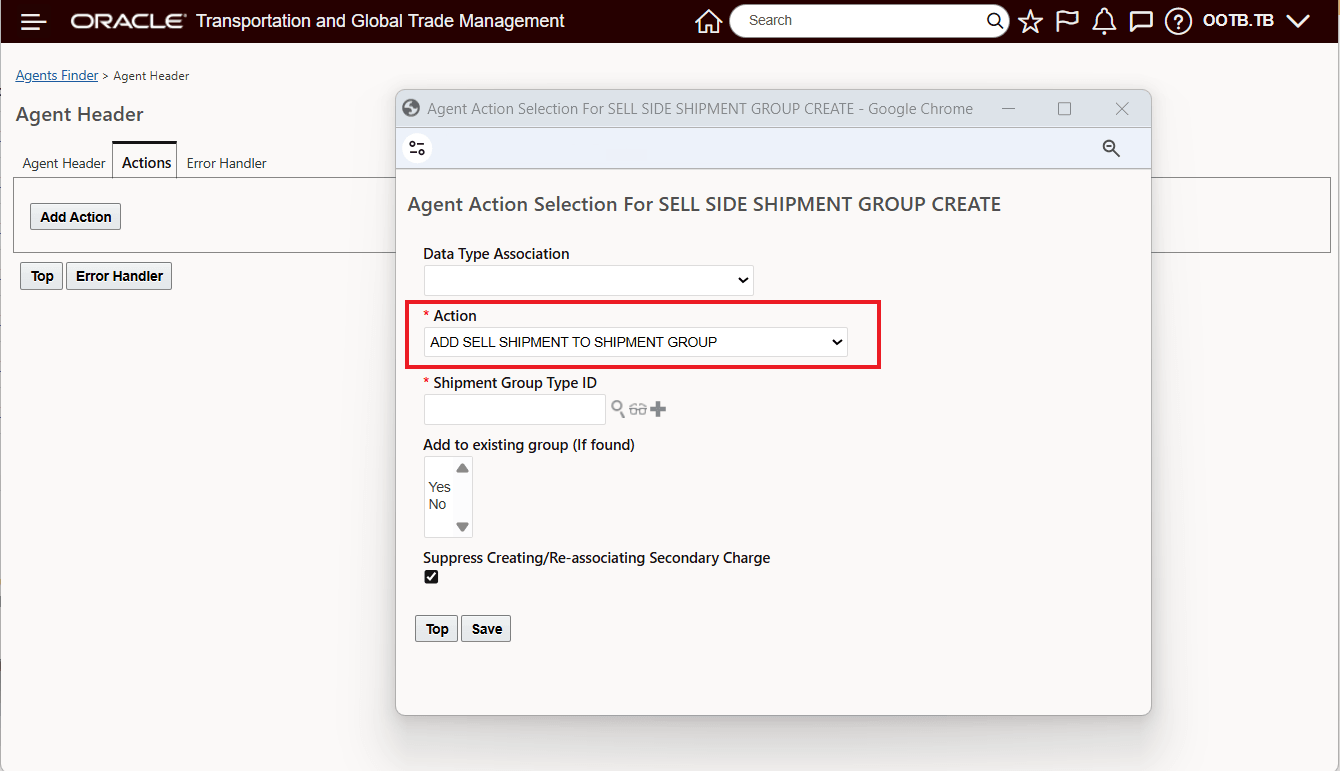
Add Sell Shipments to Shipment Group - Agent Action - Edit
Below is the Automation Agent configured, in View mode.
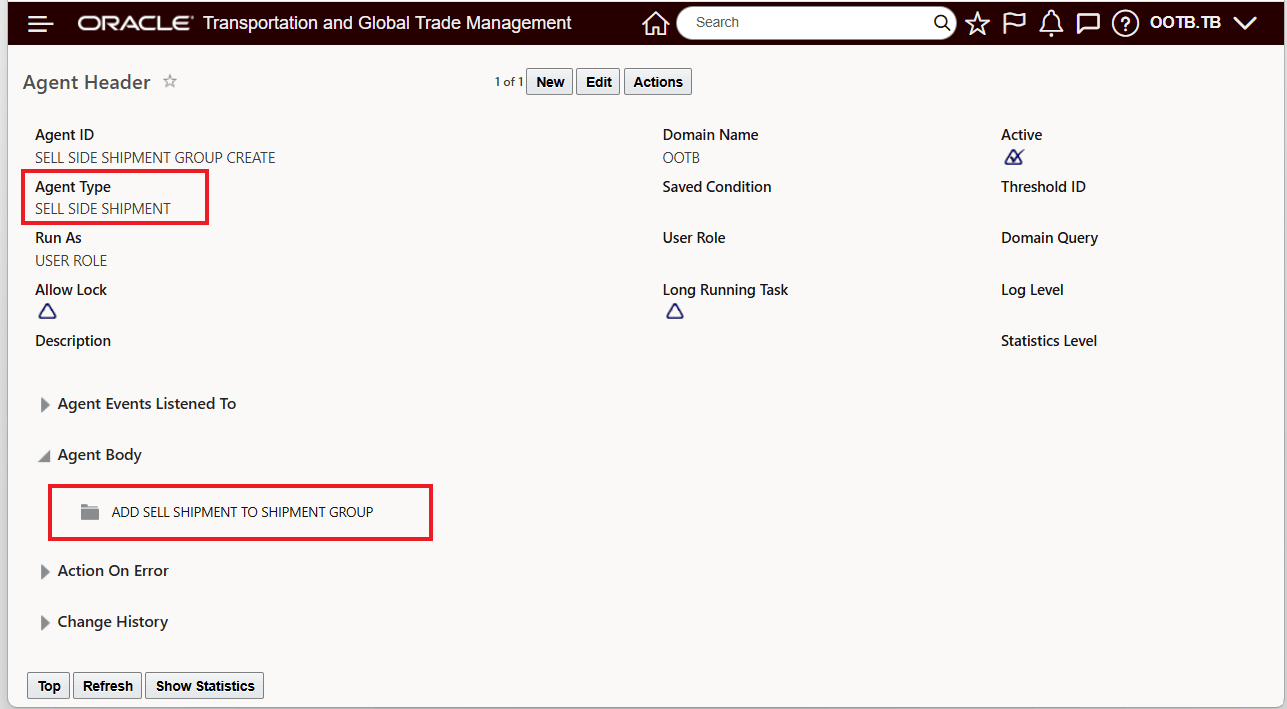
Sell Side Shipment Automation Agent - View
This feature provides you with the option of using Automation Agents to generate your Sell Side Shipment Groups, reducing manual effort and increasing efficiency.
Steps to enable and configure
You don't need to do anything to enable this feature.
Tips and considerations
The Sell Side Shipment Agent Action "Add Sell Shipments to Shipment Group" - provides equivalence to the same Agent Action on the Buy Side.