Enable Apply Child Filter On Out JSON Profile
This Optional Feature, when enabled, allows you take advantage of the additional filter options provided in the Out JSON Profile. This Optional Feature is provided as a safeguard feature to minimize the impact of any unexpected issues, insuring business continuity, and reducing the risk of regression problems arising from the enhanced Out JSON Profile filter functionality.
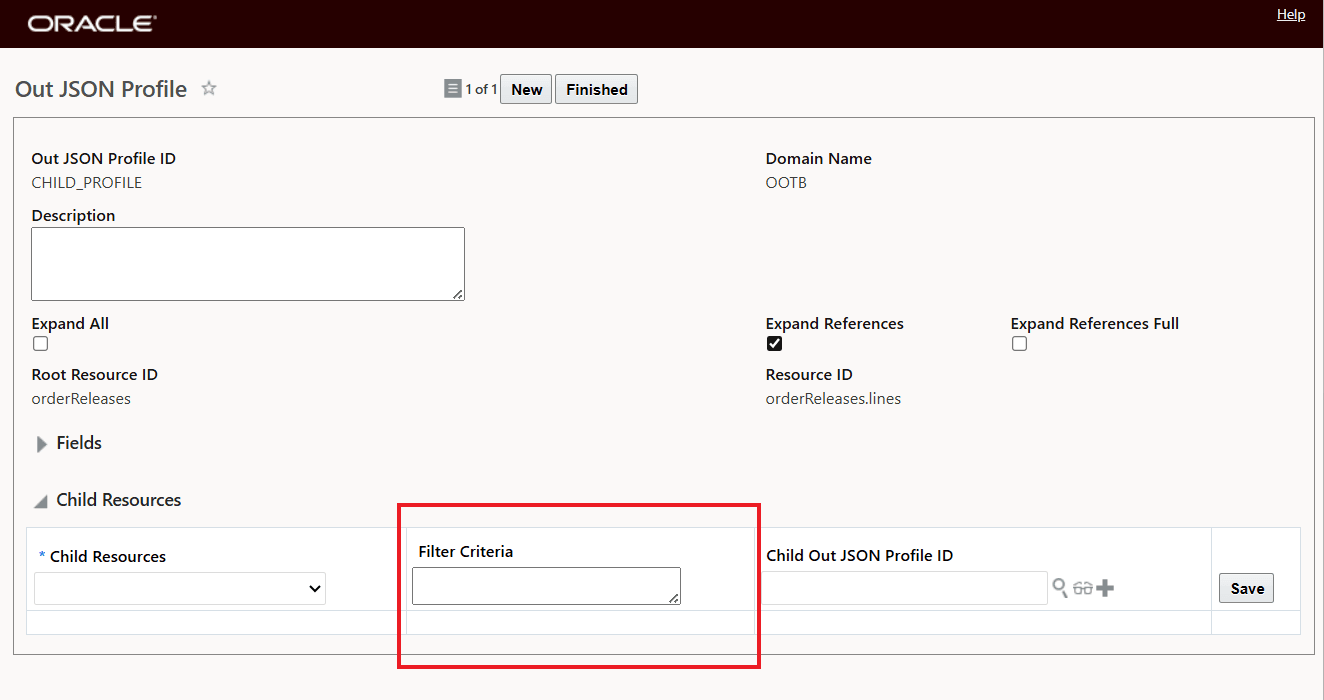
Out JSON Profile Child Resource Filter
The Optional Feature controls the integration logic - it does not control the visibility of the Child Filter column in the UI. The Filter Criteria column will be visible no matter what the Optional Feature is set to.
Business Benefit: This Optional Feature provides you with an easy way to revert the Child Filter Out JSON Profile changes and is provided as a safeguard to quickly address any unexpected regression issues related to the enhanced Out JSON Profile functionality..
Steps to enable and configure
If you need to change the Opt In state for this feature:
- Go to the Optional Feature UI - Configuration and Administration > Property Management > Optional Features.
Your user must have the DBA.ADMIN user role to use this functionality.
- Select the Enable Apply Child Filter On Out JSON Profile feature.
- Run the desired Action for the feature - Opt In or Opt Out.
Tips and considerations
The Optional Feature - Enable Apply Child Filer On Out JSON Profile - controls the integration logic - it does not control the visibility of the Child Filter column in the UI - the column will be visible no matter what the Optional Feature is set to.