AI Agent: OTM Rate Inquiry Assistant
The Rate Inquiry Agent, available within Fusion AI Studio. Instead of identifying all available options at the RIQ screen to get the rates and routing options, users can make a natural-language request—simply specifying the source, destination, item details, and preferences.

Ai Button at Global Header
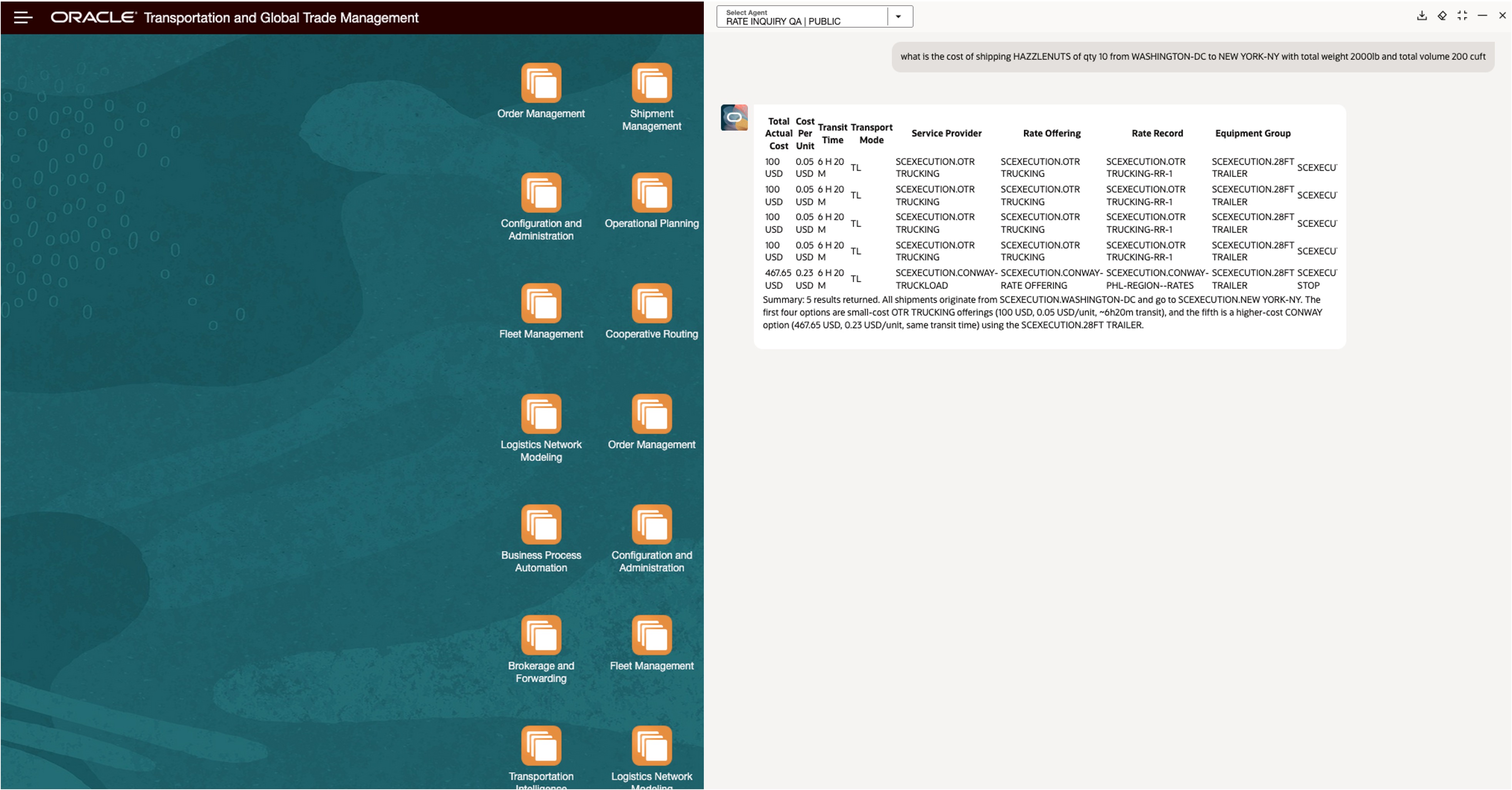
RIQ AI response
Business Benefit: The agent consolidates all viable rate and routing options into a single, clear response, presenting key details in an easy-to-compare format. This enables users to quickly evaluate choices—whether prioritizing cost, speed, or other criteria—without repetitive navigation or manual cross-checking. By centralizing rate discovery and comparison, the agent significantly reduces effort and accelerates decision-making.
Steps to enable and configure
Customer needs to configure OTM environment Credentials in Fusion AI Agent Studio and Fusion's details in OTM at AI Agentic Link and AI Agentic Trust. Customer only need to do it once (if you have already done it for Diagnostic agent, no need to do it again for RIQ Agent).
Access requirements
This AI-powered agent, available through the AI Agent Studio, requires Fusion access for users.