LNM - Updates on SCP - OTM/LNM Integration
Following enhancements have been delivered as part of 26B on SCP - OTM Integration:
- New glog property - Introduced glog.business.forecastorders.orders.pullLimit to restrict maximum number of orders pulled under one plan, with the default value of 10000. If number of orders are more than the limit (in the plan), user will get an error referring the same.
- Control on system to trigger only 1
- plan - OTM will restrict user to pull 1 SCP plan from SCP at a time. If user tries to rerun the same plan (while first pull is undergoing), an error will be shown to user.
User can terminate the plan and then rerun the same plan. 
Terminate a plan
- Validation during rerun the same plan: If user tries to rerun the same plan (after first plan is fully loaded), system will check whether orders from the plan is already in OTM, and if they are planned into LNM Shipment. If orders are already planned with LNM Modelling shipment, system will not allow user to rerun the same plan and show an error.
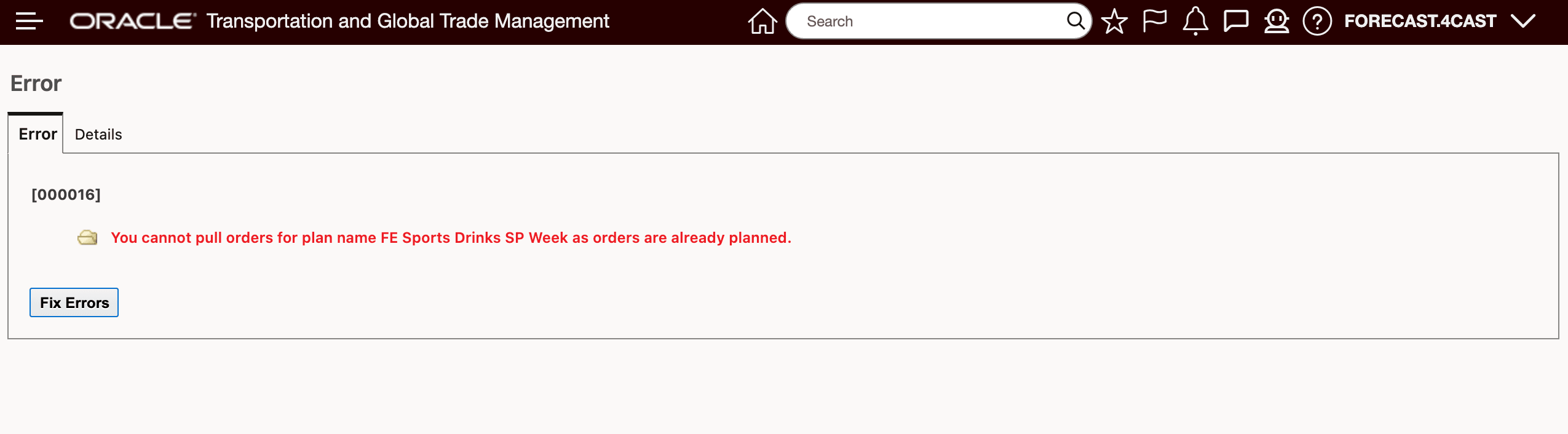
Rerun of same plan
- Pull Forecast Orders Status screen: Customer will have key information (such as Forecast Order data ID, Total Orders created, Total Order Orders Failed etc.) on the Pull Forecast Orders Status screen. This will help users to identify orders created and failed from the same screen, without moving to other screen. We have also included Audit search option (most importantly Insert date/user option) in Forecast Order Results finder screen, which will help user to search Forecast orders pull on a specific date/window.
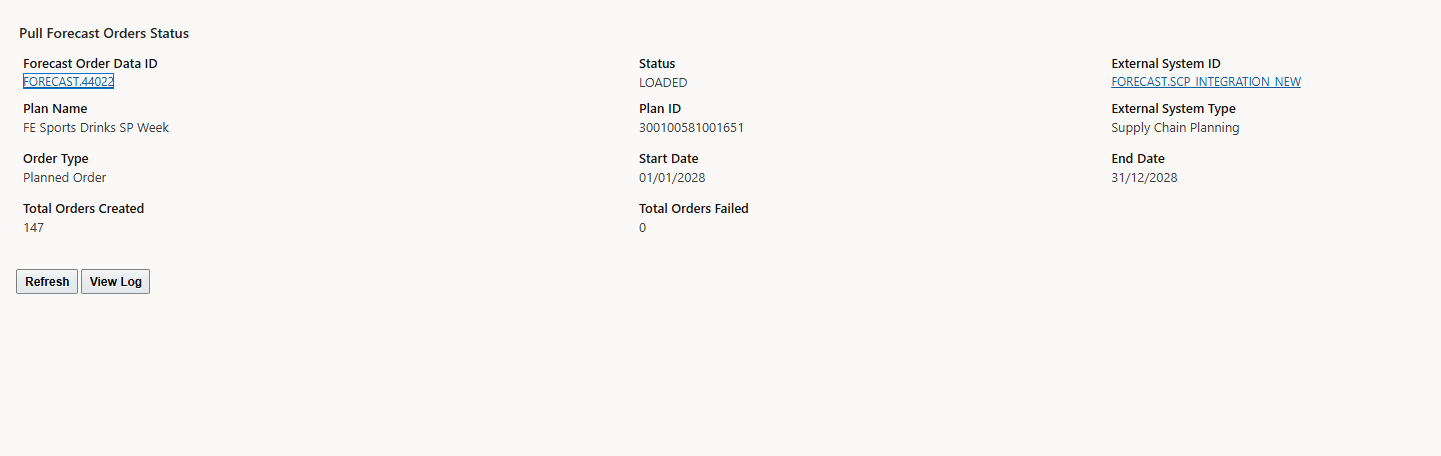
Pull Forecast Orders Status
- Total Orders Created and Total Orders Failed Hyperlink: Pull Forecast Order Status will have "Total Orders Created" and "Total Orders Failed" hyperlinks. These will take user to orders created screen and list of orders failed to create along with failure reason respectively.
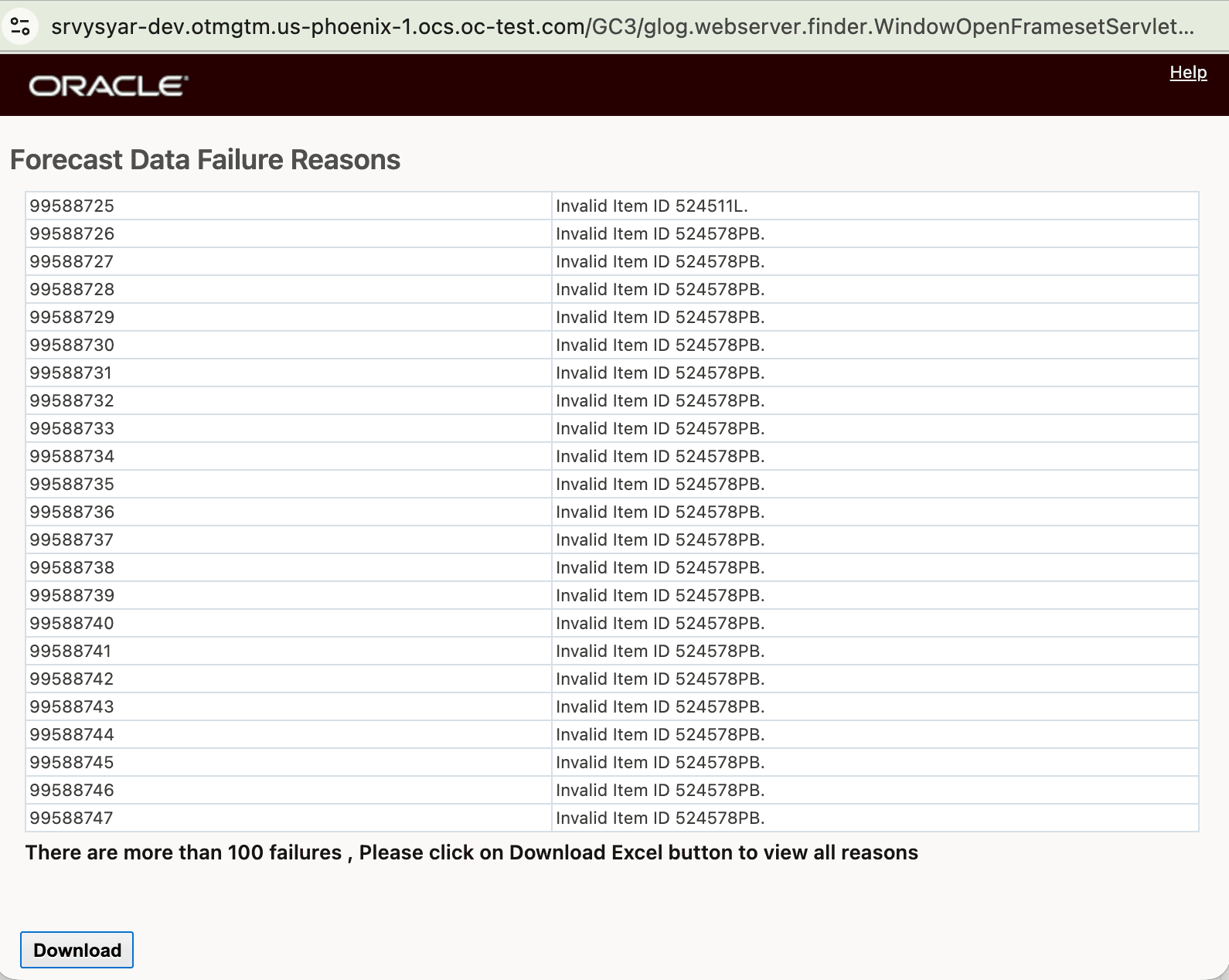
Failed orders
- Suppressed life time events: Orders created using SCP pull will not have raise any event. This will avoid triggering any agents or workflow which usually get active when normal orders are created, which will improve system performance. Orders' Ship Units will generate automatically once orders are created.
Business Benefit: Above features will improve customer experience and system performance.
Steps to enable and configure
You don't need to do anything to enable this feature.