 3D Packing For Ground Schedule and Ground and Ocean FCL Consols
This feature allows you to use 3D load planning to add new order releases or order movements to existing Ground Schedule, Ground Consol or Ocean FCL Consol shipments. This enhancement provides the ability for the application to reevaluate both existing and newly added freight together during load planning. This enhancement allows you to use 3D load planning after your Ground Schedule, Ground Consol and Ocean FCL Consol shipments are partially loaded. As part of the planning process, your previously loaded freight can be repositioned as part of any subsequent replanning this is done so that the 3D load planning can develop the most efficient load plan.
You can use this capability when working with:
- Ground Schedule Shipments
- Ground Consol Shipments
- Ocean FCL Consol Shipments
In the example below, A Ground Consol Shipment is used to demonstrate the capability. In this scenario, the Ground Consol Shipment is originally planned with two order releases - with the planning parameter configured to use 3D Based Load Configuration. The resulting load configuration is shown below.
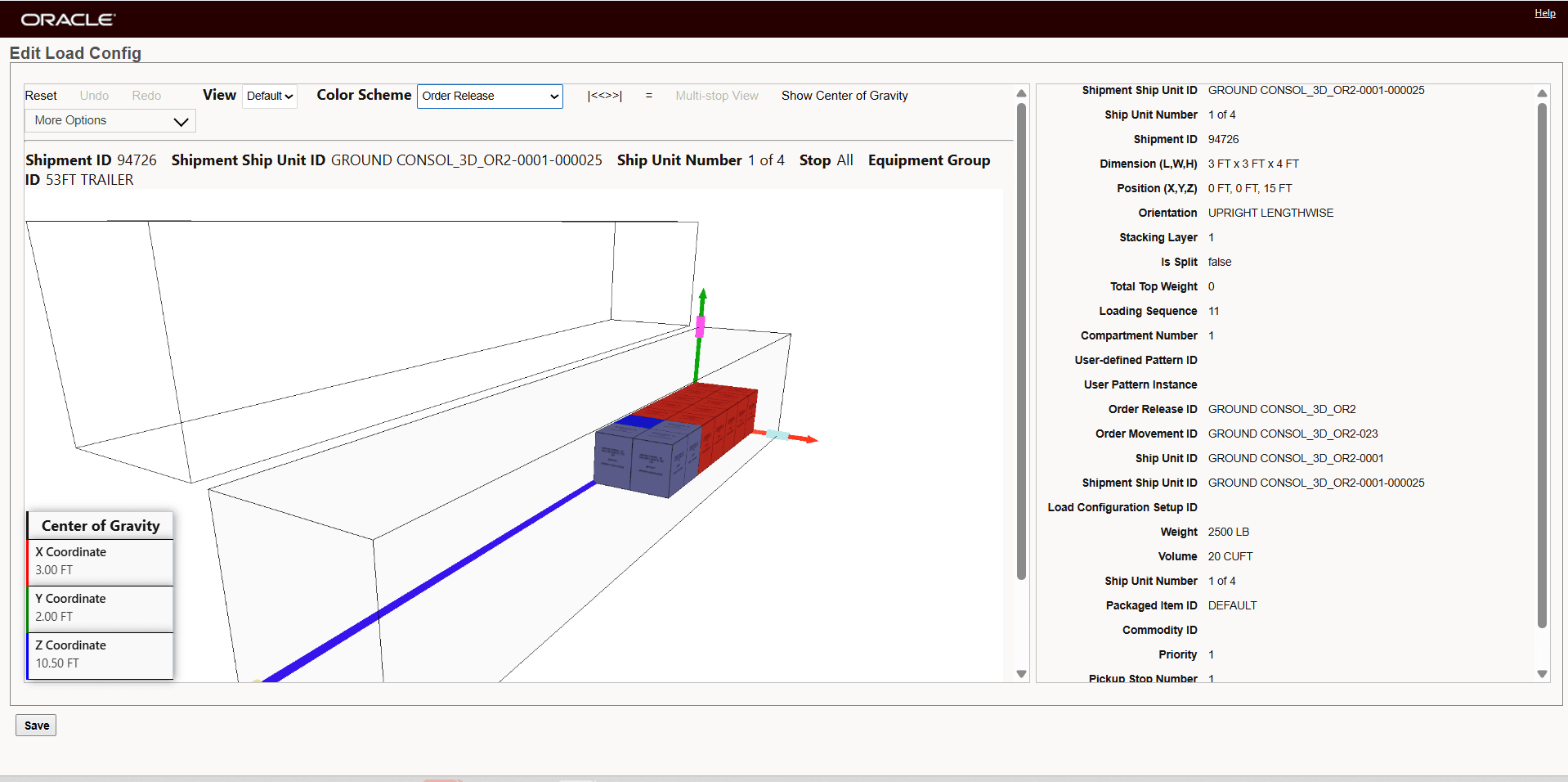
Two Orders Planned With 3D Based Load Configuration
Now a third order is planned using the action Build Buy Shipment On Primary Leg Show Consol Options.
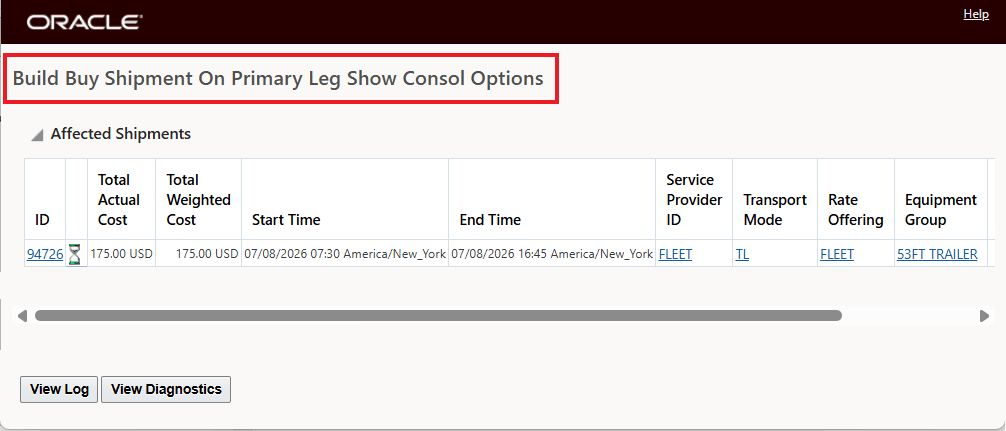
Build Buy Shipment On Primary Leg Show Consol Options
The result of adding the third order is shown below. In this case the original two orders remain positioned as they were originally, and the additional ship units for the third order are placed into the available space, as shown below.
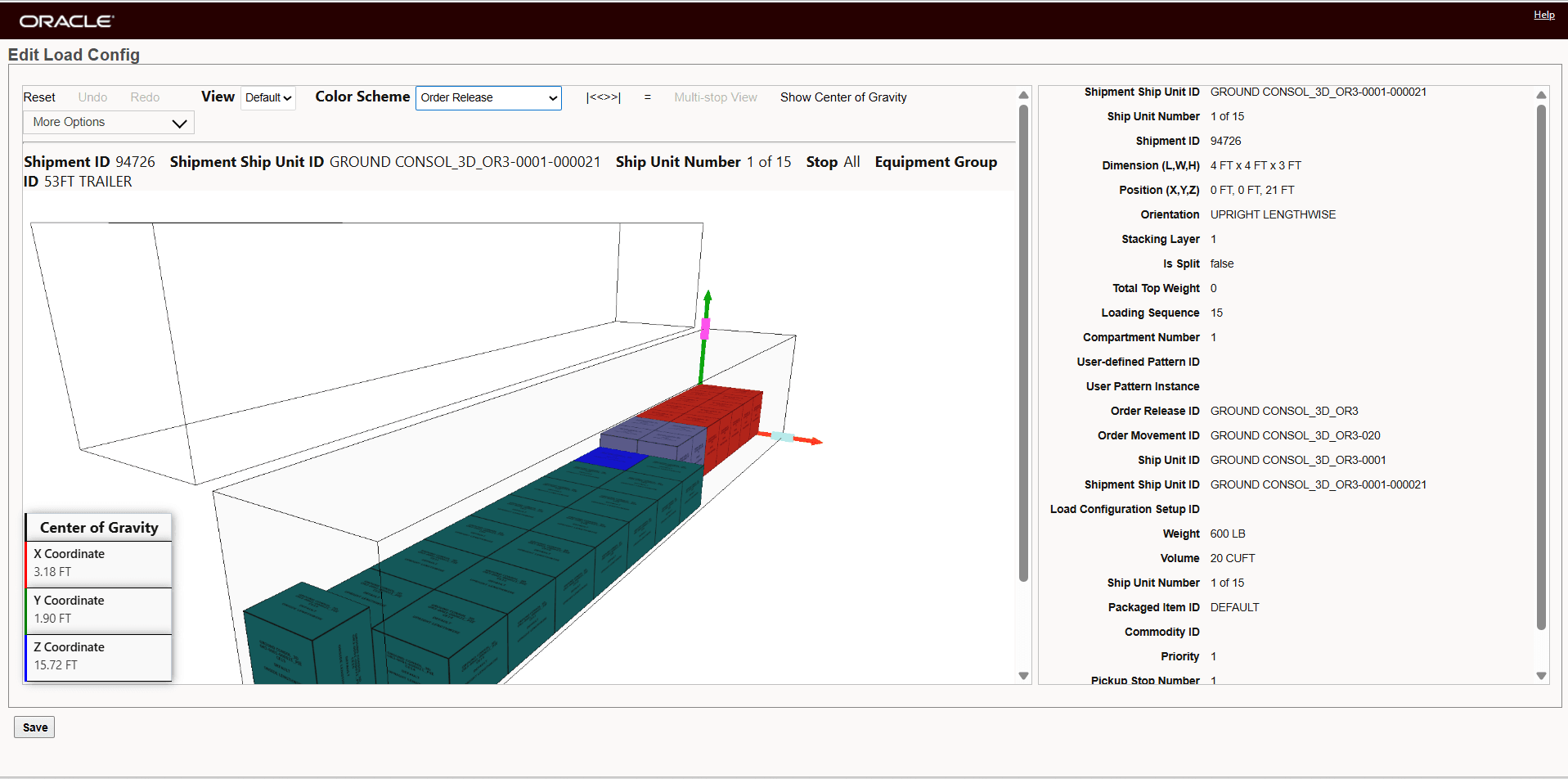
New Third Order Added To Previously Planned Ground Consol
the ground consol shipment will initially be create with two orders, then a 3rd order will be moved to the shipment.
Business Benefit: For your Ground Schedule and Ground and Ocean FCL Consols, this improves trailer and container space utilization, helps prevent loading conflicts and packing errors and allows you to use 3D load planning as freight is added to your Ground Schedule, Ground and Ocean FCL Consol shipments.
Steps to enable and configure
To take advantage of the new functionality - you will need to enable the Optional Feature USE 3D LOAD CONFIG FOR GROUND SCHEDULE AND CONSOL as shown below.
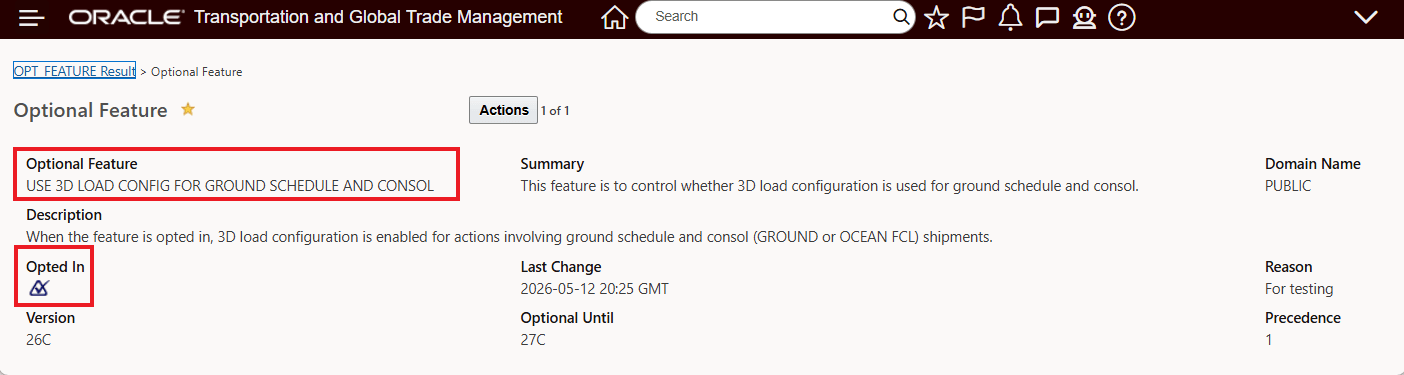
Enable Optional Feature
To change the Opt In state for this feature:
- Go to the Optional Feature UI - Configuration and Administration > Property Management > Optional Features.
Your user must have the DBA.ADMIN user role to use this functionality.
- Select the Use 3D Load Config For Ground Schedule And Consol feature.
- Run the Opt In action.
Tips and considerations
- This capability applies only when 3D load configuration is enabled 3D Based Load Configuration=true.
- Existing freight within a shipment may be repositioned during optimization to accommodate newly added freight more efficiently.
- The feature supports both shipment-level and compartment-level load planning scenarios.
- Shipment updates involving different pickup and delivery stop combinations are supported.