Payment Method Options
You define how your agency handles each payment method that it accepts. Agencies can now choose to enable or disable these payment features:
- Allow Unapply Payments
- Allow Void/Reverse Payments
- Allow Overpayments
- Apply Overpayments
Each payment feature depends on the payment method and other choices your agency has made. Here's the Agency Payment Options page:
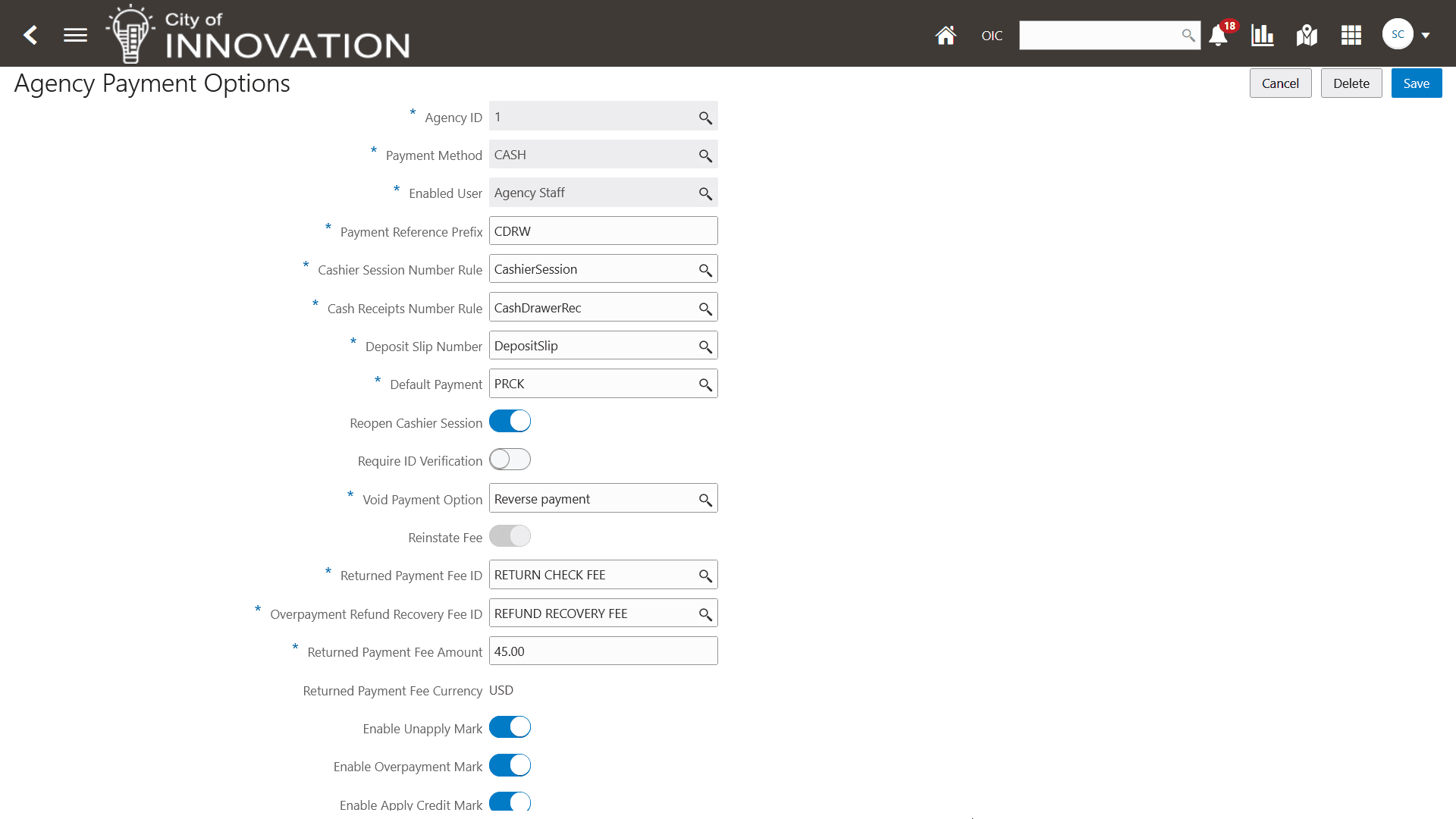
Agency Payment Options page
This feature gives you more flexibility in how your agency handles payment options.
Steps to enable and configure
To choose the payment method options for your agency:
- Navigate to the Agency Payment Options page.
- Select the payment method you want to update.
- At the bottom of the page, select enable the payment method options you want for your agency:
- Enable Unapply Mark = Allow payment to be unapplied.
- Enable Overpayment Mark = Allow overpayment.
- Enable Apply Credit Mark = Apply overpayments.
- In the Void Payment Option field, select the option you want for voided payments for the supported payment method.
- Complete the prior step for all payment methods you want to update.
- See Key Resources for links to the online help for more details on the payment method options.
Key resources
- See Implementing Your Financial Framework, "Setting Up Payments," Setting Up Agency Payment Options on the Oracle Help Center.
- See Implementing Your Financial Framework, "Setting Up Payments," Setting Up Third Party Payments on the Oracle Help Center.