Redwood Experience for Confidential Attachments
Confidential attachments for Business Licenses provide for the secure handling and management of sensitive documents in the Redwood Experience user interface, ensuring that confidential attachments can be marked and accessed by authorized individuals while restricting visibility to others.
When enabled at the agency level for the Business Licenses offering, the Confidential switch is available when adding attachments during the application intake process, license activity and credential management, and required documents upload.
Authorized users, including agency staff with specific roles and applicants with full access, can mark attachments as confidential. Once marked, the confidential status is visible to authorized users, and the attachment is hidden from users without access.
This example illustrates the Confidential switch enabled when uploading an attachment for a credential:
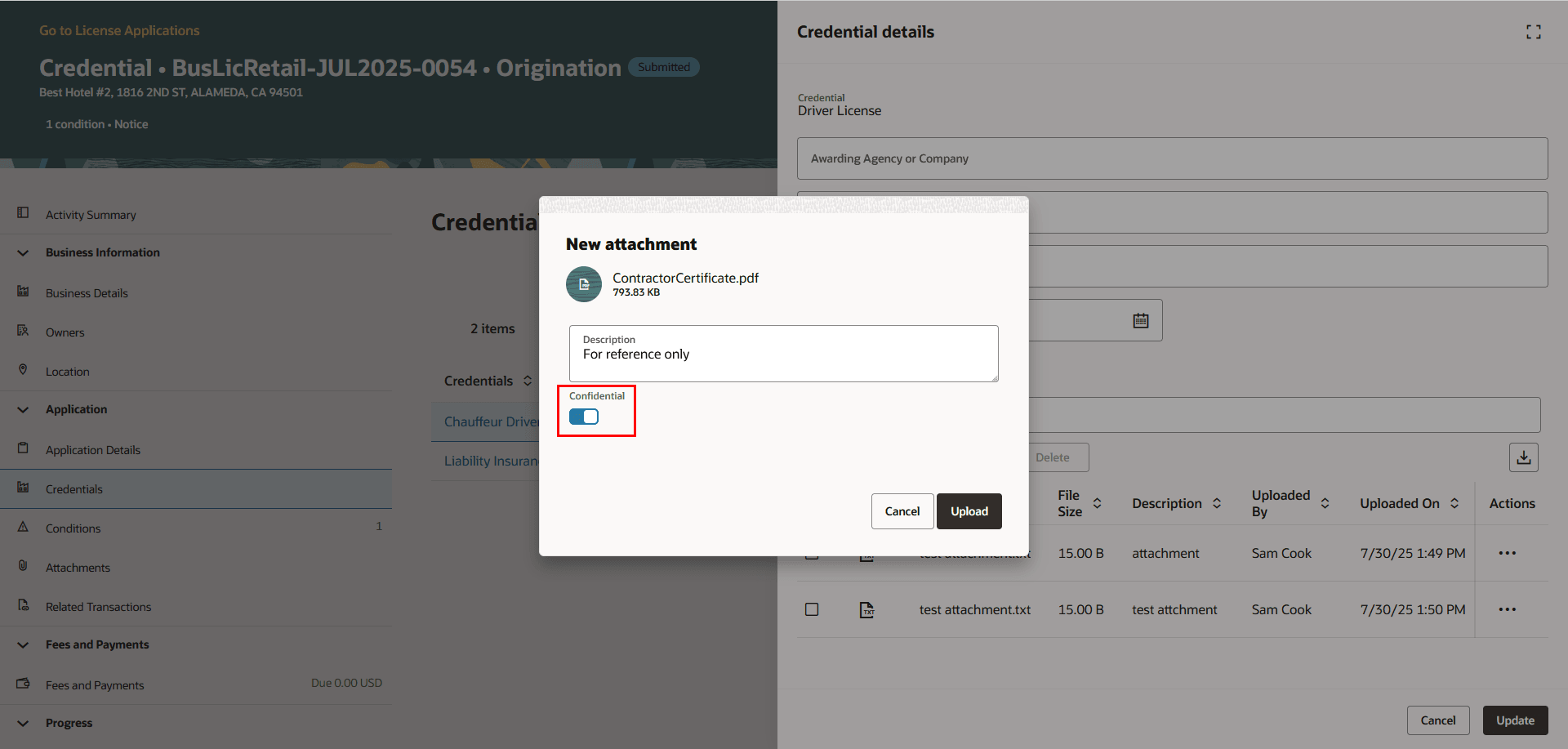
Uploading a Confidential Attachment on the New Attachment Page
The enhanced user experience streamlines the look and feel for confidential attachments in Business Licenses.
Steps to enable and configure
To enable:
- Navigate to Setup and Maintenance > Offering: Business License > Agency Profile > Manage Agencies.
- Select your agency.
- Click on the Features tab.
- Select the Business License row, Review Options button.
- Under General Settings, turn on the Enable confidential attachments switch.
Tips and considerations
This is available in the Business Licenses offering only.
The following agency staff roles will see the attachment rows marked as confidential:
- Auditor
- Business License Administrator
- Business License Analyst
- Business License Manager
- Business License Specialist
- Treasury Administrator
- Treasury Supervisor
- System Administrator
Key resources
- See Implementing Permitting and Licensing, "Setting Up Business Licenses," Setting Up Agency-Level Options for Business Licenses on the Oracle Help Center.
-
See Using Business Licenses, “Managing License Application Details,” Working with Application Attachments and Working with Credentials on the Oracle Help Center.
-
See Using Business Licenses, “Managing the Business License,” Managing Business Information on the Oracle Help Center.