Partial Payment for Multiple Fee Items
Agency and registered public users can now pay less than the total balance due on selected applications or accounts. Users can specify the amount they wish to pay—subject to your agency’s configuration—and the system will allocate the payment accordingly. This feature helps users to manage their finances more flexibly while maintaining accurate records of paid and outstanding balances.
This example illustrates the Agency Details setup page to allow partial payments.
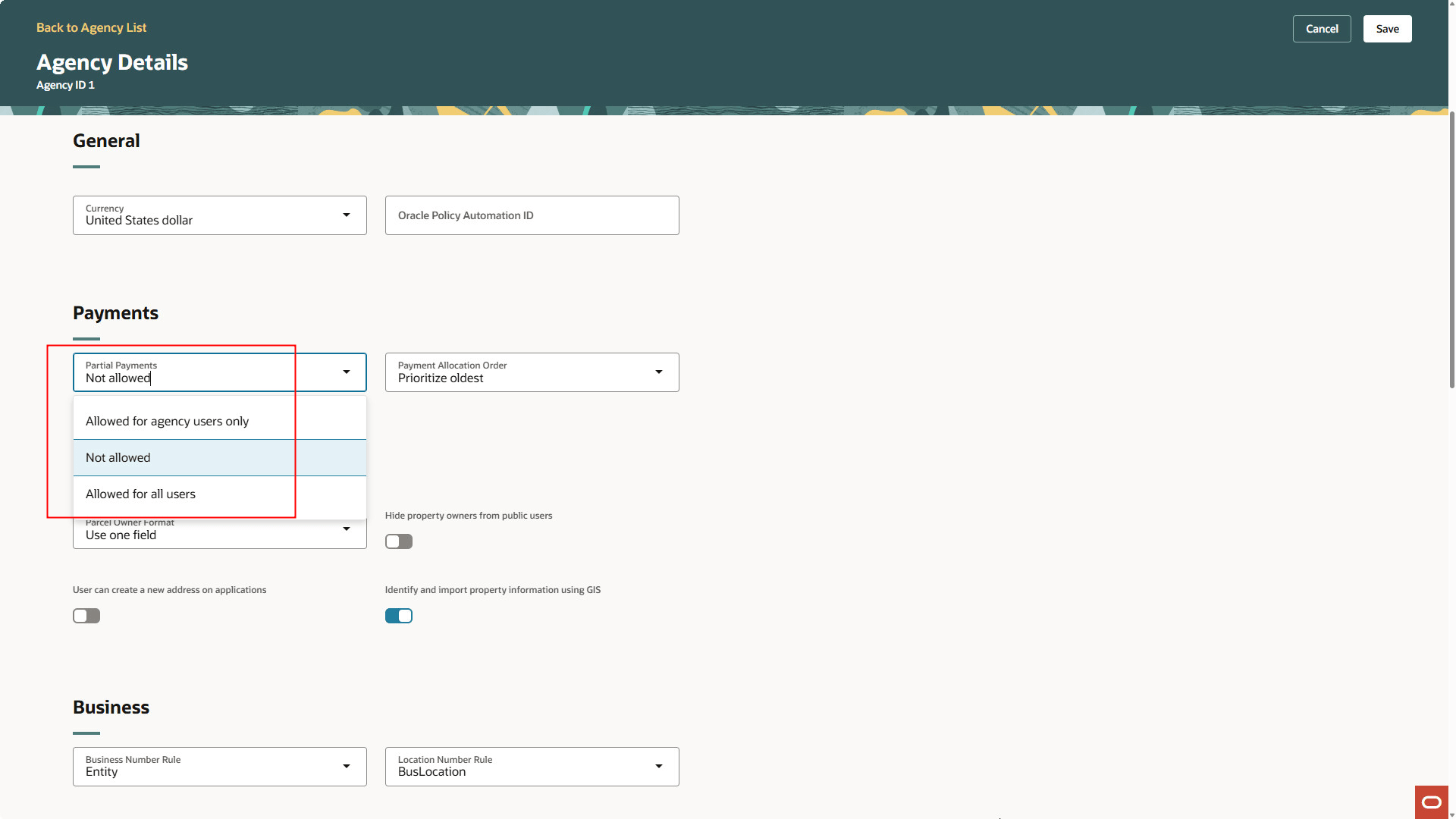
Agency Details Page - Partial Payments
This example illustrates the Agency Details setup page to specify the payment allocation order.
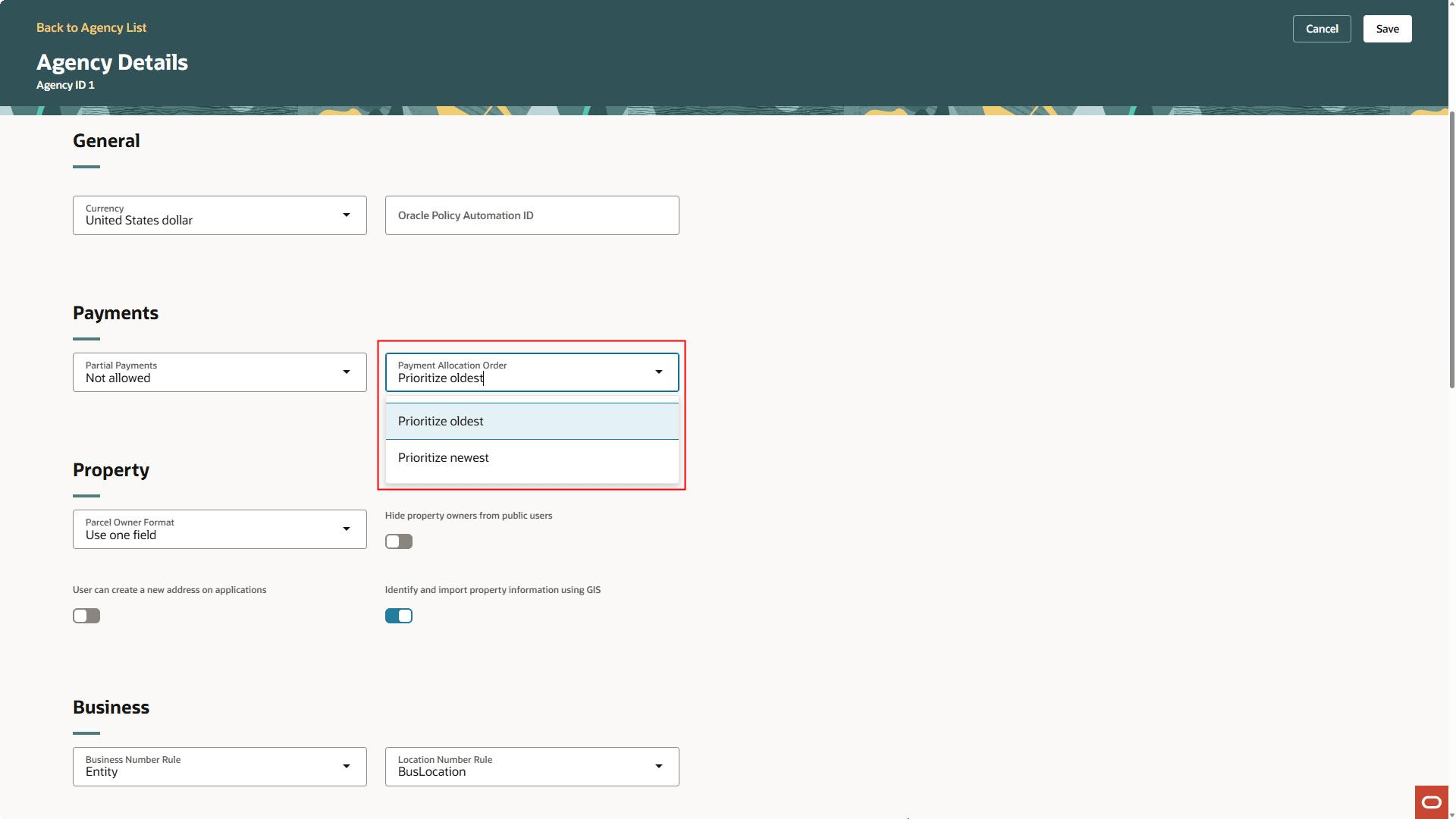
Agency Details Page - Payment Allocation Order
This feature helps users to manage their finances more flexibly while maintaining accurate records of paid and outstanding balances.
Steps to enable and configure
To enable:
- Navigate to Set Up and Maintenance > Agency Profile > Manage Agencies.
- Click on your agency.
- Scroll to the Payment section.
- In the Partial Payments drop down, select "Allowed for agency users only" or "Allowed for all users".
- Depending your choice, users will be able to make partial payments from the Make a Payments page.
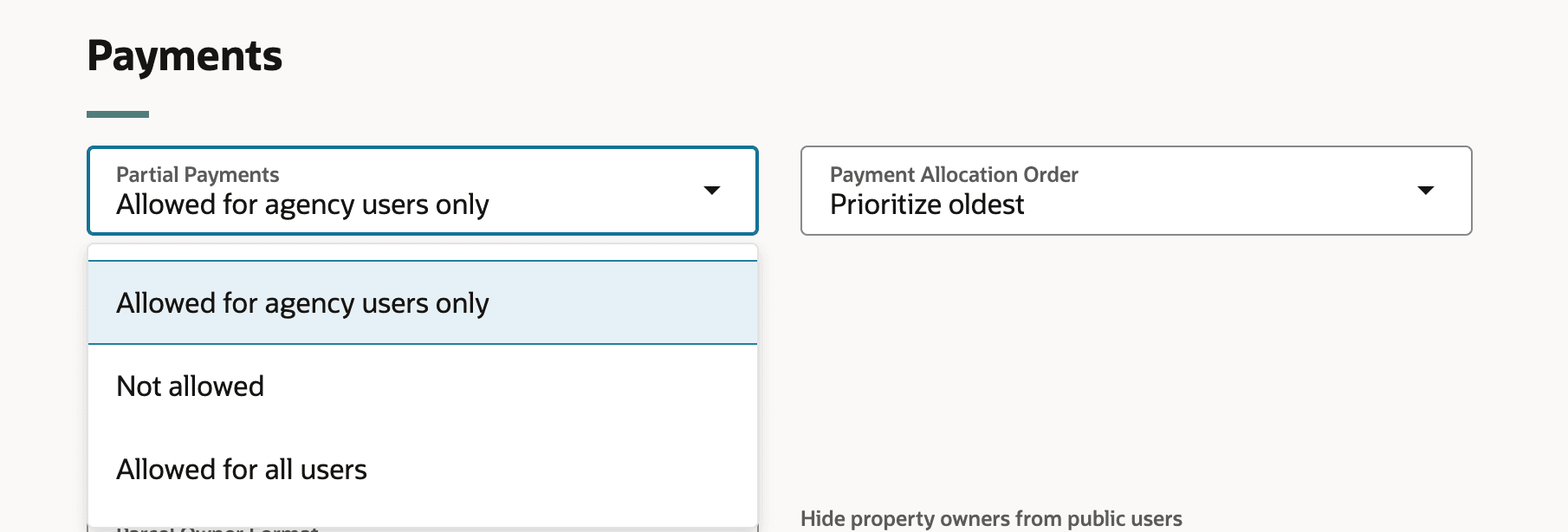
Payments section, Partial payment drop down
Tips and considerations
For fees that are required upon application submission, full payment is still required.
Key resources
- See Implementing Your Agency, "Setting Up Your Agency", Setting Up Agencies on the Oracle Help Center.
- See Using Community Development Permits, "Working with Payments", Making Payments on the Oracle Help Center.