Invoice Using Estimated Renewal Fees
Agencies can now automate the creation and invoicing of estimated renewal fees for licenses. When enabled, the system can convert estimated renewal fees into payable (due) fees based the state of the license's expiration. After the user pays these fees, the system automatically generates renewal records in pending status and notifies users to complete the renewal process.
This example illustrates the licenses application setup page where a new field "Convert Estimated Fees to Payable" was added.
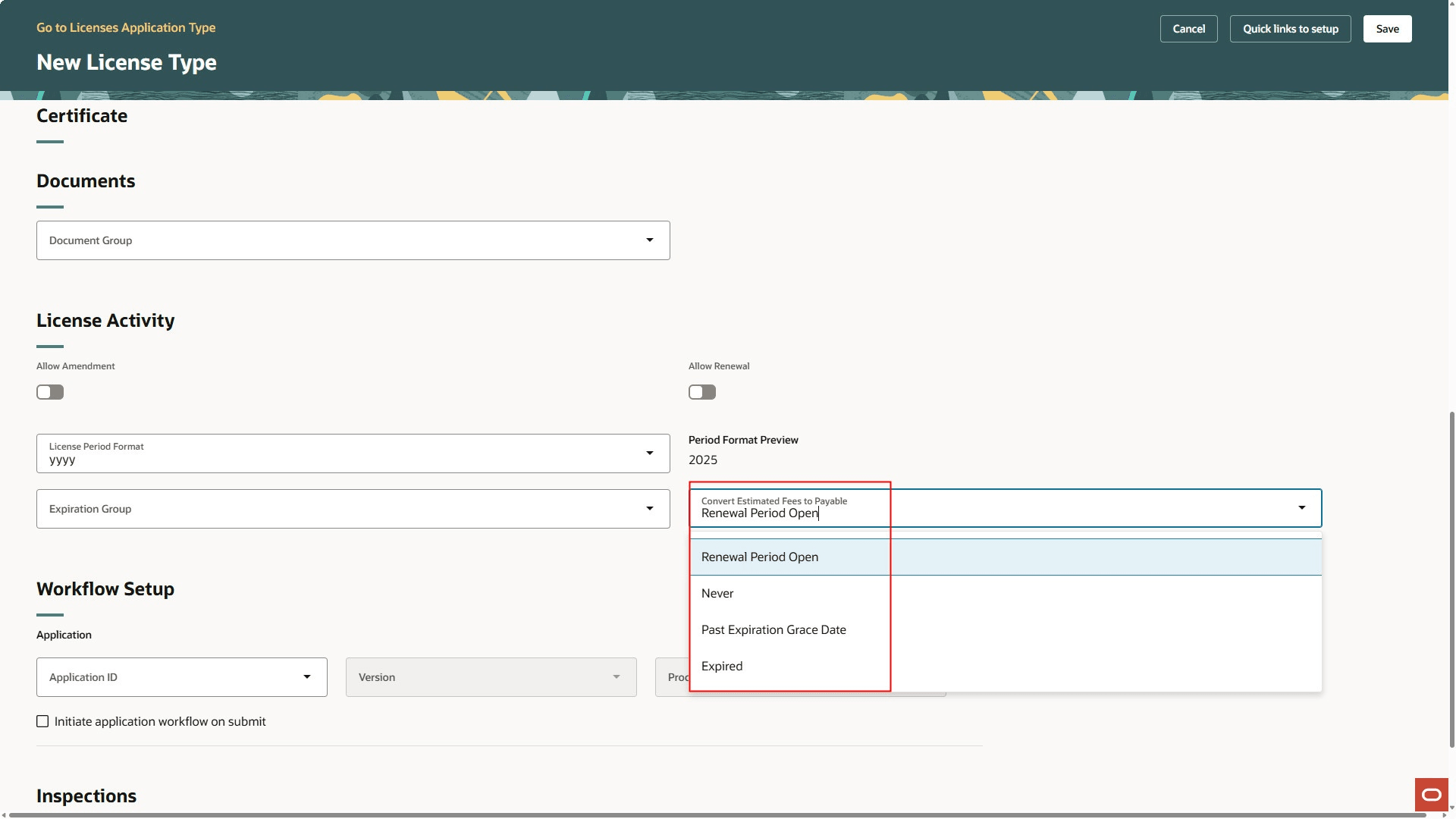
New License Type Page
This example illustrates the Generate Fees page where a new Fee Calculation Type option "Convert Estimated Fees to Payable" is added.
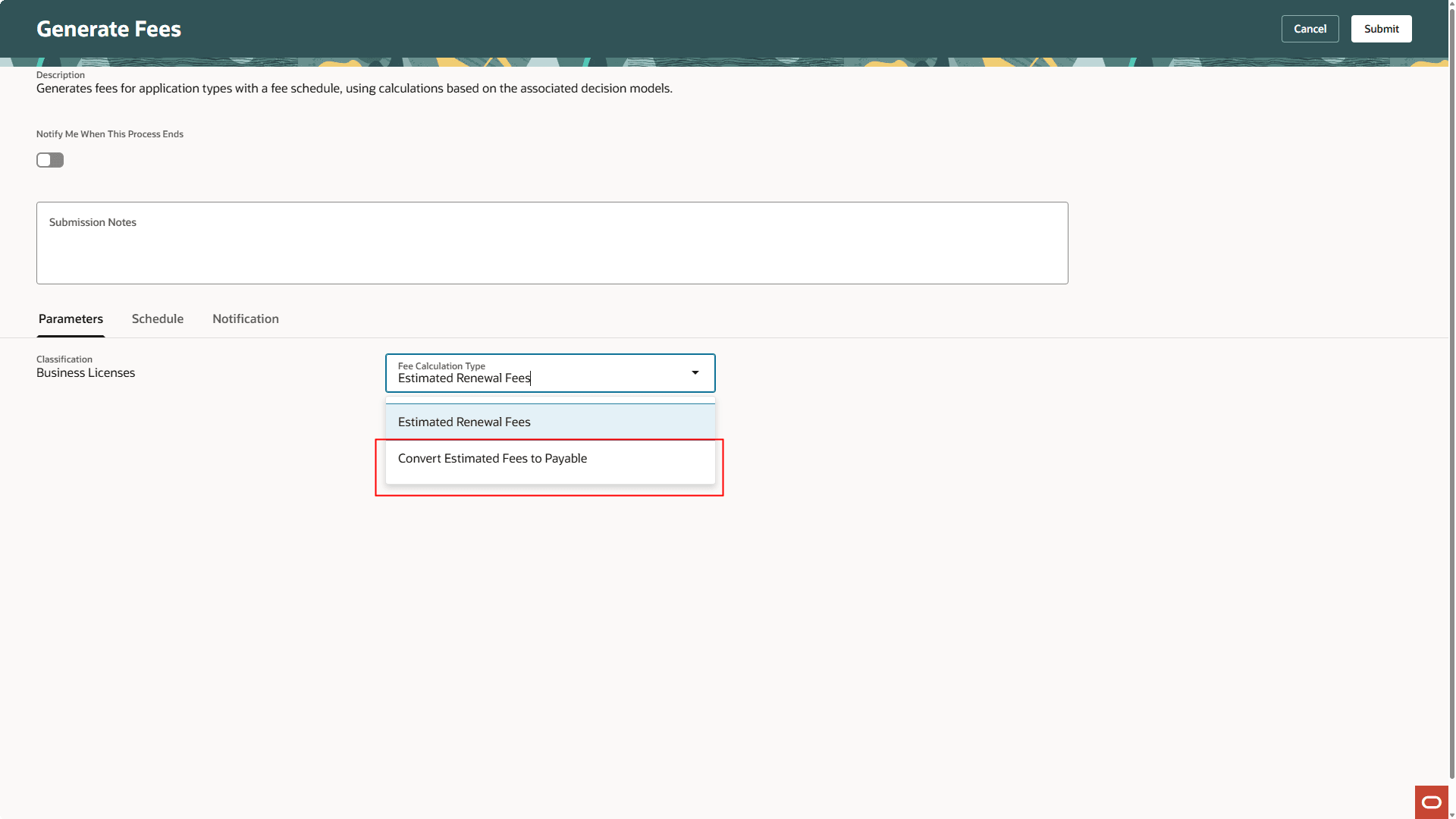
Generate Fees Page
This streamlines the end-to-end license renewal workflow, reduces manual effort, and improves fee tracking for system administrators and finance teams.
Steps to enable and configure
The following steps will enable this feature and convert your current estimated license renewal fees to payable fees.
- During the license type setup, on the License Setup page in the License Activity section, use the Convert Estimated Fees to Payable drop down to select the option for your agency.
- The options include: The start of the about to expire period (Renewal Period Open), when the license expires (Expired), or past the grace date (Past Expiration Grace Date)
- You then need to run ESS process, from process monitor, to generate the fees. Select the Fee Calculation Type of "Estimated Renewal Fees". This generates the estimated fees for any expired licenses.
- The ESS process "Expiration Rules" should have also been run at this point.
- Next, run the ESS process to generate fees using the fee calculation type of "Convert Estimated Fees to Payable". This generates the estimated fees to due.
- Now, all the estimated renewal fees are set to due. These fees are not eligible for invoicing using the standard invoicing processes.
- Run the Invoice Fees and Fines ESS or manually click the button on the Fees and Payments page to invoice the fees and fines.
Tips and considerations
This only applies to the Business Licenses offering.
When the converted fees are paid, a Renewal application will be automatically created (if it doesn't already exist) and the converted fees will be transferred from the original transaction to the renewal transaction.
Key resources
- See Using Business Licenses, "Managing the Business License", Applying for a Business License Renewal on the Oracle Help Center.
-
See Implementing Permitting and Licensing, "Setting Up Business Licenses", Setting Up Business License Types, Setting Up License Activity and Expiration Options on the Oracle Help Center.
-
See Implementing Your Financials Framework, "Setting Up Fees", Setting Up Fee Schedules on the Oracle Help Center.