Update planning activity action
Agencies can now automate appeal period processing for Planning and Zoning applications using Business Rules Framework. A new scheduled Business Rules Framework event monitors appeal period expiration, and a new Update Planning Activity action allows agencies to automatically update planning activities when an appeal period ends.
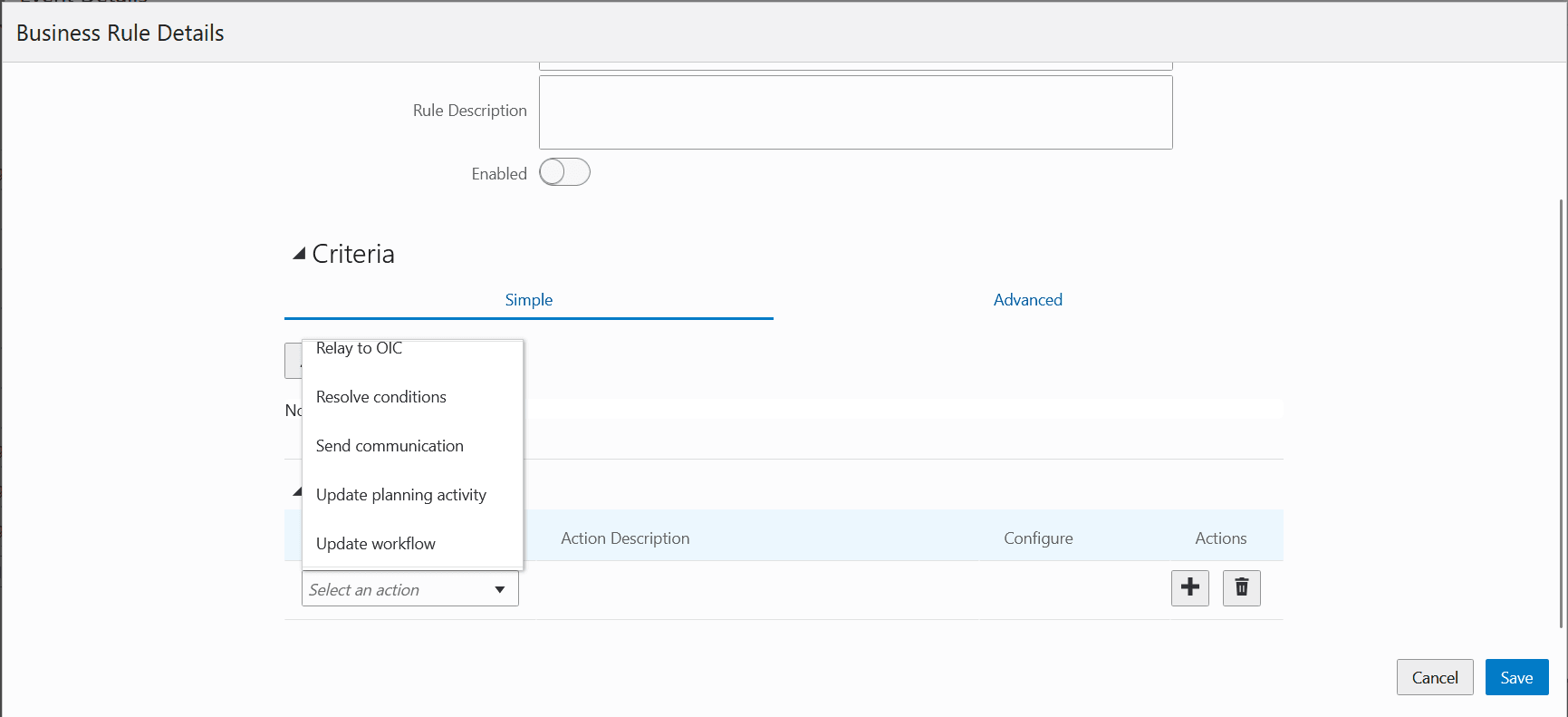
Hearing appeal ended - Update planning activity action
When a hearing decision is recorded, the system calculates the appeal end date. The scheduled Business Rules Framework rule continuously monitors appeal periods, and when an appeal expires, it automatically executes the configured actions, including updating the planning activity, progressing workflow, and sending notifications to stakeholders.
Agency staff can automate the appeal period management for Planning and Zoning applications by:
- Automatically updating planning activities when appeal periods expire.
- Agency staff can automate workflow progression and stakeholder notifications without manual intervention.
- Agency staff can reduce manual monitoring of appeal periods and ensure timely processing of appeal-related activities using configurable business rules.
Business Benefit: The Update planning activity action automates appeal-period tracking and follow-up actions to reduce manual effort, keep workflows moving, and ensure stakeholders are notified on time.
Steps to enable and configure
While the event is delivered in the Business Rules Framework, you must configure the communication rule and template to enable the notifications.
To configure the communication rule:
- Navigate to the Business Rules Framework.
- Select Scheduled Rules.
- Use the Search function to find the following event:
- Update Activity Action
- Click on the row to open, then click Add to add a Business Rule.
- Enter the criteria and the action for your rule.
- Click Save.
- Click the Process Monitor at the top of the page to set up a schedule to process the rule.
To send communications, you need to select the templates for the communication event.
To set up the templates in the Communication Events page:
- Navigate to Setup and Maintenance of Offerings > Offering: Planning and Zoning > Task: System Administration > Manage Communication Events.
- Search for Update Activity Action.
- Click on an event to open.
- In the Communication Template section, click Add.
- Enter the required information and click Save.
Key resources
- See Implementing Permitting and Licensing, “Implementing the Business Rules Framework”, Business Rules Event Details on the Oracle Help Center.