View and Manage Subscriptions via Self Service
Capability highlights
Beginning 25D Organization Buyers can:
- View all subscription headers and lines for the entire organization in one centralized list.
- Search by subscription, status or product to find matching subscriptions or individual lines.
- Retrieve subscriptions by header or drill down to individual lines for detailed analysis.
- Perform quick modifications or cancellation of individual subscription lines
- Manage multiple subscription actions and View a consolidated list of all modification types (plan, quantity, status) in the cart.
- Edit or remove individual modifications before checkout.
- Choose between self-service completion or handoff to a sales rep via RFQ for complex changes.
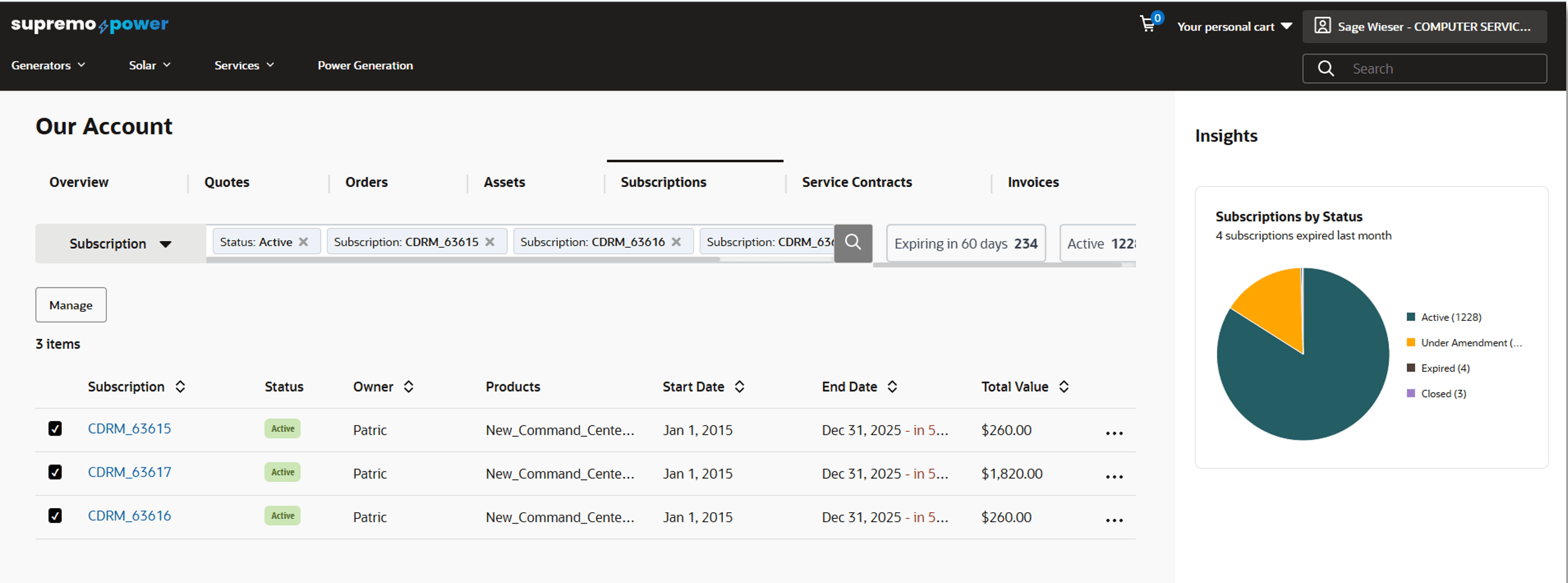
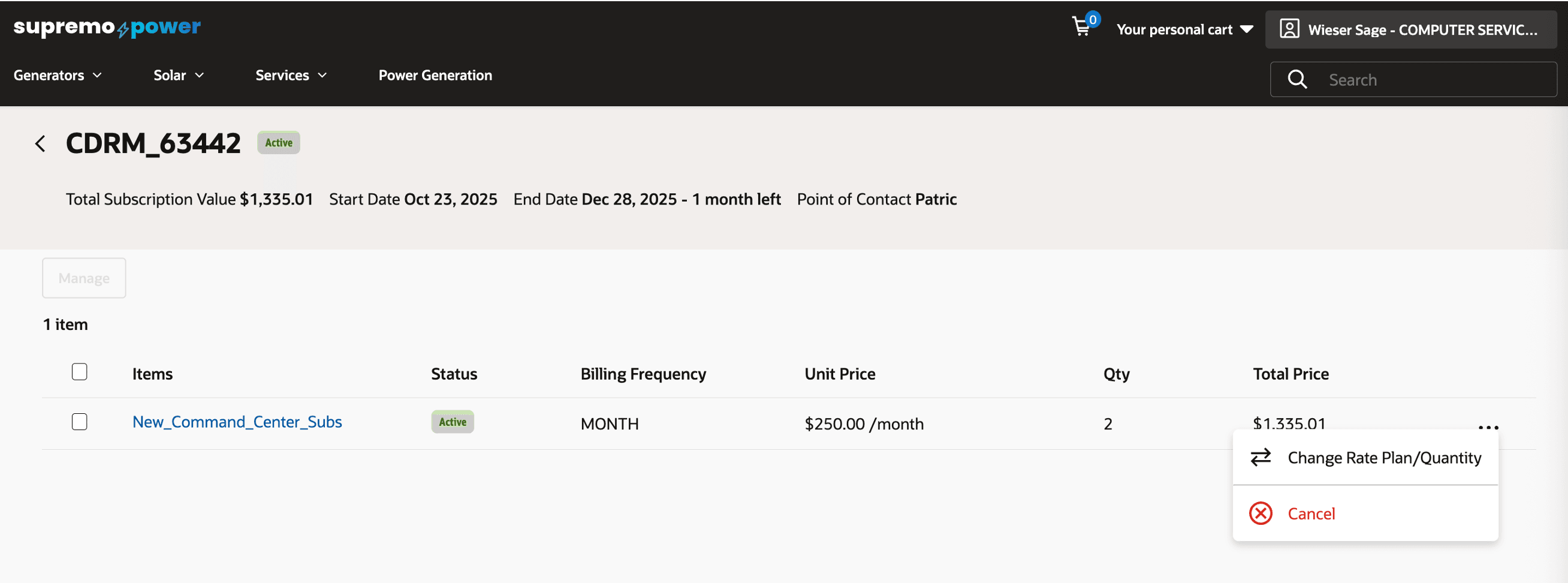
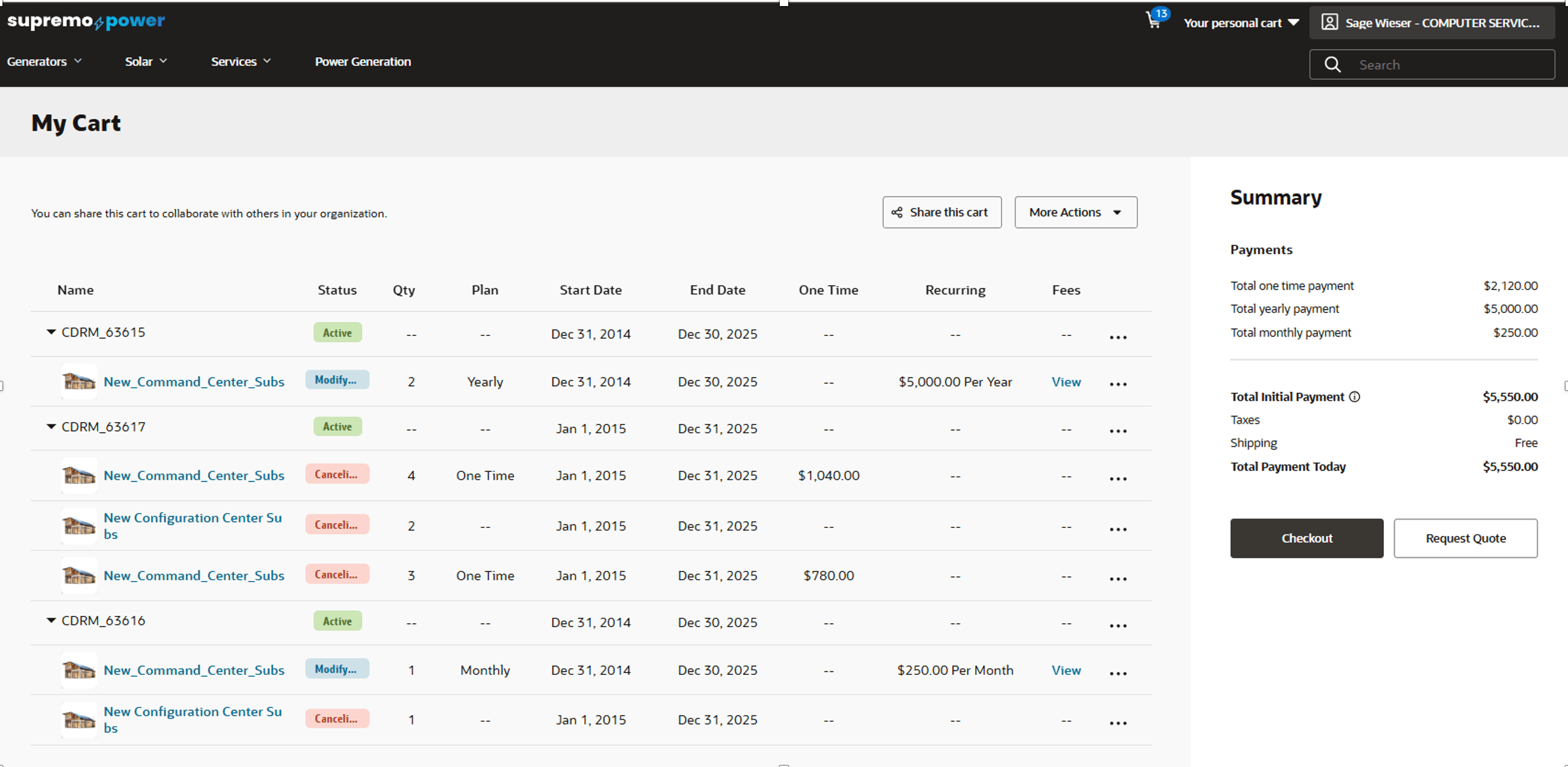
This feature empowers buyers with unprecedented visibility and control, enabling them to efficiently find, analyze, and modify all their organization's subscriptions through an intuitive, self-service portal. The key benefits include major gains in operational efficiency through bulk actions and a centralized modification cart, enhanced financial oversight and cost optimization via real-time billing impact previews and plan comparisons, and greater business agility with the ability to quickly pause, resume, or change plans to align with evolving needs. By reducing reliance on sales reps for routine changes, it not only accelerates processes but also improves accountability and governance across the subscription portfolio.
Steps to enable and configure
Merchants must setup Adaptive Search for Subscription objects in Oracle Fusion.
- Login to Oracle Fusion as an Application Implementation Consultant
- Navigate to Setup and Maintenance.
- Search for Configure Adaptive Search task.
- Navigate to Configure Adaptive Search.
- Navigate to Setup.
- Select Subscription, Subscription Product and Subscription Covered Level checkboxes.
Tips and considerations
- Ensure the subscription products being modified exist in OCC and the Sales Product Type property on the product is set to SUBSCRIPTION.
- This feature is built-in on the htim-reference-store. Please make sure to upgrade to the latest version of this reference storefront.
- This feature is applicable only for Commerce on CPQ customers.