Usage Events Reversal with Balance Management
This feature adds robust support for reversing & replacing, re-rating usage events that are loaded, rated, and tied to a balance register in Oracle Subscription Management. The process is managed via a new "Create Batch" action in the Usage Events Dashboard. Using this action you can create batches and specify batch actions.
- Batch Types: Users can create three types of batches: Usage Rating, Re-rate, and Reverse & Replace.
- Batch Creation: The batch records and processes all associated usage events based on criteria (e.g., events eligible for reversal or re-rating).
- Flexible Input: Events can be gathered via direct dashboard selection, condition criteria, import, or REST API. Parent event relationships can be defined for reversals.
- Batch Actions:
- Add Usage Events: Opens a selection criteria panel to include additional events.
- Delete Usage Events: Allows users to remove certain events before processing, with delete modes (All, By Rule).
- Lock for Review: Locks involved transactions and shows a summary; blocks further changes.
- Revert for Edit: Reverts batch to draft for further modifications.
- Submit for Rerate: Finalises the batch for re-rating or reversal.
- Strict Controls: System ensures batches can't process events already reversed, already processed, or locked for reversal by another batch.
- Integration: Proper logging, lookup code support, messaging, and status monitoring is included for tracking batch processes.
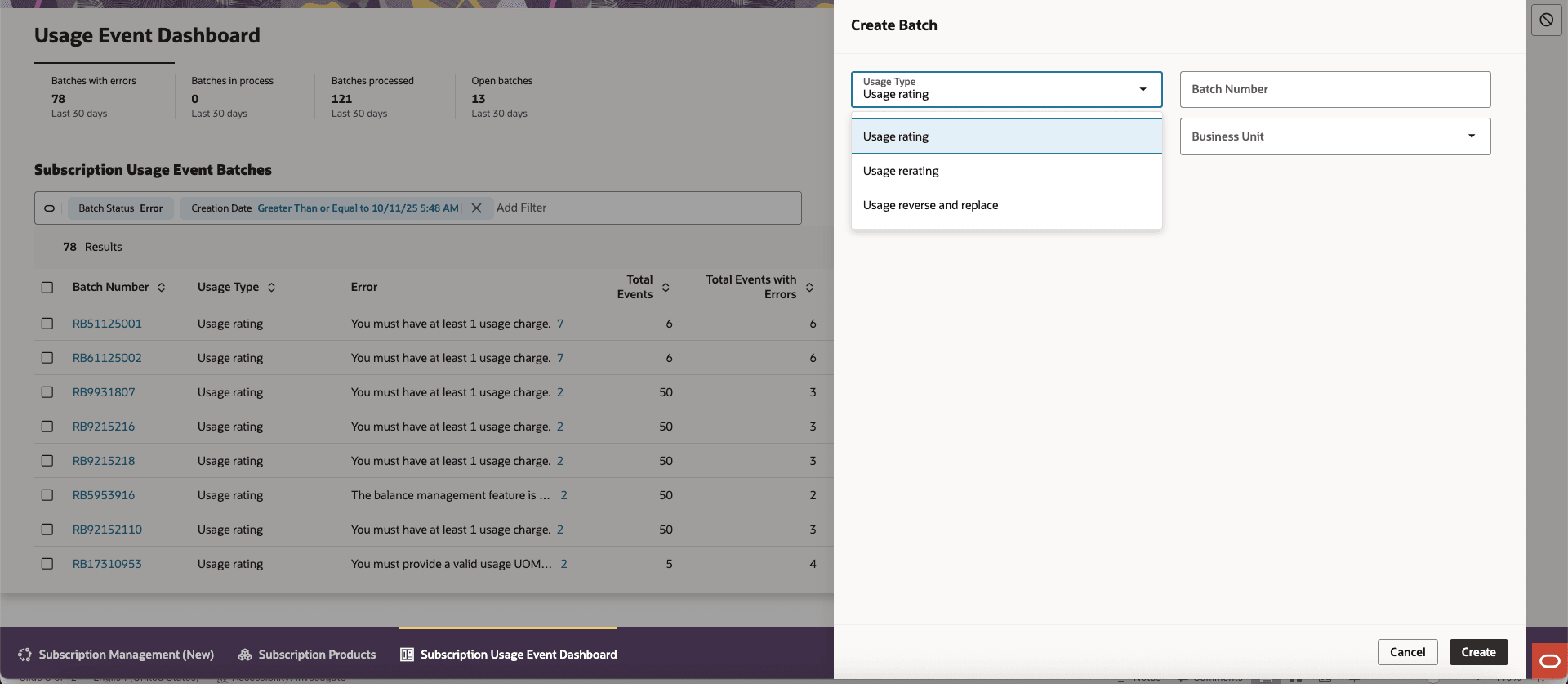
Batch Creation
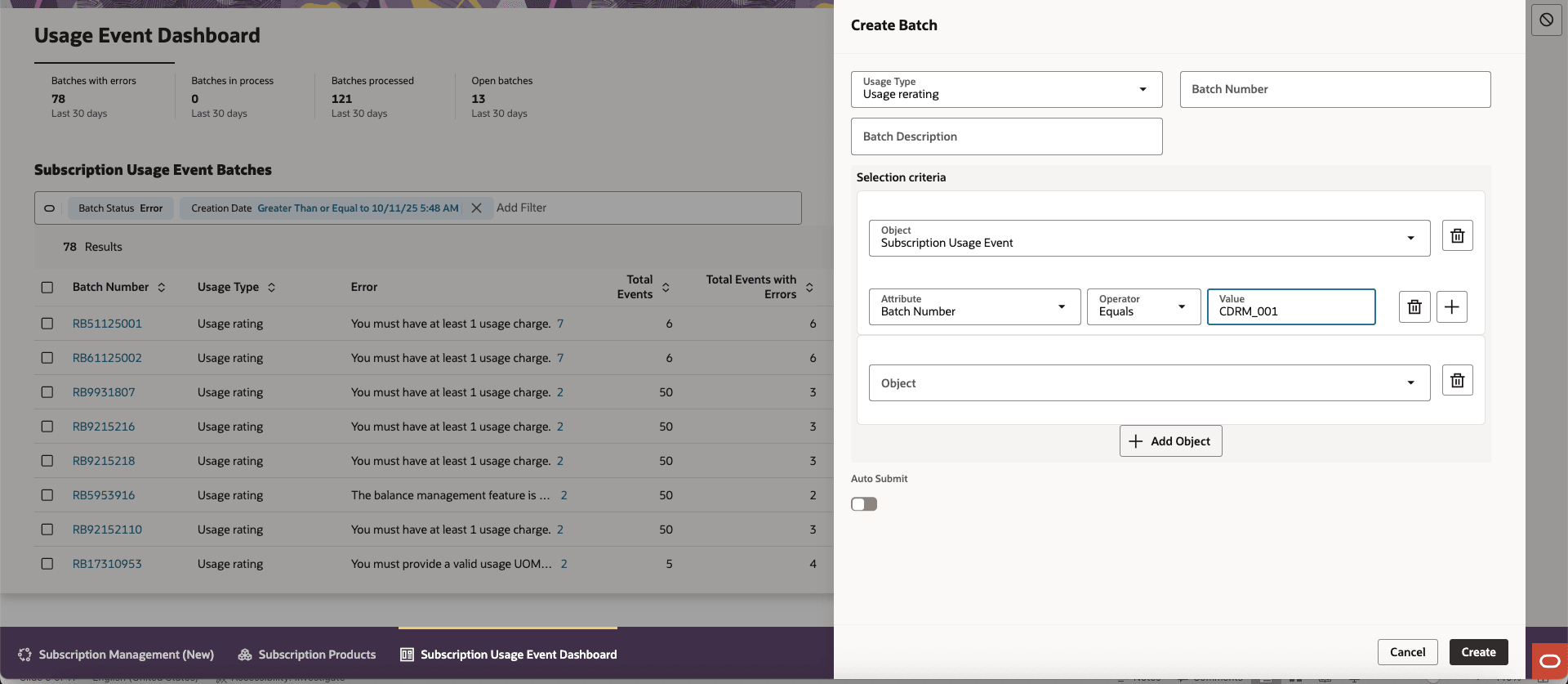
Selection Criteria
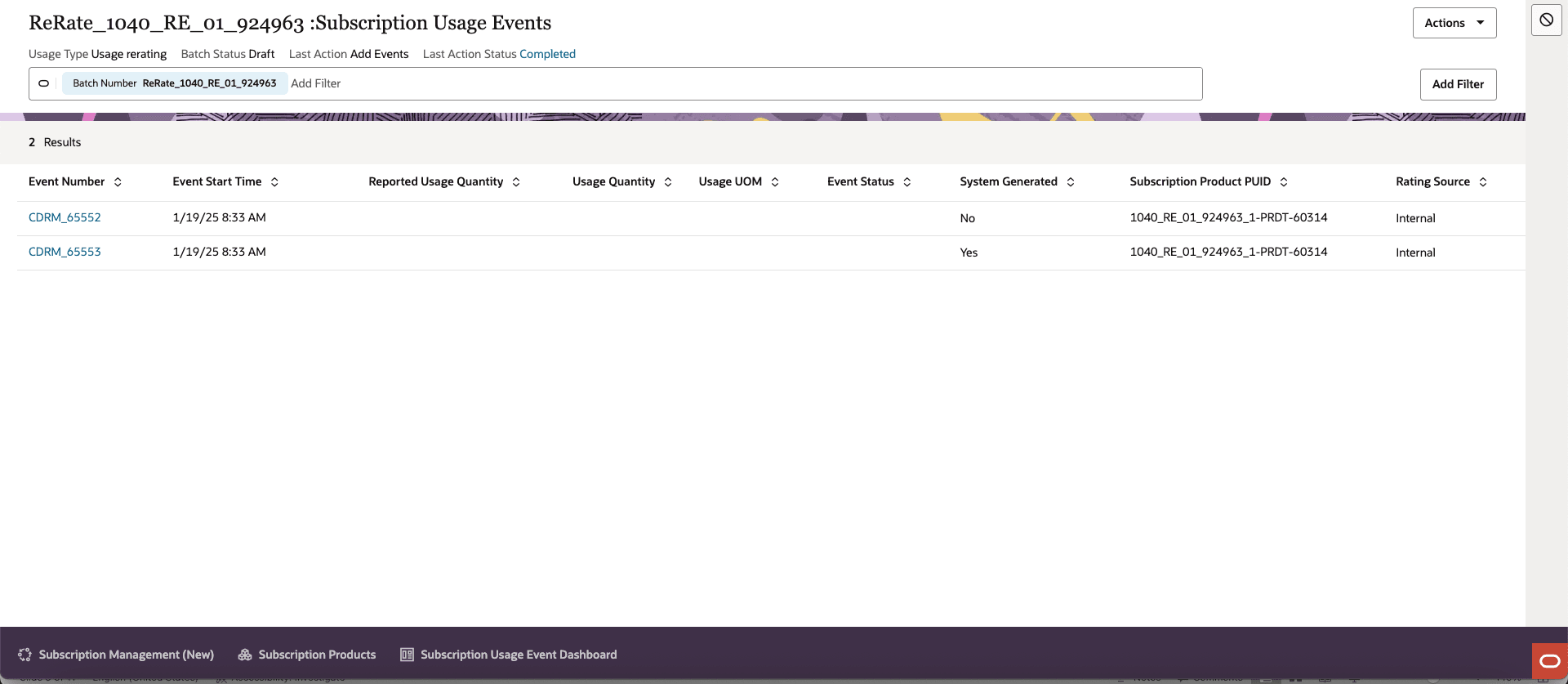
Usage Rerating
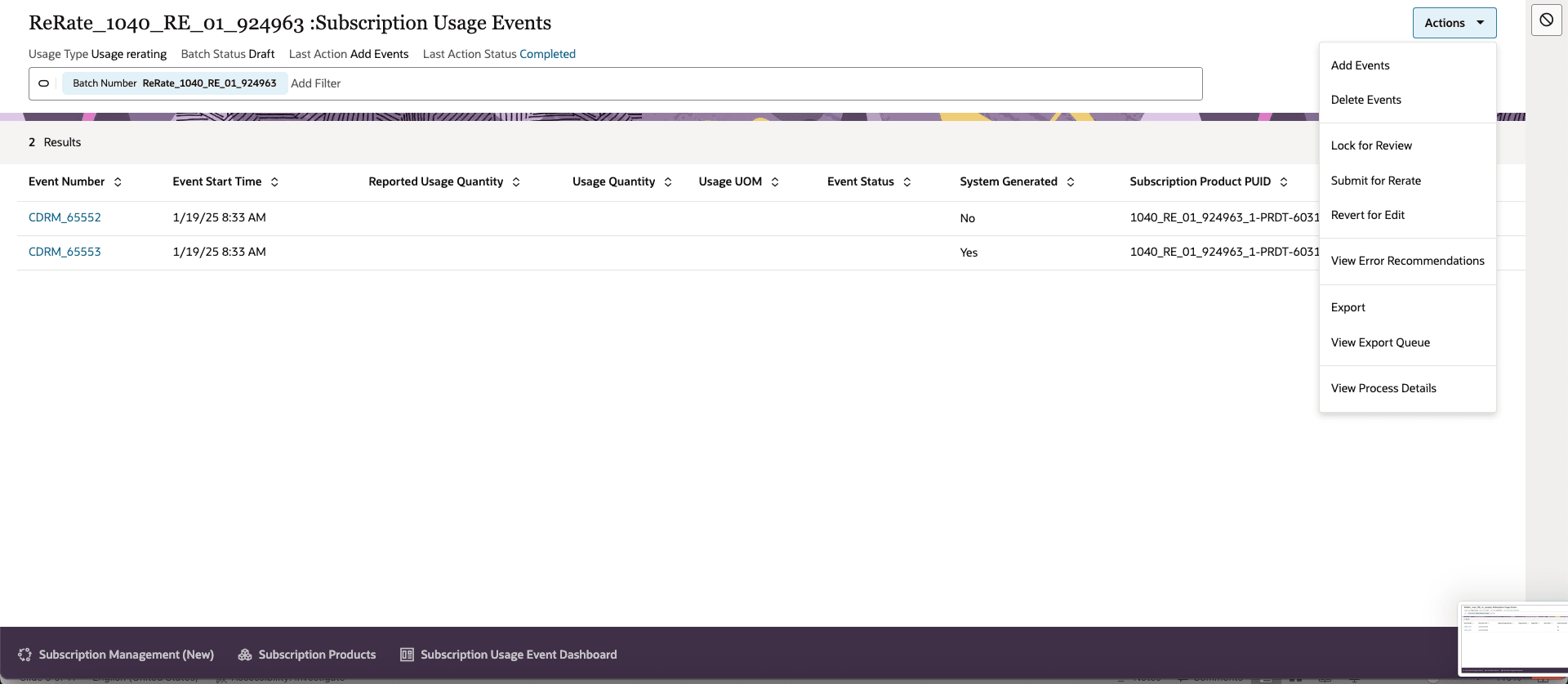
Actions
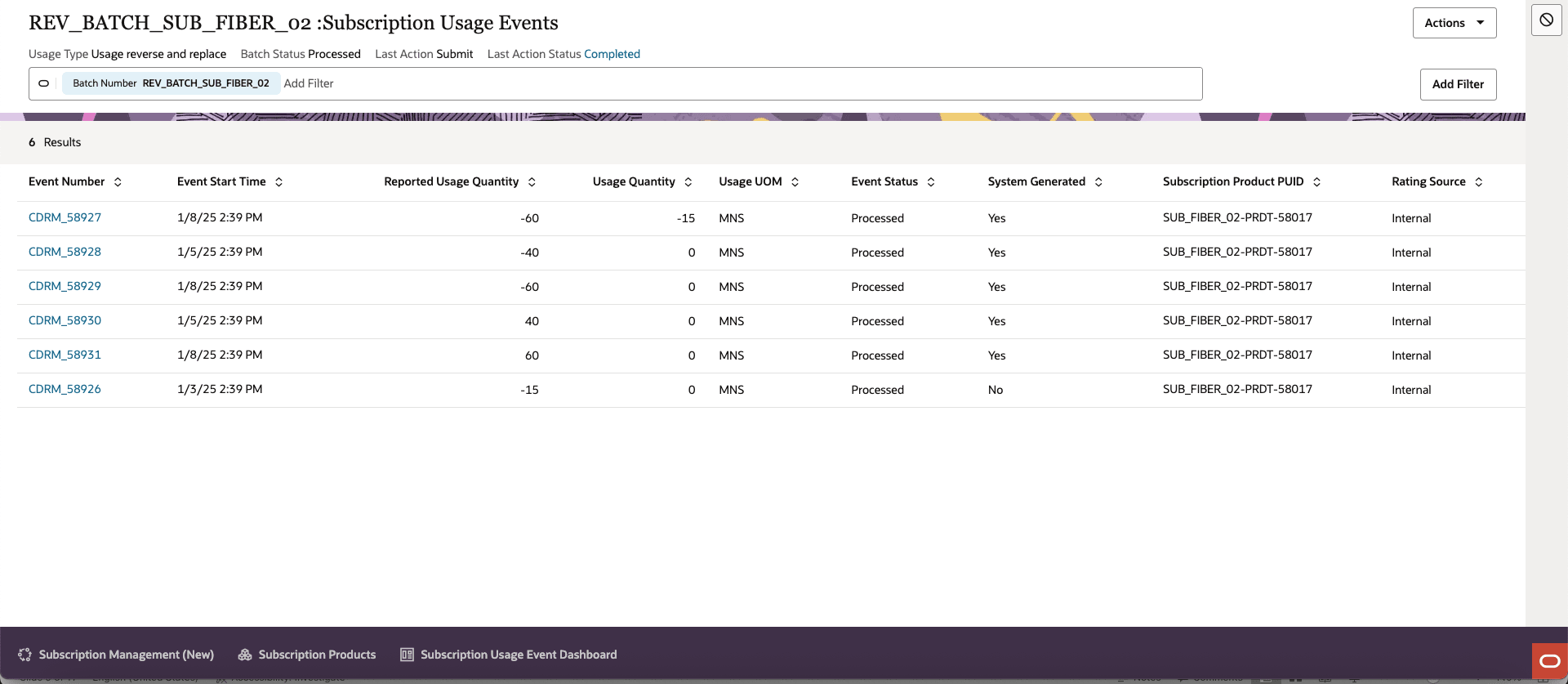
Usage Reverse & Replace
- Enhanced Accuracy: Enables precise reversal or re-rating of billed usage events, ensuring customer invoices accurately represent correct charges.
- Operational Efficiency: The batch framework automates complex event corrections, speeding up billing remediation and reducing manual intervention.
- Compliance & Auditability: Full traceability of events, actions, and reversals builds strong audit controls.
- Flexible Data Correction: Supports correcting errors through condition-based batch selection, CSV import, or REST API for integration with external systems.
- Improved Customer Satisfaction: Faster dispute resolution through rapid batch reversal and corrections.
Steps to Enable and Configure
You don't need to do anything to enable this feature.
Tips And Considerations
- AR Integration Lock: Reversals are NOT allowed if the usage bill line is already interfaced to Fusion Accounts Receivables. Attempting to reverse such events will trigger errors.
- Event Eligibility: Not all usage events are eligible for reversal–already reversed, processed, or locked events are blocked.
- Batch Type Control: Some actions (Preview, Submit, Add/Delete, etc.) are hidden or restricted based on batch intent/type.
- ESS Dependency: Core actions like Lock for Review, Submit for Rerate & Revert for Edit all depend on asynchronous ESS jobs. Monitor their execution and status.
- Before submitting, always validate the batch and review errors.
- Make full use of condition-based rules for precise event selection–avoid broad operations that may impact unrelated usage records.
- Use revert for edit if you need to unlock and edit batch details after preview.
- If using custom reports, ensure they fetch event and batch data from the correct sources—updates may be required for new batch types.
- Typical example of when to use Rerating is when you have toped up your allowances and you want the system to rerate the usages with new balances.
- Typical example of when to use Reverse & Replace when you detect the mediation layer/switch/meter has malfunctioned and few or all usages were reported in correctly.