AI-Generated Descriptions for CPQ Rules
Oracle CPQ 26A introduces AI-generated descriptions for both Commerce and Configuration rules to improve rule management, understanding, and usability for CPQ administrators. This feature leverages generative AI to automatically produce human-readable summaries of rule logic, helping administrators quickly grasp the purpose and impact of rules without parsing complex expressions or condition sets. It enhances transparency, accelerates troubleshooting, and improves onboarding for new administrators.
Key Features & Capabilities:
- Integration of AI-generated descriptions in the rule detail view.
- On-demand regeneration or refresh of description based on rule changes.
- Support for both Configuration and Commerce rule types.
- Administrator override/edit capability to customize AI-generated text if needed.
- Visual cue indicating AI-generated content for clarity.
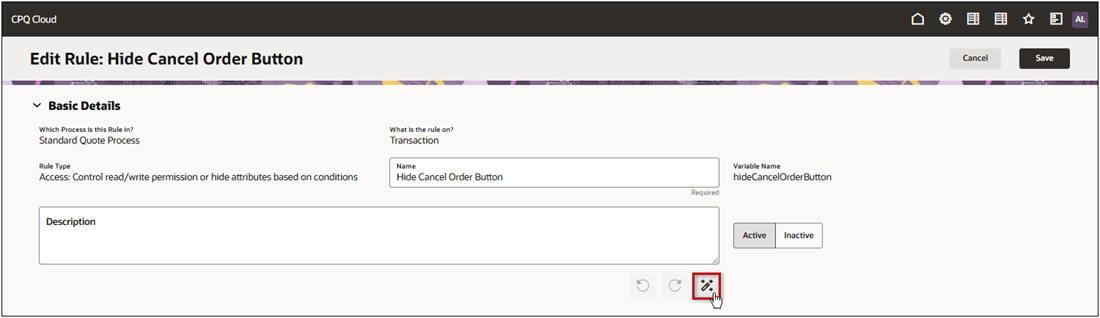
To produce an AI-generated summary, click on the Summarize icon.
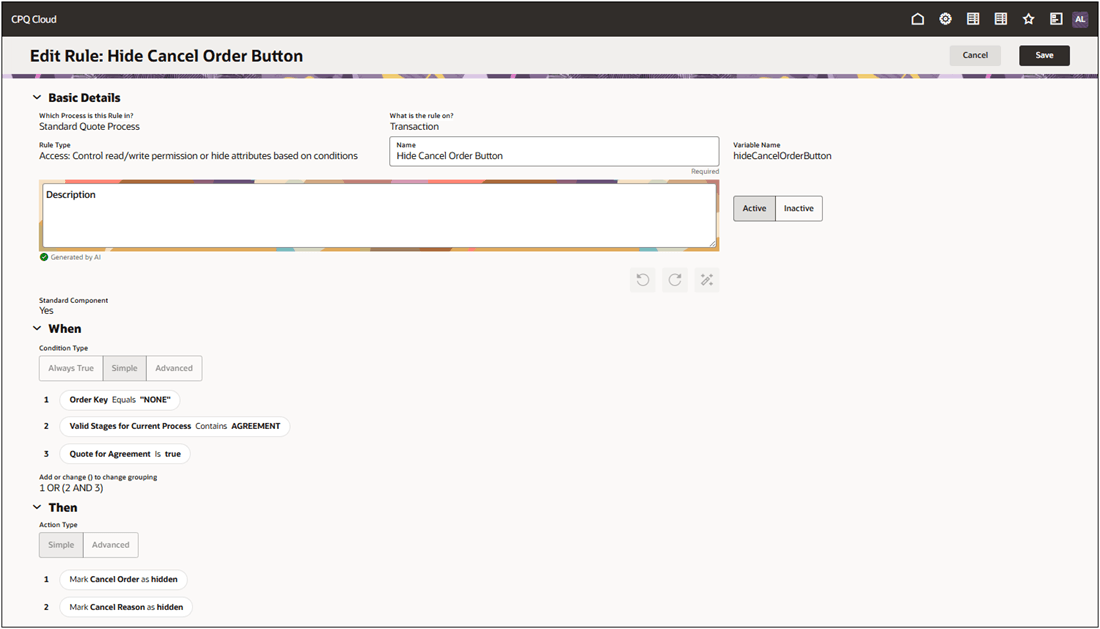
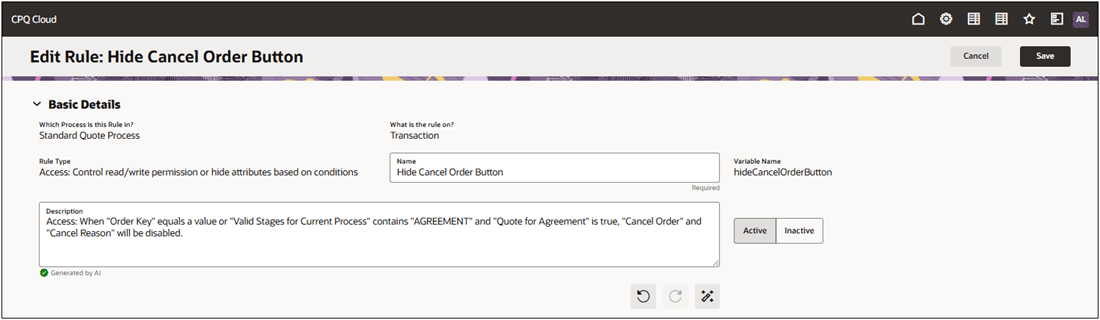
The AI generator will summarize the rule's conditions and actions to automatically produce the description.
Click Save to keep the changes.
This feature provides the following business benefits:
- Auto-generate intuitive, plain-language descriptions for Commerce and Configuration rules.
- Help administrators quickly understand rule behavior without diving into logic syntax.
- Improve productivity and reduce ramp-up time for new administrators.
- Encourage better rule hygiene and auditing with clear explanations.
- Lay the foundation for intelligent rule recommendations and optimization.
Steps to enable and configure
You don't need to do anything to enable this feature.
Tips and considerations
Following upgrade to Oracle CPQ 26A, the Admin Home page defaults to the Redwood UI. You can explore the UIs and begin working through your tasks in the new redesigned interface. Legacy customers will be able to revert back to the Classic UI experience by navigating back to the Admin Home Page and clicking Switch to Classic.