Enhance Writing Assistant Features
he Writing Assistant now lets users select a set of prompt choices as part of the drop-down list in addition to allowing them manually type their personalized commands in the prompt bar. TIPS: The writing assistant is enabled when you start to manually enter text in the notes area. Then any commands either selected from the drop down list or entered from the prompt bar are applied on the text in the notes area.
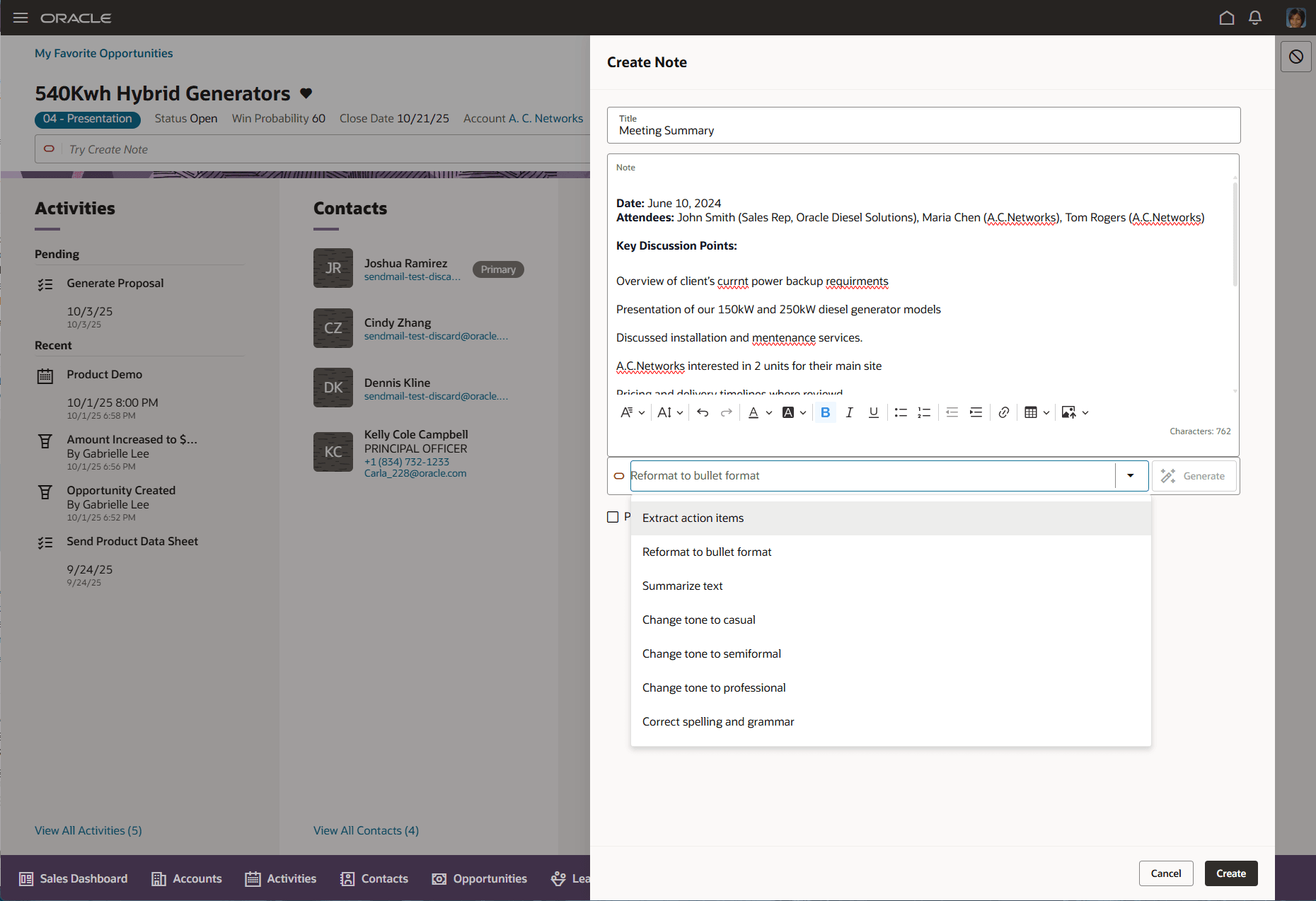
Drop down choices with writing assistant
This enhancement makes is easy for Sales users to get started with writing assistant and also use on an ongoing basis by simply selecting the common prompts from a drop down as against having to type it every time.
Steps to enable and configure
You don't need to do anything to enable this feature.
Tips and considerations
- Writing Assistant on notes stays disabled unless user has typed text in the notes area. Subsequent to that, any command either selected from the drop down list or typed in prompt bar by user are applied on the text in the notes area.
- Writing Assistant on Send Email can generate an email based on teh context of the object from which email is being sent. Once the email is generated, sales users can personalize by typing in additional commands in prompt bar to improve the email generated.
Access requirements
This enhancement doesn't require any new privileges to access it. If users were enabled to use Writing Assistant from earlier releases, they should see this enhancement.