AI-Powered Renewal Navigator
The AI-Powered Renewal Navigator Agentic Workflow helps subscription businesses manage renewals more intelligently by using AI-driven insights to identify renewal-ready subscriptions, assess renewal health, and guide each subscription through the most appropriate renewal path.
When the Renewal Process is set to Agentic either from the Renewal template or on the subscription record, the subscription is evaluated as part of the agentic renewal workflow.
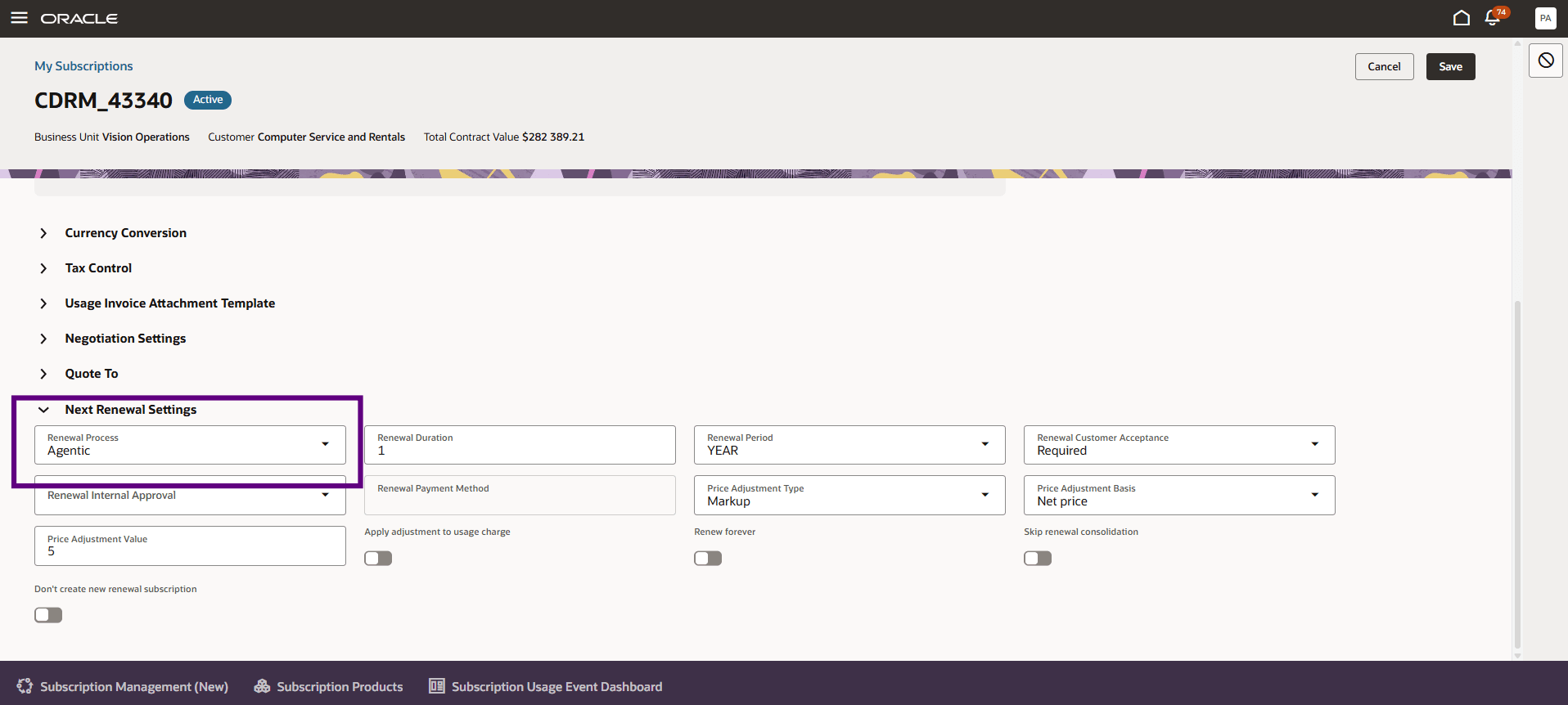
Subscription Agentic Renewal Process
The workflow involves two agents: the Subscription Insights and Scores Agent and the Renewal Pathway Agent.
The Subscription Insights Agent analyzes subscription signals such as revenue health, cost, discounting, usage trends, and overall renewal risk. It evaluates these signals to identify financial risk, churn indicators, customer engagement patterns, and potential expansion opportunities. The agent then generates insights and scores that help users understand subscription health, potential renewal risk, upsell opportunities, and revenue impact before the renewal action is taken.
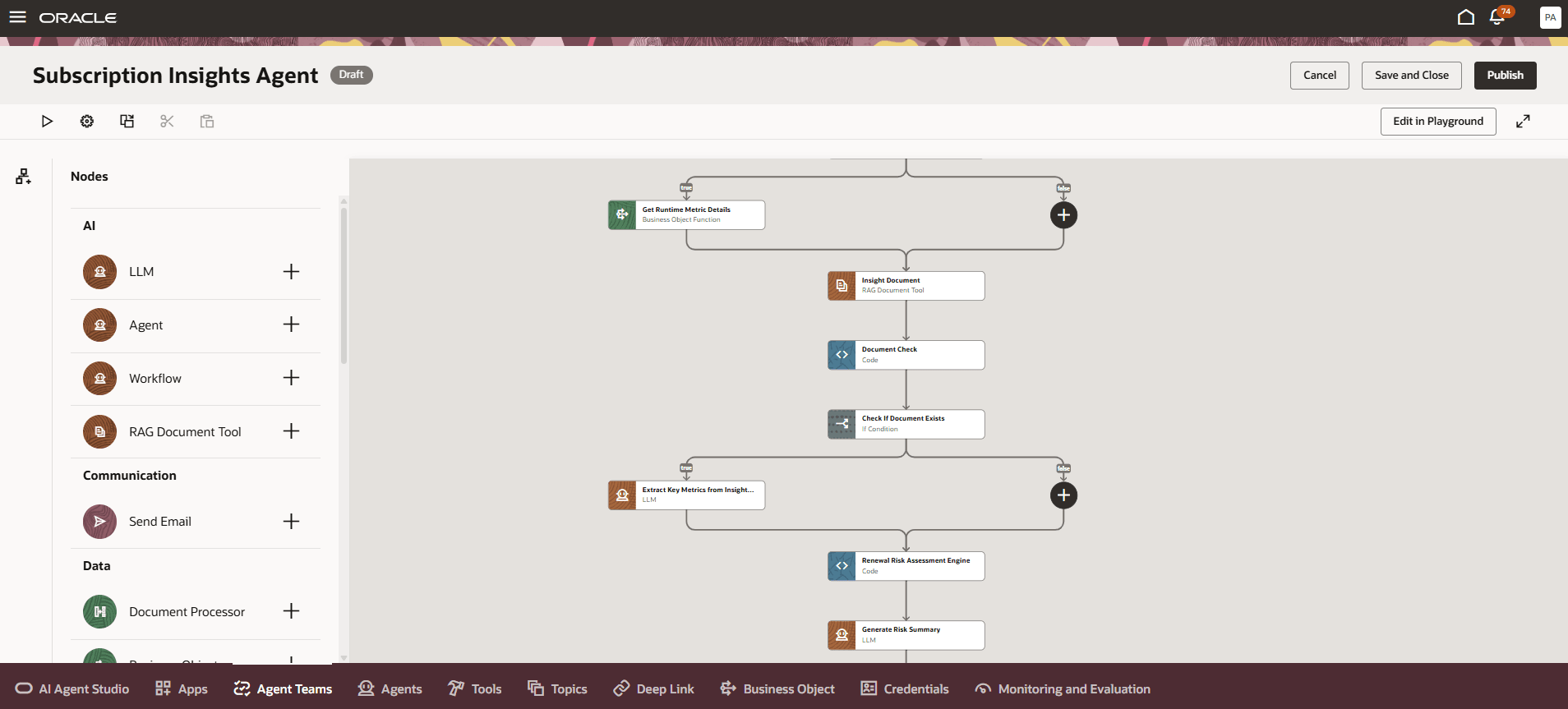
Subscription Insights Agent
The Renewal Pathway Agent uses the generated insights and scores to evaluate subscriptions that are due for renewal. It analyzes the renewal signals and renewal characteristics, it also supports renewal scenarios such as co-terming and consolidation, where related subscriptions or subscription lines may need to be aligned, grouped, or reviewed together as part of the renewal process. Based on this analysis, the Renewal Pathway Agent segments each renewal subscription into the appropriate renewal journey, such as zero-touch, minimal-touch, or high-touch. Straightforward renewals can move forward with reduced manual effort, while renewals that require additional review, negotiation, or customer engagement can be prioritized for focused attention.
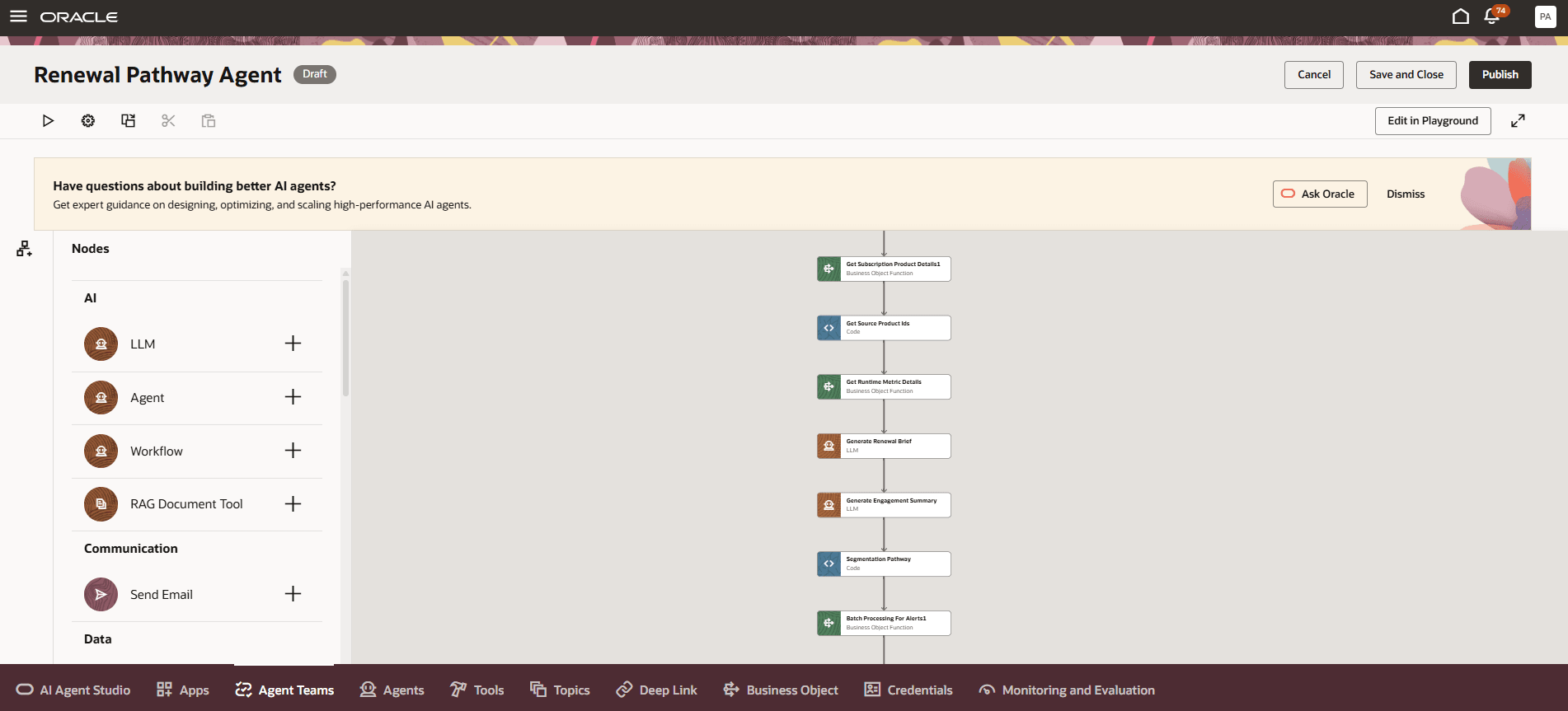
Renewal Pathway Agent
By combining financial and churn risk insights with pathway recommendations, the AI-Powered Renewal Agentic Workflow helps teams reduce manual analysis, prioritize the right renewals, reduce revenue leakage, improve retention, and drive better renewal outcomes.
- Improve renewal outcomes by helping teams focus on the right renewals that are likely to need intervention
- Increase sales efficiency by reducing time spent on renewal research and follow-up planning
- Improve renewal predictability by giving teams a clearer view of renewal health and potential risk
- Reduce revenue leakage by surfacing pricing, discounting, and margin concerns earlier in the renewal cycle
- Drive smarter and informed decisions with timely, AI-powered insights and recommendations
Steps to enable and configure
You don't need to do anything to enable this feature.
Tips and considerations
How to use this feature:
You can enable the AI-Powered Renewal Navigator for subscriptions in either of the following ways:
- From the renewal template:
- Go to Subscription Configuration > Manage Subscription Rules, open the applicable Renewal template, and set Renewal Process to Agentic.
- From a subscription record:
- Open the subscription record, go to the Details tab, and in the Next Renewal Settings section, set Renewal Process to Agentic.
After the renewal process is set to Agentic, the subscription is evaluated as part of the agentic renewal workflow.
AI Agents:
- Subscription Insights Agent: To keep insights and scores current, schedule the Generate Subscription Insights and Scores ESS job to run periodically to generate insights and scores for subscriptions that are part of the agentic renewal process.
- Renewal Pathway Agent: Run the Automatically Renew Eligible Subscriptions ESS job to determine the appropriate renewal pathway for subscriptions that are due for renewal. The job identifies subscriptions due for renewal within the configured time frame, evaluates the signals and scores generated by the Subscription Insights Agent, and routes each renewal to the appropriate pathway.
Prompt Customization:
You can customize the prompts used by the agents to tailor the generated summaries and recommendations as per your requirements.
To update the prompts, go to Tools > AI Agent Studio, open the applicable agent, and navigate to the agent workflow. Then update the relevant LLM node:
- In the Subscription Insights Agent, update the Generate Risk Summary LLM node to customize the insights summary.
- In the Renewal Pathway Agent, update the Generate Renewal Brief LLM node to customize the renewal brief.
- In the Renewal Pathway Agent, update the Generate Engagement Summary LLM node to customize the engagement summary.
Metric and Scoring Configuration:
In the Subscription Insights Agent, you can update the Assign Default Values node to configure the band, weight, and level values used in metric calculations and scoring.
Business Reference Inputs:
You can provide business-defined reference inputs through a RAG document for the agents to use during insight generation and scoring. This is useful when benchmarks or evaluation inputs vary by product, customer segment, or business scenario. The Subscription Insights Agent uses these inputs as a reference, along with subscription data, to generate more contextual insights and scores.
Key resources
Learn more about Oracle AI Agent Studio