Manage Price Adjustments UI
Oracle Subscription Management now provides a setup UI to define price elements and price adjustment categories and uses that setup to present a clearer price waterfall in Redwood UI. The price waterfall shows how the bill line amount was derived, including the adjustment category, price element, and the sequence in which adjustments were applied. The feature also introduces a new Subscription Configuration task, Manage Price Adjustments, and supports controlled edit access through a dedicated privilege. to all users. for seed data. A privilege called "Create Price Adjustment Categories" assigned to specific users will enable them to view and edit the adjustment categories. Without this privilege users can only view but not edit.
The Subscription Configuration has a new task as shown below
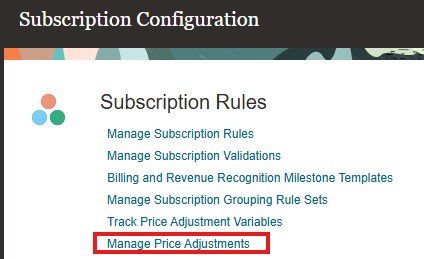
Manage Price Adjustments
On clicking the link user will see the list page of all price adjustment categories and price elements.
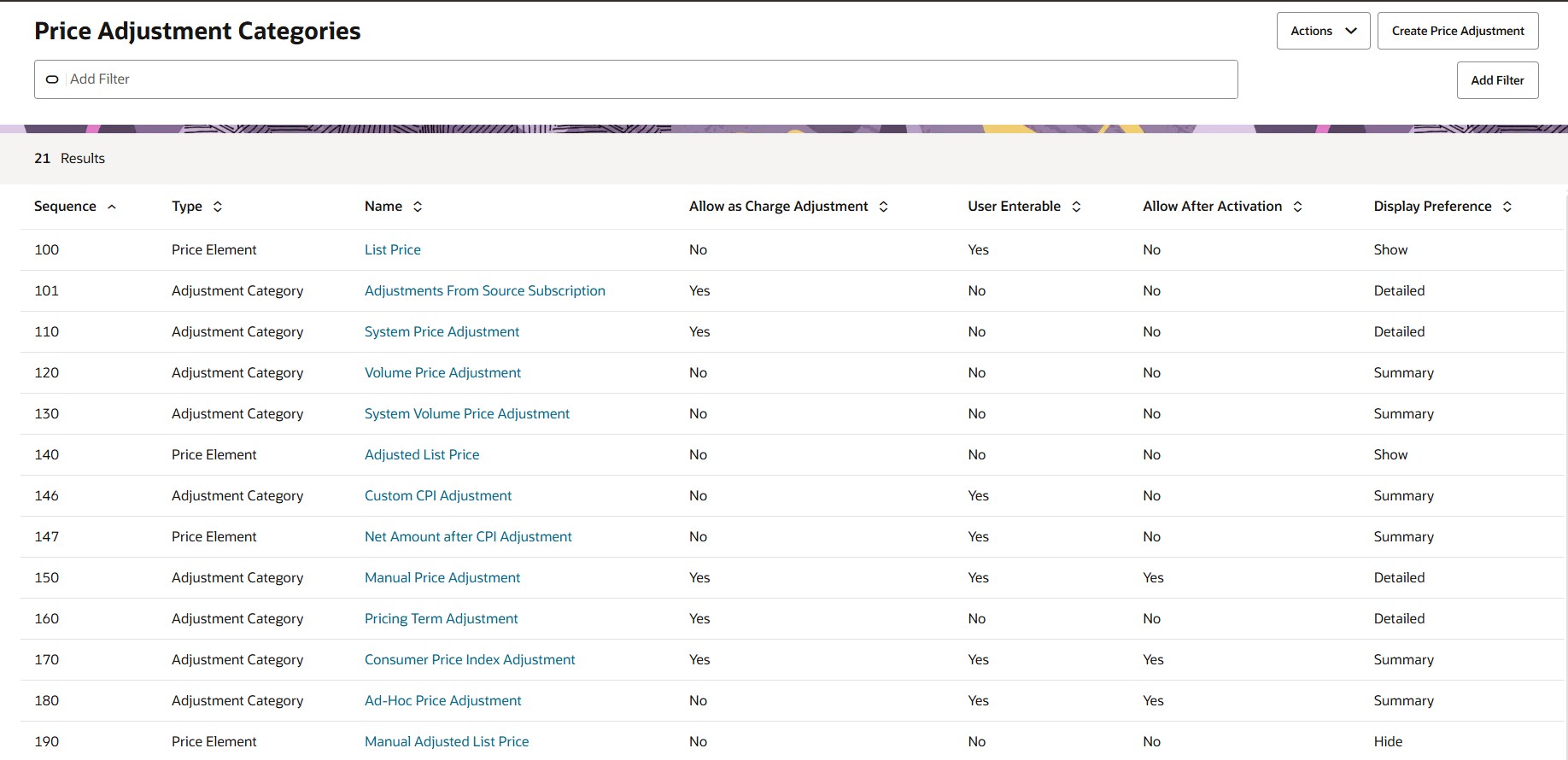
List Page of Price Adjustments
You can export the price adjustment categories and price elements.

Actions for Price Adjustment Categories
On Clicking Create Price Adjustment you will see the following UI. Price Element and Adjustment Category can be created.
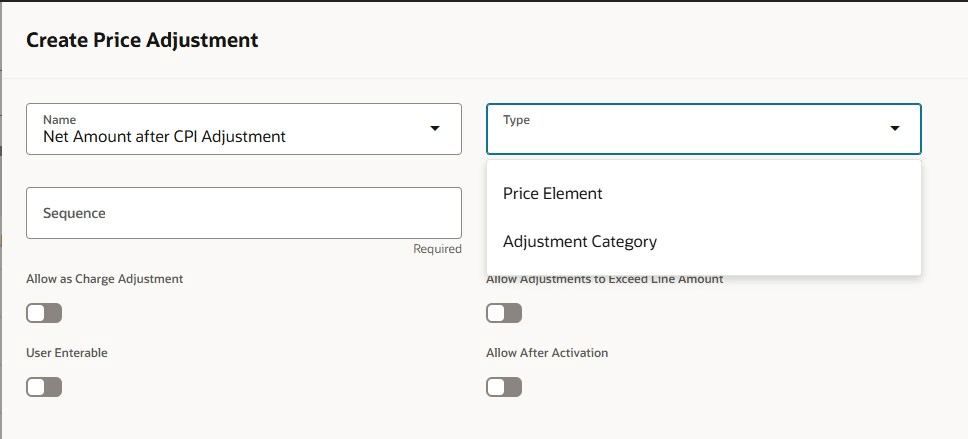
Create Price Adjustment
For Price element the display preference can be to show or hide it in the bill line amount details called as price waterfall.
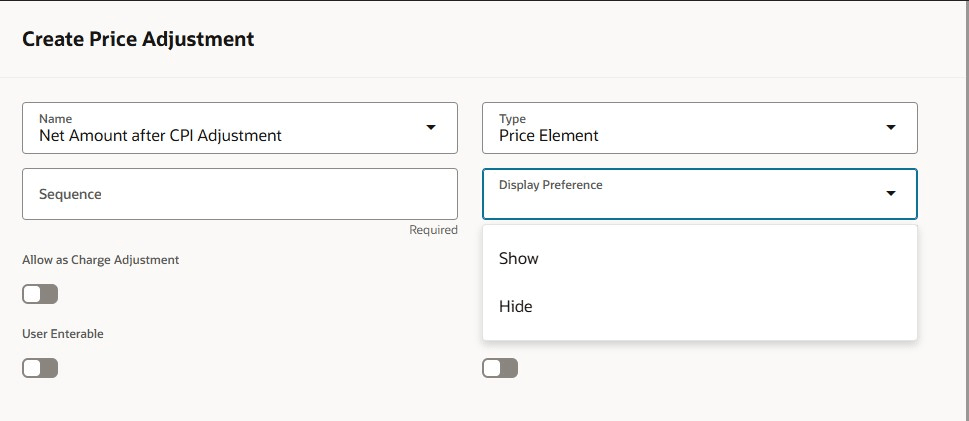
Create Price Adjustment Category
You can choose if the price adjustment category should be shown in detail or summarized in the bill line amount details called as price waterfall.
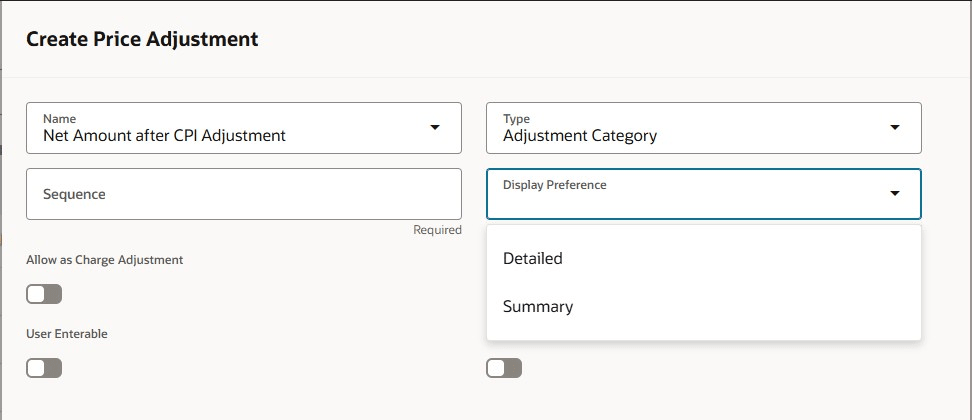
Display Preference for Price Element

Attributes of the adjustment category and price element
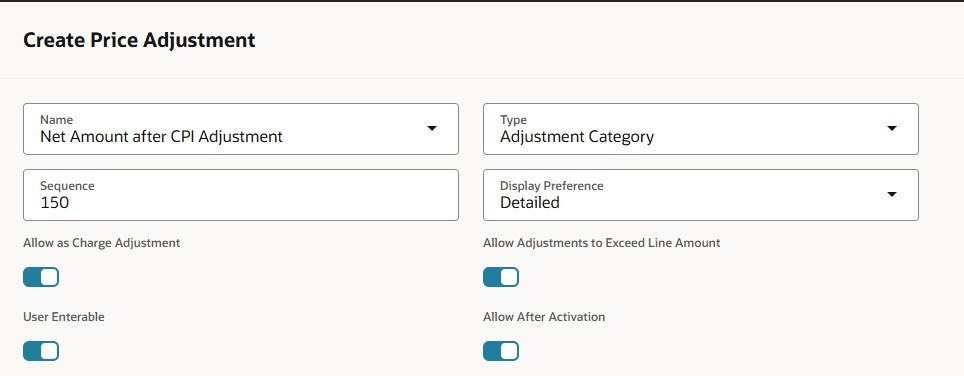
Creating a new price adjustment category
The price adjustment category or the price element must be added in lookup ORA_OSS_PRICE_ADJ_CATEGORY. Duplicate values are not allowed for adjustment categories
and price elements.
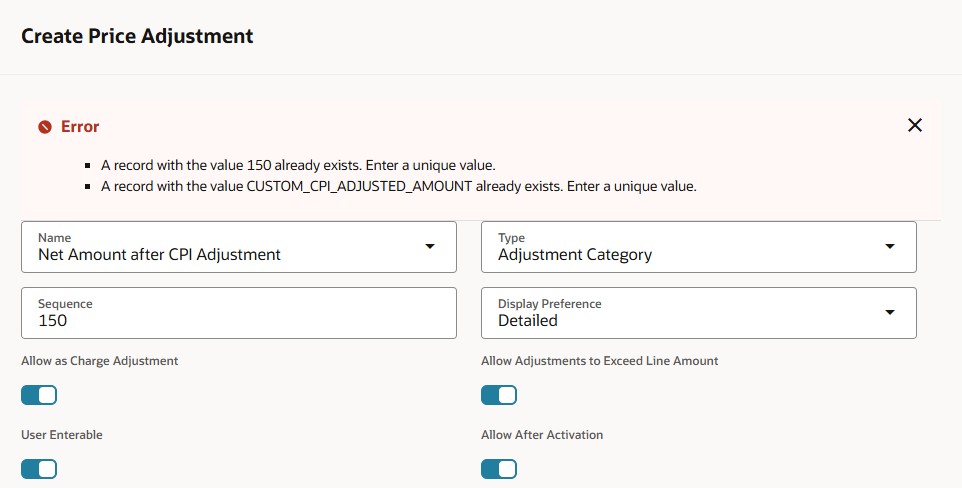
Duplicates not allowed
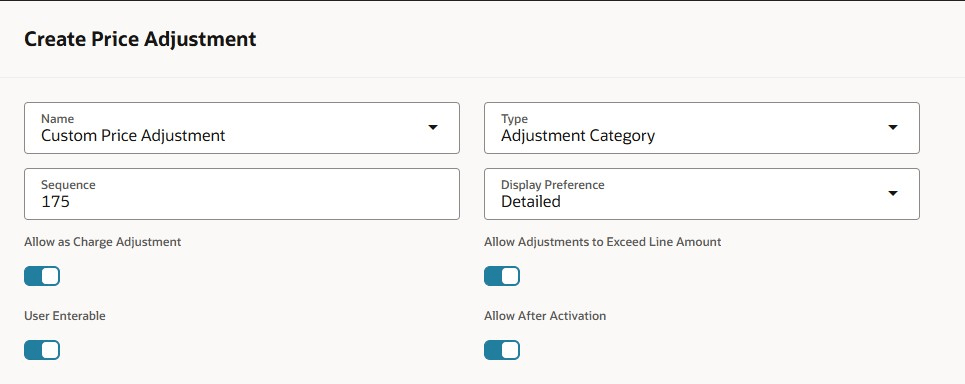
Creating a new Price Adjustment Category
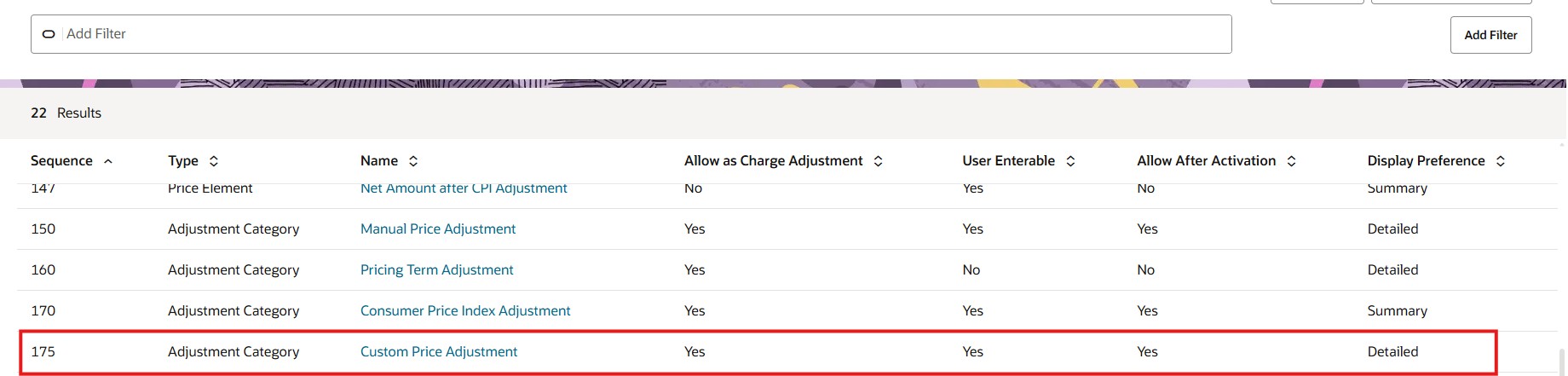
New Price Adjustment Category
The new price adjustment category can now be used to create a price adjustment.
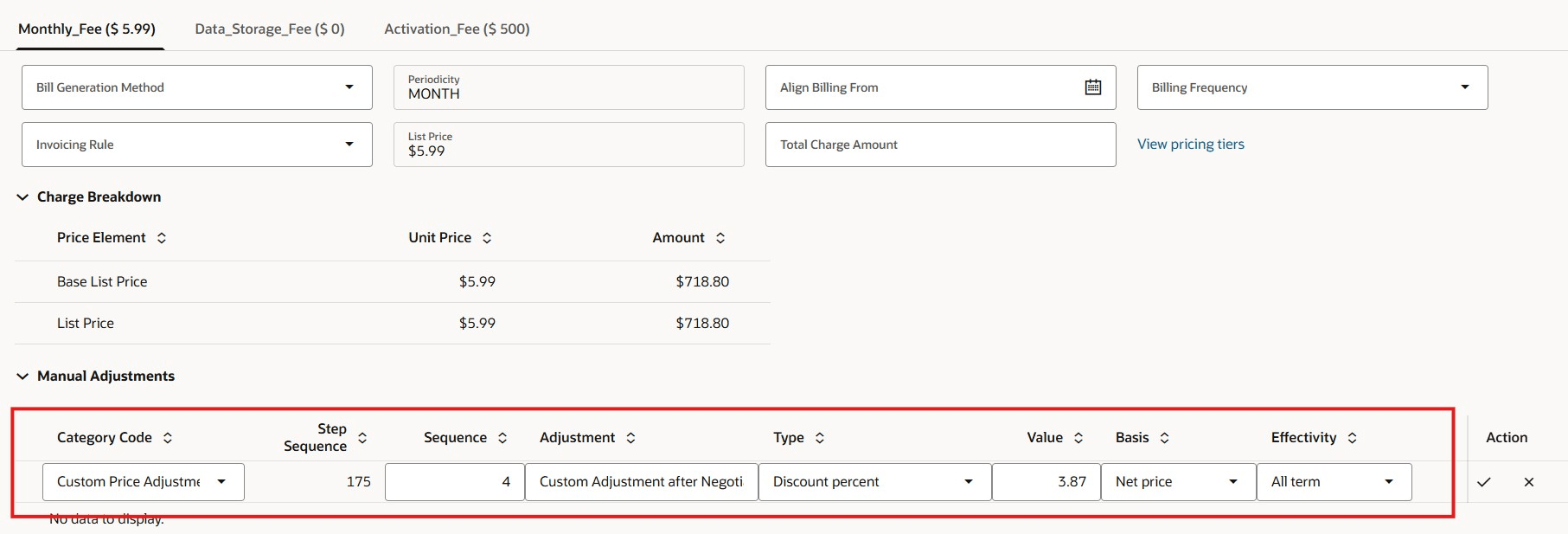
Price Adjustment for Recurring Charge
The Bill line now shows the detail of this price adjustment category based on the setup. As it is user enterable, this can be added from the price adjustments.
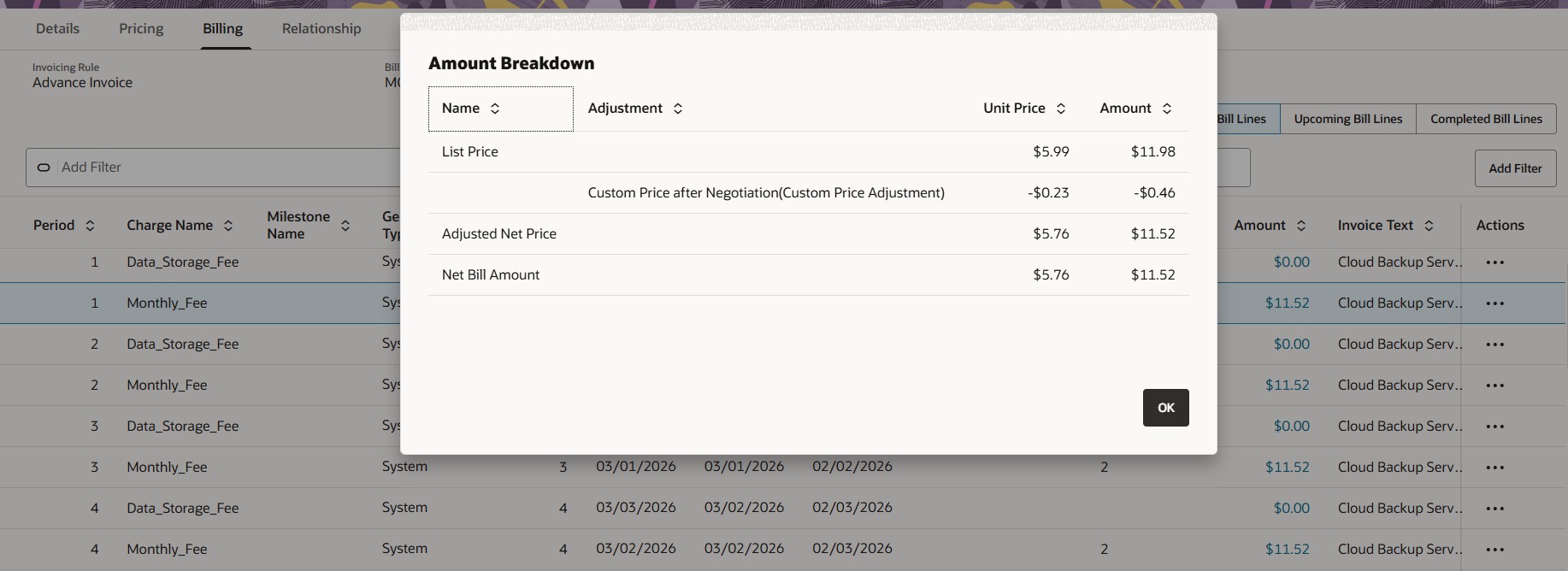
Price Waterfall
Business Benefits are:
- Improves transparency into how the final bill line amount is calculated
- Helps users understand the sequence in which price adjustments are applied
- Makes pricing outcomes easier to audit, explain, and troubleshoot
- Gives administrators a controlled way to configure price elements and adjustment categories
- Improves usability of the price waterfall by showing a clearer pricing breakdown
- Supports more consistent pricing analysis across active-subscription price adjustments and prospective accounting scenarios
Steps to enable and configure
You don't need to do anything to enable this feature.
Tips and considerations
- The price waterfall is shown only in Redwood considering the attributes of the adjustment category or price element.