View As-Sold Asset Hierarchies from Subscriptions
Subscription users can view the as-sold asset or bundle hierarchy directly from a subscription product. A hierarchy icon in the subscription product list opens a read-only drawer that shows how the selected product belongs to a bundle, hybrid bundle, or model-based asset structure.
This helps users understand the full commercial structure that was sold, especially during renewals, amendments, and customer negotiations, without leaving the subscription context.

Asset View Icon
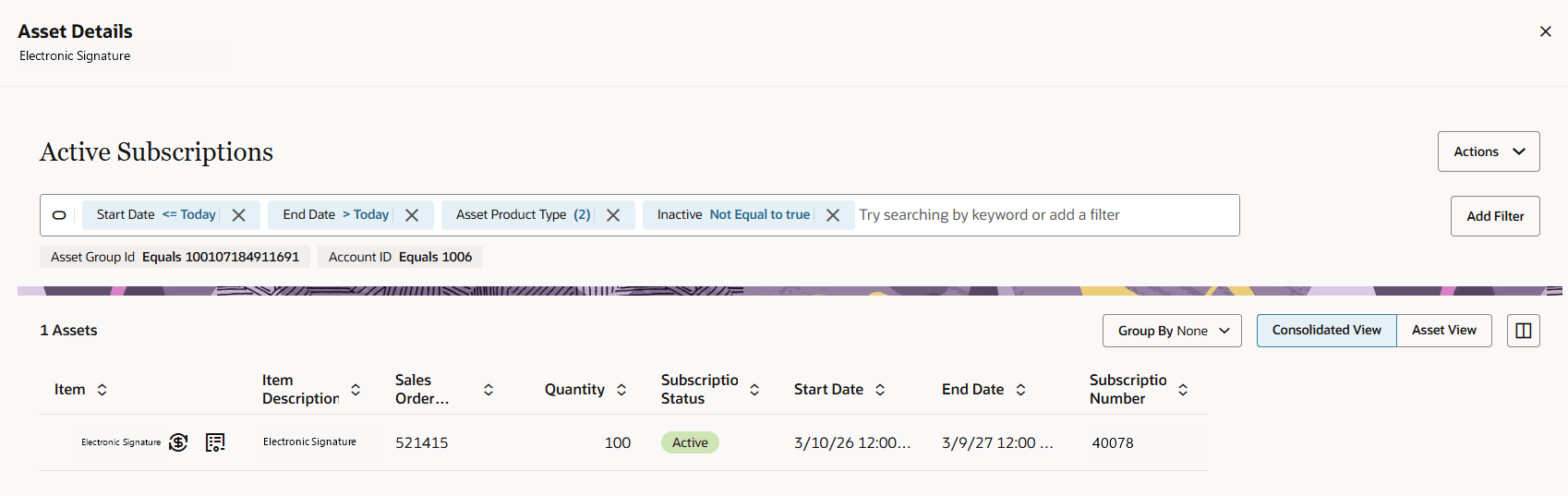
Consolidated Asset View
The consolidated view shows the total quantity of the subscription that was sold irrespective of whether it is serialized or not.
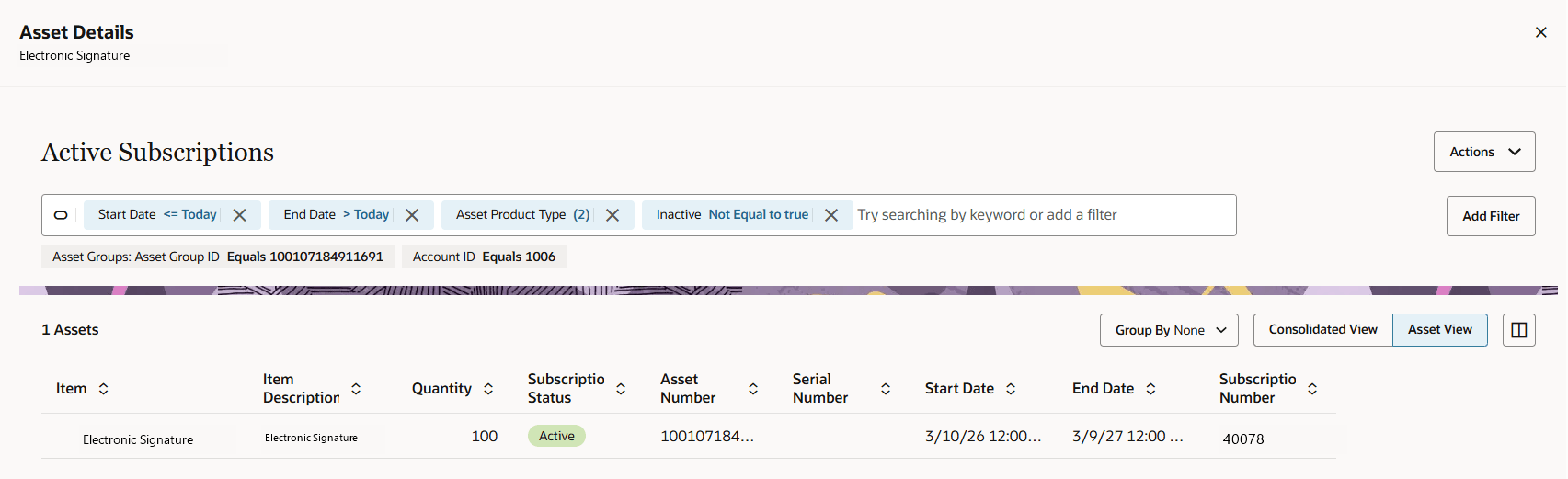
The Asset view shows the asset created for the subscription item. If the item is serialized, then you will see any many assets as what was sold.
Asset View
- Improves visibility into bundle and model hierarchies from the subscription.
- Helps renewal users understand the complete as-sold structure before sending renewal details upstream.
- Reduces errors from renewing or managing only part of a bundle or model hierarchy.
- Keeps Subscription Management aligned with CPQ, Order Management, and Asset Lifecycle Management data.
- Supports better customer service and self-service experiences by showing what the customer actually bought.
Steps to enable and configure
Order Management feature Asset Based Ordering should be opted in.
Tips and considerations
- The view is read-only and intended for visibility, not editing.
- The hierarchy shown represents the as-sold commercial view, so quantities can differ from fulfillment or physical asset quantities.
- Subscription product lines store the corresponding ALM asset identifier sold-as-asset group.
- Root and parent subscription line references are needed to render the hierarchy in the subscription product list.
- Subscription components from the same sold bundle or model remain within a single subscription header where possible.
- If multiple subscriptions are created from a single order because of grouping or partial fulfillment, the view should indicate related subscription records so users understand the visible list is not the complete sold structure.
- Renewals preserve product-line linkages and generally avoid renewing only part of a bundle/model unless upstream product-model rules allow it.
- Billing and revenue lines are not impacted as each subscription product line is billed to Receivables and interfaced to Revenue Management individually.