Redwood: Manage Supplier Rebate and Supplier Ship and Debit Programs
Use a redesigned page that helps you manage your supplier rebate and supplier ship and debit programs more efficiently.
Realize these benefits:
- Improved smart search
- Improved responsive user interface for program managers
- Improved usability of program pages
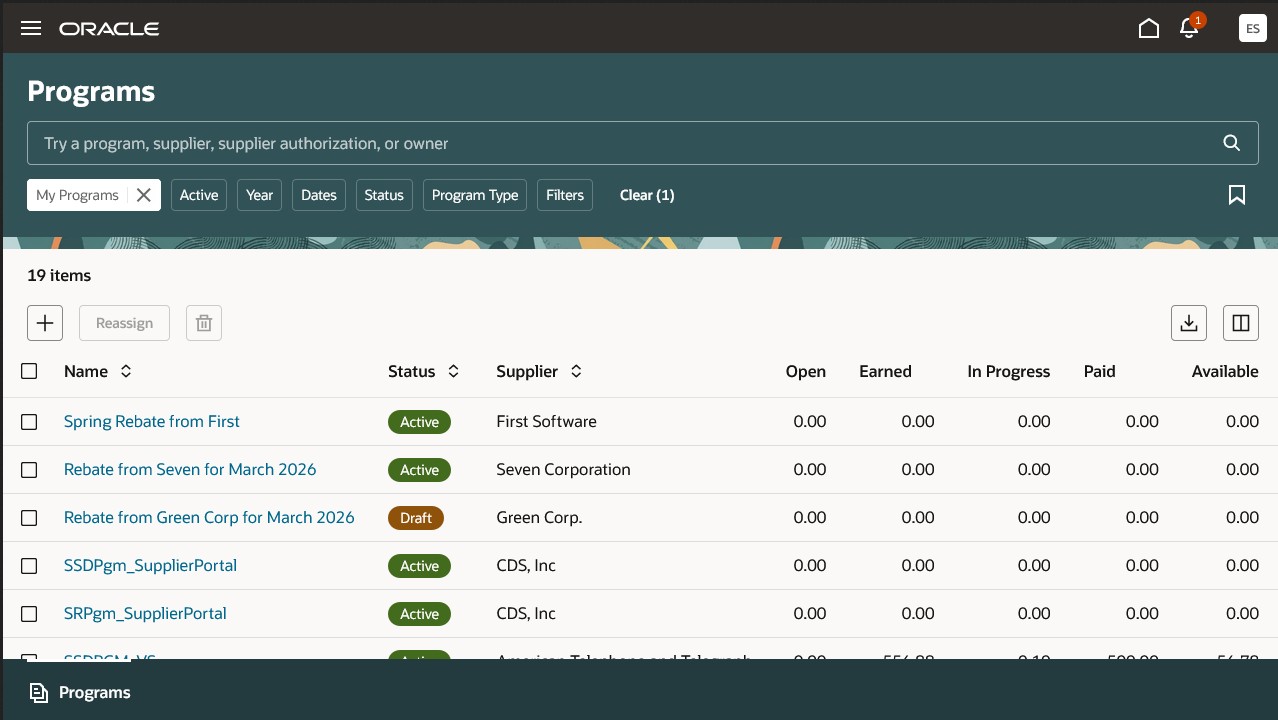
Supplier Programs
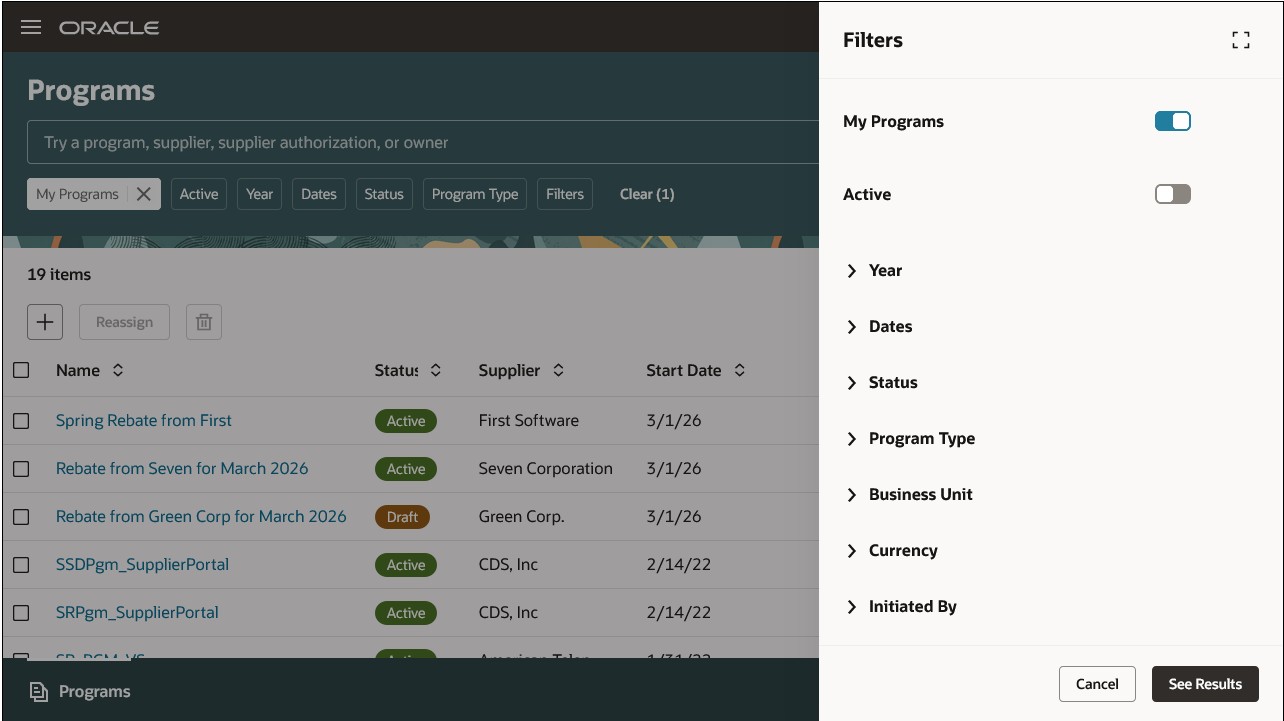
Program Filters
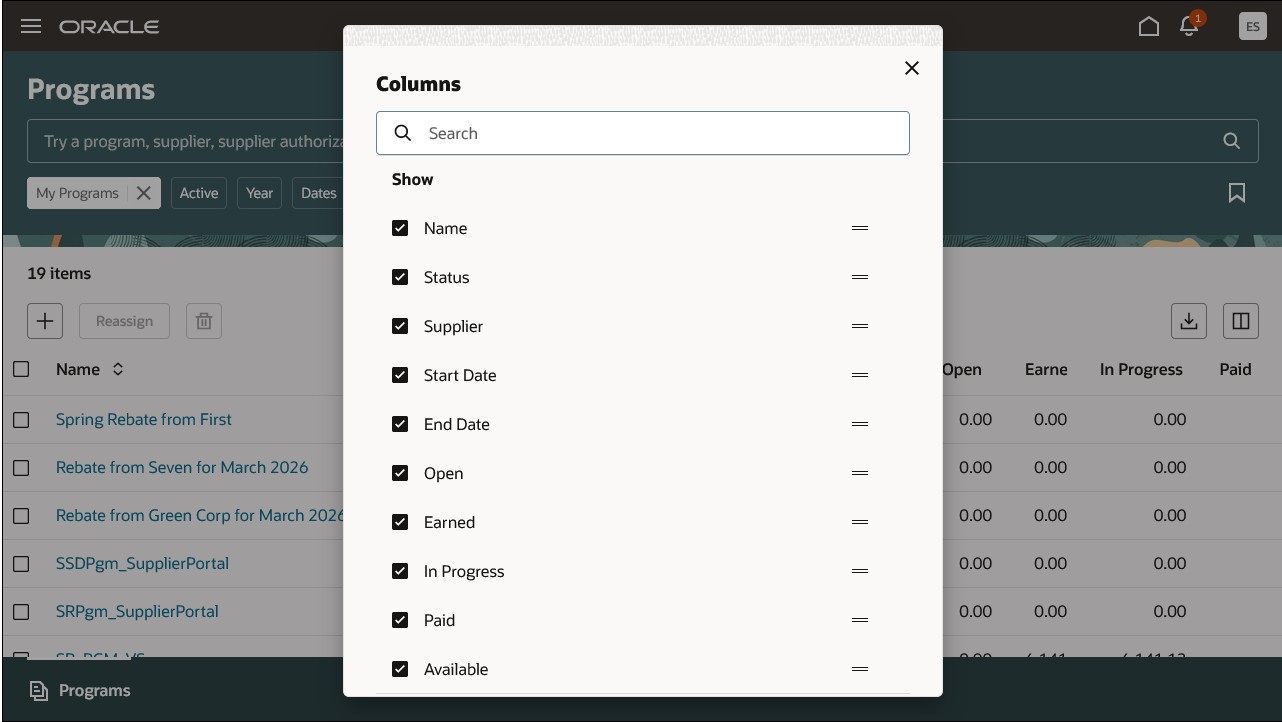
Column Personalization
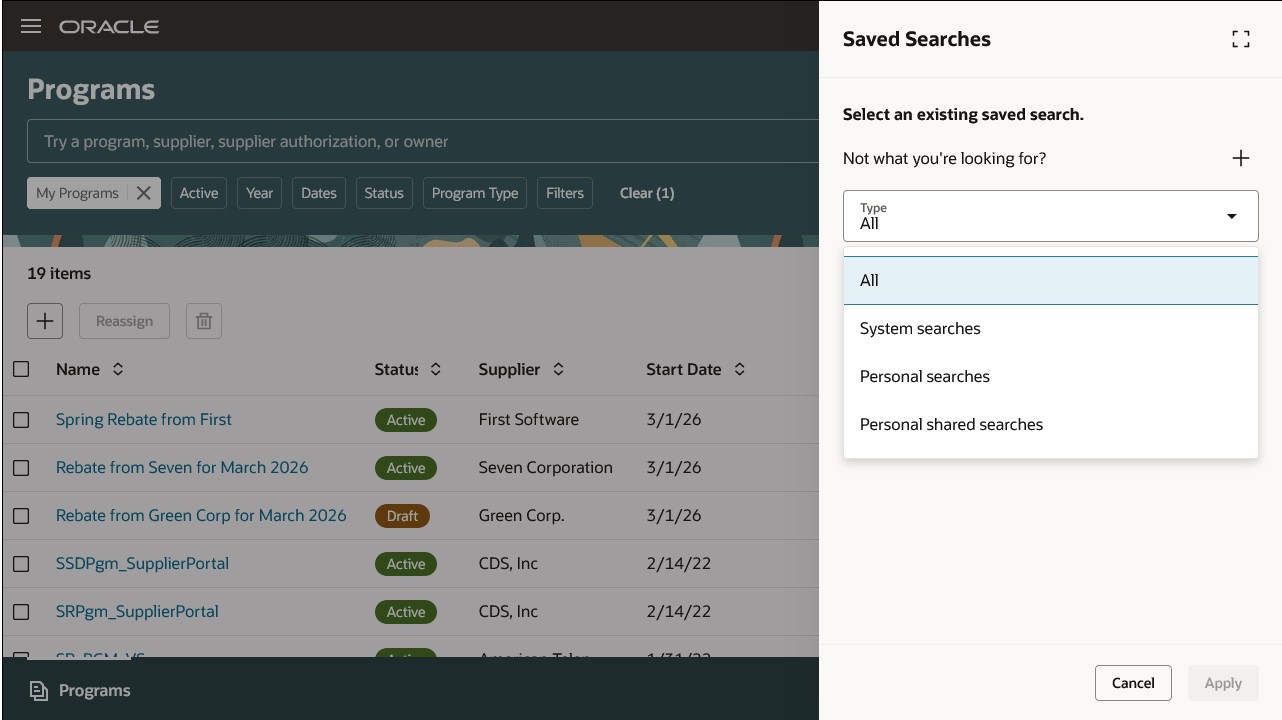
Saved Searches
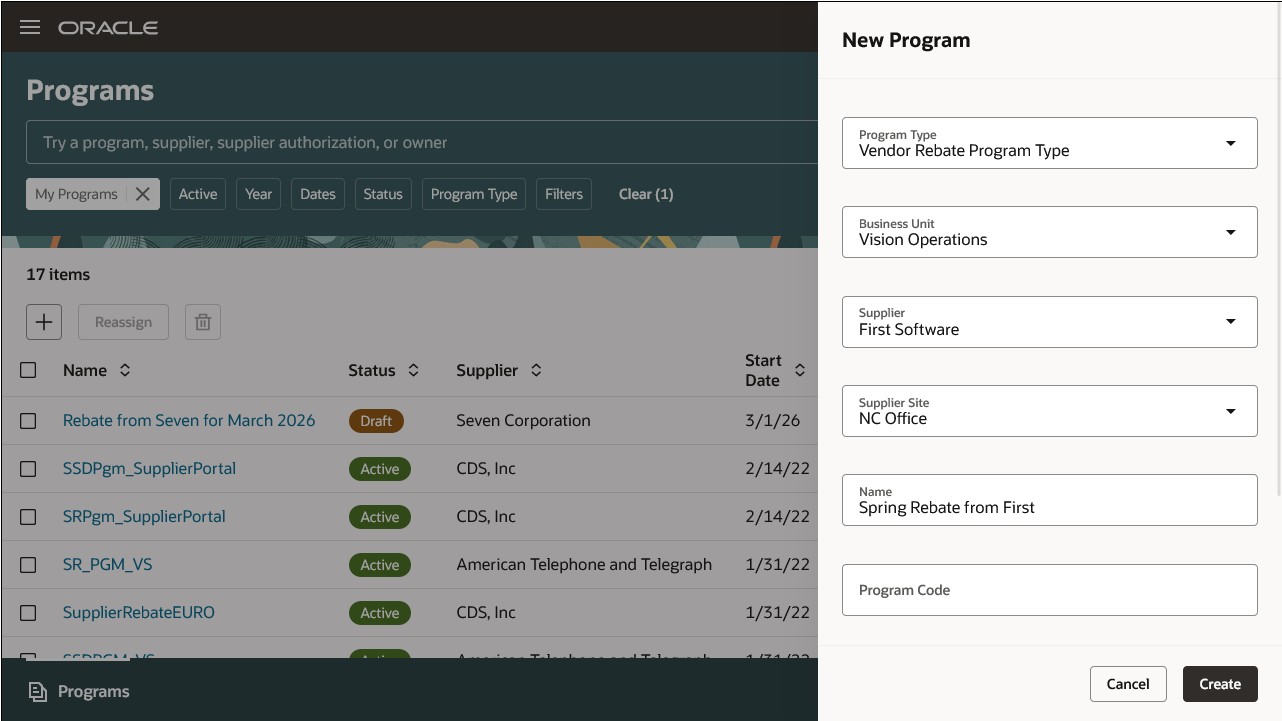
New Supplier Rebate Program
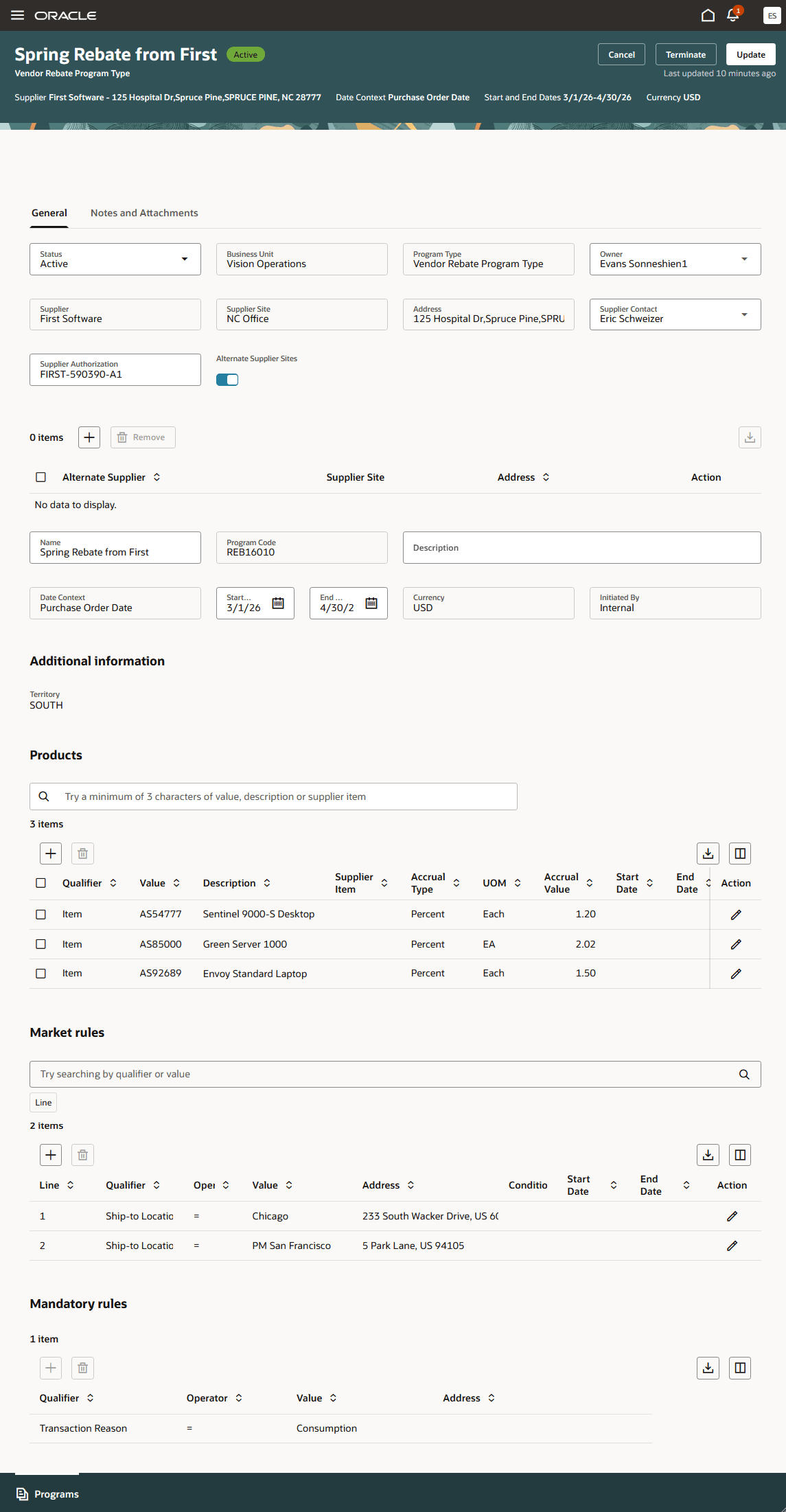
Supplier Rebate Program
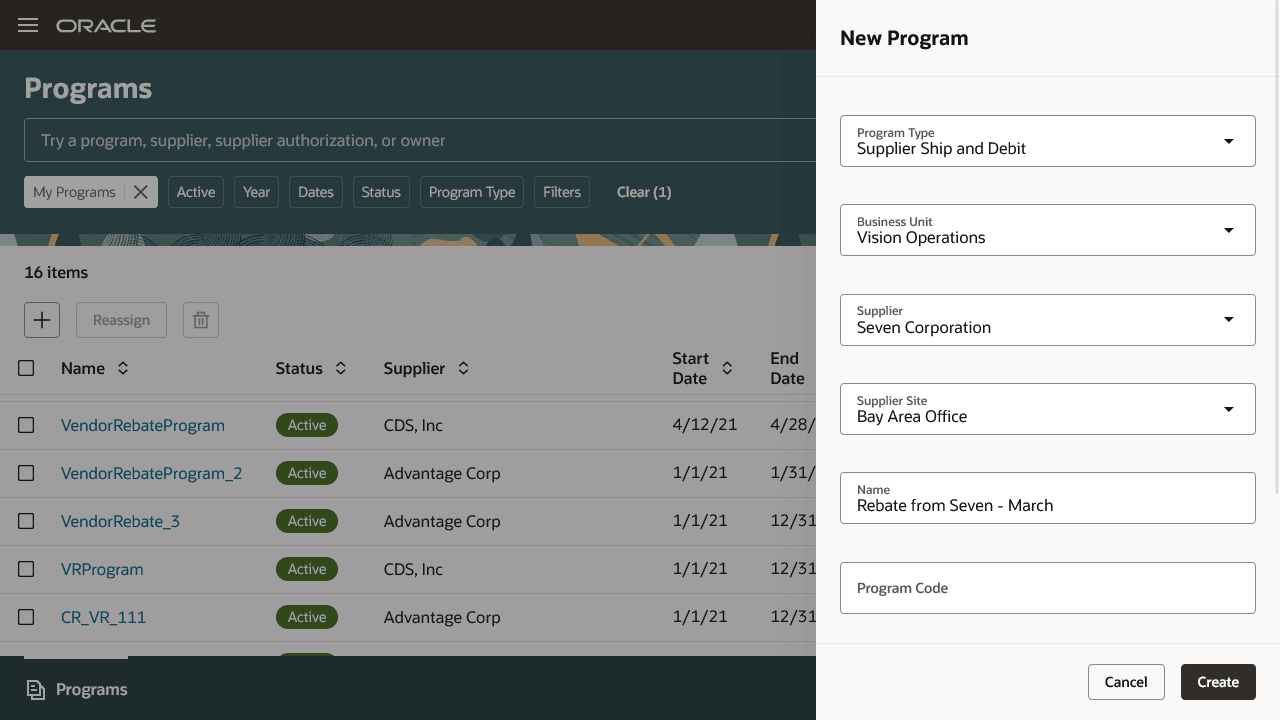
New Supplier Ship and Debit Program
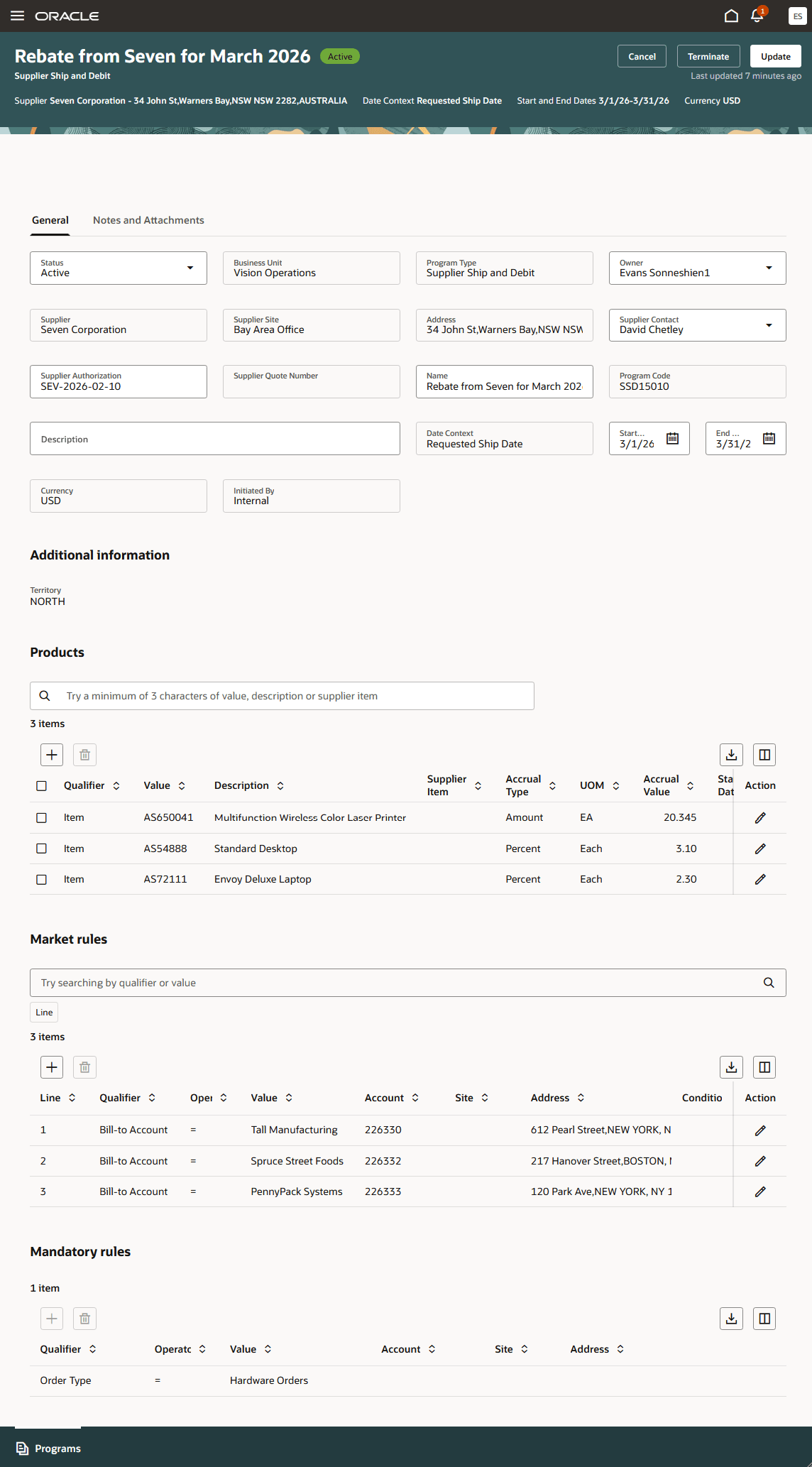
Supplier Ship and Debit Program
Try it:
- Go to Home > Order Management > Supplier Channel Management > New Supplier Channel Management (in the panel drawer)
- Using Quick Action: Go to Home > Order Management > Show More > Group Supplier Channel Management >Supplier Programs (New)
- Using Quick Action: Go to Home > Order Management > Show More > Group Supplier Channel Management > New Supplier Program
Steps to enable and configure
Use the Opt In UI to enable this feature. For instructions, refer to the Optional Uptake of New Features section of this document.
Offering: Order Management
- If you haven't implemented Buy Side programs, then refer to the Roadmap for Setting up Buy Side: Supplier Rebates and Roadmap for Setting up Buy Side: Supplier Ship and Debit chapters in the Implementing Channel Revenue Management guide.
- Run the scheduled process ESS job to create index definition and perform initial ingest to OSCS to create the index definition and perform initial ingest to Oracle Search with fa-cjm-supplier-programs as the parameter value.
- Go to the Setup and Maintenance work area, then use the Manage Administrator Profile Values task to set the ORA_CJM_SUPPLIER_CHANNEL_REDWOOD_ENABLED profile option to Yes.
Tips and considerations
The program checkbook will be available in a future release.
Key resources
- For more information on Channel Revenue Management, refer to the Oracle Cloud Readiness content for Order Management.
- Oracle SCM Cloud: Using Supplier Channel Management guide available on the Oracle Help Center.
- Oracle SCM Cloud: Implementing Oracle Channel Revenue Management guide available on the Oracle Help Center.
- Oracle SCM Cloud: REST API for Oracle SCM Cloud, available on the Oracle Help Center.
Access requirements
Users who are assigned a configured job role that contains these privileges can access this feature:
- Manage Supplier Programs (CJM_MANAGE_SUPPLIER_PROGRAMS_PRIV)
- View Supplier Programs (CJM_VIEW_SUPPLIER_PROGRAMS_PRIV)
- Approve Supplier Programs (CJM_APPROVE_SUPPLIER_PROGRAMS_PRIV)
- Manage Channel Programs using REST Service (CJM_MANAGE_CHANNEL_PROGRAMS_REST_SERVICE_PRIV)
- Manage Channel Notes Data (CJM_MANAGE_CHANNEL_NOTES_DATA)
- View Only Activity (ZMM_VIEW_ONLY_ACTIVITY_PRIV)
These privileges were available prior to this update.