Redwood: Use Lead Time Insights from Planning Advisor
You can use the Redwood user experience to access lead time insights directly from the Planning Advisor page. The notification icon increments when new insights are available, and you can navigate to the details to take corrective actions. This capability integrates with planning data and supplier lead-time sources to make planning more adaptive, and insights driven.
The Lead Time Insights feature improves planner visibility into historical lead-time variability. With this update, this feature is now enabled through Planning Advisor. This enhancement ensures that you can easily discover, monitor, and act on lead-time deviations that impact plan accuracy and execution.
Accurate lead times are critical for reliable planning outcomes. This enhancement addresses the navigation action in the Planning Advisor workflows and ensures consistent access to Lead Time Insights across planning flows.
Key benefits are:
- Improved visibility into lead-time variability: Provides historical insight into lead-time fluctuations for items and suppliers, and helps you understand performance trends and variability over time.
- Better plan accuracy and responsiveness: Variations in supplier lead times directly affect order schedules, inventory levels, and safety stock. Early visibility allows you to proactively adjust plans.
- Timely warnings for deviations: Notifications are sent to the planners when lead times deviate beyond configured thresholds, enabling faster intervention and corrective action.
- Alignment with the Planning Advisor framework: Integrates lead-time intelligence into Planning Advisor, supporting the broader strategy of adaptive, insight-driven planning based on historical performance.
Accessing Lead Time Insights
For all Supply Planning plans, lead time insights are enabled by default from in Planning Advisor.
- From the Actions menu, select Planning Advisor.
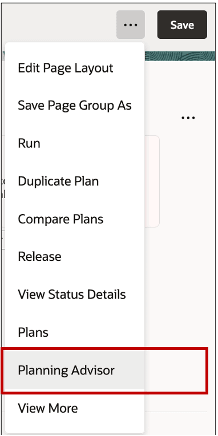
Planning Advisor Menu Action
- On the Planning Advisor page, select View More. A blue dot signifies the presence of insights.
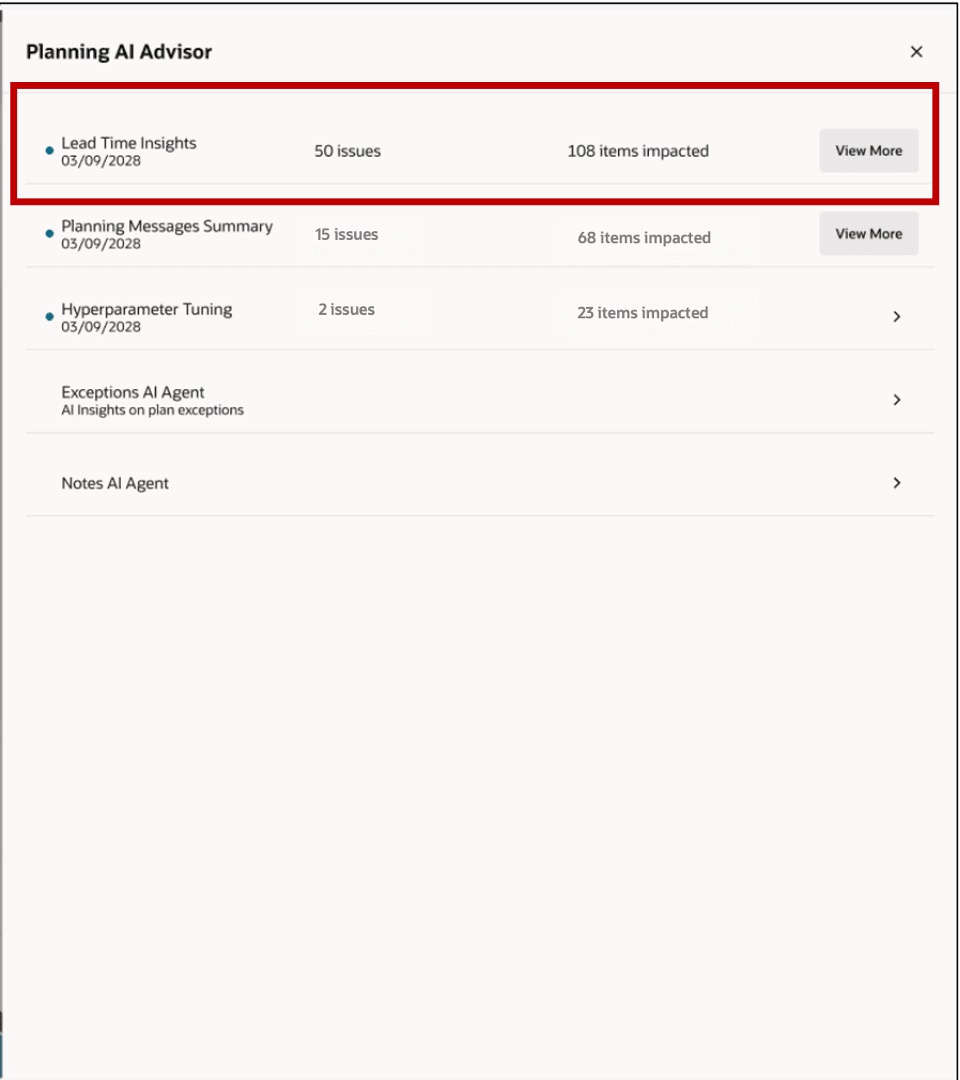
Planning Advisor Notifications Summary
A new browser tab opens with the lead time insights performance summary.
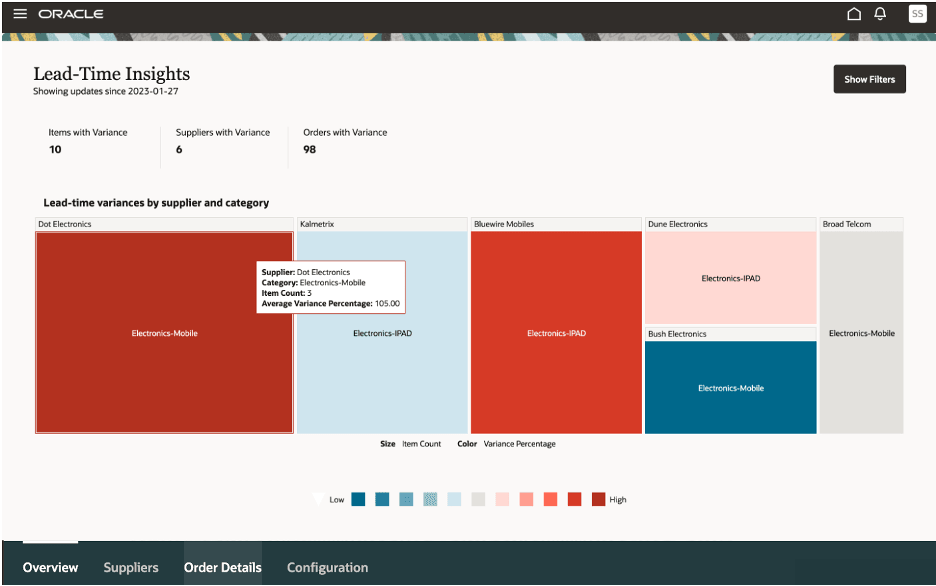
Lead-Time Insights Overview Page
Replenishment Planning, Demand Management, and Sales and Operations Planning planners can access the lead time insights from the Plan Inputs work area.
To access the lead time insights from other plans:
- In the plan selector, select Plan Inputs.
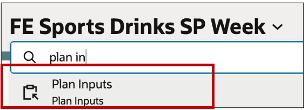
Selecting Plan Inputs in Plan Selector
- Select Actions.
- Select the option Lead time Insights Performance Summary. The lead time insights page is displayed in a new tab.
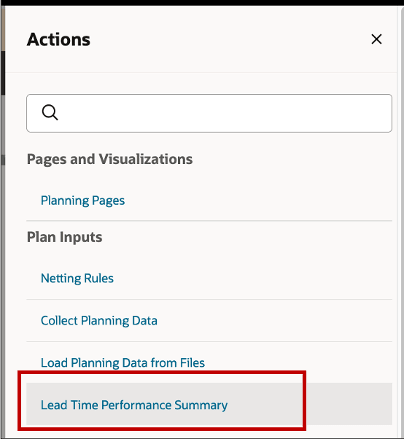
Selecting Summary from Plan Inputs
Steps to enable and configure
You don't need to do anything to enable this feature.
Key resources
Refer to the Lead-times Variances Insights Overview of the Using Supply Planning guide for more information on the Lead-time insights feature.
Access requirements
Users who are assigned a configured job role that contains these privileges can access this feature:
- MSC_MANAGE_LEAD_TIME_INSIGHTS_PRIV
These privileges were available prior to this update.