 Redwood: Validate Serial Number When Debriefing Material Return
Validate Serial Number When Debriefing Material Return
Field service technicians can now select or enter a serial number when they debrief a recovered serialized part. For serial-controlled items, the Serial Number field displays valid serial numbers for the selected item, helping technicians identify the correct part being returned.
For recovered serialized parts, technicians can select a serial number from the list of values instead of manually entering it. This helps them choose the correct serial number for the material being returned.
Technicians can also manually enter a serial number if it isn’t available in the system. Manual entries are allowed but aren’t validated.
Add Part Details for Returned Material
When users add returned material during debrief, they can select a serial number from the list of values or enter one manually when needed. For asset tracked items, the Serial Number list of values displays serial numbers from Asset Tracking or Installed Base. For items that are serial tracked but not asset tracked, the list of values displays serial numbers from the Inventory Serial Master.
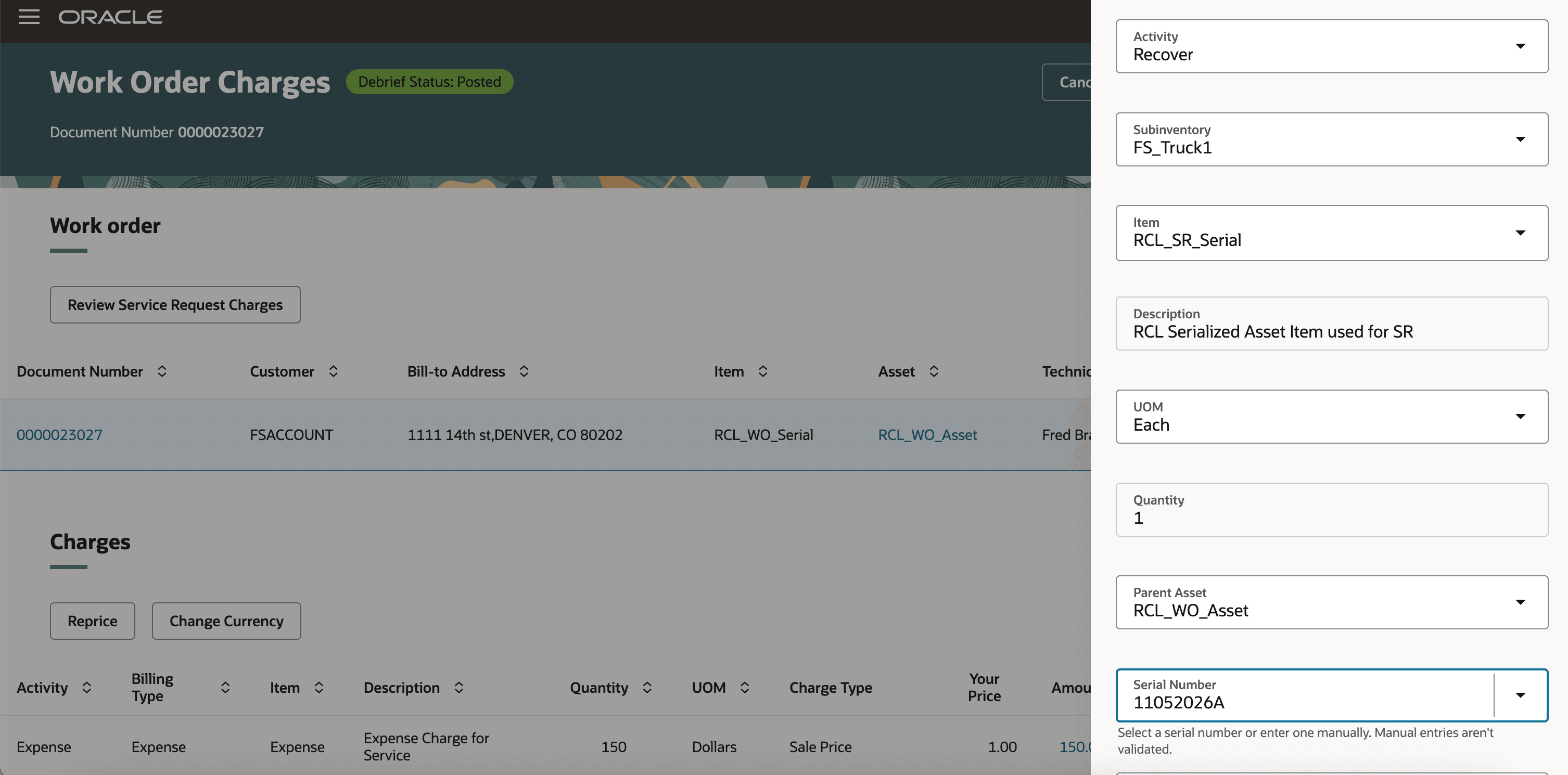
Recover Serial Tracked Item
This feature helps service teams reduce incorrect material returns by making it easier to select the correct serial number during debrief.
It also improves the accuracy of serialized material return information, helping prevent credits from being created for the wrong returned parts.
Steps to enable and configure
No additional setup required to enable this feature.
Tips and considerations
-
Use the item setup attributes to define whether the item is asset tracked. Asset tracking determines whether serial numbers are selected from installed base asset information.
-
Use the item serial generation setup to define whether the item is serial controlled. The Serial Number field is shown for debrief return lines only when the selected item is serial controlled.
- The Serial Number field is shown only for serial controlled items.
- Users can select a serial number from the list of values.
- Users can also enter a serial number manually.
- Manual serial number entries are not validated.
- The Serial Number field provides field help: Select a serial number or enter one manually. Manual entries aren’t validated.
Access requirements
No additional access required to enable this feature.