AI Agent: Claim Settlement Assistant
Use the Claim Settlement Assistant to improve the efficiency of promotional deduction settlements. The agent automatically interprets deduction references, identifies the applicable program, finds related accruals, validates balances, and associates the deduction to the correct accrual. Additionally, the agent helps to reduce manual research and resolution of deductions by netting with credit memos. The agent automatically identifies, validates, and accurately applies open credit memos.
Realize these benefits:
- Faster and leaner settlements: Less manual work, saving about 30–40 minutes per transaction.
- Greater efficiency at scale: Handle high volumes more effectively.
- Fewer errors with consistent decisions: System assistance minimizes mistakes.
- Better visibility and auditability: Easier tracking and compliance.
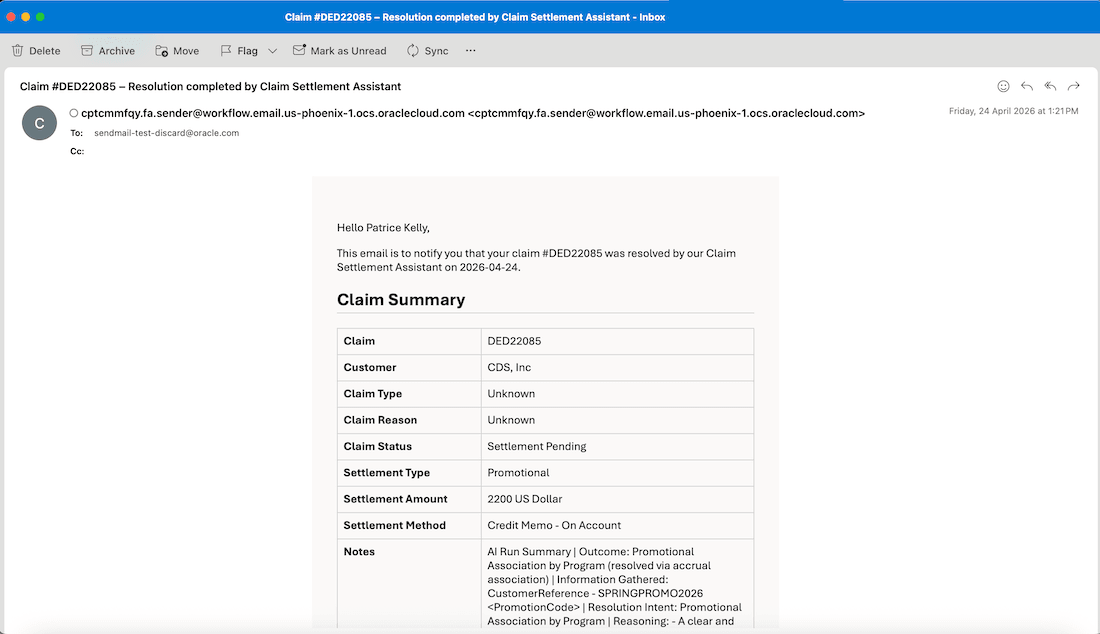
Email Notification Sent to Claim Owner After Deduction Processing
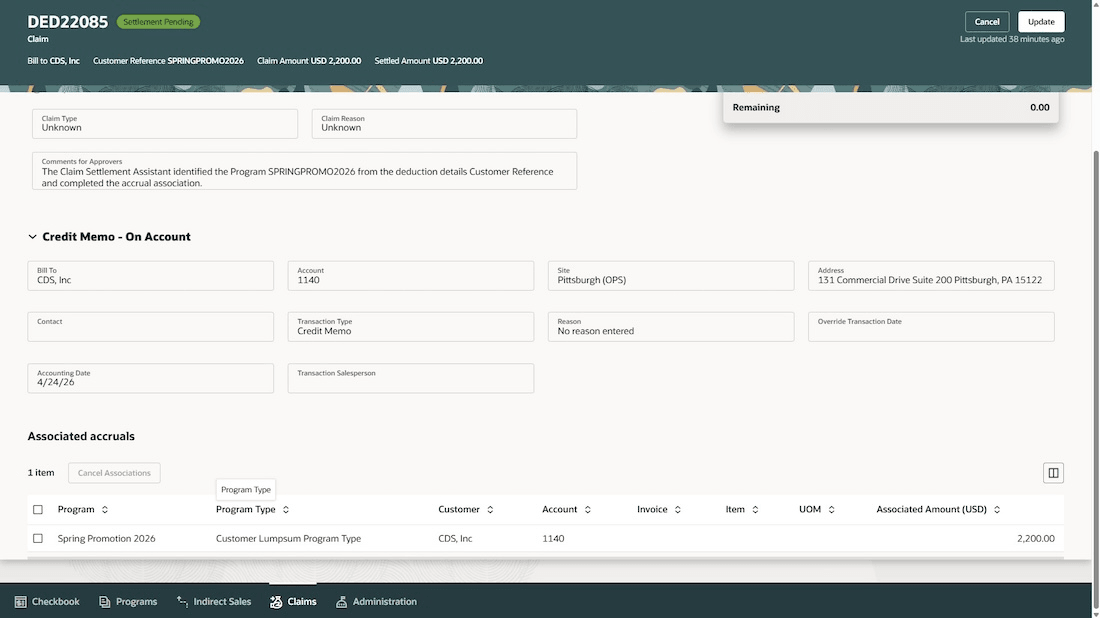
Deduction Settlement Tab Displaying Associations and Approval Comments
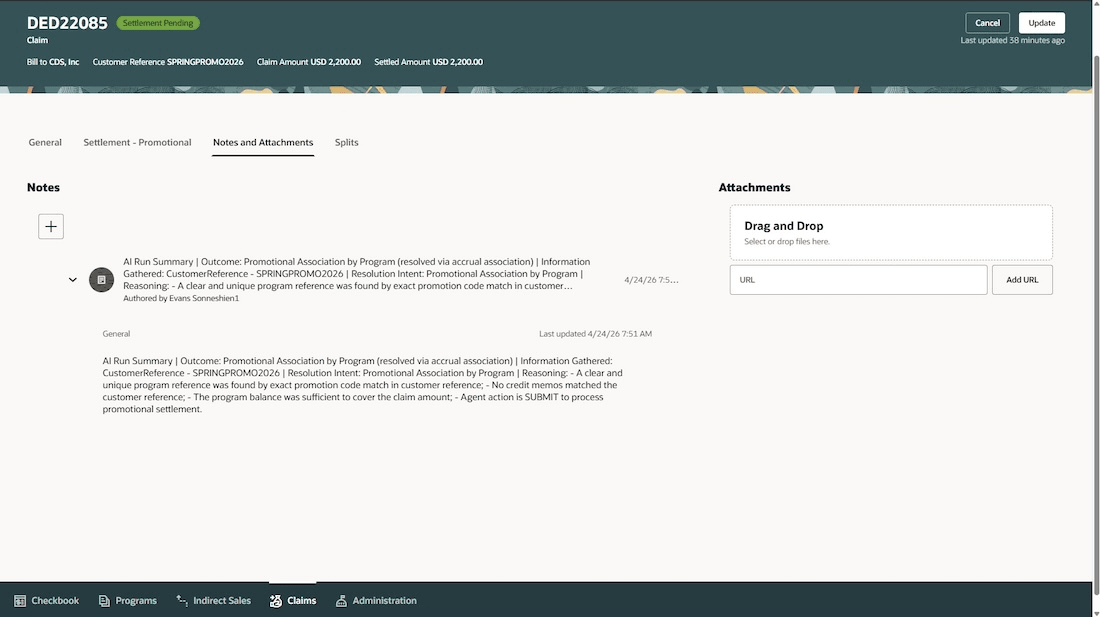
Claim Notes with Claim Settlement Assistant Processing Summary
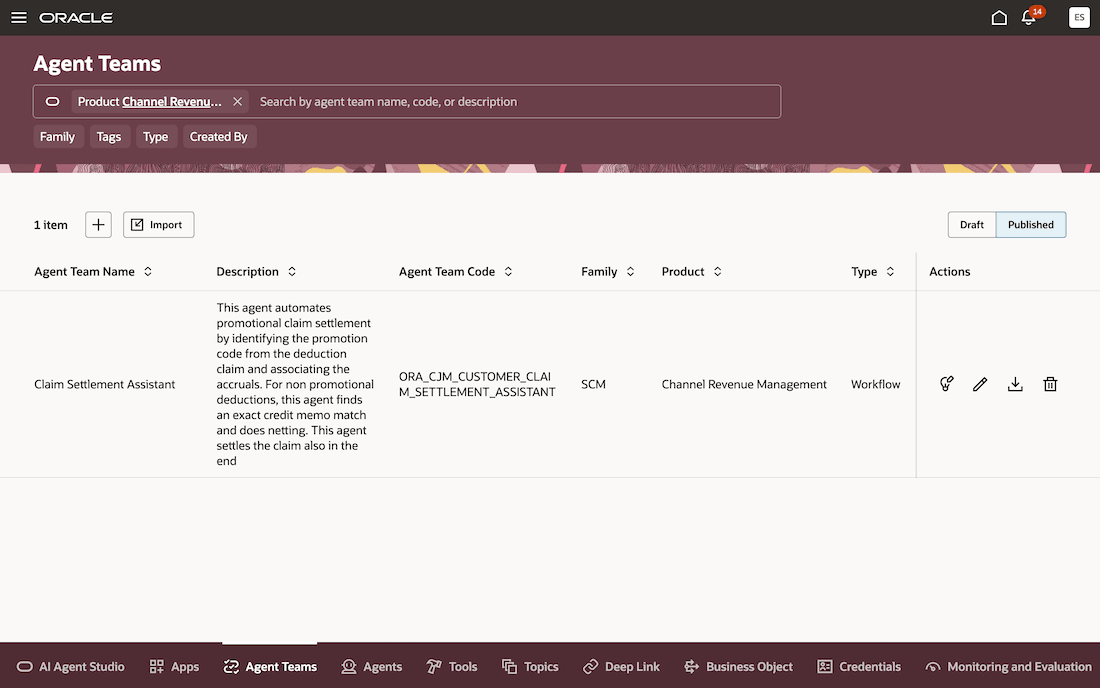
Predefined Claim Settlement Assistant
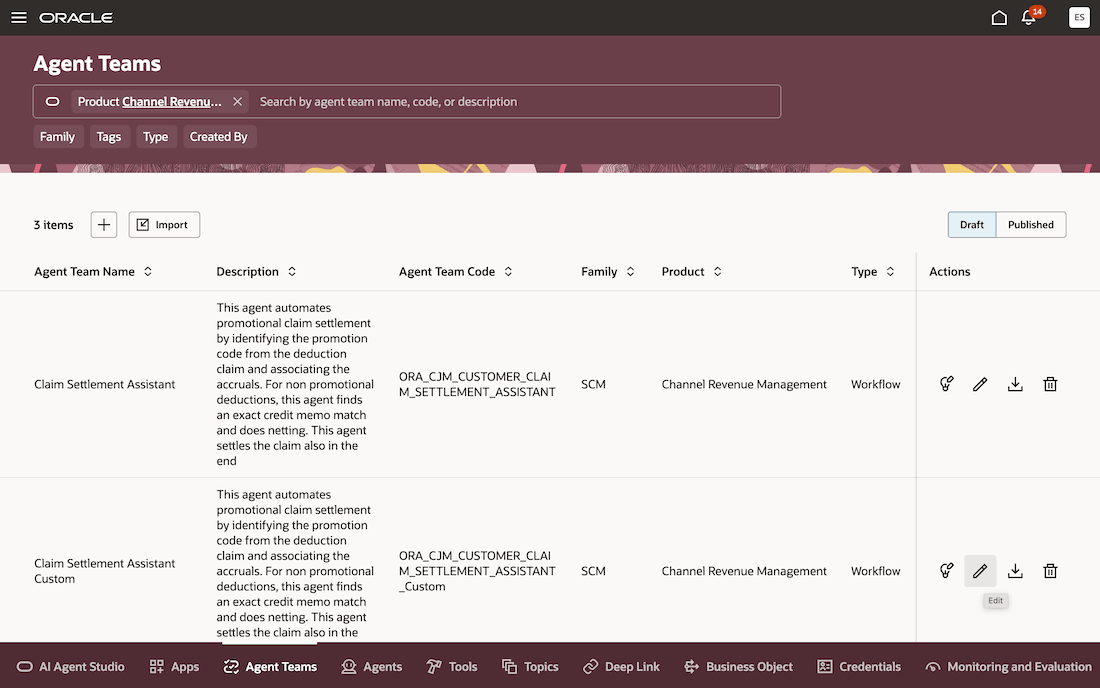
Custom Claim Settlement Assistant Created from Predefined Agent
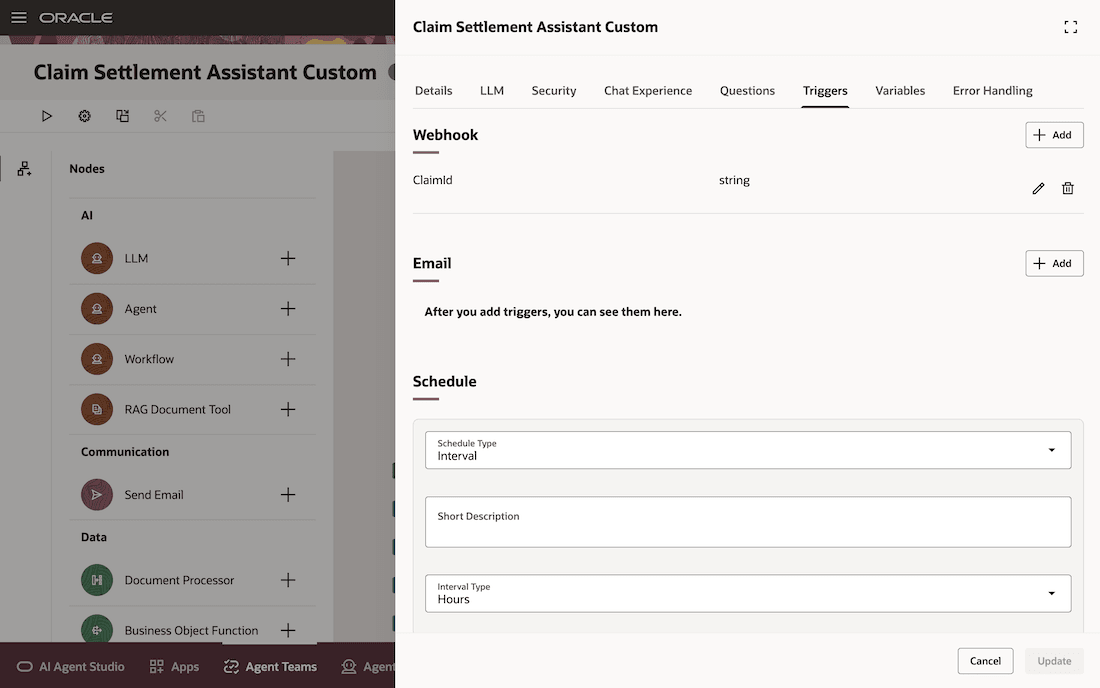
Schedule Trigger Configuration for Custom Claim Settlement Assistant
Steps to enable and configure
Use the Opt In UI to enable this feature. For instructions, refer to the Optional Uptake of New Features section of this document.
Offering: Order Management
- If you have already implemented Customer Claims, then you don't need to do anything to enable this feature.
- If you haven't implemented Customer Claims in Redwood, then refer to the Roadmap for Setting Up Deductions and Settlement chapter in the Implementing Channel Revenue Management guide.
- If you have already implemented Customer Programs, then you don't need to do anything to enable this feature.
- If you haven't implemented Customer Programs, then refer to the Roadmap for Setting Up Customer Promotions chapter in the Implementing Channel Revenue Management guide.
To Configure the Claim Settlement Assistant
Go to Home > Tools > AI Agent Studio > Agent Teams.
- In the Product filter, search for Channel Revenue Management and click Enter.
- Open the Published tab.
- Locate the predefined Claim Settlement Assistant workflow agent and click the Download icon in the Actions column.
- Open the downloaded JSON file and update the values for WorkflowCode and Name based on your implementation requirements.
- Navigate to the Draft tab in AI Agent Studio.
- Import the modified JSON file.
- After the agent is imported, click the Edit icon in the Actions column.
- Open Agent Team Settings and navigate to the Triggers tab.
- Configure the schedule based on your business requirements.
- Click Update and then Publish the modified workflow agent.
- Once published, the Claim Settlement Assistant workflow agent runs automatically in the background according to the configured schedule.
Tips and considerations
- Enable claim approvals if you want to review deductions before they are automatically settled by the Claim Settlement Assistant.
- You can customize the workflow agent by modifying the LLM nodes based on your business requirements.
- During the initial execution, the workflow agent processes all open deductions created on that day; in subsequent executions, it processes deductions created after the last agent execution.
- To monitor workflow execution and review agent schedule details, navigate to Monitor and Evaluation > Activities > Schedules.
- Once a deduction has been evaluated by the workflow agent, it will not be re-evaluated in subsequent runs, even if additional data is added later for example, an updated customer reference or reason.
Key resources
- Watch Introduction to Customer Channel Management.
- For more information on Channel Revenue Management, refer to the Oracle Cloud Readiness content for Order Management.
- For more information on the Channel Revenue Management Integration with Receivables, refer to the Oracle Cloud Readiness content for Financials.
- Oracle SCM Cloud: Using Oracle Channel Revenue Management Cloud, available on the Oracle Help Center.
- Oracle SCM Cloud: Implementing Oracle Channel Revenue Management Cloud, available on the Oracle Help Center.
- Oracle SCM Cloud: REST API for Oracle SCM Cloud, available on the Oracle Help Center.
- For information on using AI Agent Studio, see How do I use AI Agent Studio?
Access requirements
Users who are assigned a configured job role that contains this privilege can access this feature:
- Manage Customer Claims (CJM_MANAGE_CUSTOMER_CLAIMS_PRIV)
- Manage Customer Programs (CJM_MANAGE_CUSTOMER_PROGRAMS_PRIV)
- Manage Channel Notes Data (CJM_MANAGE_CHANNEL_NOTES_DATA)
- View Only Activity (ZMM_VIEW_ONLY_ACTIVITY_PRIV)
- Fai Batch Job Manager Duty (ORA_DR_FAI_BATCH_JOB_MANAGER_DUTY) - For creating Schedule Trigger
These privileges were available prior to this update.