View Additional Information About Preparers, Requesters, Buyers, and Approvers
You can now view additional information about the preparers, requesters, buyers, and approvers on requisitions and purchase orders. In addition to details such as name, job title, manager name, and department, you can also view contact information such as email, work phone, and work address.
To use this feature, use the person name links while viewing or creating a requisition.
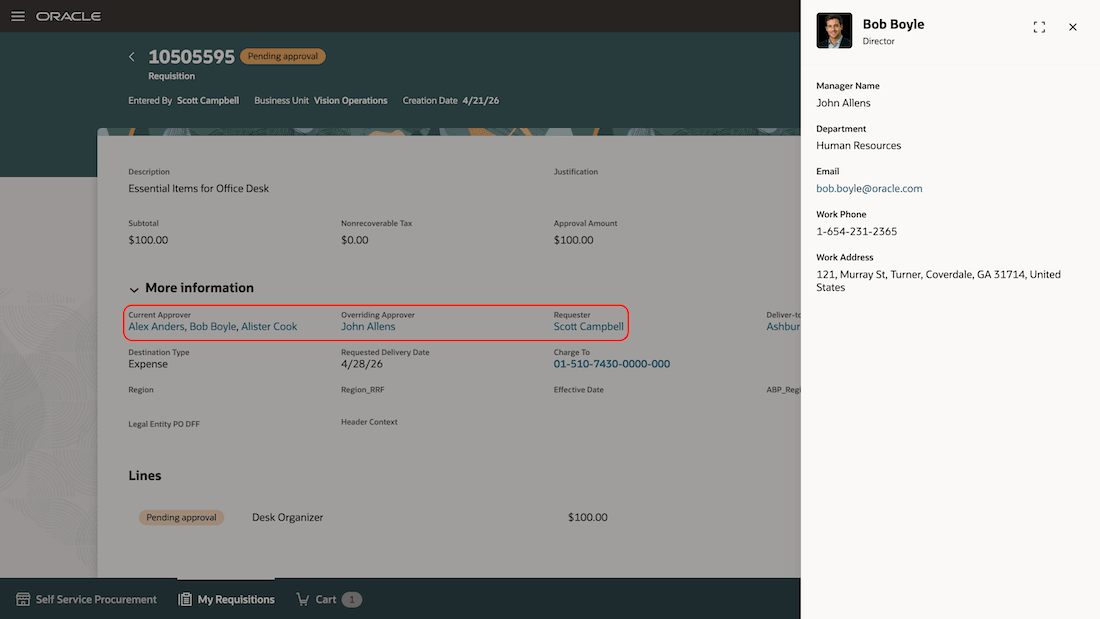
View Details of a Specific Person
You can view details about a preparer, requester, buyer, overriding and other approvers. The additional details are available across these pages:
- Requisition Details
- Line Details
- Shopping Cart
- Document History
- Life Cycle
When viewing a purchase order or a change order using the Redwood page, use the links on these attributes to open a drawer to review additional information:
- Buyer
- Requester
- Overriding Approver
- Change order Initiator
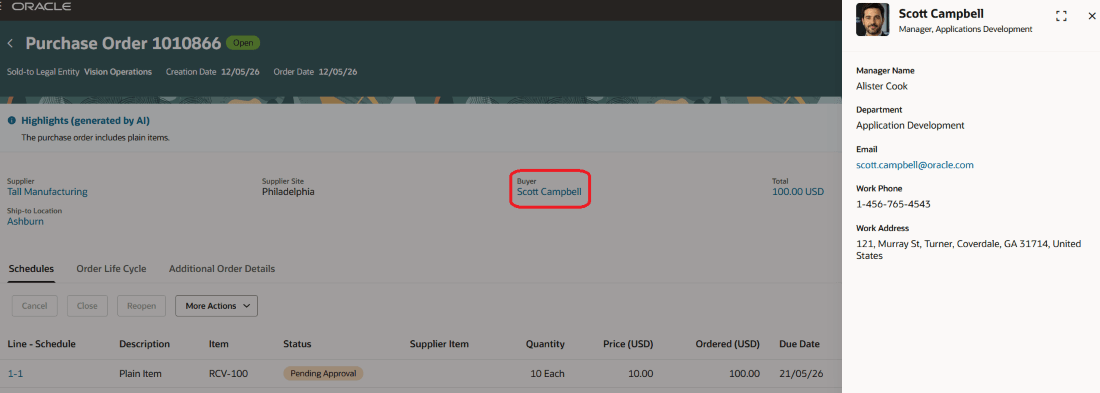
Buyer Information Drawer on the View Purchase Order Page
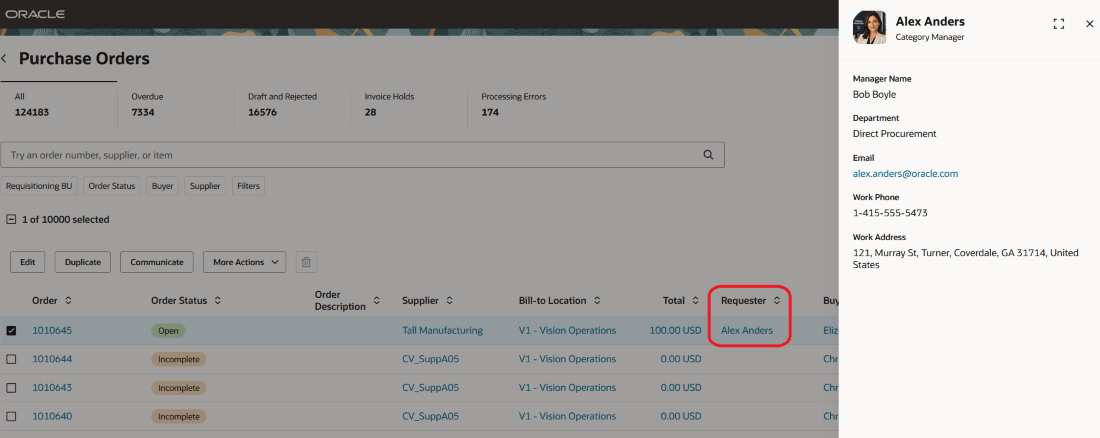
Requester Information Drawer on the Purchase Orders Page
When viewing a purchase agreement or a change order using the Redwood page, use the links on these attributes to open a drawer to review additional information:
- Buyer
- Change Order Initiator
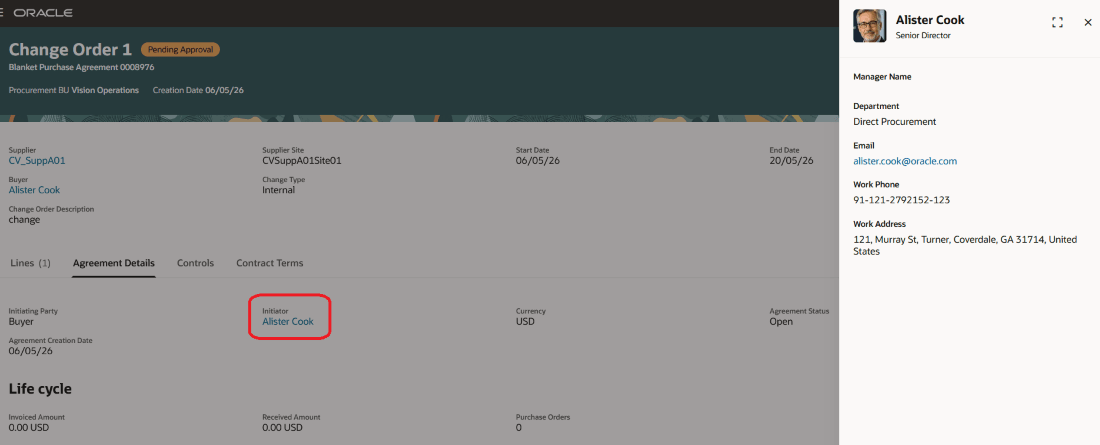
Change Order Initiator Information Drawer on the Purchase Agreement
When processing requisition lines using the Redwood page, use the links on these attributes to open a drawer to review additional information
- Buyer
- Requester
- Entered By
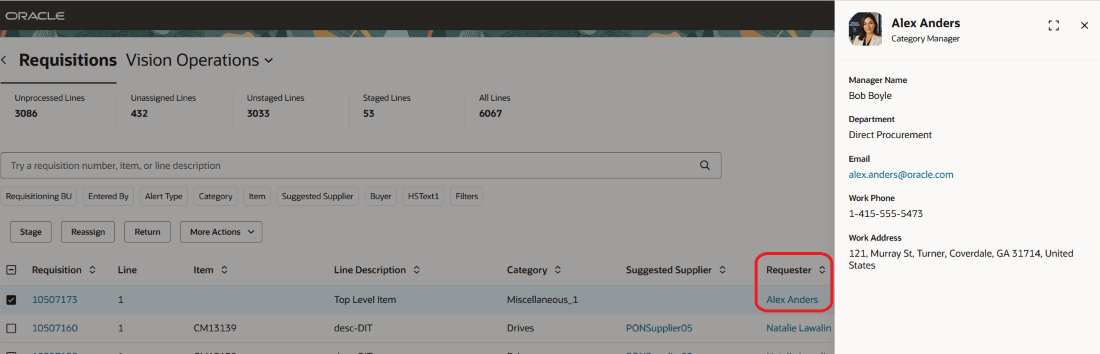
Requester Information Drawer on the Requisitions Page
Steps to enable and configure
You don't need to do anything to enable this feature.
Tips and considerations
- Additional information about the buyers is also available when editing public shopping lists and managing procurement agents.
- You can't view additional information for a person who doesn't have an active work assignment.
- The information drawer for the buyer, overriding approver, initiator, and requester isn't displayed when you edit a purchase order or a purchase agreement.
- Extensibility on Requisition pages:
- Any changes you want to make using business rules requires a separate rule to be created on the Shopping home page. The rule you create will apply to all the pages where the link to the person's additional information drawer is displayed.
- You can change the additional details drawer to hide or show one or more attributes.
- You can also disable the additional information link using Extensibility. There is a Disable Person Hyperlink constant available on the Shopping home page and Public Requisition Details pages. By default, the constants are set to False. Similar to the business rules capabilities, disabling the constant from the Shopping home page will disable it on all pages for requisitions. However, for Public Requisition Details, disable the constant available on that page.
Key resources
- To know more about how to use the Redwood Self Service Procurement application, refer to the Procure Goods and Services Using the Redwood Self Service Procurement Application readiness training.
- To know how to provide the required privileges to your requesters to use your own configured role instead of the Requisition Self Service User role, refer to the Privileges Required for a Predefined Role for a Requisition Self Service User topic.
Access requirements
Users who are assigned a configured job role that contains this privilege can access this feature:
- Use REST Service - Public Workers Read Only (ORA_PER_REST_SERVICE_ACCESS_PUBLIC_WORKERS_RO).
This is an aggregated privilege added using the Role Hierarchy step in the create or edit role flow. This privilege requires an additional data security policy. Please add a data security policy for this privilege with these parameters:
Data Resource: Public Person
Actions: Search Person Deferred, View Person Deferred Data
Data Set: ‘All Values’ or restricted as per your organization’s policies
This privilege was available prior to this update.