Export a list of measures
You can use the Export icon on the Measures page to export the displayed measures to a Microsoft Excel-compatible file. The export includes the same columns shown on the page and preserves their order. The export includes these columns:
- Name
- Description
- Last Updated Date
- Last Updated By
The export excludes the Actions column and follows the current column sorting order. When no filters are applied, the export includes all measures.
This capability helps improve productivity by letting you export measure lists for offline review, analysis, and sharing. The preserved filters and sorting order permit teams to work from the same measure context outside the application.
Click the Export icon on the toolbar on the Measures page to export the currently displayed list of measures.
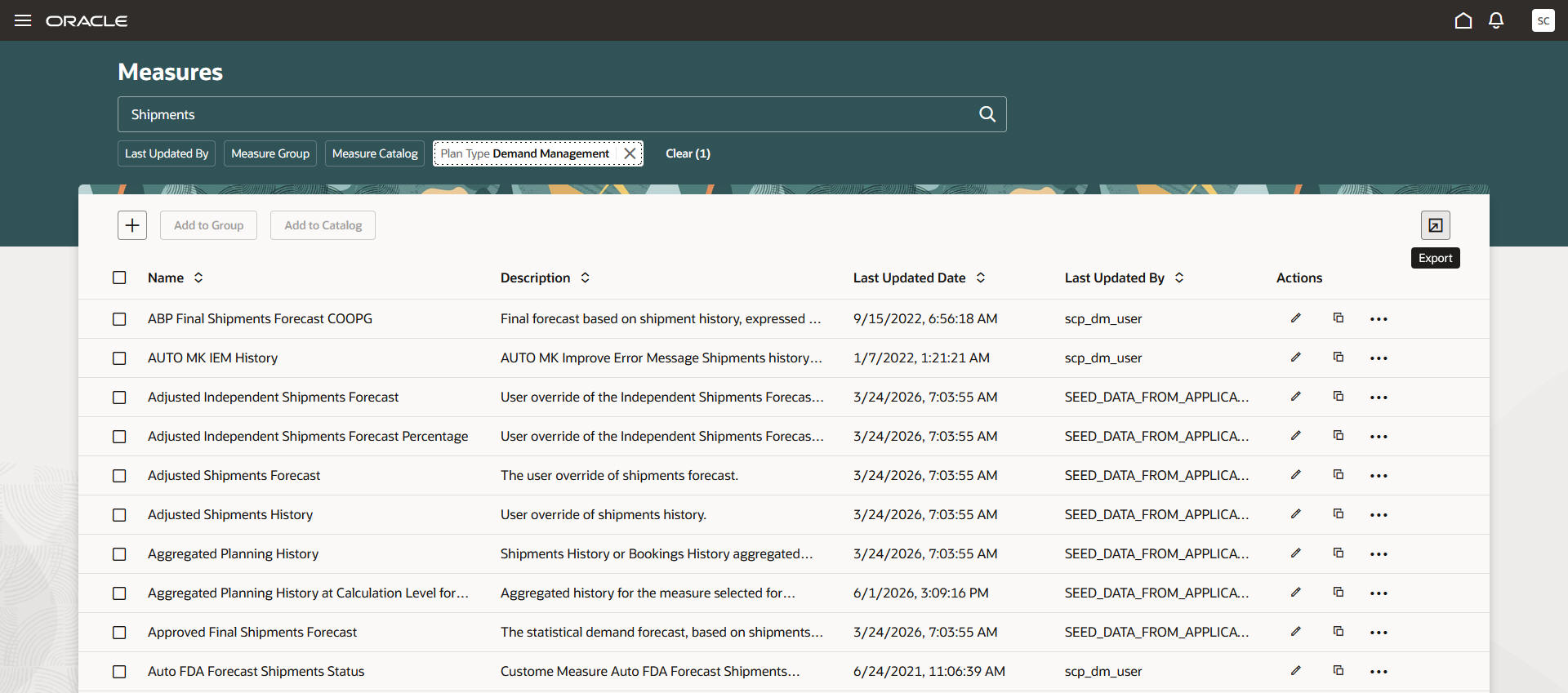
Export icon on Measures page
The exported file will be named “Measures-”, and the current date and time are appended to the file name. The file type will be Microsoft Excel XML workbook (.xlsx).

Exported file for measures
Steps to enable and configure
Use the Opt In UI to enable this feature. For instructions, refer to the Optional Uptake of New Features section of this document.
Offering: Supply Chain Planning
Tips and considerations
If you want to use the Redwood: Export a List of Measures feature, the you must opt in to its parent feature: Replenishment Planning. If you've aleady opted in to this parent feature, then you don't have to opt in again.
Key resources
Visit https://redwood.oracle.com/ for more information about the Redwood experience.
Access requirements
Users who currently have access to the Redwood Measures page will be able to use this functionality.
If you’re using user-defined job roles, then you need to add the privileges identified as new in this update as well as validate that you have the existing privileges that are listed.
| Privilege status | Privilege name and code |
|---|---|
| Existing |
Edit Planning Analytics Configuration MSC_EDIT_PLANNING_ANALYTICS_CONFIGURATION_PRIV |
| Existing |
Maintain Measure Definition MSC_MAINTAIN_MEASURE_DEFINITION_PRIV |
| Existing |
View Measure Definition MSC_VIEW_MEASURE_DEFINITION_PRIV |