Review redlined changes in electronic signature enabled work definitions
Currently, when modifying an approved work definition with electronic signature enabled, you must first create a new draft version. In the draft version, operation child entities, such as operation items and operation resources, are read-only. For example, to update the supply type of an operation item, you must manually duplicate the associated operation, delete the original operation, and then update the operation item on the newly created operation.
With this update, you can modify operation child entity attributes without manually duplicating the operation. After creating a new draft version, you can directly update attributes such as the supply type of an operation item. When you make this change, the associated operation is automatically copied in the draft version. The copied operation's start date is aligned with the work definition version start date, ensuring that the changes apply only to the new version while preserving the integrity of previous versions.
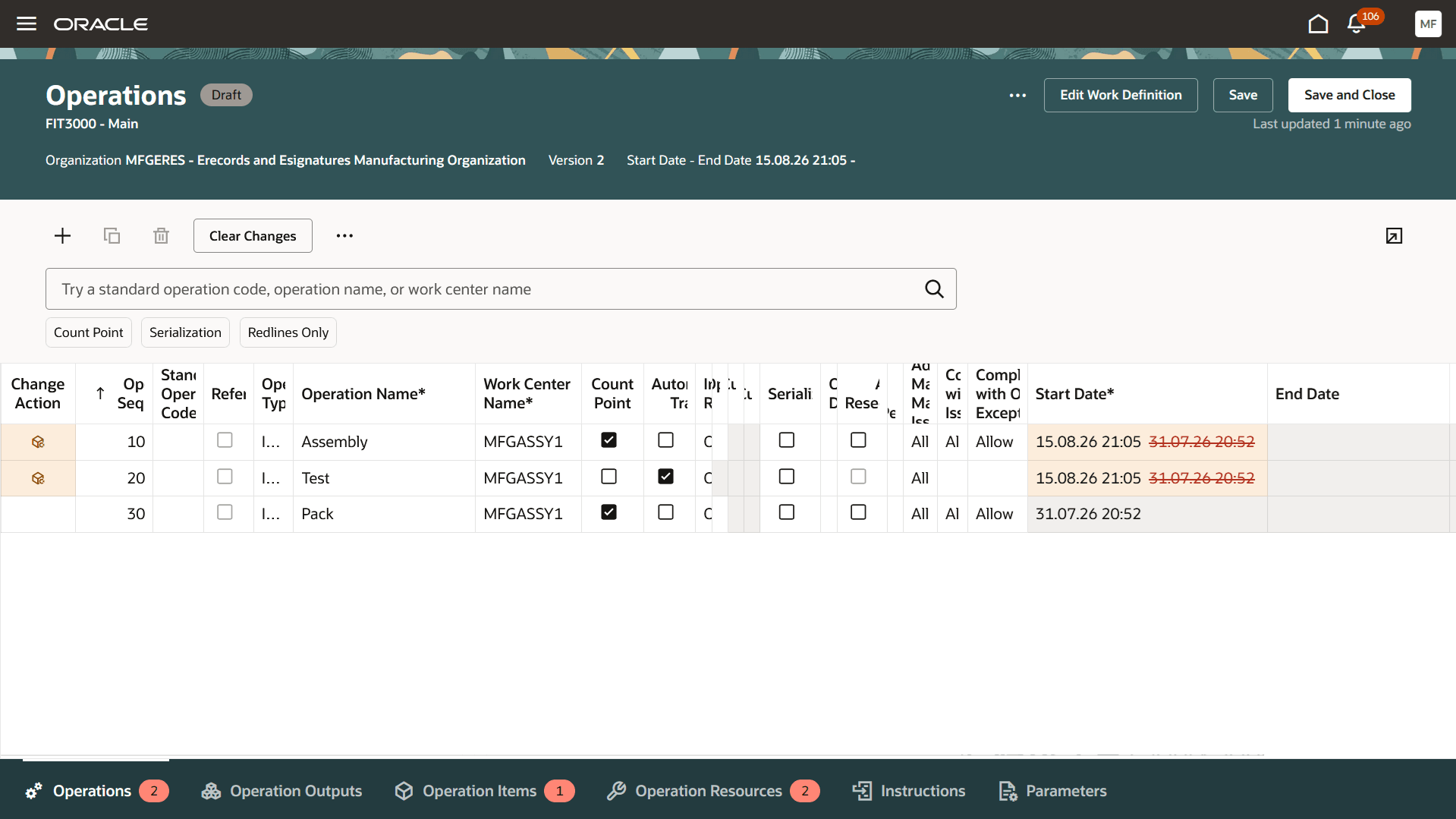
Automatically copied operations
Changes made in the draft version appear as redlined changes, making it easy to review the differences from the approved version. When an attribute is updated, both the new and previous values are displayed, with the previous value shown as redlined. Newly added rows are highlighted in green, while deleted rows are highlighted in red with their values struck through. User interfaces that do not support redlined changes are listed in the Tips and Considerations section. A badge indicating the number of changed rows is also displayed next to each data grid label.
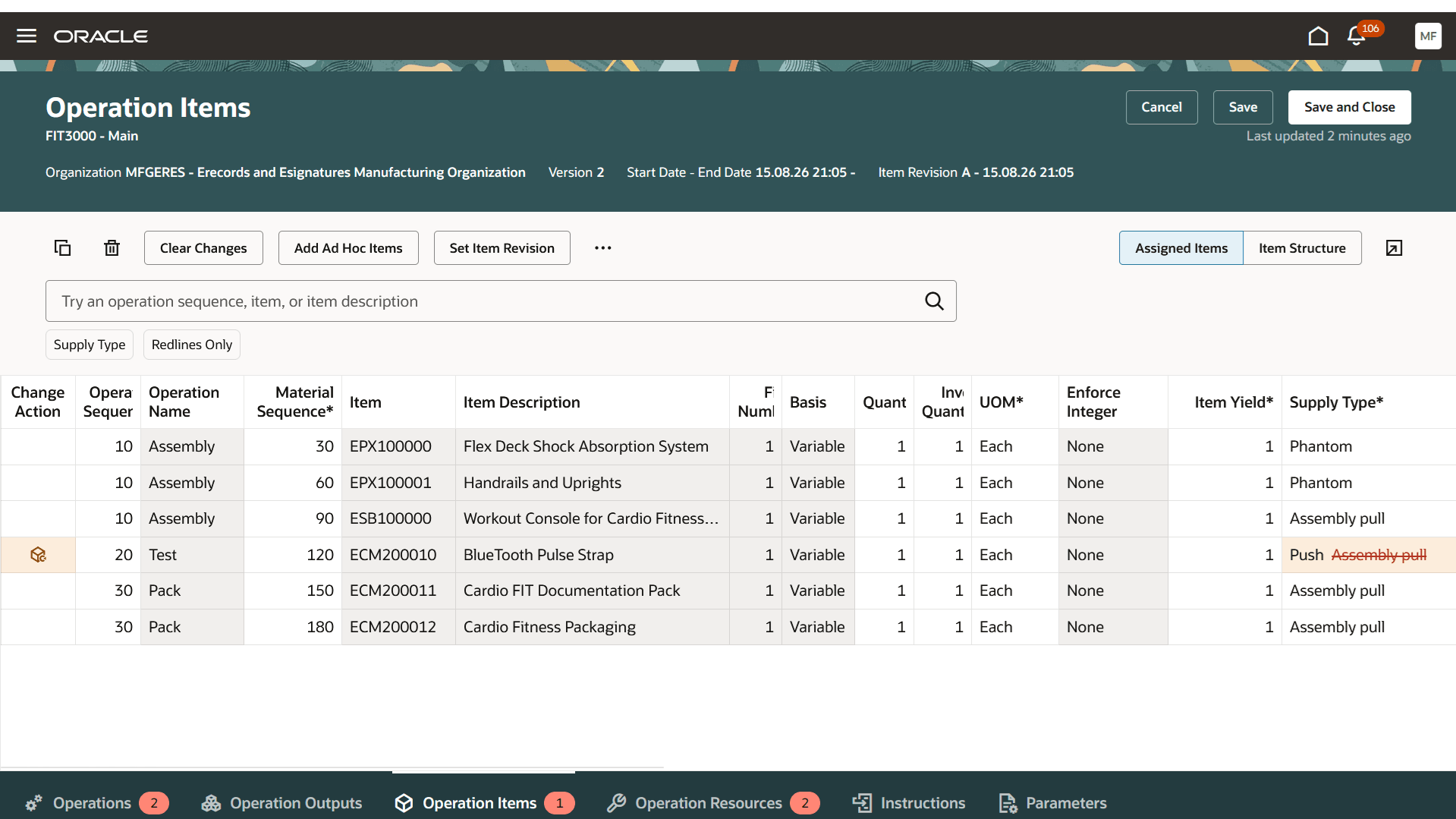
Redline change for supply type update
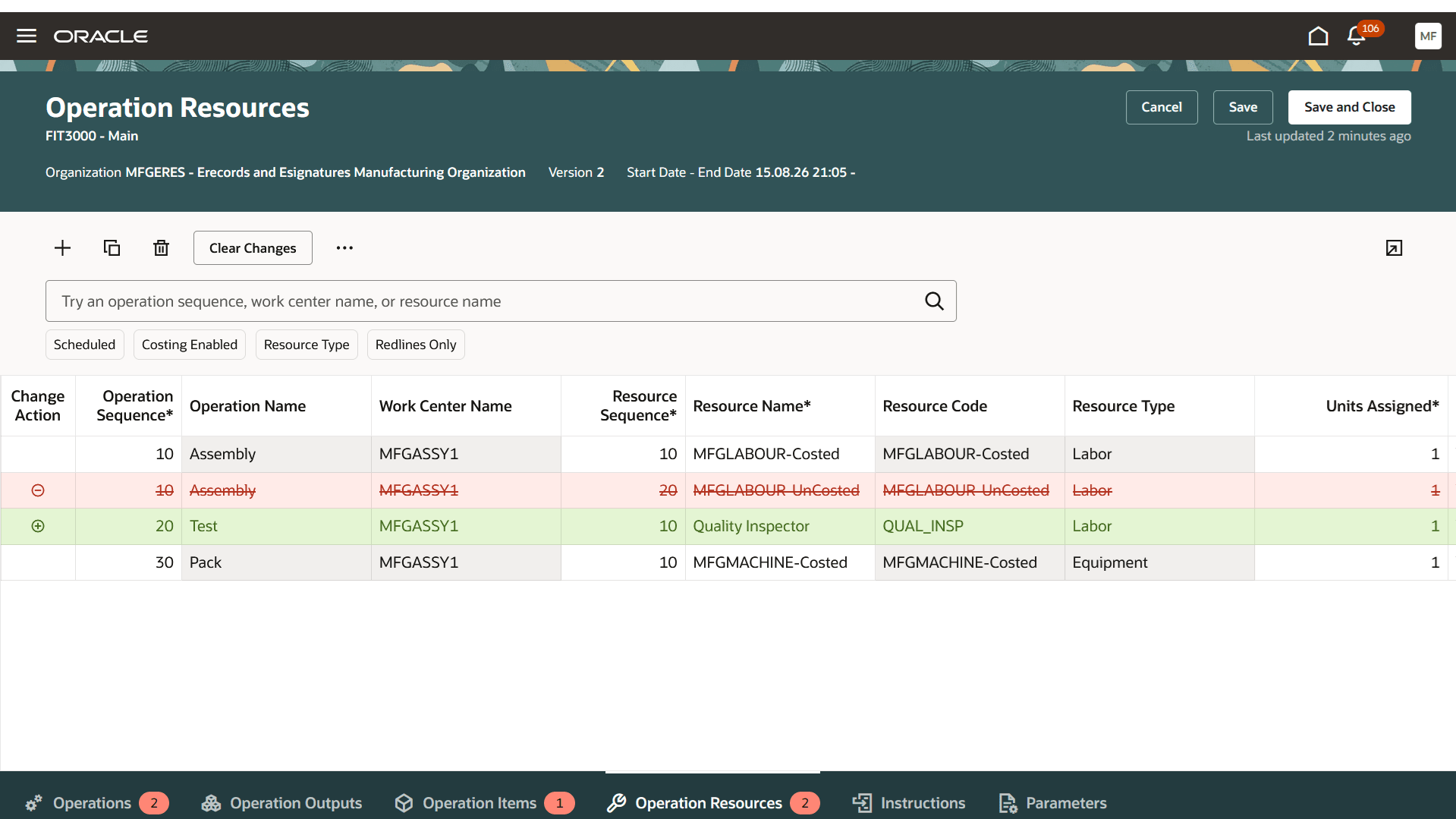
Redline changes for operation resources addition and deletion
Once the version is approved, the redlined changes are no longer displayed. You can view the approval outcome for the current approval cycle from the Approval Details page, which is accessible from the Versions page.
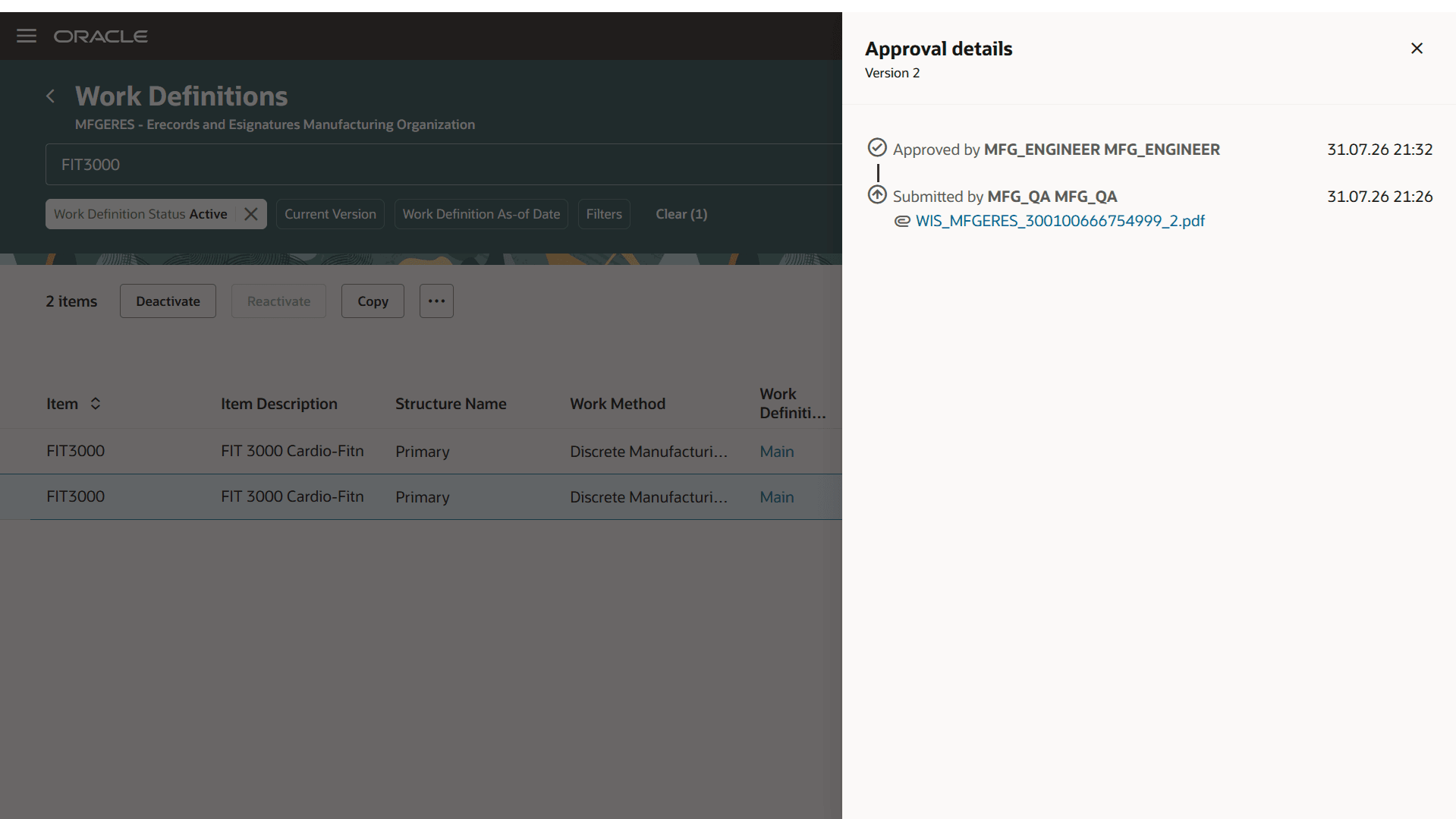
Approval details
Eliminating the need to manually duplicate operations when modifying operation child entities reduces maintenance effort, minimizes the risk of user errors, and streamlines the management of approved work definitions. Redlined change visualization clearly identifies added, modified, and deleted data, making it easier to review changes accurately and accelerating the approval process.
Here's the demo of these capabilities:
Steps to enable and configure
Use the Opt In UI to enable this feature. For instructions, refer to the Optional Uptake of New Features section of this document.
Offering: Manufacturing and Supply Chain Materials Management No Longer Optional From: Update 27B
Tips and considerations
- These enhancements are available only with the Redwood experience, which can be enabled using the profile option, Redwood Work Definitions Enabled.
- There are no changes to the underlying approval process for electronic signature enabled work definitions.
- There are no changes to the approval notification and electronic record for electronic signature enabled work definitions.
- Work Definition Versions
- Existing work definition versions created before the 26D update that are in Draft or Pending Approval status won't show redlined changes.
- You still need to manually duplicate operations in the existing work definition draft versions that were created before 26D update.
- You no longer need to duplicate operations manually to make updates on newly created draft versions in 26D. The system automatically copies the affected operation.
- Redline Changes
- Redline changes aren't displayed for the first work definition version.
- Redline changes are displayed in the following user interfaces: Operations, Operation Outputs, Operation Items, Operation Resources, Operation Alternate Resources, and Parameters.
- The Edit Work Definition, Supplier Operation, and Additional Information pages use messages to indicate the changes in place of redline changes.
- Redline changes aren't supported in the following user interfaces: Operation Dependencies, Instructions, and Attachments.
- These enhancements are also applicable to process manufacturing work definitions. Refer to the 26D feature: Review redlined changes in electronic signature enabled recipes.
Key resources
- Watch the Review redlined changes in electronic signature enabled work definitions demo.
- Oracle Fusion Cloud SCM: Refer to the Using Manufacturing guide, available on the Oracle Help Center.
- Oracle Fusion Cloud SCM: Refer to the Implementing Manufacturing and Supply Chain Materials Management guide, available on the Oracle Help Center.
Access requirements
If you are using custom job roles, then you need to validate that you have the previously delivered privileges listed.
| Privilege status | Privilege name and code |
|---|---|
| Previously delivered | Manage Work Definitions WIS_MANAGE_WORK_DEFINITIONS_PRIV |
| Previously delivered | View Work Definitions WIS_VIEW_WORK_DEFINITIONS_PRIV |
| Previously delivered | Get Work Definitions by Service WIS_GET_WORK_DEFINITIONS_SERVICE_PRIV |
| Previously delivered | Manage Work Definitions by Service WIS_MANAGE_WORK_DEFINITIONS_SERVICE_PRIV |
| Previously delivered | Electronic Signatures EDR_ADD_ESIGNATURES_TRANSACTIONS_PRIV |
| Previously delivered |
View Electronic Records and Signatures |