Hide any filter in the filter bar in user-specific layout
With this update, you can hide any filter in a filter bar as part of a user-specific layout. You can personalize planning pages by removing unused filters from the view while keeping the layout tailored to your own planning work.
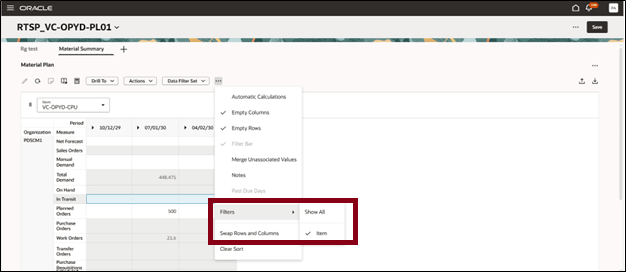
The following screenshot shows the Item filter present in the filter bar. You can hide it by deselecting the filter name in the Filters submenu. The values in the visualization are automatically aggregated when the filter for the dimension is deselected and hidden.
Steps to enable and configure
You don't need to do anything to enable this feature.
Access requirements
No separate privilege is required to access this feature.No separate privilege is required to access this feature.