Improve chart, pivot table, and filter interactions
With this update, you can see the improvements in chart, pivot table, and filter interactions for member filters, cell edits, hierarchy expansion, and mass edit. You can view all selected members across hierarchies, see progress while updates or hierarchy expansions run, apply page context to cell edit disaggregation, and use a date picker for date cells in mass edit.
View selected hierarchy levels from multiple hierarchies
Planning can now display data for hierarchy levels selected from multiple hierarchies in a pivot table. For example, you can select and display both Business Unit and Organization levels from different organization hierarchies.
Benefits
- Enables analysis across complementary hierarchy views in one table.
- Reduces the need to switch between separate pivot-table configurations.
- Provides a more complete view of how data is organized and related.
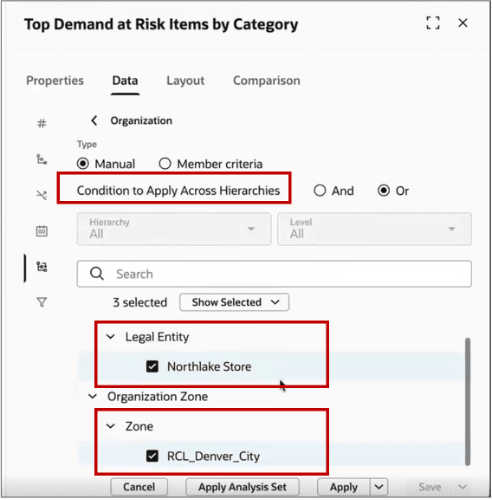
Selecting Business Unit and Organization levels from different organization hierarchies
When you enter data or expand a hierarchy in a table, a processing indicator now appears while the request is running indicating that your update is being processed.
Benefits
- Confirms that the requested action is in progress
- Improves visibility during operations that can take time to complete
- Helps you avoid repeating an action while the table is being updated
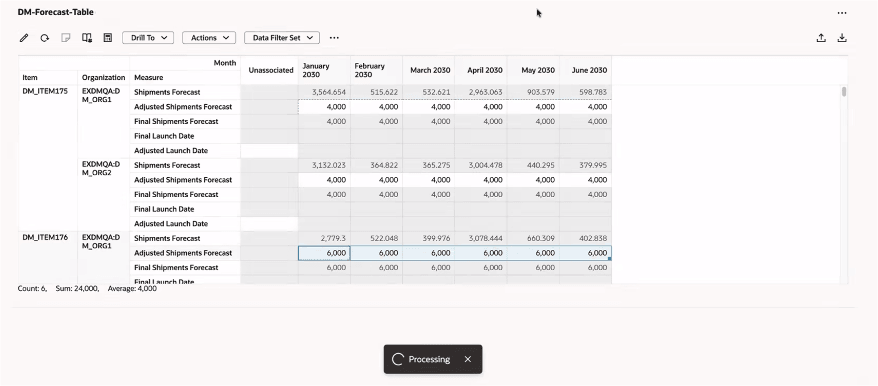
Indicator showing update in process
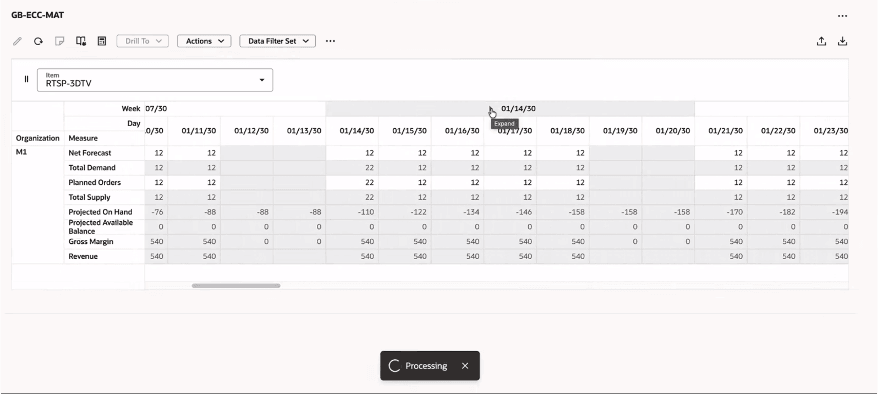
Indicator showing table hierarchy expansion in progress
Use page-level filter context for cell edit disaggregation
Planning now respects page-level filters when disaggregating values entered in a table. Values are applied only to the entities included in the active page context.
Benefits
- Keeps value distribution aligned with the scope currently selected by the user.
- Helps prevent changes from being applied to entities outside the active page context.
- Makes cell edits more predictable and reduces follow-up corrections.
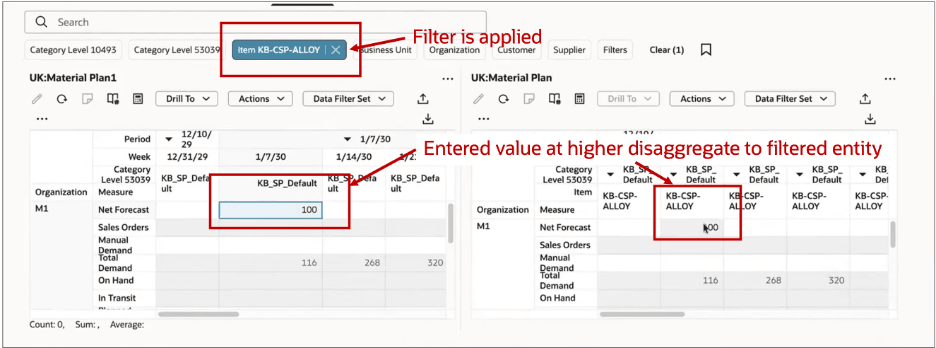
Values entered in the table are disaggregated only to entities included by the active item filter
Use a date picker for date-based mass edits
When you mass edit date-based measures, such as Adjusted Launch Date, you can now use a date picker to select the new value. This makes date updates faster and helps ensure consistent date entry.
Benefits
- Speeds up date selection during mass edit.
- Helps reduce formatting and data-entry errors.
- Makes date-based updates easier to complete consistently across selected cells.
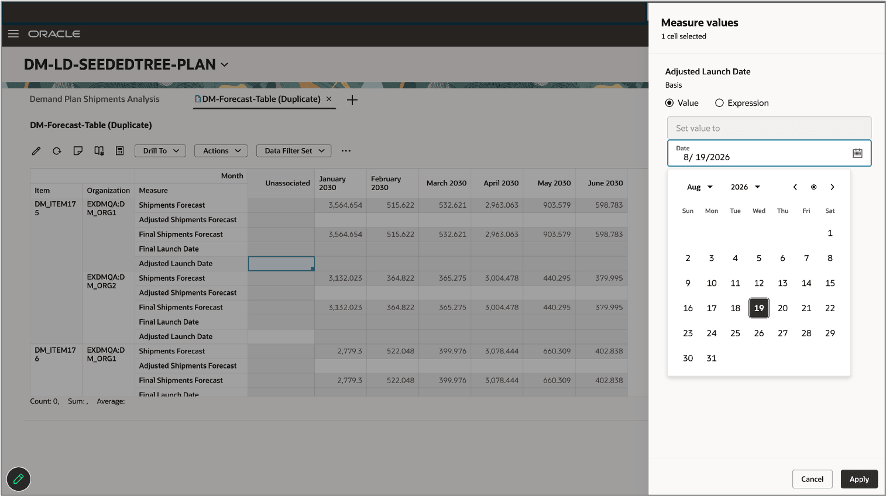
Selecting a date from the date picker when mass editing a date-based measure
Steps to enable and configure
Use the Opt In UI to enable this feature. For instructions, refer to the Optional Uptake of New Features section of this document.
Offering: Supply Chain Planning
Tips and considerations
If you want to use the Redwood: Imrpove Chart, Pivot Table, and Filter Interactions feature, then you must opt in to its parent feature: Replenishment Planning. If you’ve already opted in to this parent feature, then you don’t have to opt in again
Access requirements
Users who are assigned a configured job role that contains these privileges can access this feature:
| Privilege status | Privilege name and code |
|---|---|
| Previously delivered |
Manage Planning Pages (MSC_MANAGE_PLANNING_PAGES_PRIV) |
| Previously delivered | View Planning Objects (MSC_VIEW_PLANNING_OBJECTS_REST_SERVICE_PRIV) |