The Critical indicator displays only in the expanded mode of the SR details side panel
The switch control that indicates a Critical service request now displays in the expanded mode of the right panel of the SR Details page. In the prebuilt layout, the Critical indicator does not display when SR Details panel is collapsed.
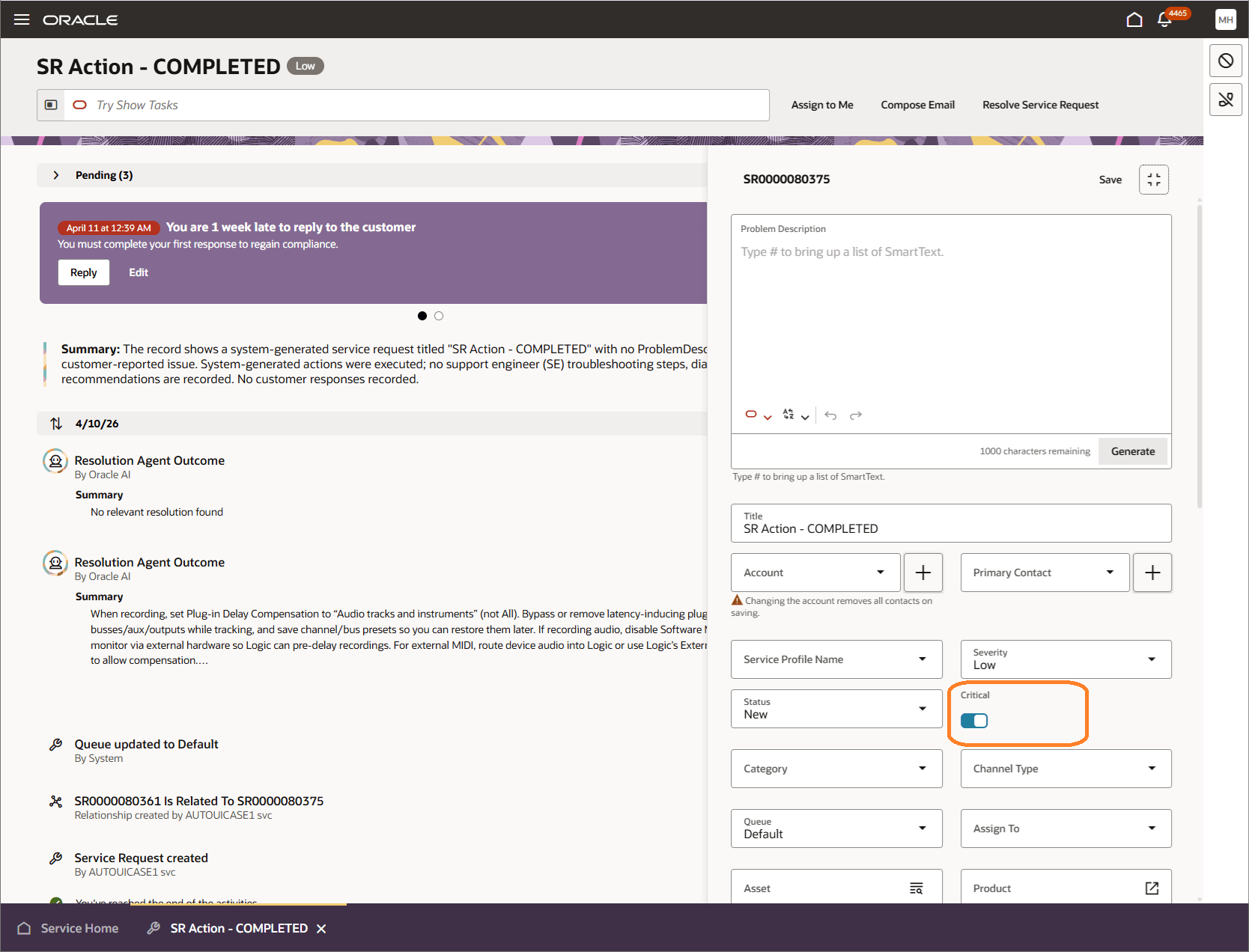
Critical Option Displays on the Extended SR Details Page
The Critical indicator was removed from the default collapsed layout to simplify the layout and reduce the amount of vertical scrolling. In many implementations, the Severity field already indicates similar information and remains visible in the collapsed state.
Steps to enable and configure
You don't need to do anything to enable this feature.
Tips and considerations
If it is important to your implementation that the Critical flag remain visible in the collapsed layout, you can use Visual Builder Studio to modify the seeded layout to add back the Critical field.