Uptake Similar SRs AI Agent
In 26D, Similar Service Requests in Service Center uses the Service Request Similarity Advisor AI Agent by default. The agent is used by the Find Similar SRs smart action and the Similar SR recommendation card. It helps identify related service requests by using the current SR summary, title, problem description, or SR number as input.
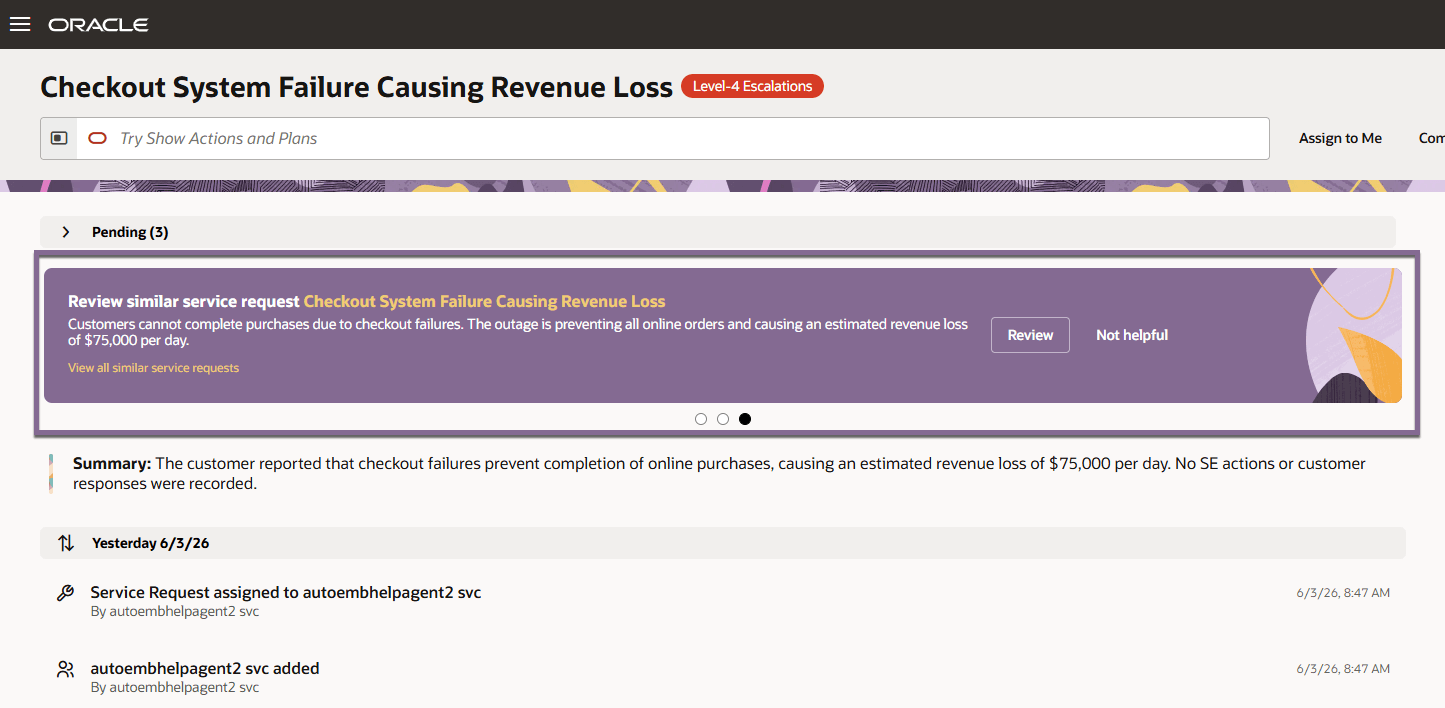
- Service agents can find related SRs faster and use prior resolutions to help resolve the current issue.
- System implementors get a more extensible AI foundation through Oracle AI Agent Studio.
- Customers can tune similarity behavior, such as score threshold and result count, to better match their SR data.
- This moves Similar SRs to Oracle’s AI Agent framework and reduces dependency on the older Adaptive Search-based approach.
Steps to enable and configure
You don't need to do anything to enable this feature.
Tips and considerations
-
Confirm that RODS is enabled.
-
Confirm that Access Groups are enabled.
-
Confirm that the ORA_FND_BOSS_AI_ENABLED profile option is set to Y.
-
Enable the Similar SR feature by setting SVC_ENABLE_SIMILAR_SR to Yes.
-
Optional: In AI Agent Studio, go to Agent Teams > Published and confirm that Service Request Similarity Advisor is available.
-
Optional: In Visual Builder Studio, open the cx-svc-similar-sr fragment to tune supported variables such as:
- agent code
- similarity score
- number of similar SRs returned
-
Preview and test the Find Similar SRs smart action and Similar SR recommendation card in Service Center.
Key resources
n/a
Access requirements
- Oracle Fusion Service Center
- Oracle Visual Builder Studio for Application Extension