SmartText Authoring Experience in Redwood
Administrators use the Redwood SmartText authoring experience to create and manage reusable content for Service Center. The AI Generate variable lets them define foundational prompts that a large language model uses to generate content when service agents insert SmartText.
Use SmartText Authoring Experience in Redwood to:
- Create and manage SmartText with the core authoring capabilities available in the Classic UI.
- Define foundational prompts with AI Generate for content generated by a large language model.
- Capture agent-provided text with User Entered and translate content across 14 languages with Translate.
- Set Usage when authoring SmartText for Chat.
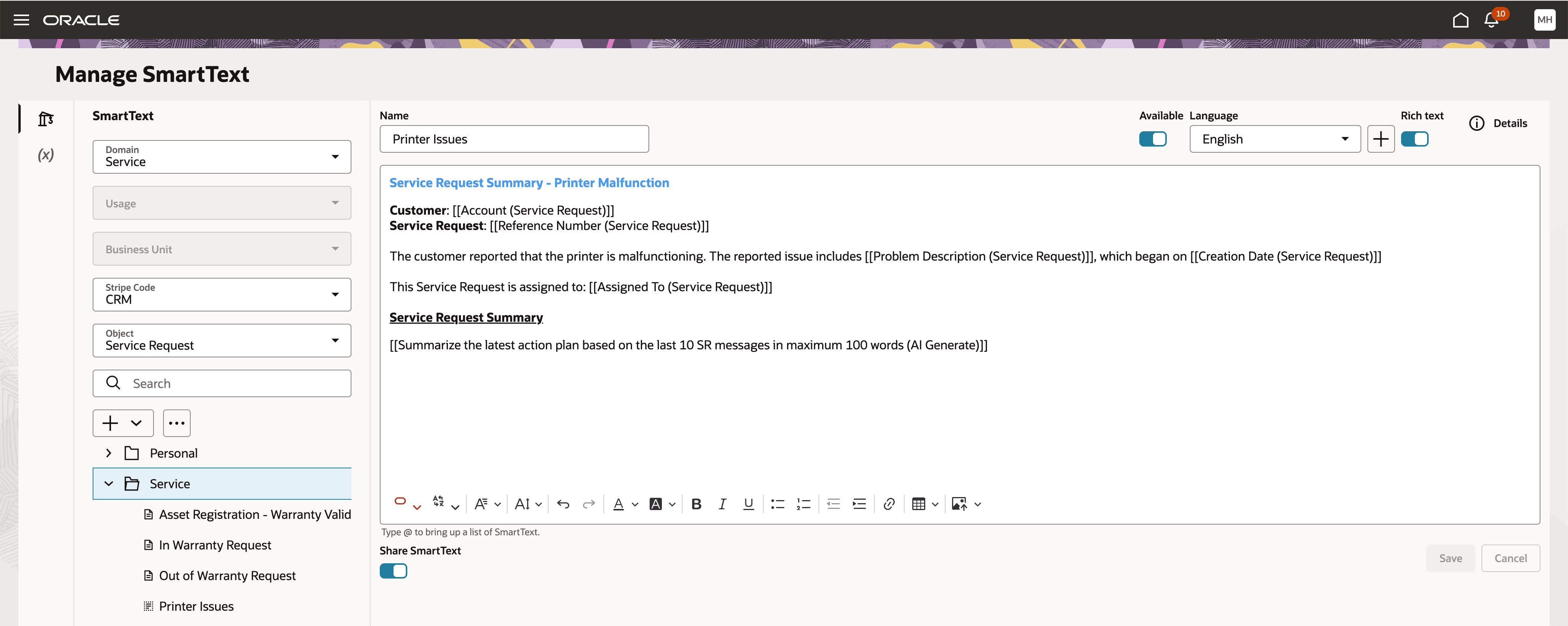
Manage SmartText
- Make AI-enabled entries available through the standard # SmartText list without a separate invocation.
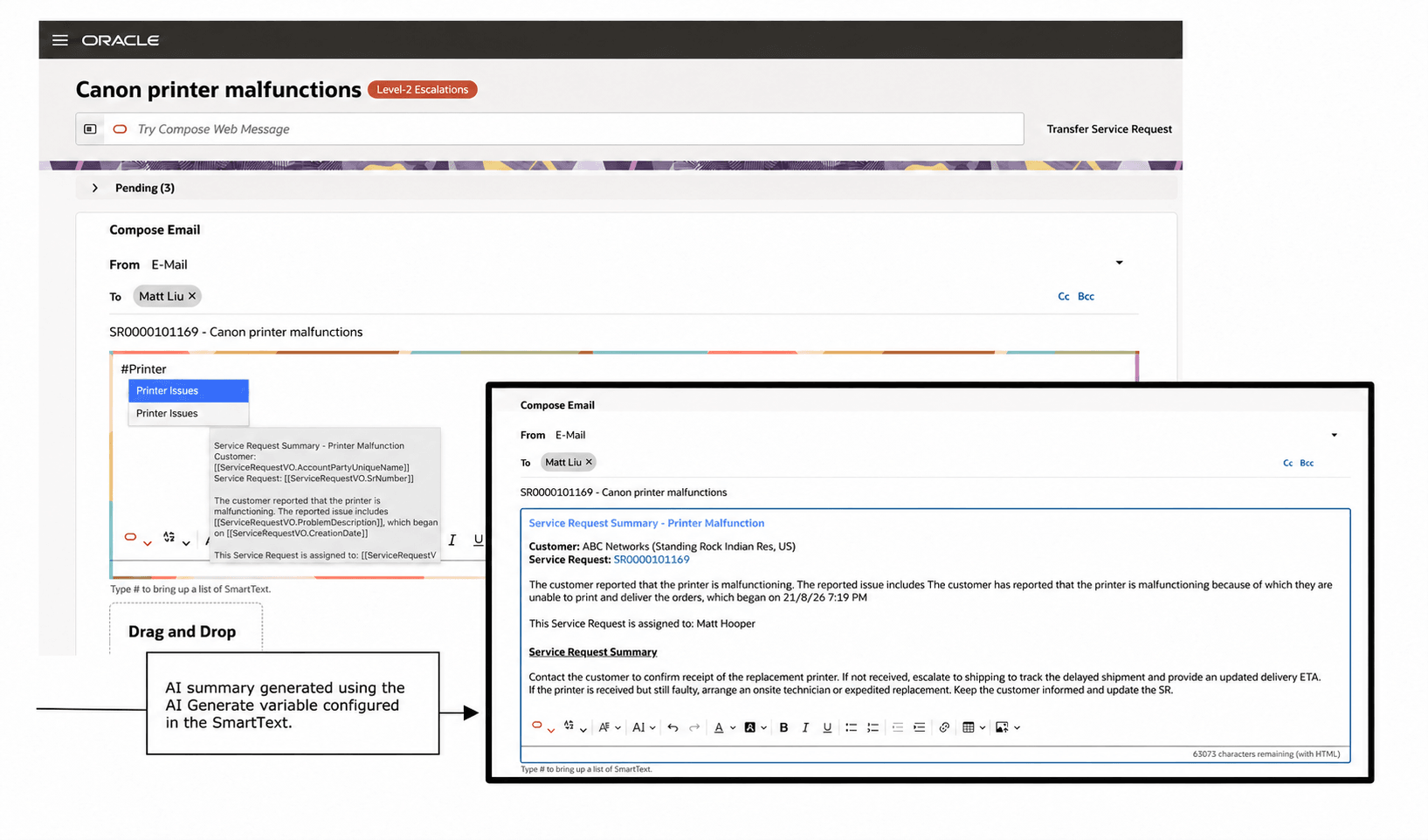
Compose email using a SmartText
In Service Center, select an AI-enabled SmartText from the standard list. The AI Generate variable supplies generated summary content in the email composer.
Try it out
- In Service Center, open a message.
- Type # and select the configured SmartText from the list.
- Review the generated content before using it in the service interaction.
The Redwood SmartText authoring experience provides administrators with a modern, consistent interface while preserving familiar capabilities. The AI Generate variable supports AI-assisted content creation, helping administrators improve productivity, content quality, and consistency across service interactions.
Steps to enable and configure
-
Go to Service > Service Center Administration > Productivity > Manage SmartText.
-
Create or edit a SmartText entry.
- Configure the entry for its intended use:
- Add AI Generate and define its foundational prompt.
- Use User Entered when agent input is required.
- Set Usage for Chat SmartText.