Business Unit-Specific SmartText for Chat
Service and Help Desk representatives can access Business Unit-specific SmartText entries during chat interactions. This allows them to quickly insert predefined responses that are relevant to their Business Unit, helping speed up issue resolution and deliver more consistent customer communications. This capability is available in the Redwood experience.
Use Business Unit-Specific SmartText for Chat to:
Display public and private HTML and non-HTML SmartText entries for the Chat domain, the applicable application stripe, and:
- The service request business unit when the chat is associated with a service request.
- The application default business unit when the chat isn't associated with a service request.
- All SmartText entries with no associated business unit in every applicable list.
Try it out
- Start a chat in the Redwood experience.
- Type # to open the SmartText list.
- Select a SmartText.
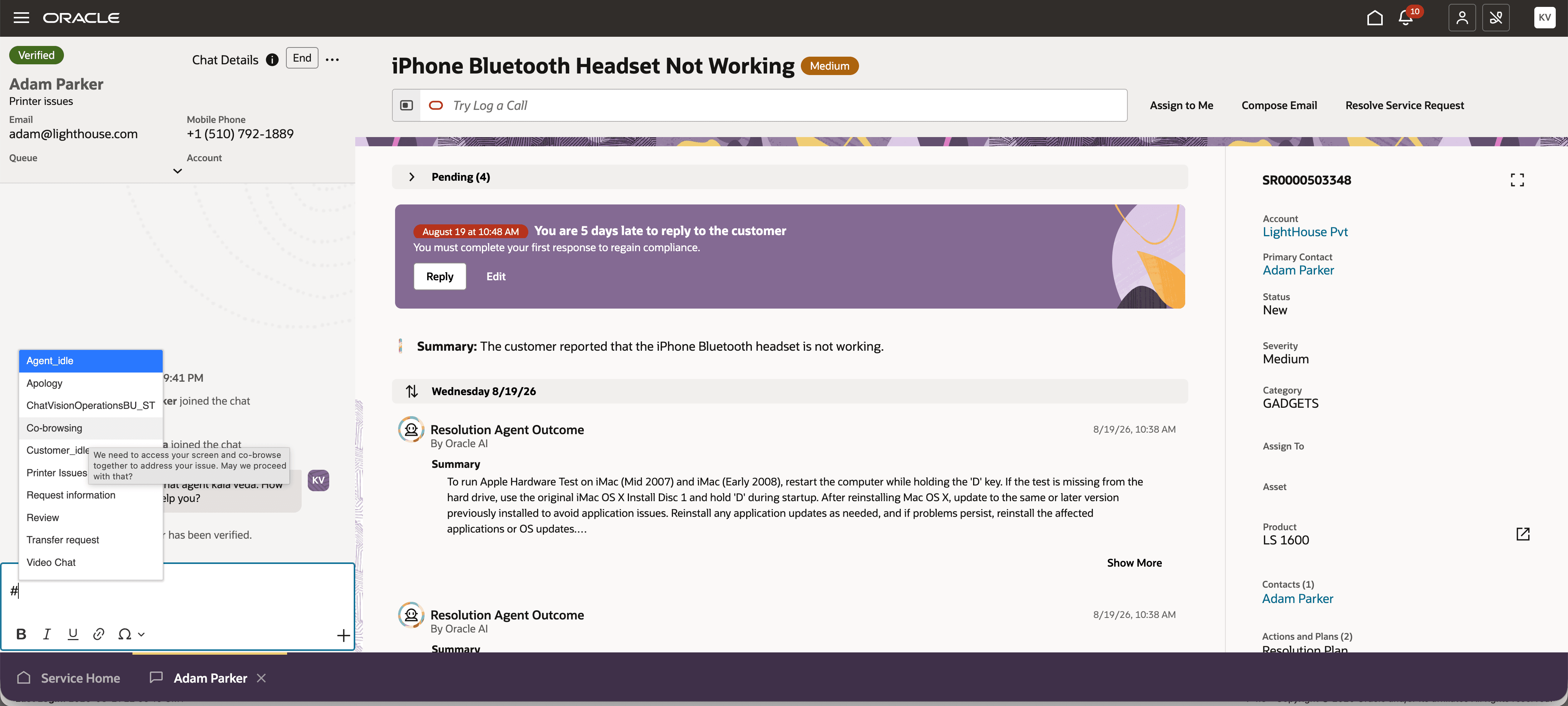
Select a SmartText
This allows customer service representatives to quickly insert predefined responses that are relevant to their Business Unit, helping speed up issue resolution and deliver more consistent customer communications.
Steps to enable and configure
- Confirm that the Multiple Business Units Enabled profile option (HZ_ENABLE_MULTIPLE_BU_CRM) is set to Yes. If it isn't, set it to Yes.
- Set the Customer Relationship Management Business Unit Default profile option (HZ_DEFAULT_BU_CRM) to the default business unit for the service application.
- In the SmartText authoring tool, define SmartText entries for the Chat domain, the applicable application stripe, and the business unit. Select No associated Business Unit for entries that apply across business units.
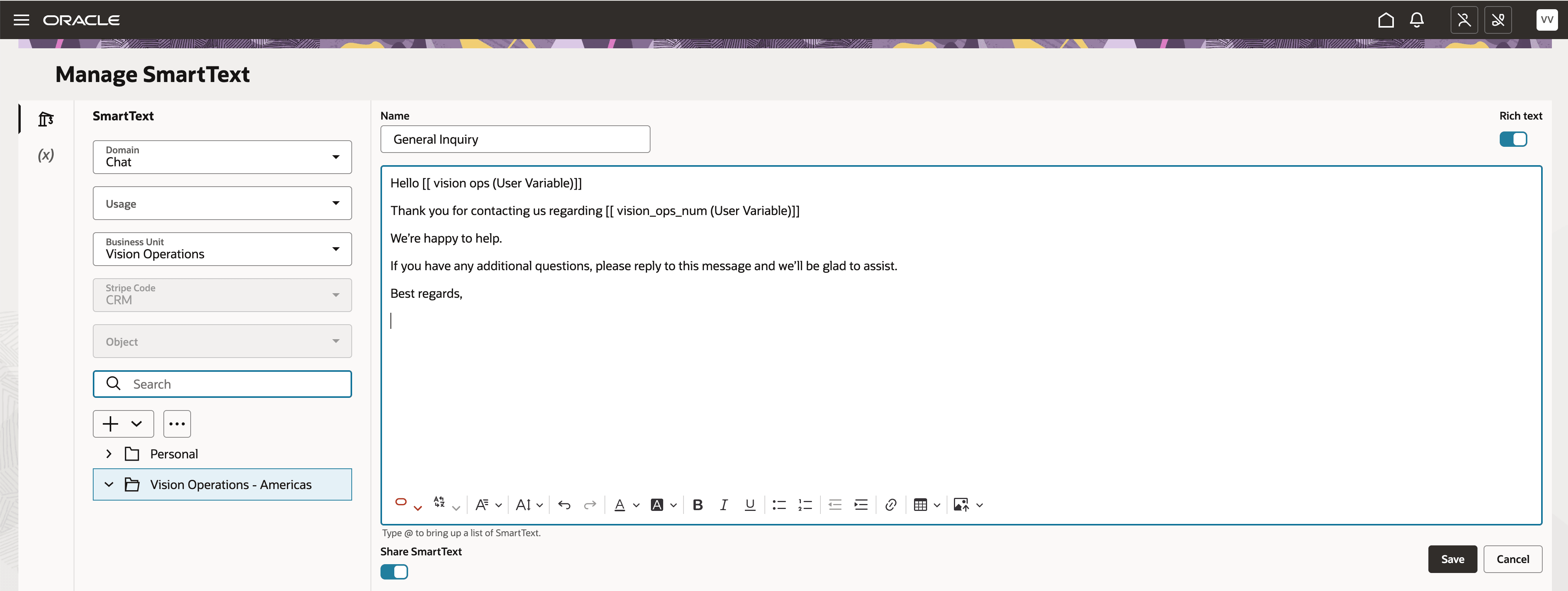
SmartText Authoring for a Chat to include the BU
Key resources
How do I manage SmartText entries?
Privileges required for SmartText