Support Portal Actions as a Menu
Portal pages support defining portal-specific actions that are visible in the page title area of the application. In this release, the system supports configuring the portal-specific actions in an actions menu. This is useful when there are a large number of actions.
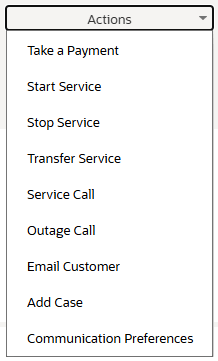
Example of Actions Menu in Classic User Experience
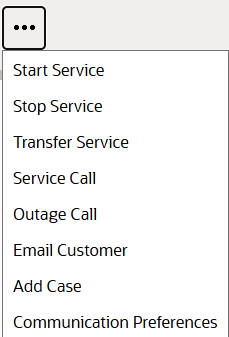
Example of Actions Menu in Redwood User Experience
The ability to define portal actions in an actions menu allows you to organize a large number of actions.
Steps to enable and configure
You don't need to do anything to enable this feature.
Tips and considerations
See Portal Specific Page Actions in the Understanding Portals and Zones section of the Framework Administrative User Guide.