Control Who Can Release Credit Check Hold
Set up a hold code to control who can release a hold on a credit check.
Oracle Order Management comes predefined to allow any user to release a credit check hold in the Order Management work area. In this example, assume you must allow only the Order Manager to release the hold.
Summary of the Setup
- Examine predefined behavior.
- Specify role that can release the hold.
- Test.
Examine Predefined Behavior
-
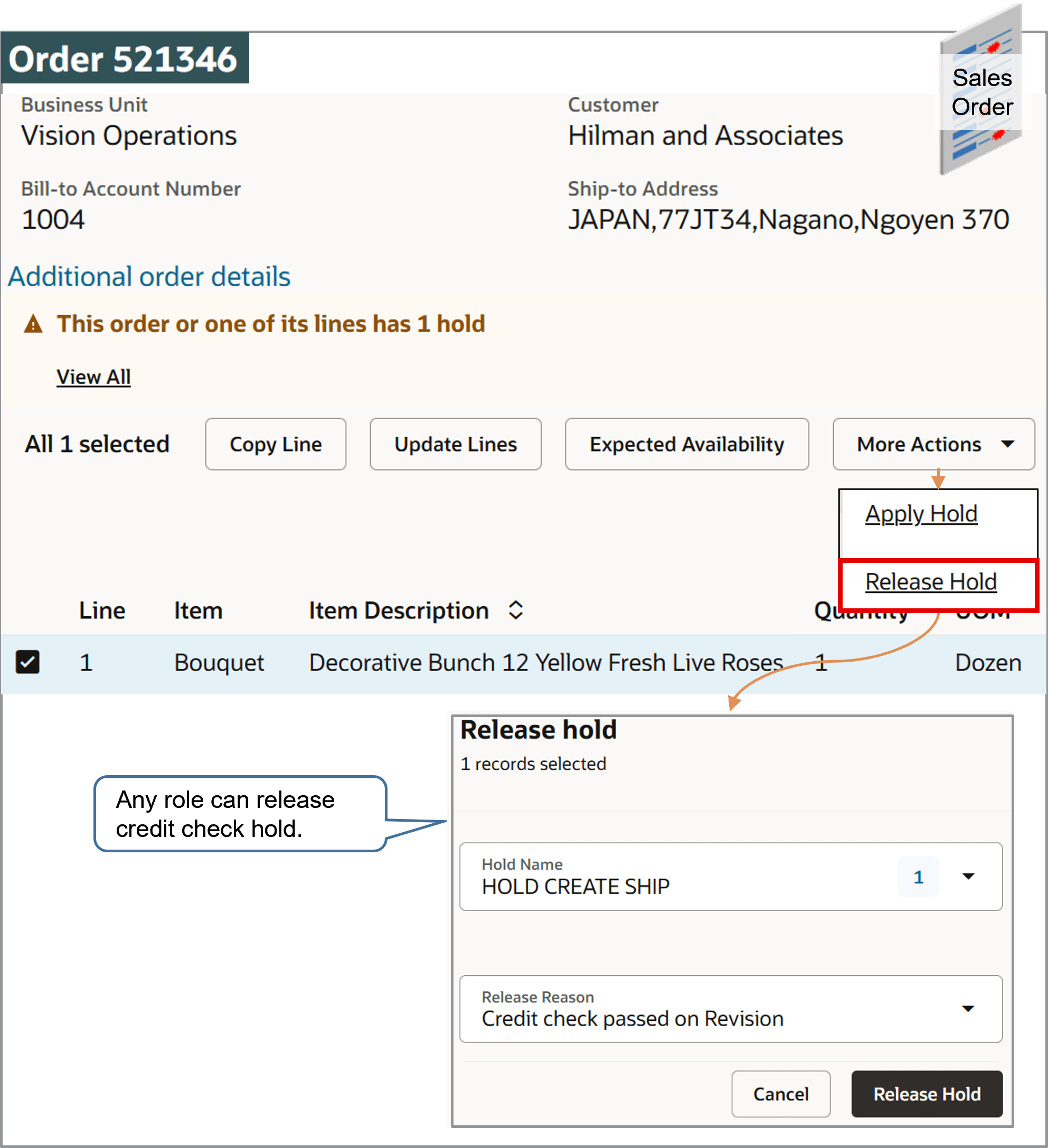
Open a sales order that's on hold.
-
Select the order line, then click More Actions > Release Hold.
Notice that you can set the values and release the hold, and any role can release the hold.
Specify Role That Can Release the Hold
-
Go to the Setup and Maintenance work area, then go to the Manage Hold Codes task.
-
On the Manage Hold Definitions page, click Query by Example, enter the value, then press
Enteron your keyboard:Attribute
Value
Name
Credit Check Hold
-
In the Details area, click Applicable Roles > Selected Roles.
-
Click Actions > Select and Add.
-
In the Select and Add dialog, search for this value:
Attribute
Value
Role
Order Manager
-
In the search results, click the row that includes Order Manager, then click Apply > OK.
-
In the Details area, make sure the Release Hold attribute contains a check mark, then click Save and Close.
Test
-
Sign in with the Order Entry Specialist role.
Open the sales order, then click Release Hold.
-
Verify that you can't set the Hold Name attribute, and can't release the hold.
-
Sign out, then sign in with the Order Manager role.
-
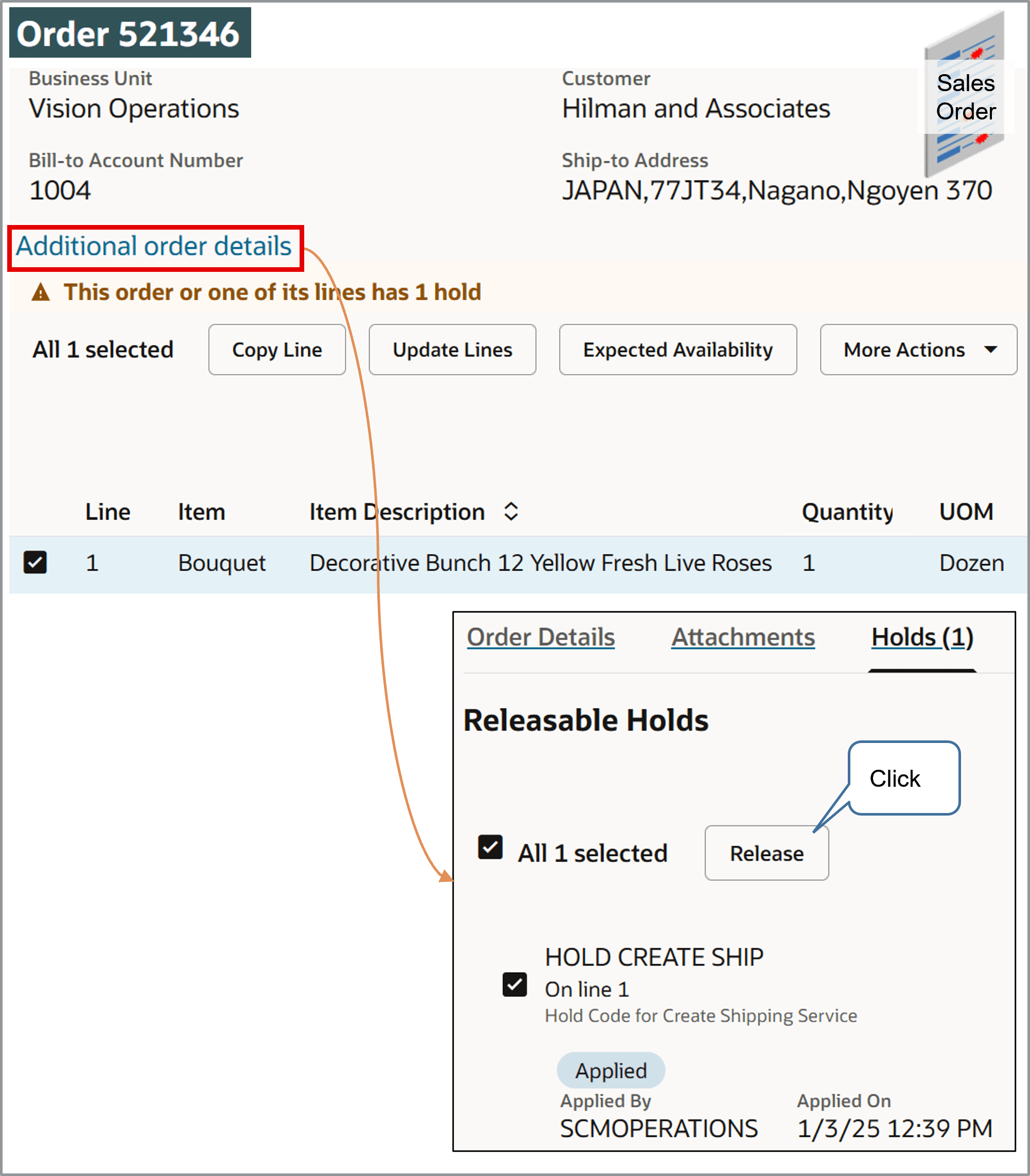
Open the sales order, click Additional Order Details > Holds, examine the details in the Releasable Holds section, then verify that you can select and release the hold.
-
Click Update Lines.
Notice that Order Management changes the Status attribute on the order line from Not Started to Scheduled. If the status doesn't change, wait a moment, then try again.