How the Oracle Learning catalog works
The catalog uses three core concepts: learning types, classification, and access. Together, they define how learning is created, found, and managed.
Learning types
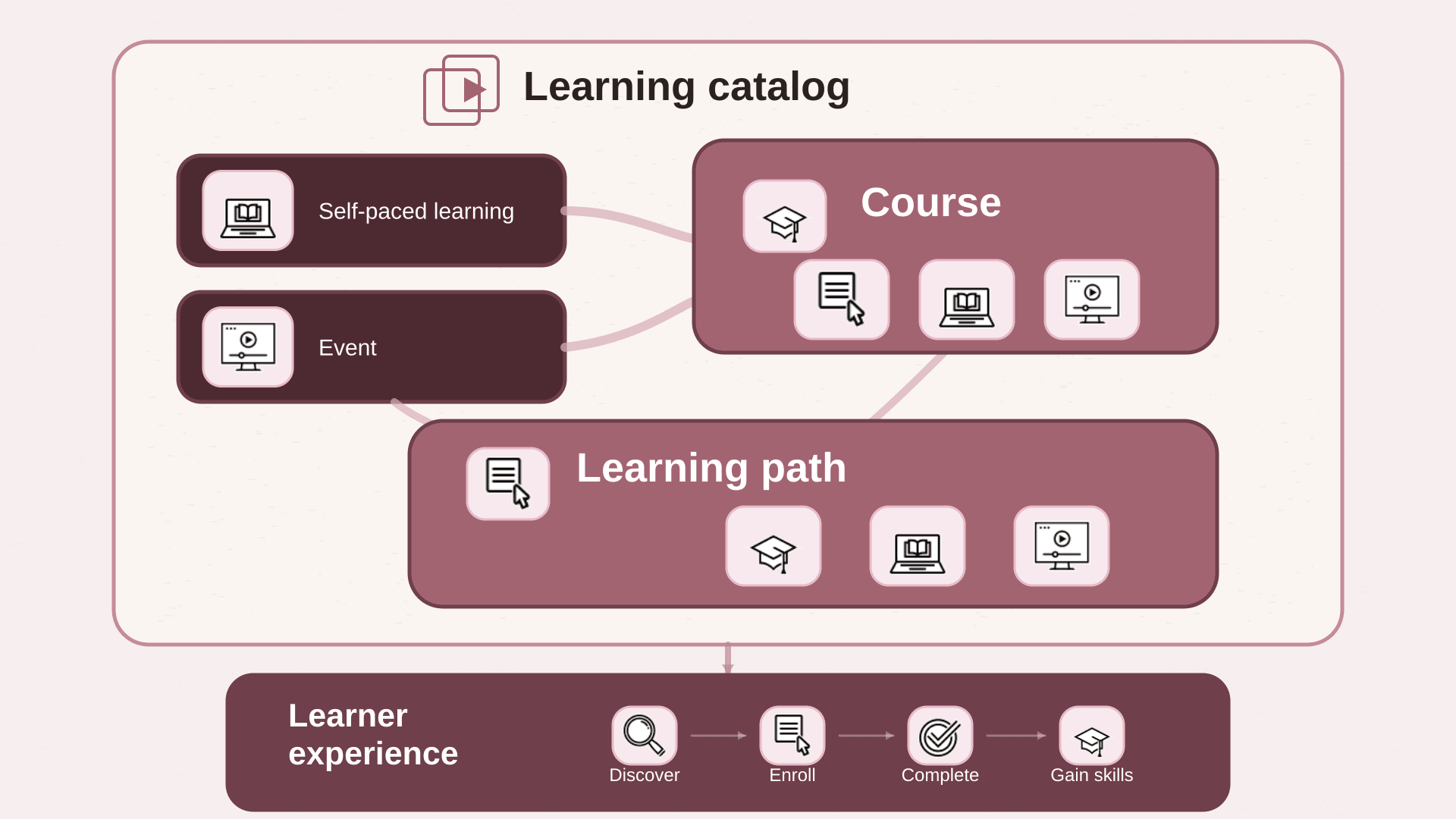
Learning is organized into flexible types that can stand alone or work together to support different learning experiences.
| Type | Description | When to use it |
|---|---|---|
| Self-paced learning | A single digital learning experience | For learning completed at an individual pace. Can stand alone or be part of a course. |
| Event | Instructor-led learning with scheduled sessions | For virtual or in-person training with a set schedule. Can stand alone or be part of a course. |
| Learning path | A structured set of learning experiences made up of courses, self-paced learning, events, or a combination. | To guide learners through a defined sequence. All included required learning needs to be completed. |
| Course | A training objective that's delivered through self-paced or instructor-led learning experiences. It can include self-paced learning and events. | When learners can select one option to complete the objective. |
| Offerings | Legacy delivery options within a course. Replaced by self-paced learning and events. It can include courses, self-paced learning, and events. | To provide scheduled or tracked delivery methods within course-based learning. |
Classification
After you define learning, classify it so learners can easily find what they need. Classification can come from your catalog structure or from provider content hierarchies. Build the level of structure that fits your catalog:
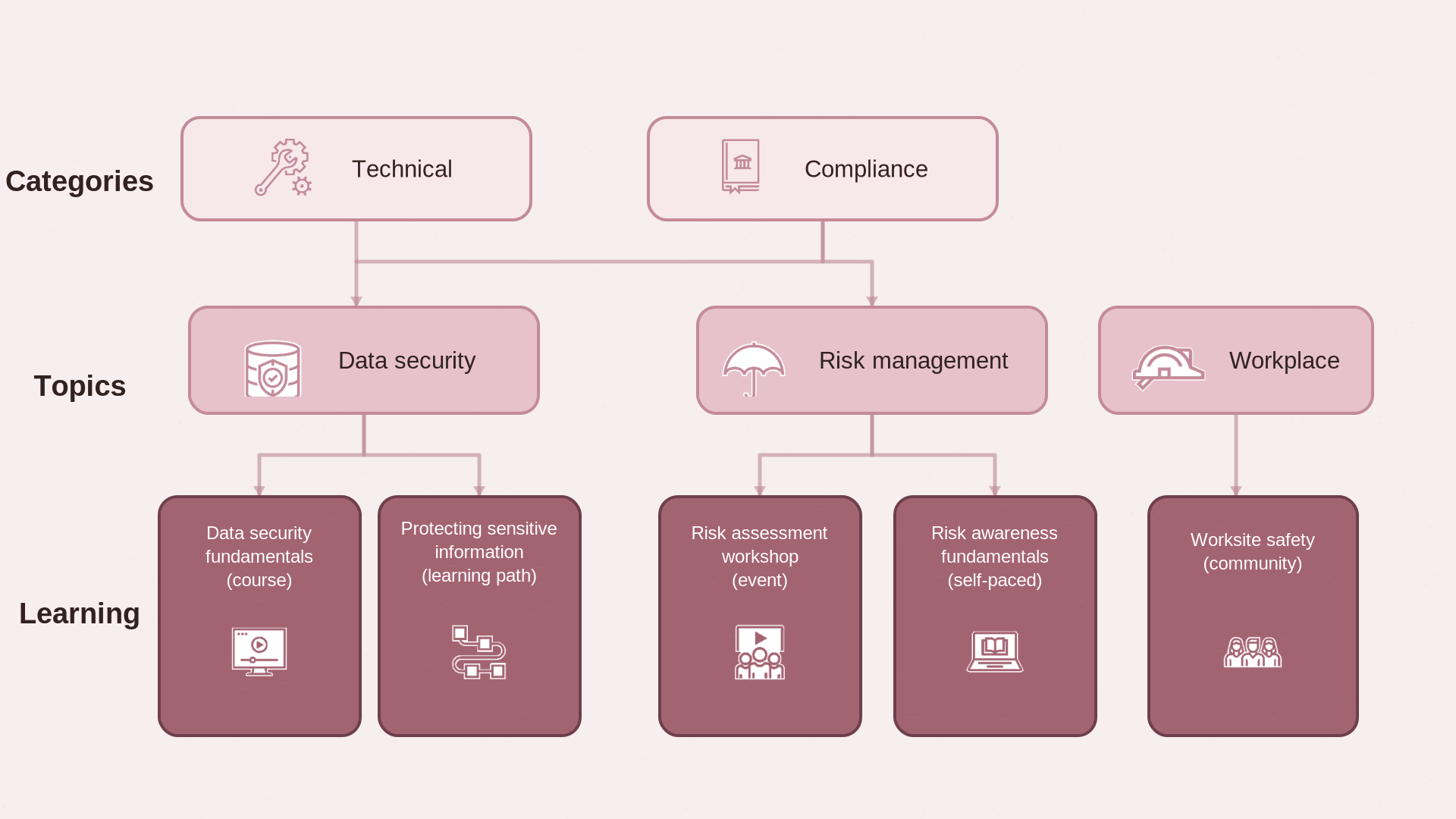
- Categories > Topics > Learning
- Communities > Learning
- Topics > Learning
| Type | Description | Examples |
|---|---|---|
| Category | High-level groupings used to classify and filter learning. | Technical, Compliance, and Workplace |
| Topic | More specific subject areas used to classify and group related learning. Typically used within categories but can be reused when needed. | Under Technical and Compliance categories, Data security |
| Community | Place where members can find curated learning. Community managers manage membership and can assign learning to required members. | Onboarding community to share relevant learning with new employees and community of practice where members share expertise |
Organize learning to match how people look for content. Use topics alone for simpler structures or add categories when you need more grouping.
Communities
Communities group learning for people with shared roles, goals, or interests. Official communities help organizations provide learning to specific groups. Community managers can manage membership and assign learning to required members. Self-service communities let workers share learning and related resources with other members. Their members join voluntarily, so community learning can't be assigned to them.
Access
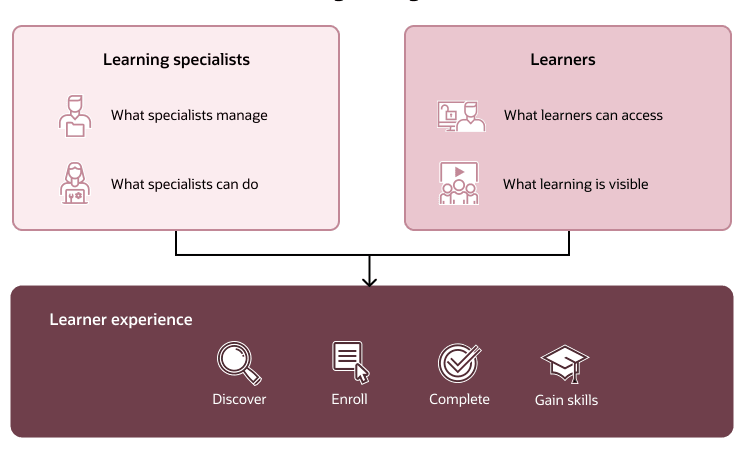
Access controls who manages catalog learning and who can access it. These controls ensure the right people manage learning and learners can access what they need.
| Type | Description | How it’s configured |
|---|---|---|
| What specialists manage | Defines which part of the catalog a specialist manages. | Catalog administration profiles |
| What specialists can do | Defines actions a specialist can take on learning. | Security roles |
| What learners can access | Defines which learners can access specific learning. | Access groups |
| When learning is visible | Controls when learning appears in self-service. | Visibility settings |