Configuring Metadata
Follow these steps to configure metadata:
- Configuring the Potential Source Account for Top Up Tax Allocation
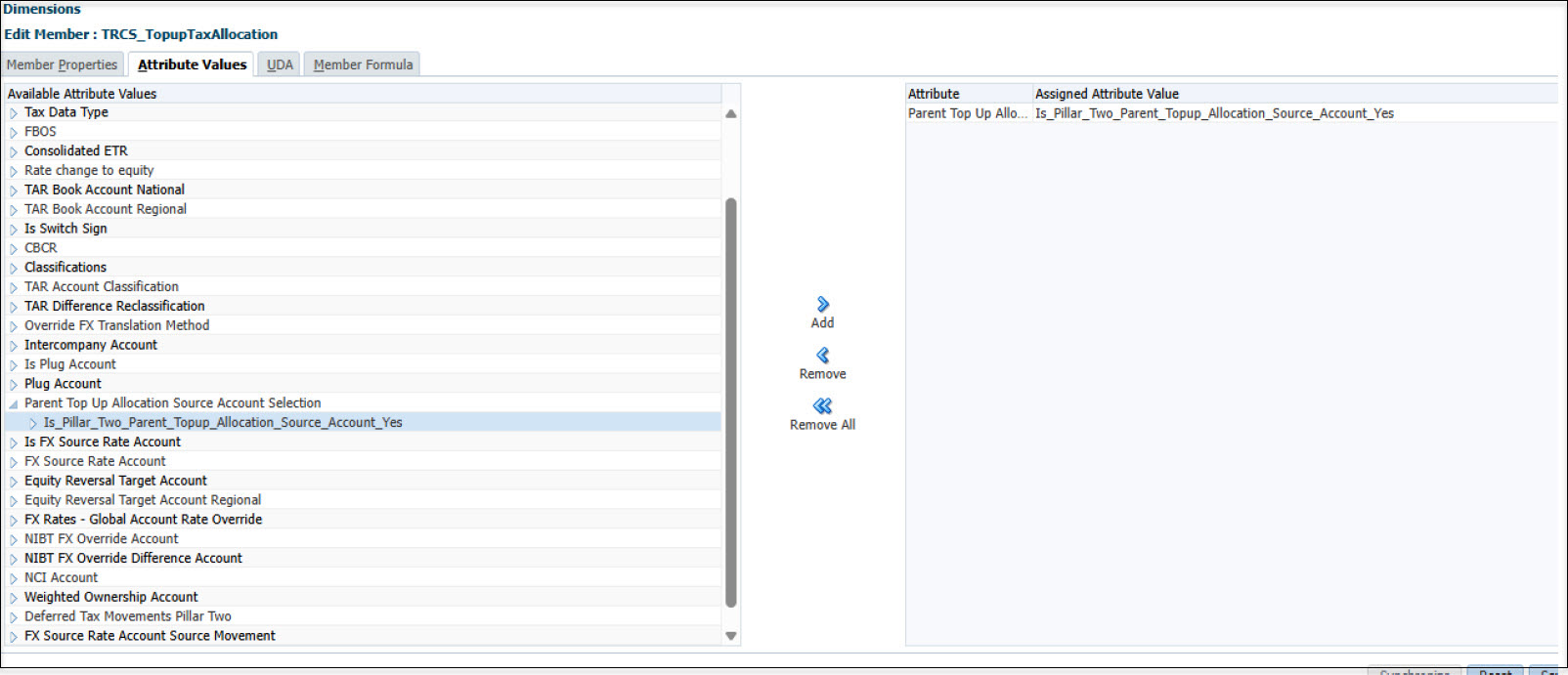
By default, TRCS_TopupTax is set as the source account. You can also specify additional accounts by applying the Is_Pillar_Two_Parent_Topup_Allocation_Source_Account_Yes member within the Parent Top Up Allocation Source Account Selection attribute.
For example, in this scenario, TRCS_TopupTaxAllocation is designated as a source account:
- Selecting Current Tax Payable and TAR Target Accounts
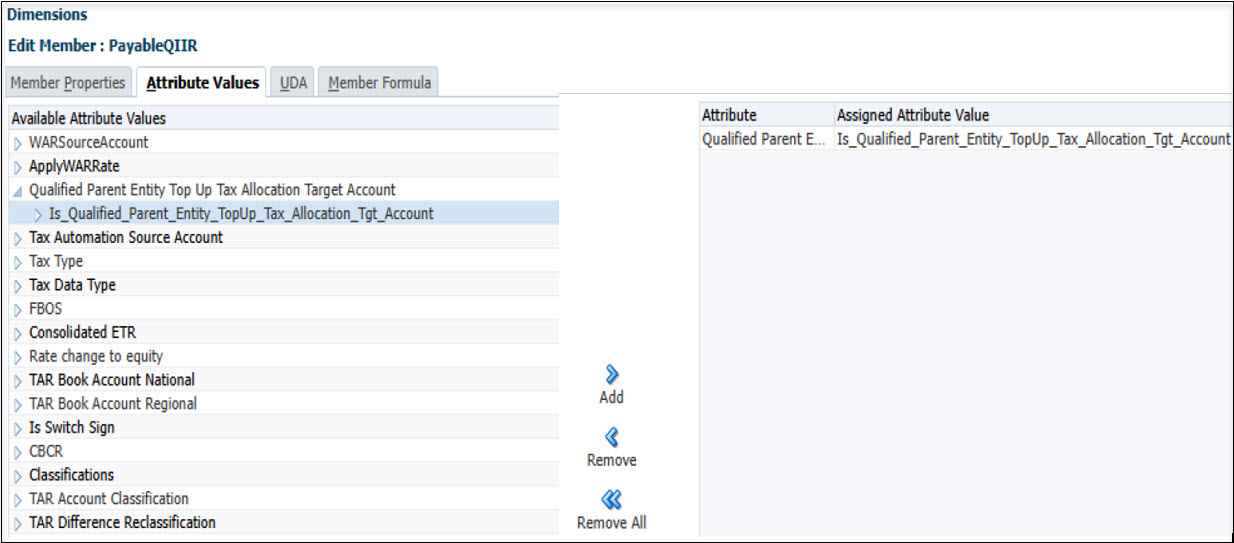
For any Current Tax Payable/TAR accounts that are the target of Current Tax Payable/TAR automation on the Pillar Two Parent Top Up Allocation paying entities, select and add the attribute: Is_Qualified_Parent_Entity_TopUp_Tax_Allocation_Tgt_Account under Qualified Parent Entity Top Up Tax Allocation Target Account
For example, if there is an account "PayableQIIR" under TRCS_CurrentPayables:

Adding the attribute as shown below will enable Current Tax Payable automation to target "PayableQIIR" for parent paying entities:
Similar example below for TAR adding account TRCS_TARFExpenseCurrentTotal:

- Configuring the Target Paying Entities
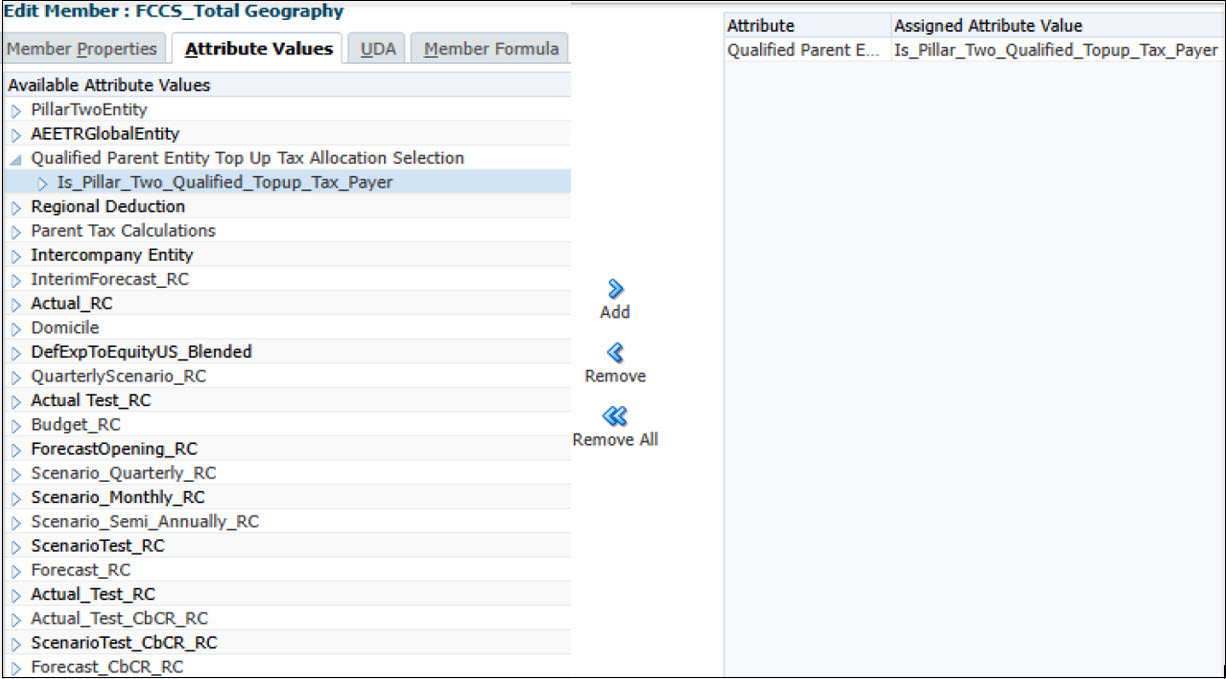
For any parent entity responsible for paying Pillar Two Top-Up Tax—including Intermediate Parent Entities (IPE) and Ultimate Parent Entities (UPE)—assign the attribute Is_Pillar_Two_Qualified_Topup_Tax_Payer under Qualified Parent Entity Top Up Tax Allocation Selection.
For example, apply this configuration if FCCS_Total Geography serves as the UPE: