Example: Equity Reversal for TempStockComp
The screenshots below illustrate the sample data flow when equity reversal is configured for the TempStockComp account.
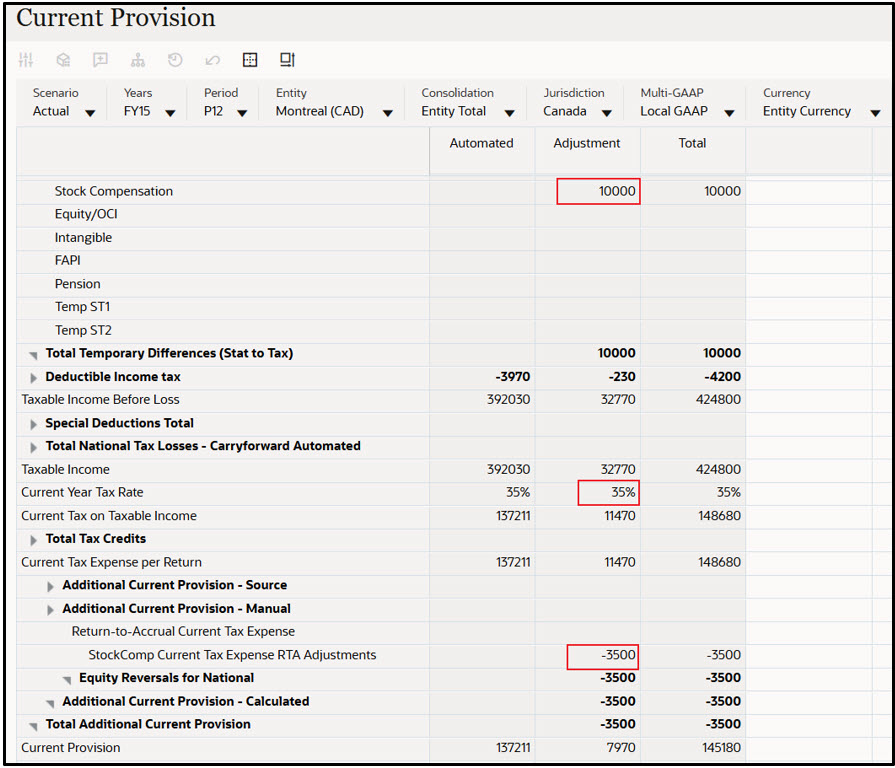
Temporary Differences
In the Temporary Differences section, the amount is reversed from the Profit & Loss section and moved to the Non-P&L (Equity) section.

Deferred Tax
In the Deferred Tax section, the related tax effect is also reversed from the Profit & Loss section and moved to the Non-P&L (Equity) section.
By default, any tax rate change continues to be calculated in the Profit & Loss section. To post the rate change to the Non-P&L (Equity) section as well, assign the following attribute to the account: Rate Change to Equity: RCToEquity
